
Last Updated on 3 months ago by Grace Nyambura
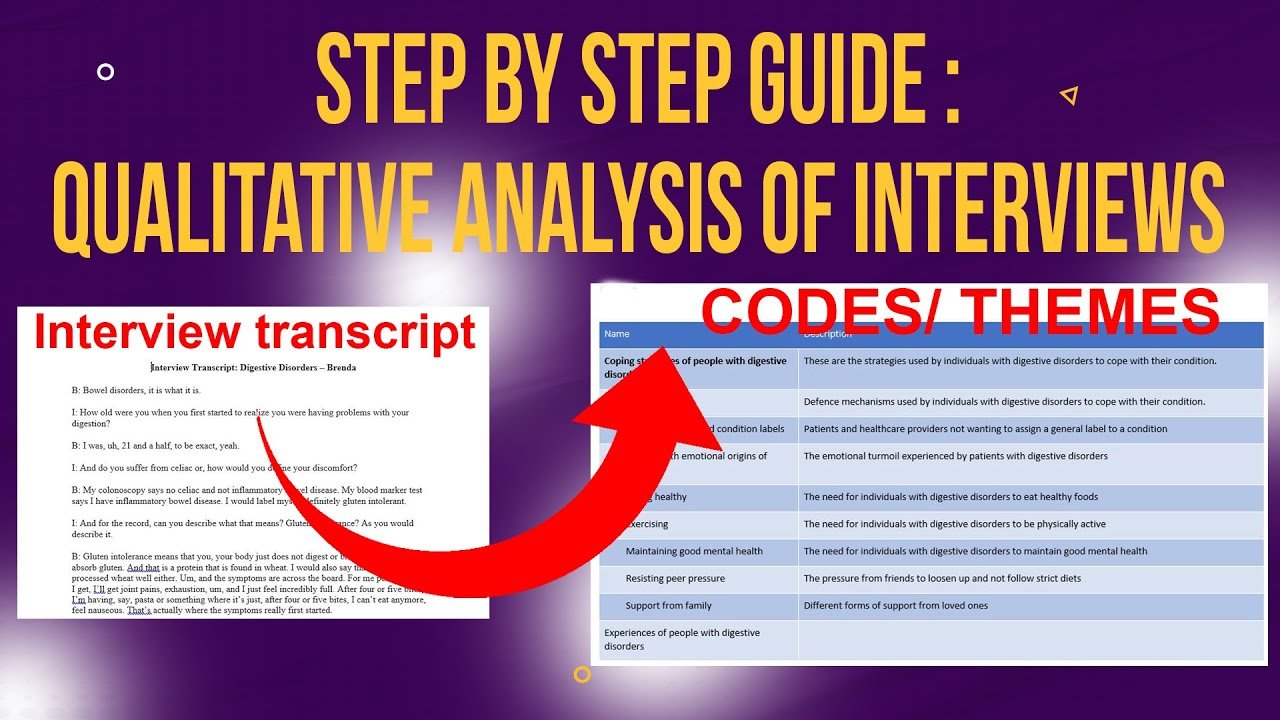
Template Analysis in Qualitative Research [7 Steps]
Template analysis is a deductive approach to thematic analysis in which you define a set of predetermined (“a priori”) themes before coding any data, then apply that template across your full data set. Because the themes exist before coding begins, template analysis is also known as the codebook approach.
In this guide, I’ll walk you through exactly how I conduct template analysis in NVivo, step by step, using a real qualitative study on HIV and non-communicable disease (NCD) care as the working example. By the end, you’ll know how to build a template, generate codes, revise your themes, and write up your findings report.
- Template Analysis in Qualitative Research [7 Steps]
- What Is Template Analysis in Qualitative Research?
- 7 Steps to Conducting Template Analysis in NVivo
- Step 1 — Transcribe and Familiarize Yourself with the Interviews
- Step 2 — Define Your A Priori Themes
- Step 3 — Generate Codes and Link Them to A Priori Themes
- Step 4 — Review Codes and Refine the Template
- Step 5 & 6 — Finalize the Template and Apply It to the Full Data Set
- Step 7 — Write the Findings Report
- Common Mistakes to Avoid in Template Analysis
- Frequently Asked Questions
- Key Takeaways
- Get Help With Your Template Analysis
What Is Template Analysis in Qualitative Research?
Template analysis represents an approach to analyzing data from interview transcripts. Using this method, I first come up with a template that I’ll apply across all my data. The template is made up of predetermined themes that I expect to find, based mainly on my research objectives or research questions.
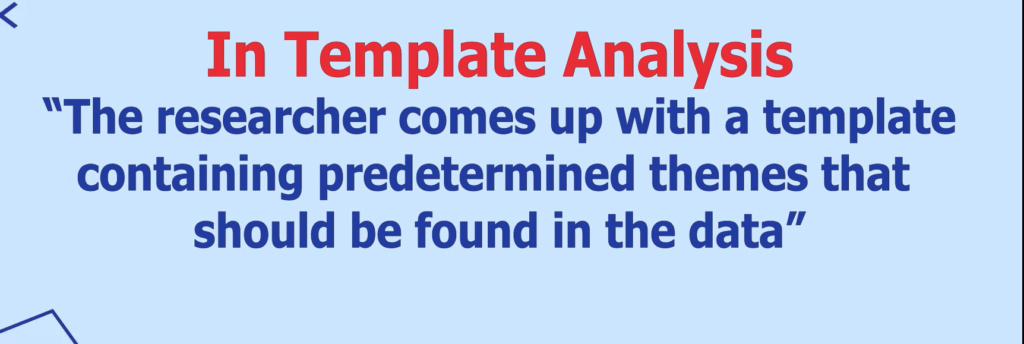
Because those themes are established before coding starts, template analysis is also known as the codebook approach.
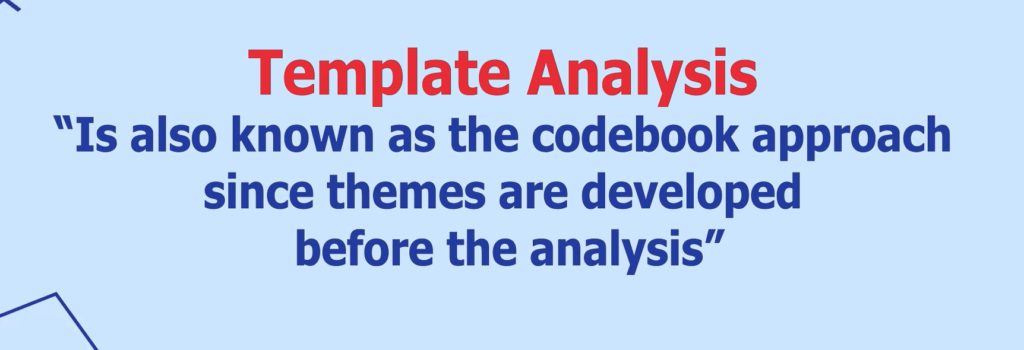
And because I’m relying on predetermined themes rather than letting themes emerge from the data, this makes template analysis a deductive approach to thematic analysis — for a broader primer on how qualitative methods differ, Scribbr’s guide to qualitative research is a solid overview.
During template analysis, I analyze a handful of transcripts first — for example, 3 out of 15 — then revise the template before applying it to the rest. It’s also important to maintain reflexivity throughout: regularly checking that your own assumptions and preconceptions aren’t distorting how you’re reading the data.
7 Steps to Conducting Template Analysis in NVivo
Here’s the full process, broken into seven steps:
- Transcribe and familiarize yourself with the interviews
- Define your a priori themes
- Conduct initial coding on a subset of transcripts
- Review the initial coding and revise the predetermined themes
- Finalize a template of themes with clear descriptions
- Apply the final template to the full data set
- Use the final template to interpret and write your findings report
Step 1 — Transcribe and Familiarize Yourself with the Interviews

Familiarizing with the Transcripts
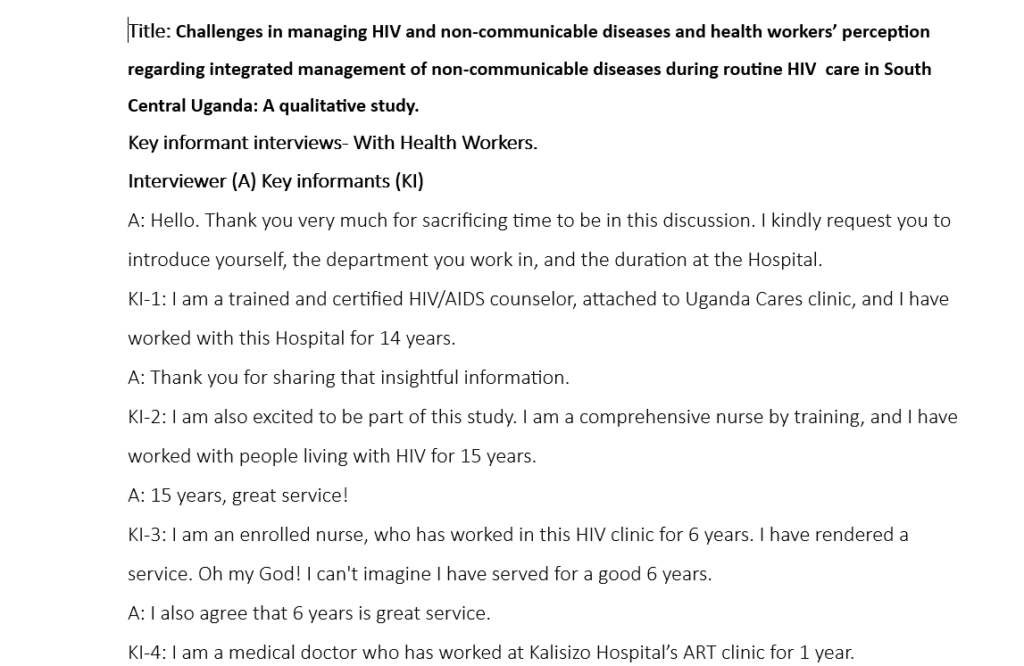
The first step is transcribing your interviews and getting familiar with both the transcripts and the interview process itself. I usually transcribe using software — I cover the options in my guide to the best transcription tools for qualitative interviews — though manual transcription works too.
Once you have a transcript, go through it line by line, correcting grammatical errors the AI missed. This proofreading pass does double duty: it cleans up your data and helps you familiarize yourself with what participants actually said, so you can compare it against your research questions and objectives.
Step 2 — Define Your A Priori Themes

Coming up with a Priori Theme
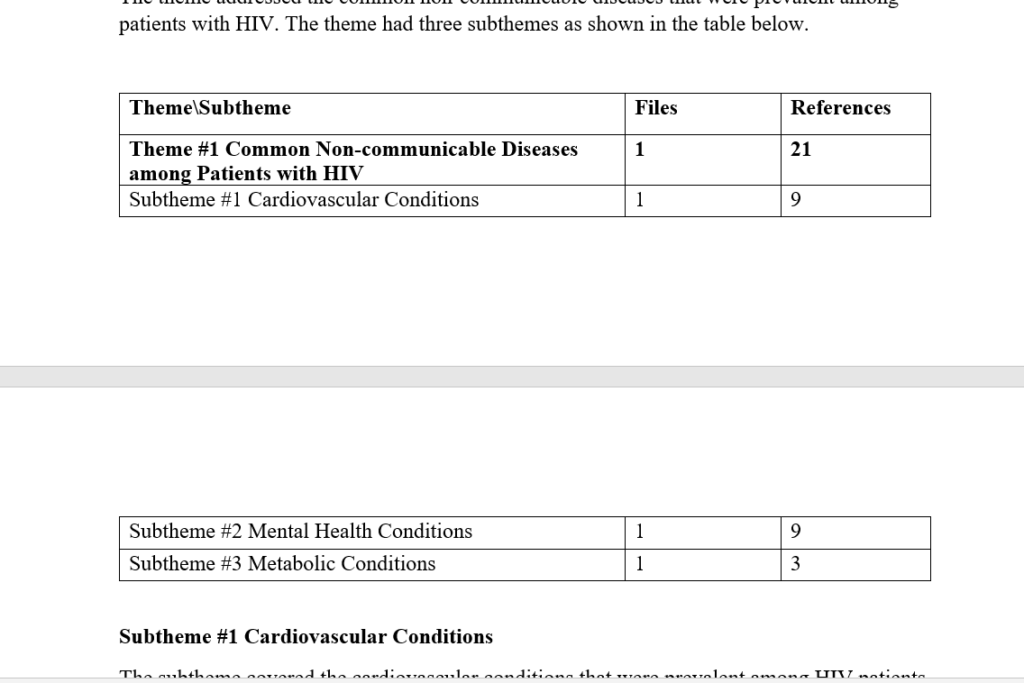
“A priori” means “before” — this step is about deciding, before you start coding, which themes you expect to explore in your data.
For example, in a study titled “Challenges in Managing HIV and Non-Communicable Diseases and Health Workers’ Perceptions Regarding Integrated Management of Non-Communicable Diseases During Routine HIV Care in South Central Uganda,” simply reading through the transcript let me identify three a priori themes:
- Common non-communicable diseases among patients with HIV
- Health system challenges in managing HIV and NCDs
- Health workers’ perceptions of integrated NCD–HIV management
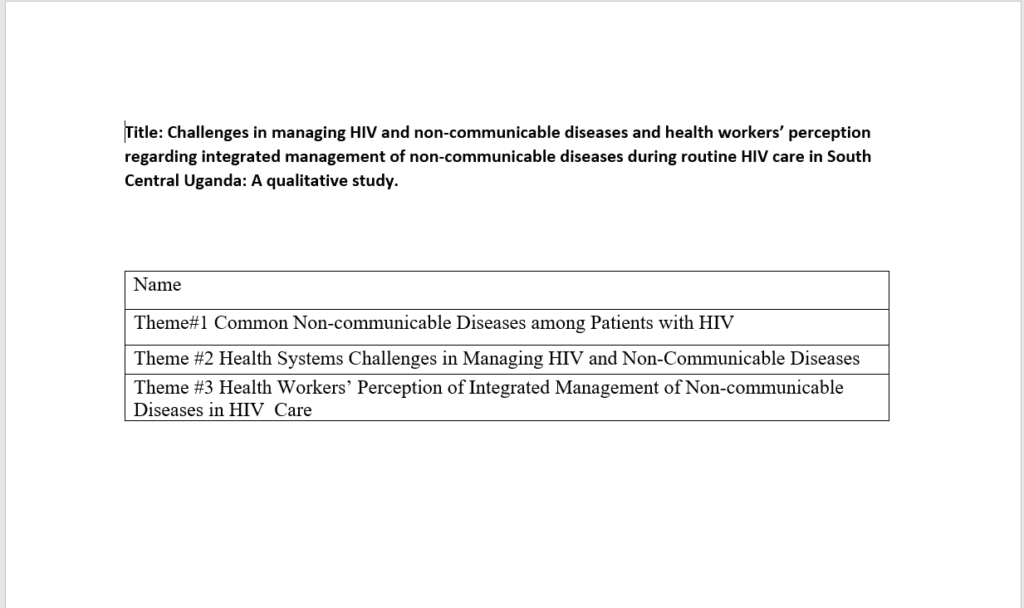
These three themes came directly from the study’s research background, objectives, and research questions — which is exactly where your own a priori themes should come from.
Step 3 — Generate Codes and Link Them to A Priori Themes

Generating Codes and Linking them to a Priori Themes
This is where NVivo comes in — for a fuller walkthrough of the interface, see my 6-step guide to qualitative analysis in NVivo. After opening NVivo and creating a new project, as a beginner you’ll mainly work between two areas: the Files section, where you import transcripts, and the Codes section, where you build codes and themes.
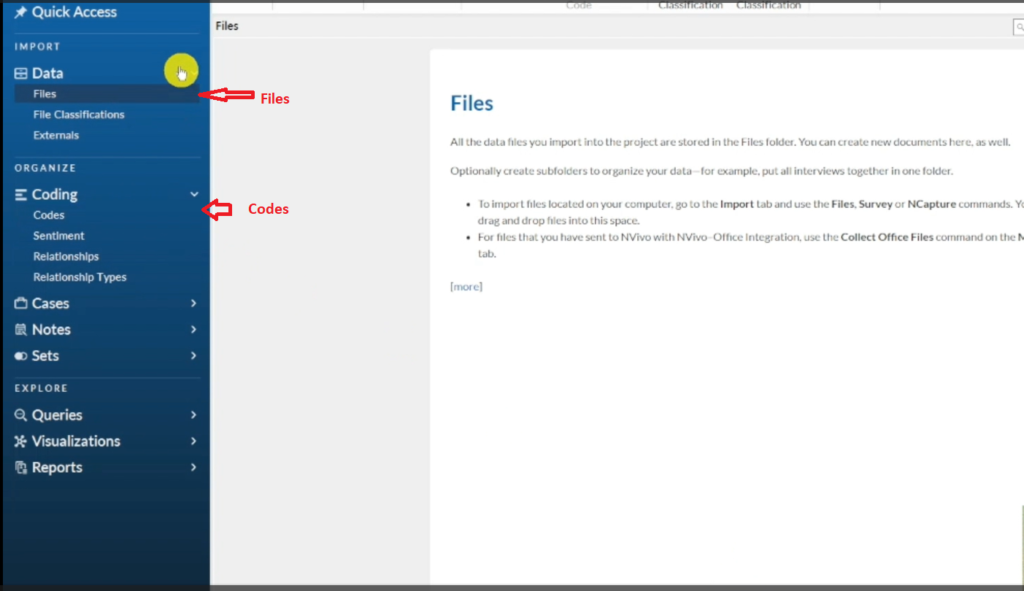
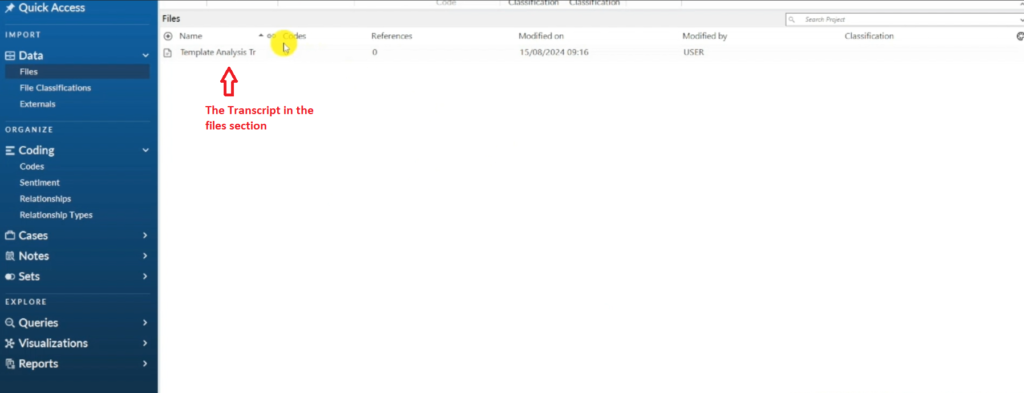
The Transcript in the Files Section
I import my three predetermined themes into the Codes section first, then right-click each theme to open Code Properties and add a clear description — a step worth doing for every theme. For “common non-communicable diseases among patients with HIV,” I wrote: “This represents the most prevalent non-communicable diseases among patients with HIV.”
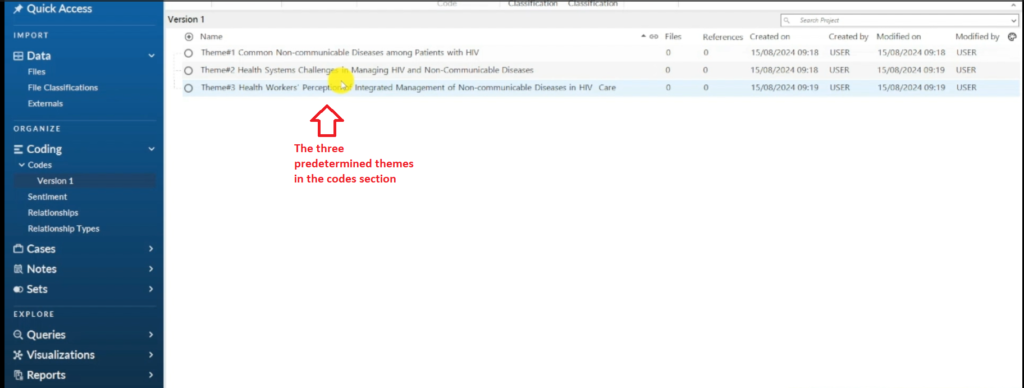
The Three a Priori Themes in the Codes Section
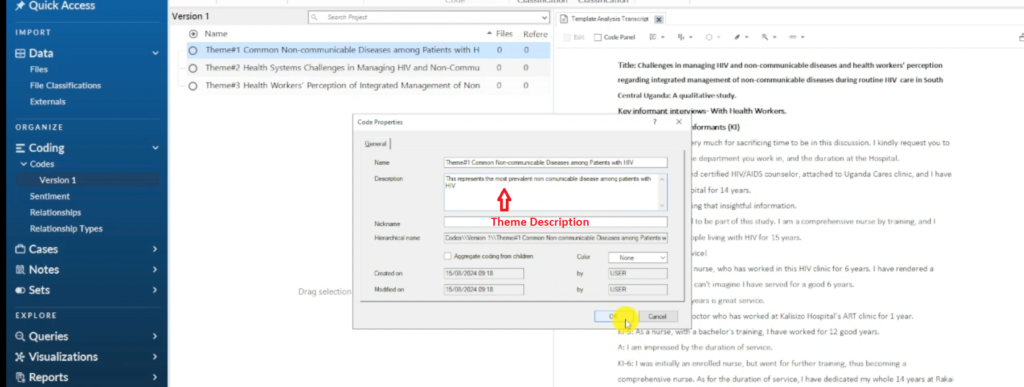
Theme Description
From there, I read through the transcript — a focus group with healthcare workers who treat HIV patients — the same way I approach qualitative coding of interviews in NVivo, and start coding. A code is simply a label or interpretive statement applied to a section of text that’s relevant to your research question.
When a participant described “a particular prevalence of cardiovascular conditions, notably hypertension,” I highlighted that section, dragged it into the blank coding area, and created the code High Blood Pressure, nesting it under the theme Common Non-Communicable Diseases Among Patients With HIV.
I repeated this for each new condition participants mentioned:
- Kidney disease — coded as a straightforward descriptive code
- Heart disease — created as a child code under the same theme (right-click → Code Selection → New Child Code)
- Diabetes and Cancer — coded in vivo, meaning the code uses the participant’s own words directly
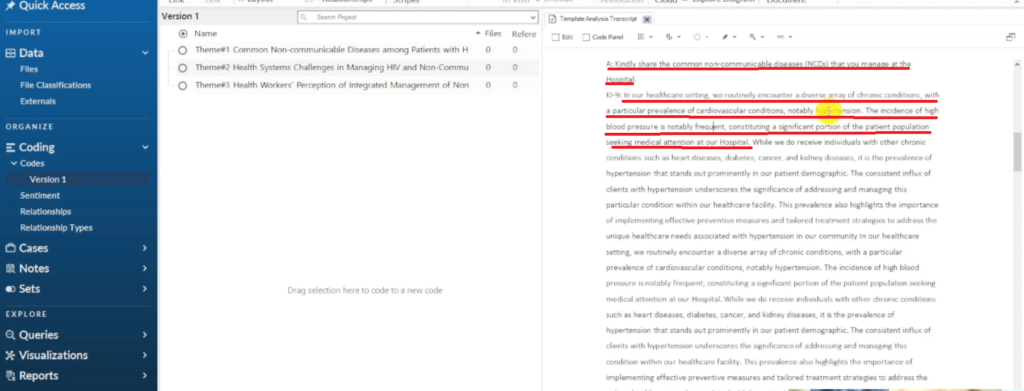
A Section of a Transcript in Nvivo 14
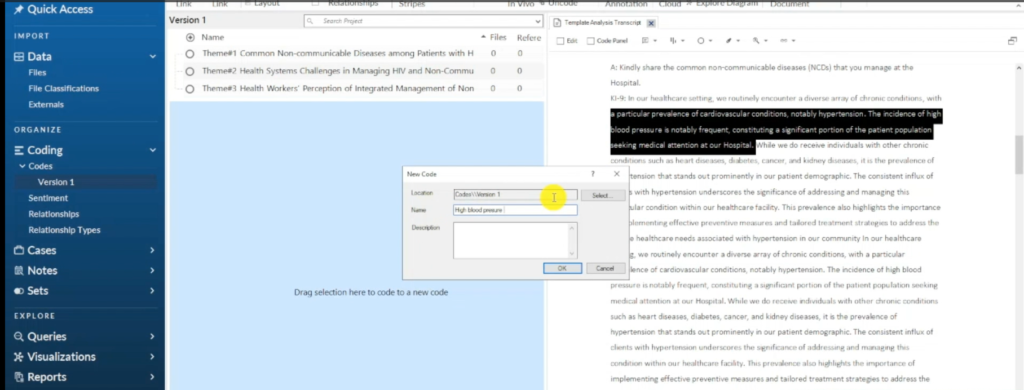
The Code High Blood Pressure is Created
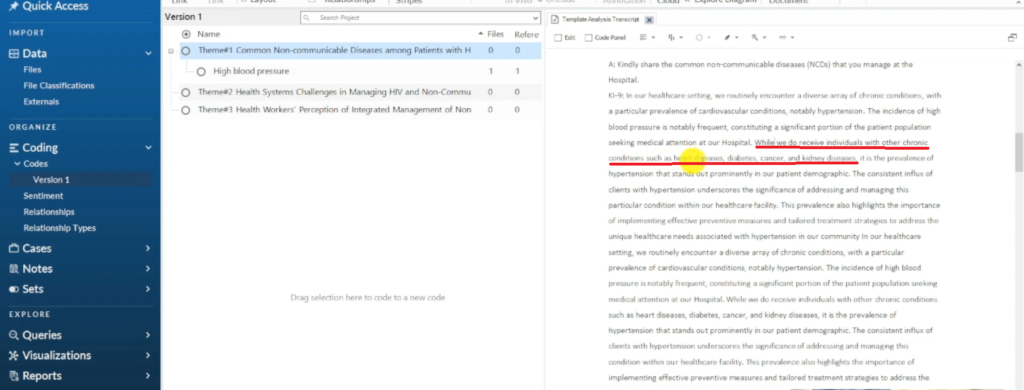
A Section of a Transcript in Nvivo 14
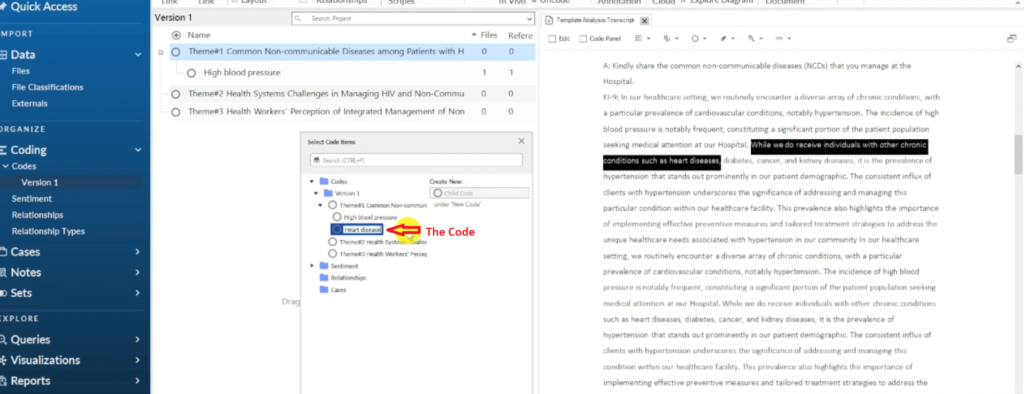
The Code Heart Disease is Created
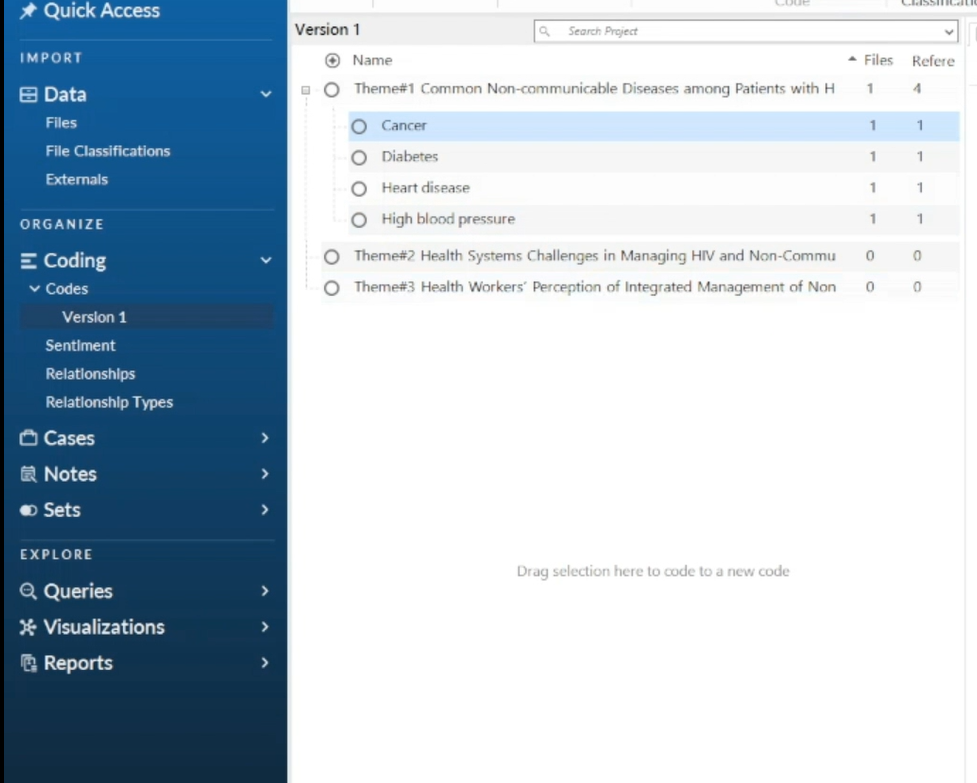
Codes
When a second participant mentioned high blood pressure again, I didn’t create a duplicate code — I dragged the new quote into the existing High Blood Pressure code so supporting quotes stay grouped together. Double-clicking a code shows every quote coded to it, which is useful for reviewing how strong the evidence is behind each one.
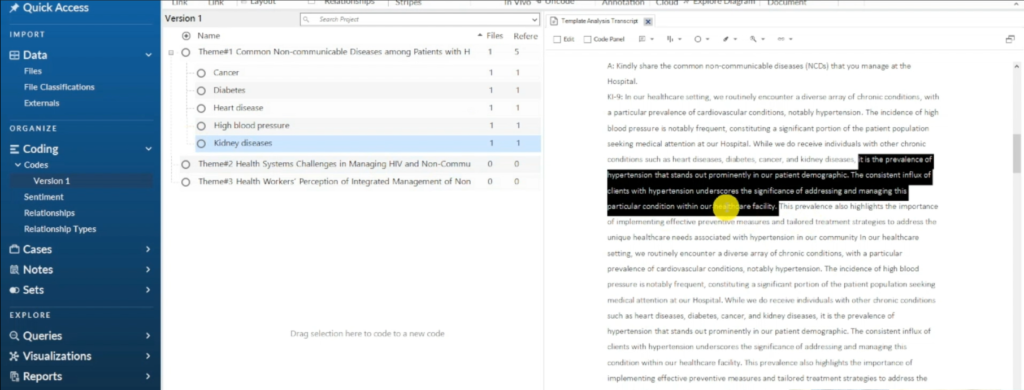
A Section of a Transcript in Nvivo 14
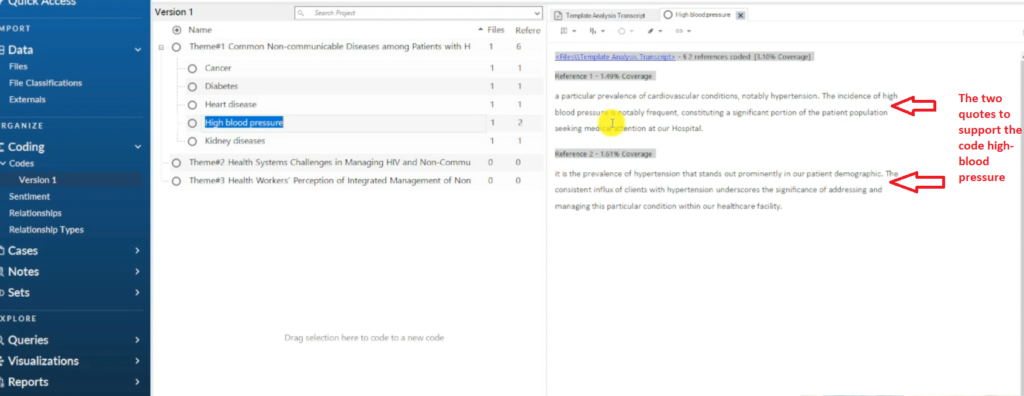
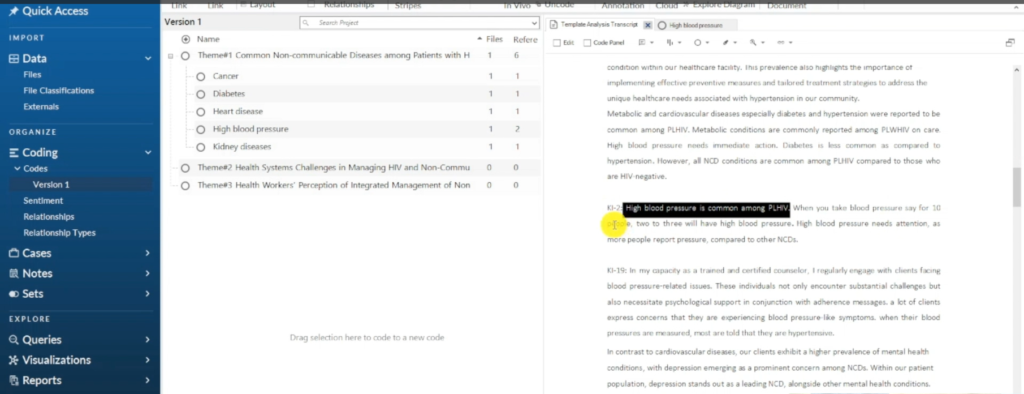
A Section of a Transcript in Nvivo 14
I followed the same process for Depression, coded from a participant describing “a higher prevalence of mental health conditions, with depression emerging as a prominent concern.”
For the second theme — health system challenges — I coded participant statements into Challenges Handling Adverse Events, Overwhelming Workload, Communication Issues Among Health Workers, and Limited Financial and Human Resources (coded in vivo). To edit a code’s name or description afterward, right-click it and choose Code Properties.
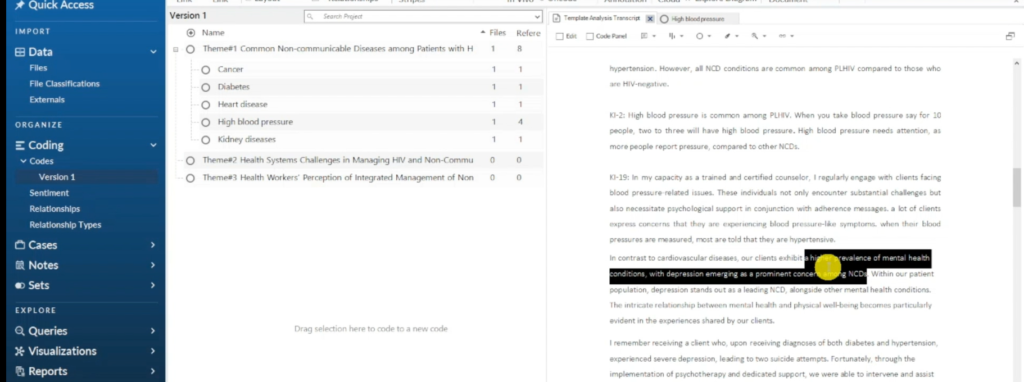
A Section of a Transcript in Nvivo 14

The Code Depression is Created
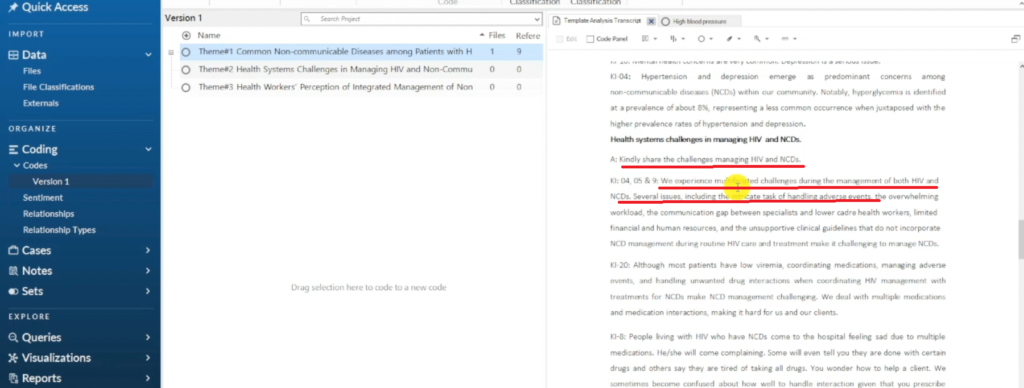
A Section of a Transcript in Nvivo 14
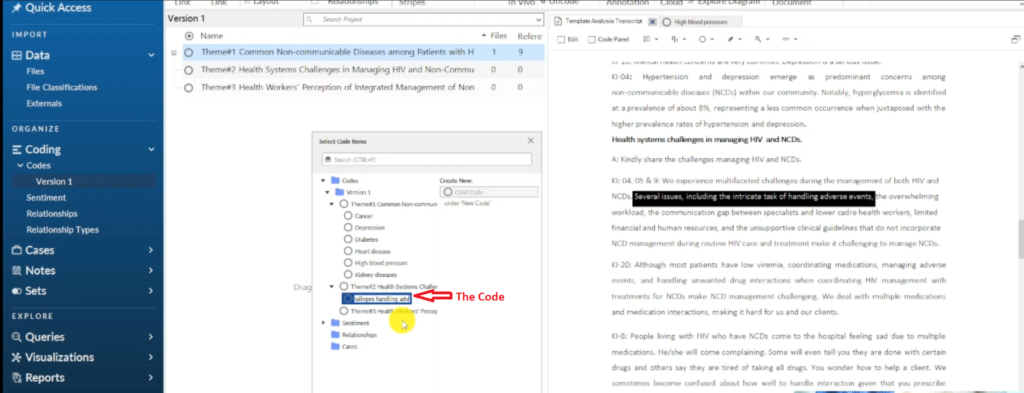
The Code Challenges in Handling Adverse Events is Created
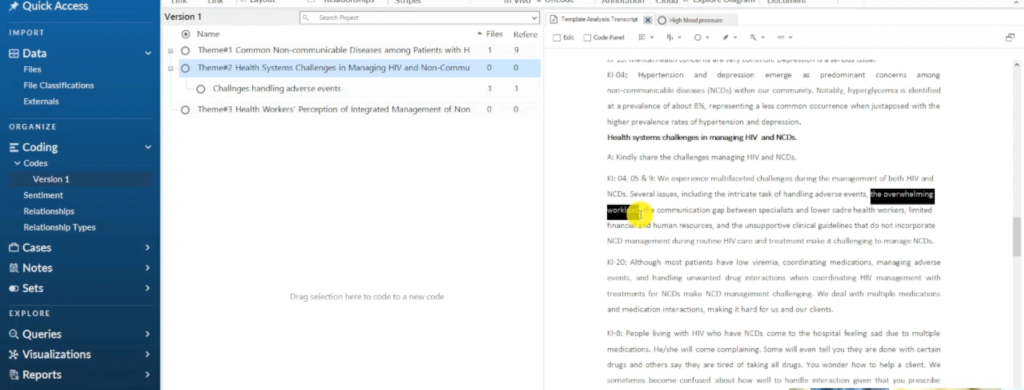
A Section of a Transcript in Nvivo 14
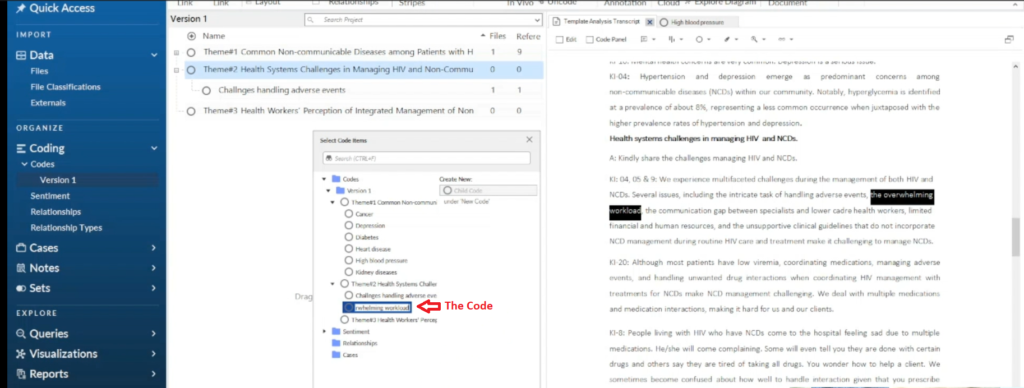
The Code Overwhelming Workload is Created
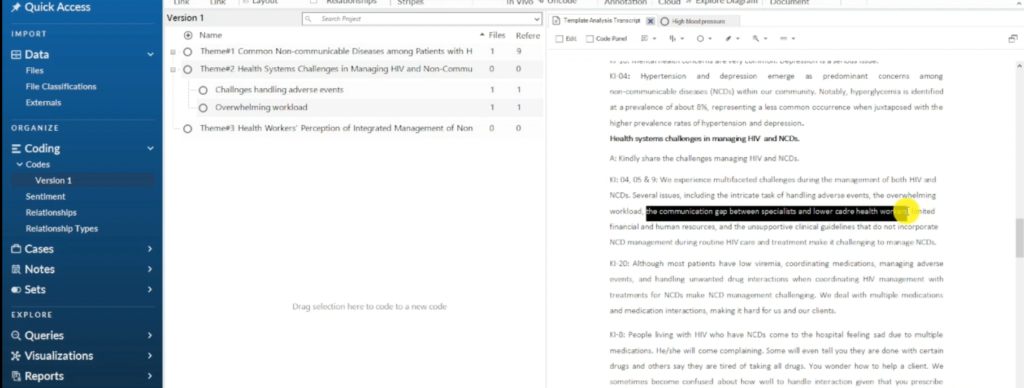
A Section of a Transcript in Nvivo 14
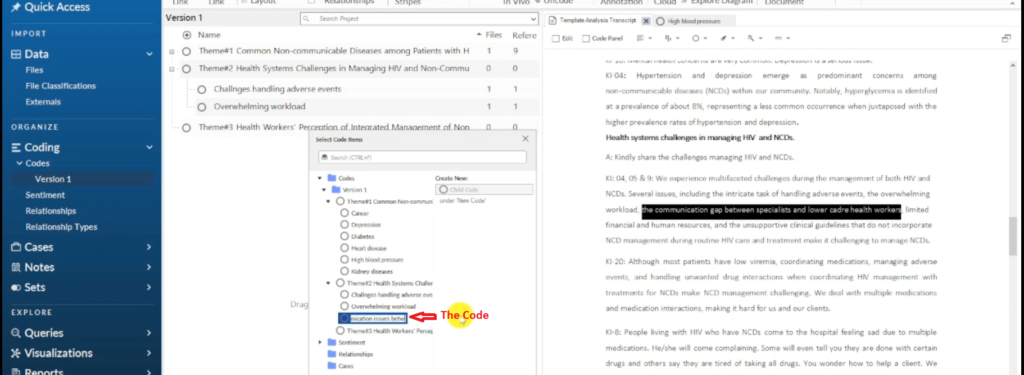
The Code Communication Issues among Health Workers is created
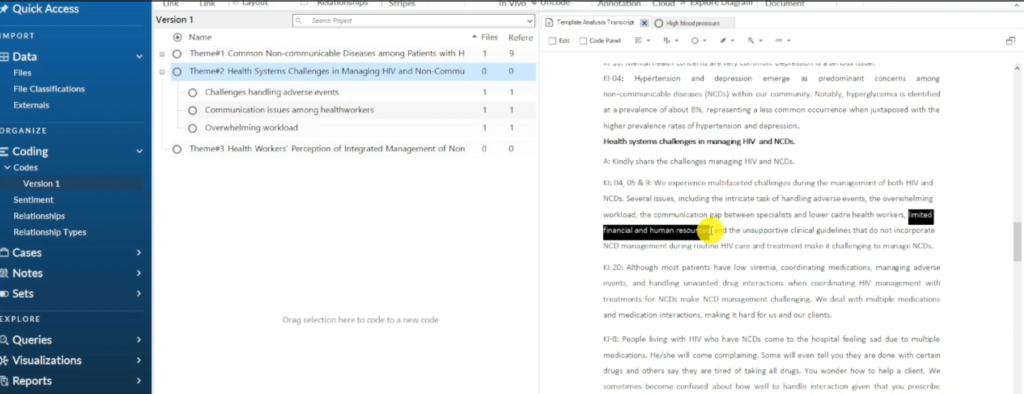
A Section of a Transcript in Nvivo 14
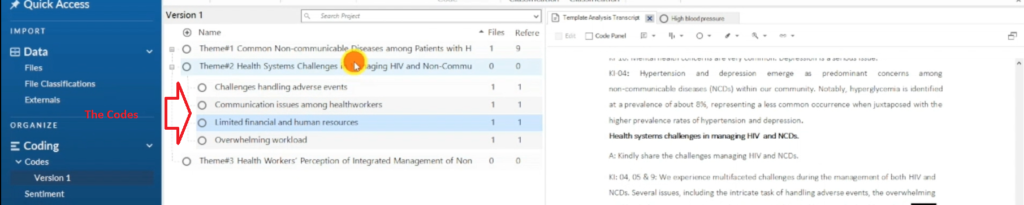
Codes in a Theme
Step 4 — Review Codes and Refine the Template

Reviewing Codes and Ensuring the Template is well Defined
Once I’d worked through the full focus group and fitted every code into my three a priori themes, I went back and reviewed everything — this is where the template really gets refined.
While reviewing, I look for patterns of shared meaning between codes and group related codes into subthemes. For the non-communicable diseases theme, three subthemes emerged:
- Cardiovascular conditions (heart disease, hypertension)
- Mental health conditions (depression)
- Metabolic conditions (diabetes, hyperglycemia, kidney disease)
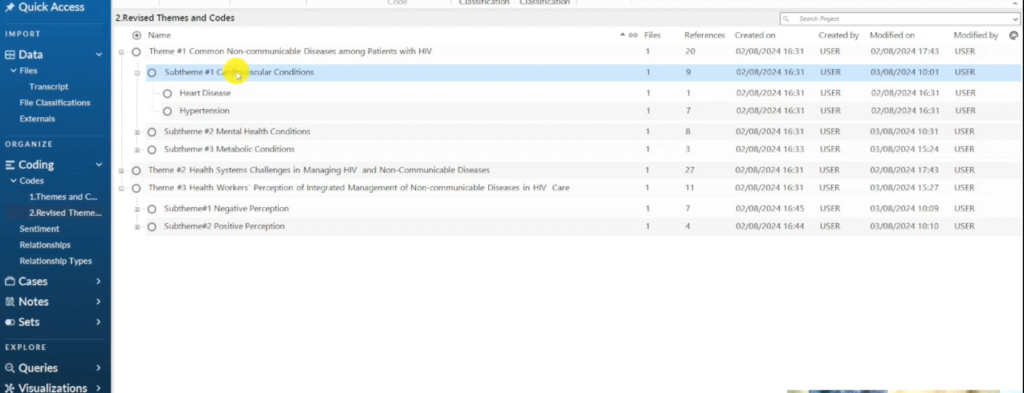
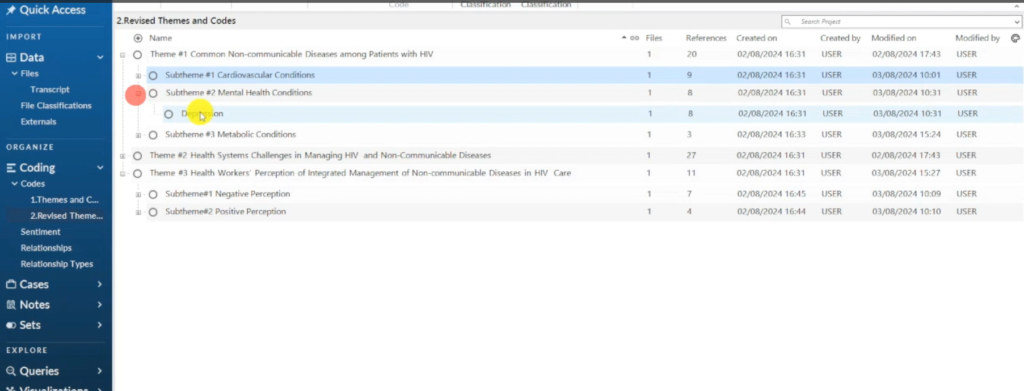
A Subtheme in a Theme
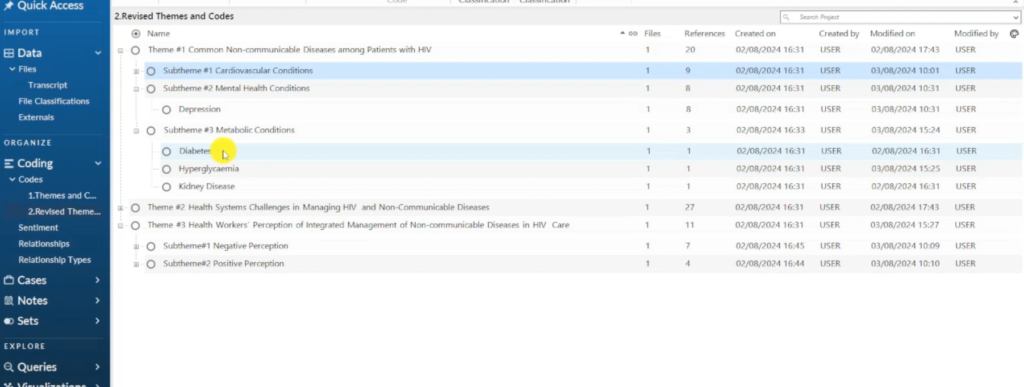
A Subtheme in a Theme
I did the same for the other two themes — for the third theme (health workers’ perceptions), the codes grouped naturally into Negative Perception and Positive Perception subthemes, since health workers described integrated HIV–NCD management in both positive and negative terms.
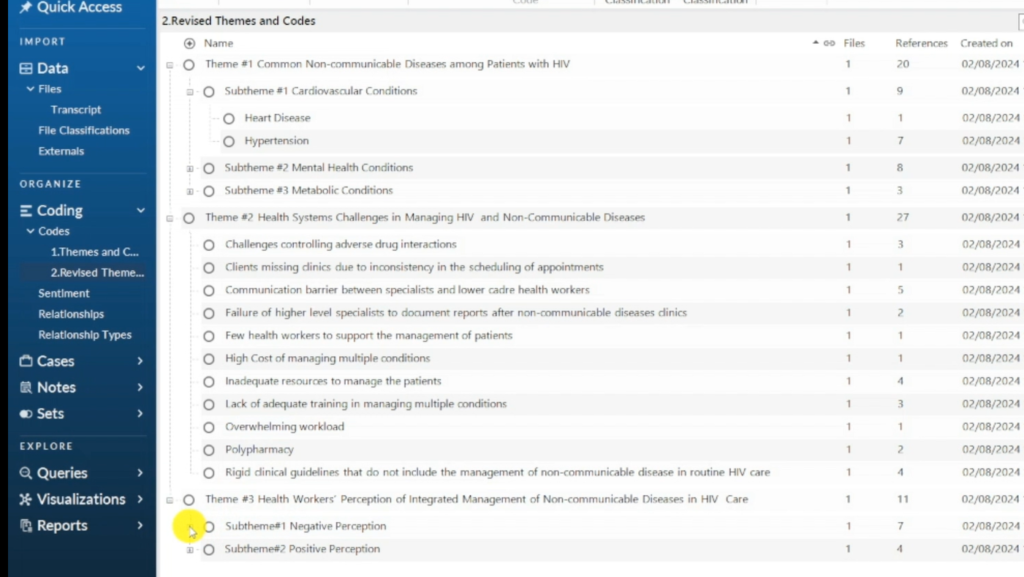
Theme 3 has Two Subtheme
Step 5 & 6 — Finalize the Template and Apply It to the Full Data Set
Once your themes, subthemes, and codes are clearly defined and described, you have your final template. From here, apply that same template to every remaining transcript in your data set — this is what makes template analysis efficient once the groundwork is done.
Step 7 — Write the Findings Report

Writing the Findings Report
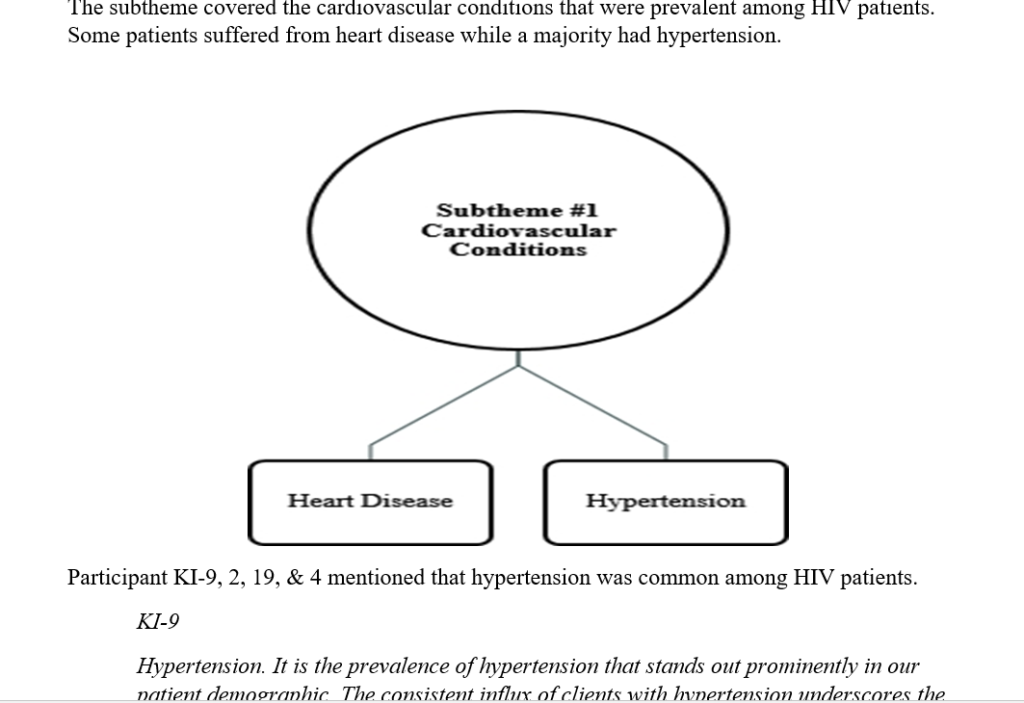
With the full template applied across all your transcripts, the last step is writing your findings report. A typical template analysis findings report includes tables summarizing themes and supporting quotes, along with visuals such as mind maps that illustrate how themes, subthemes, and codes relate to one another.
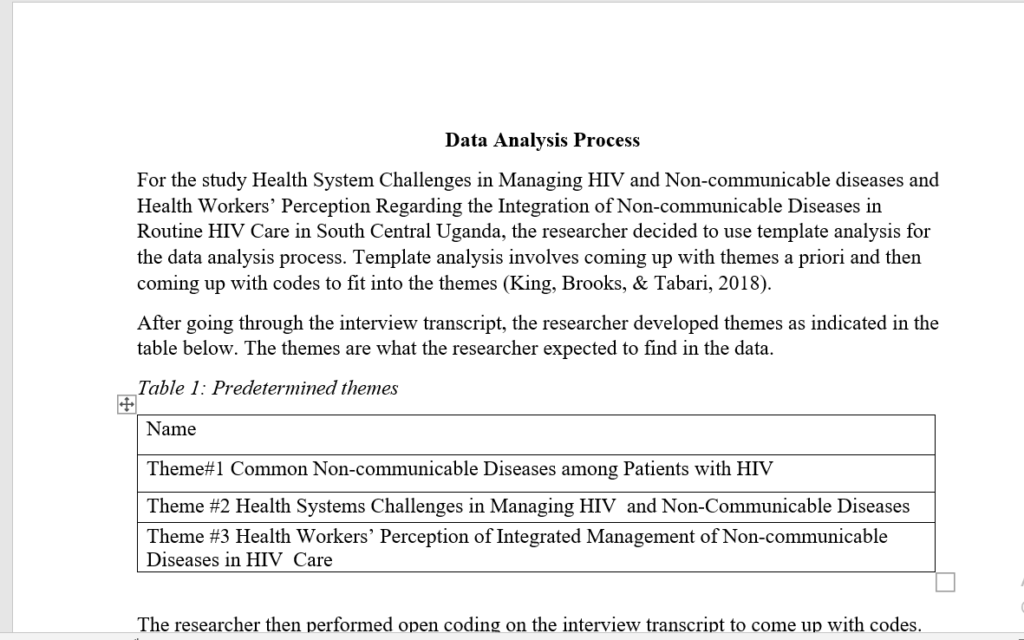
The Findings Report
Common Mistakes to Avoid in Template Analysis
- Skipping the familiarization step — jumping straight into coding without reading your transcripts closely makes it easy to miss quotes that belong under your a priori themes.
- Treating the first template as final — template analysis expects you to revise your themes after the first few transcripts, not lock them in before you’ve seen any data.
- Ignoring reflexivity — without regularly questioning your own assumptions, you risk forcing the data to fit your predetermined themes rather than genuinely representing what participants said.
- Leaving themes without descriptions — a theme without a clear written description is hard to code consistently across a large transcript, especially with more than one coder.
If any of this feels like a lot to manage on your own, this is exactly the kind of interpretive work I take on for clients through my done-for-you thematic analysis service — you send the transcripts, I build and apply the template, and you get back a fully coded, analysis-ready project.
Frequently Asked Questions
Is template analysis the same as thematic analysis?
Template analysis is a specific, deductive form of thematic analysis. Where inductive thematic analysis lets themes emerge from the data (see my examples of inductive and deductive thematic analysis), template analysis starts with a template of a priori themes and fits the data into it.
How many transcripts should I code before revising my template?
There’s no fixed number, but a common approach — and the one used in this guide — is to code an initial subset (for example, 3 out of 15 transcripts) before reviewing and refining the template.
Can I use template analysis outside of NVivo?
Yes. Template analysis is a methodological approach, not a piece of software. You can apply it using NVivo, MAXQDA, ATLAS.ti, or even Microsoft Word and Excel — NVivo just makes it easier to manage large data sets and track quotes per code. The method itself was developed by Nigel King, and his Template Analysis resource at the University of Huddersfield remains the definitive academic reference.
What’s the difference between a code, a subtheme, and a theme?
A code is a label applied to a specific piece of data — a phrase or passage — that captures something relevant to your research question. Related codes that share a pattern of meaning are grouped into subthemes (for example, heart disease and hypertension grouping into “cardiovascular conditions”). Subthemes then sit underneath your broader a priori themes, the top-level categories you defined before analysis began.
Key Takeaways
- Template analysis is a deductive, codebook-based approach: themes are defined a priori, before coding begins.
- The process runs through 7 steps, from transcription and familiarization through to writing the findings report.
- Codes are generated from the data and linked to predetermined themes in NVivo’s Codes section, then grouped into subthemes as patterns emerge.
- Reflexivity should be maintained throughout, so your own assumptions don’t distort the data.
- NVivo is well suited to template analysis because it lets you manage themes, codes, and supporting quotes in one workspace.
Get Help With Your Template Analysis
Are you overwhelmed by your qualitative data? I offer two specialized services for PhD students who need support with N-Vivo analysis. The first is my done-for-you qualitative data analysis service, where I handle the full coding, theme development, data visualization, and a findings report — including a walk-through recording of the entire analysis. The second is one-on-one N-Vivo consulting, where we work together on a video call via Zoom or Microsoft Teams, and I guide you through your analysis step by step.