Reflexive Thematic Analysis in MAXQDA: A Step-by-Step Guide for PhD Students

Last Updated on 20 hours ago by Grace Nyambura

Reflexive thematic analysis in MAXQDA is a structured process for moving from raw interview transcripts to clearly defined themes — using the six-step framework developed by Braun and Clarke. In this guide, I walk you through every step inside MAXQDA 24, from importing your data to exporting a coded theme system ready for your findings report.

What Is Reflexive Thematic Analysis? (Braun & Clarke Explained)

Reflexive thematic analysis is a qualitative research method that follows six steps: familiarizing with the data, generating initial codes, generating themes, reviewing themes, defining and naming themes, and producing the report.

What makes it reflexive is that the researcher must remain actively aware of their own background, experiences, biases, and assumptions throughout the entire process. Braun and Clarke argue in their 2022 book Thematic Analysis: A Practical Guide that this reflexivity is not a weakness — it is what gives the analysis its credibility and depth.
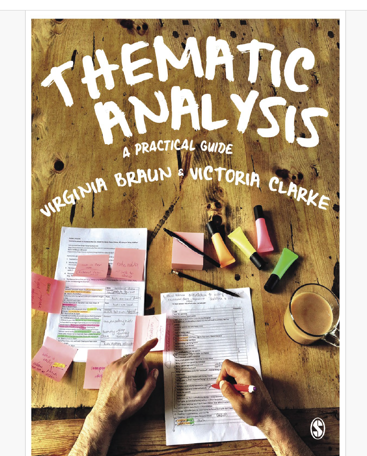
Thematic Analysis: A Practical Guide book cover by Braun and Clarke — used in MAXQDA reflexive thematic analysis

For example, a researcher who has personally experienced financial hardship may interpret interview responses about poverty quite differently from one who has not. Reflexive thematic analysis asks you to acknowledge and document those influences rather than pretend they do not exist.

Why Use MAXQDA for Reflexive Thematic Analysis?

MAXQDA is one of the most widely used computer-aided qualitative data analysis tools in academic research. It lets you import transcripts, create and colour-code codes, group codes into themes, write memos, and export structured reports — all in one place.

This guide uses MAXQDA 24. The example study involves student views on teaching strategies at a college, analyzed across two to three interview transcripts. For a broader overview of working with qualitative interview data in MAXQDA, see my complete MAXQDA tutorial.

What Are Reflexive Journals and Why Do They Matter?

Before you open MAXQDA, you need to understand reflexive journals — personal records where you document your thoughts, feelings, emerging assumptions, and biases as you code and interpret your data.

According to Scribbr’s guide on reflexivity in qualitative research, maintaining reflexivity helps researchers produce more transparent and trustworthy findings. For the Braun and Clarke approach, reflexive journals are not optional — they are a core methodological requirement.

These journals are not just private notes. You will reference them in your thesis or dissertation in the section titled “Role of the Researcher.”

Examples of Reflexive Journal Entries

Braun and Clarke provide sample journal entries in their 2022 book. A typical entry shows a researcher reflecting on their first focus group — noting that participants’ experiences mirrored their own, and that this similarity made them reluctant to probe deeper. They identify this as a bias to address in the next session.

A second entry captures a researcher gaining coding confidence while flagging their interpretive reactions to an emerging pattern in the data. Keep entries honest, dated, and specific to what you are observing.

According to SAGE Research Methods’ overview of reflexivity, reflexive practice is a hallmark of rigorous qualitative inquiry — and documenting it through journals is the most direct way to demonstrate it in your thesis.
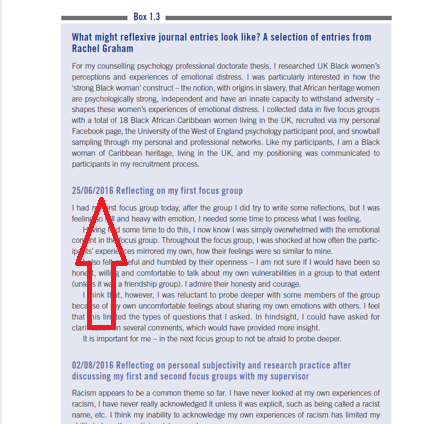
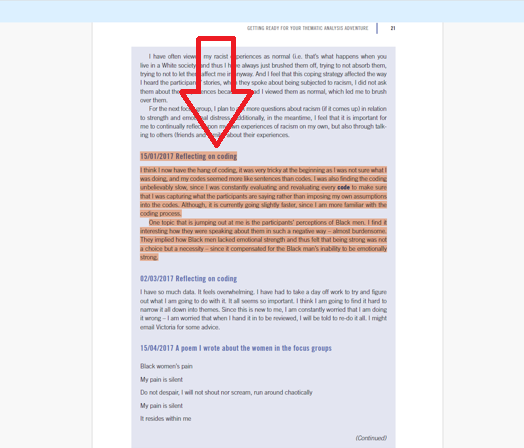
Reflexive journal entry showing researcher emotional reflection during focus group — Braun and Clarke example
Second reflexive journal entry showing researcher coding reflections during qualitative analysis in MAXQDA

Step 1 — Familiarizing Yourself with the Data

Familiarizing yourself with the data means reading all your transcripts carefully — sentence by sentence, word by word — before you begin any coding. In a real study, this begins during data collection itself: you conduct the interviews, transcribe, proofread, and edit. Then you read the cleaned transcripts as if reading a story, noting the key ideas that stand out.

For our student experience study, we have three transcripts. Read each one fully before moving to Step 2. The goal is to build intuition for what the data contains and notice early patterns — not to code yet.
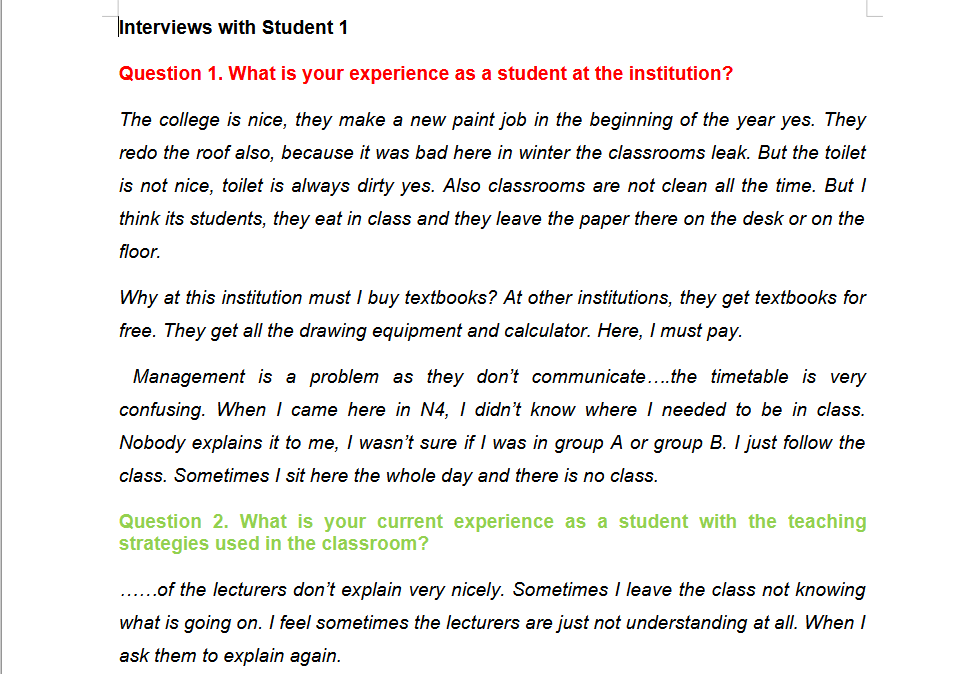
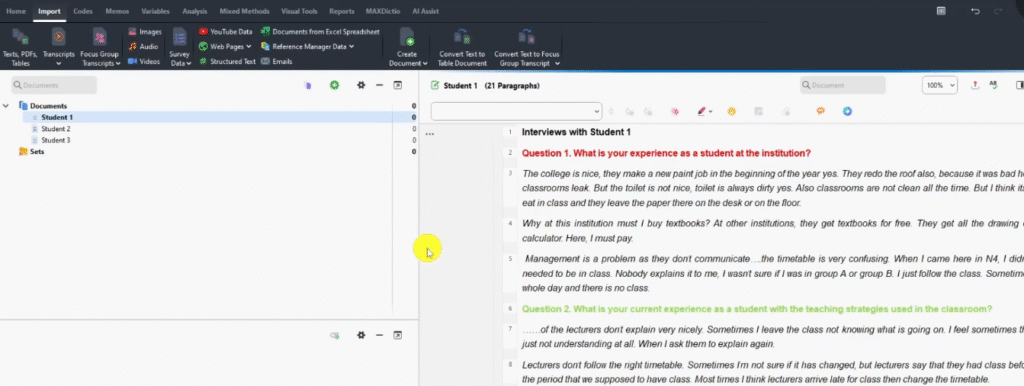
Three student interview transcripts imported into MAXQDA for reflexive thematic analysis — familiarization step

Step 2 — Generating Initial Codes in MAXQDA

What Is a Code in Qualitative Research?

A code is a label or interpretive statement applied to any piece of information that is important to your research questions or objectives. The code is not a copy of the quote — it is a concise interpretation of its meaning.

Definition of a code in reflexive thematic analysis — label or interpretive statement for qualitative data in MAXQDA

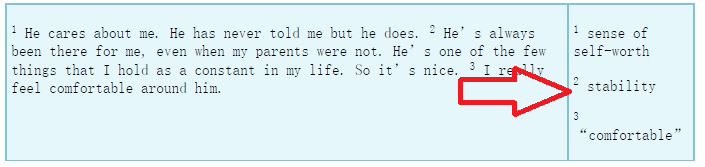
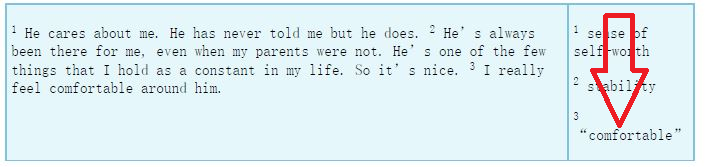
For example, the statement “He’s always been there for me even when my parents were not” might be coded as stability — one word capturing what the participant is really expressing. This approach comes directly from Johnny Saldana’s The Coding Manual for Qualitative Researchers, which pairs well with the Braun and Clarke text.

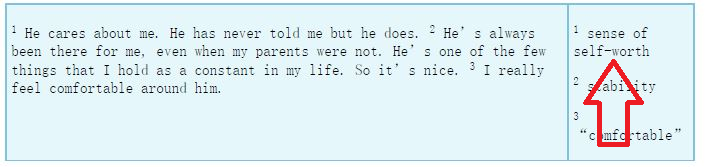
Example of coded qualitative data segment in MAXQDA showing theme development in reflexive thematic analysis
MAXQDA code panel showing sense-of-self-worth initial code highlighted in red during reflexive thematic analysis
MAXQDA code panel showing stability initial code highlighted in red during reflexive thematic analysis
MAXQDA code panel showing comfort initial code highlighted in red during reflexive thematic analysis

How to Create Codes in MAXQDA

Follow these steps to generate initial codes in MAXQDA:

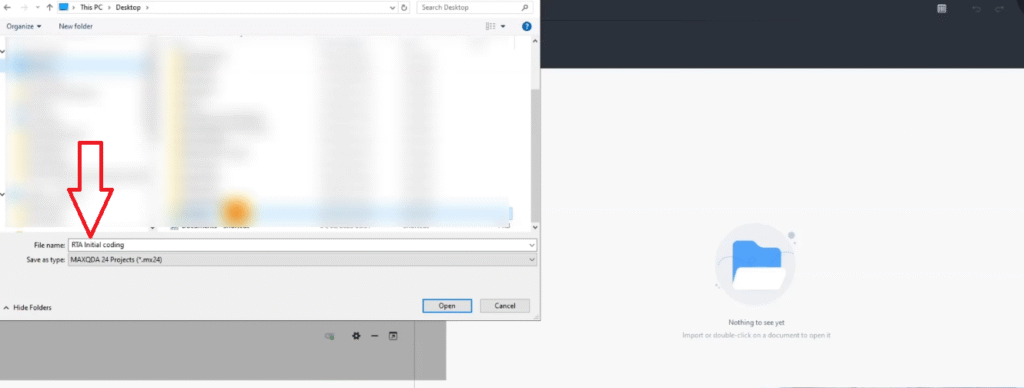
  1. Open MAXQDA and create a new project. Name it something like “RTA Initial Coding.”
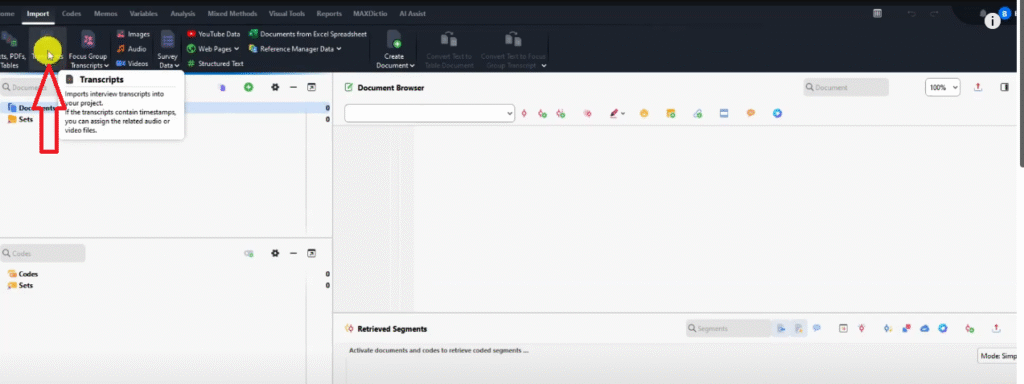
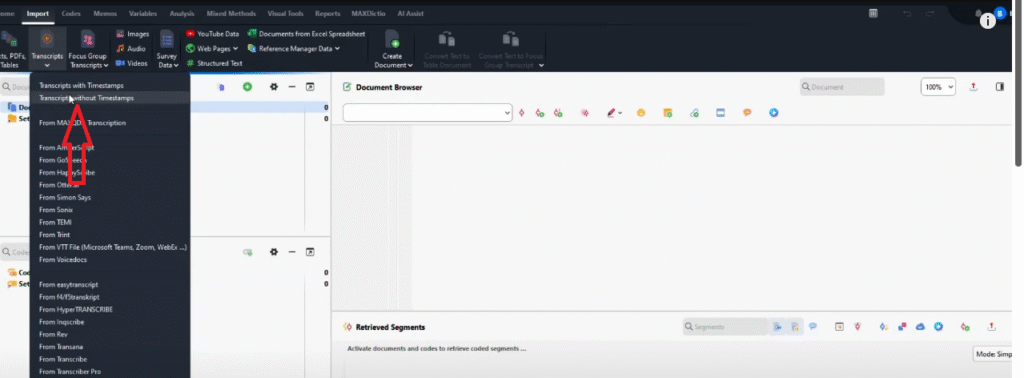
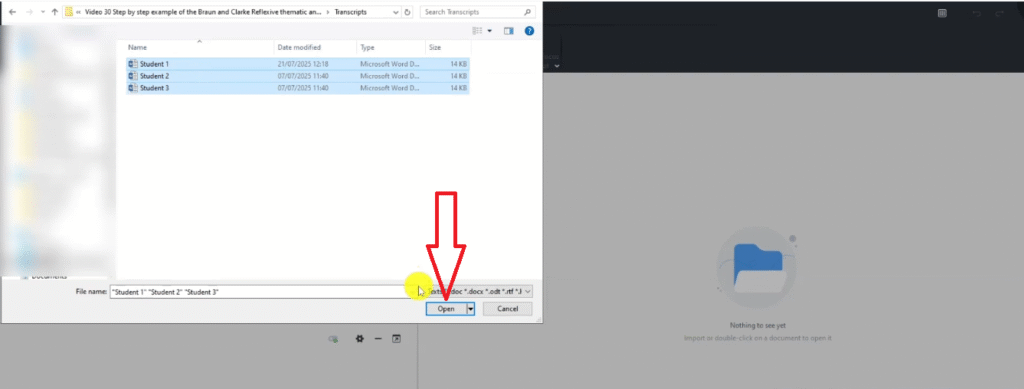
  2. Import your transcripts: go to Import > Transcripts without timestamps, select your files, and click Open.
  3. Double-click a transcript to open it in the document browser.
  4. Read through and highlight any passage important to your research questions.
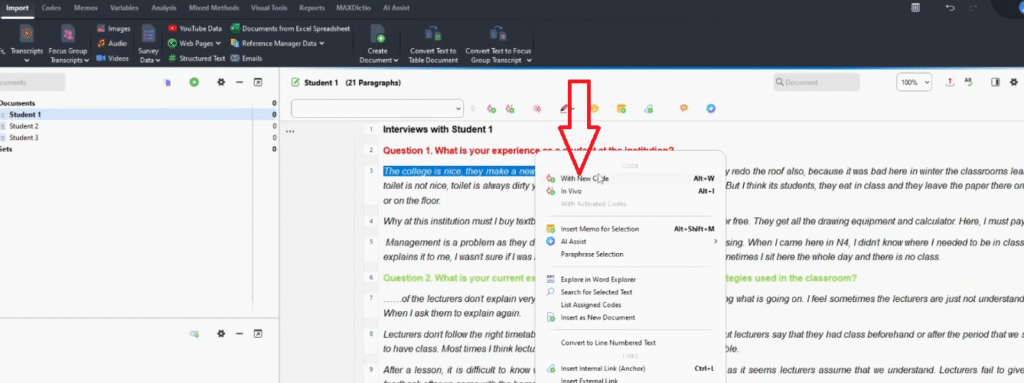
  5. Right-click the highlighted text and select Code with New Code.
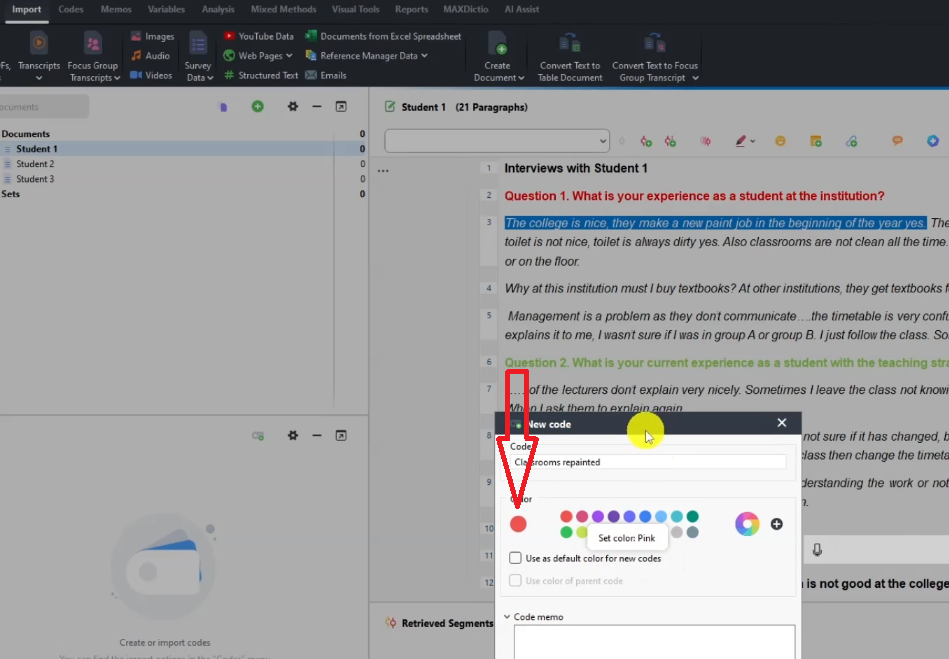
  6. Type a concise code name and assign a colour (I colour-code by question — red for Q1, green for Q2, blue for Q3 — so I can track where each code originated).
  7. Repeat until all relevant passages across all transcripts are coded.

Sample initial codes from the student experience transcript:

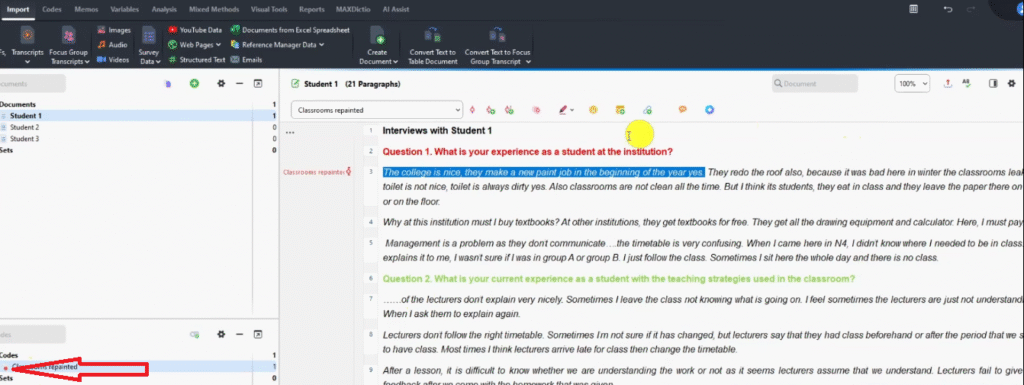
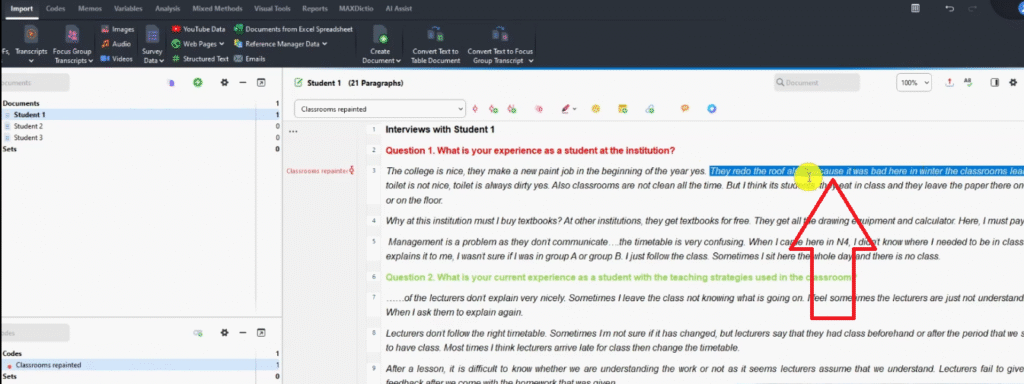
  • Classrooms repainted — “The college is nice, they make a new paint job at the beginning of the year” (red)
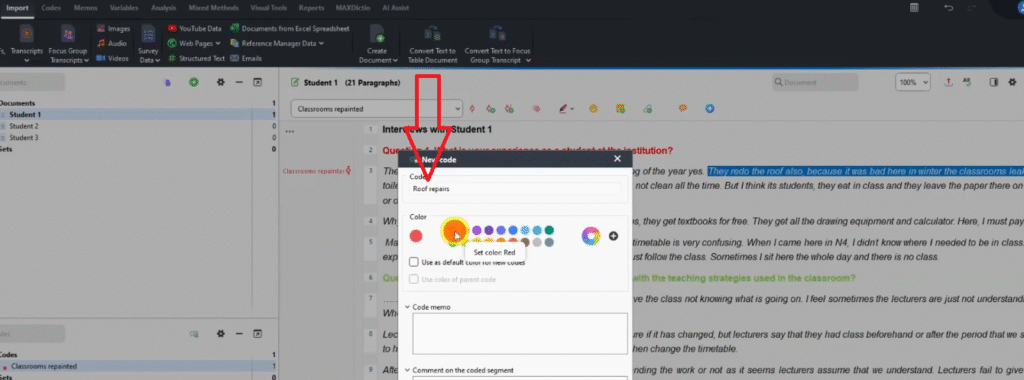
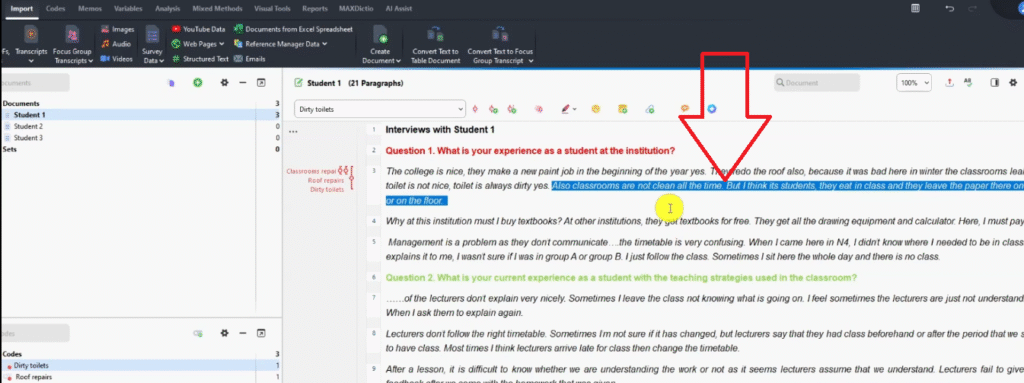
  • Roof repairs — “They redo the roof also because it was bad in winter” (red)
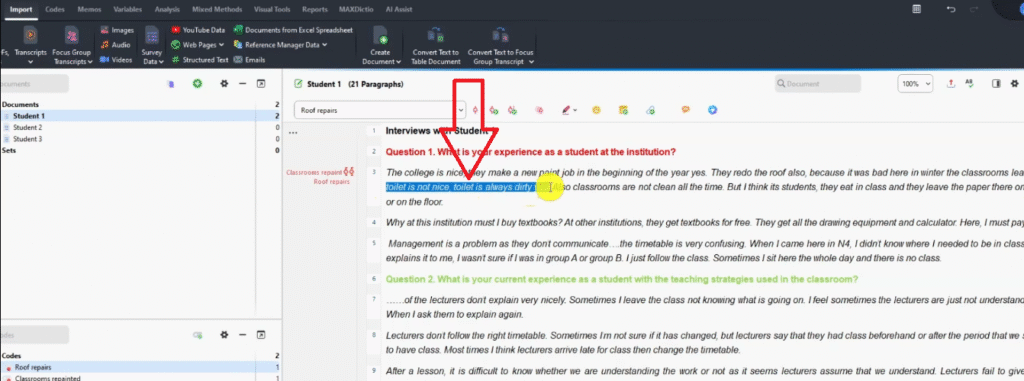
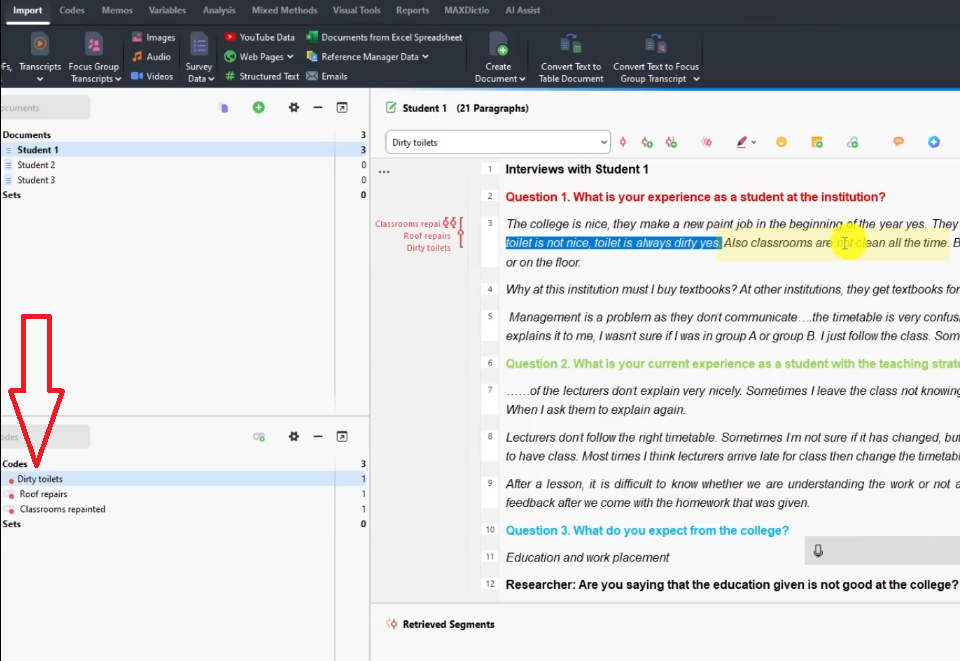
  • Dirty toilets — “Toilet is always dirty” (red)
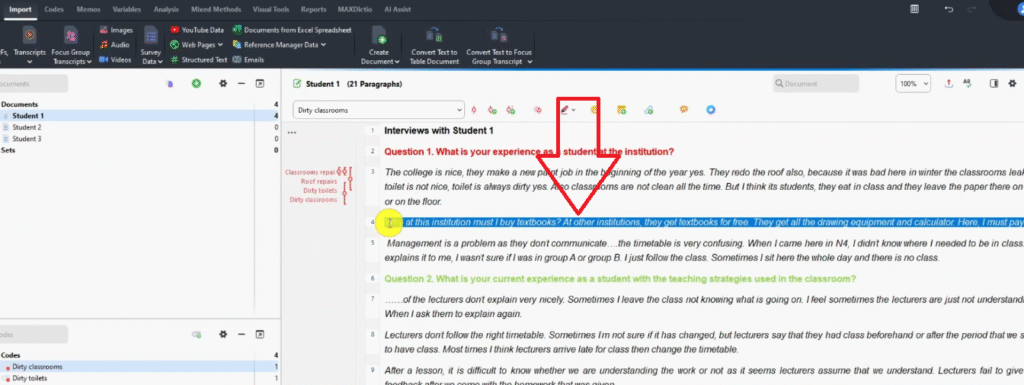
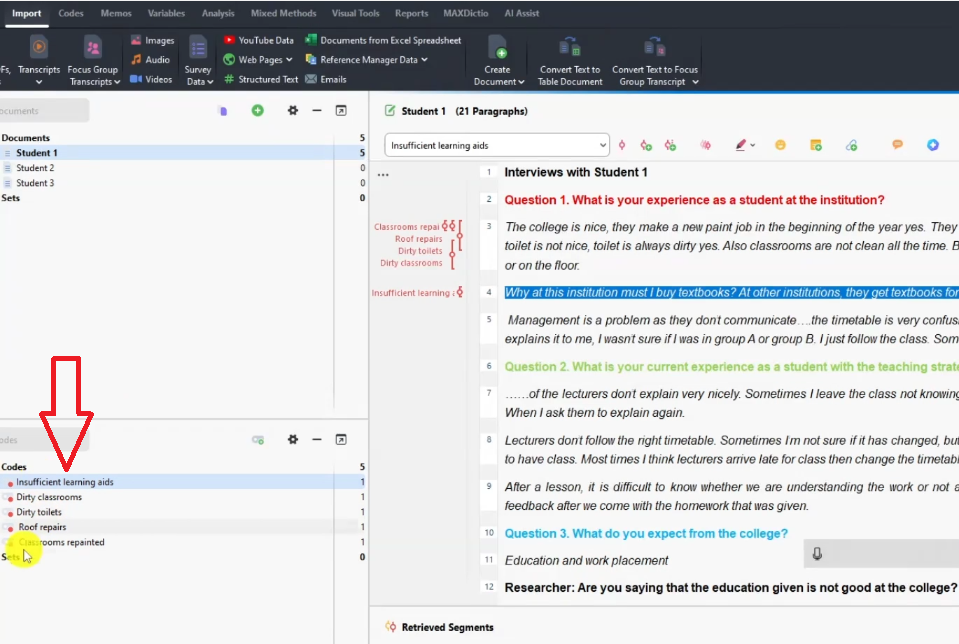
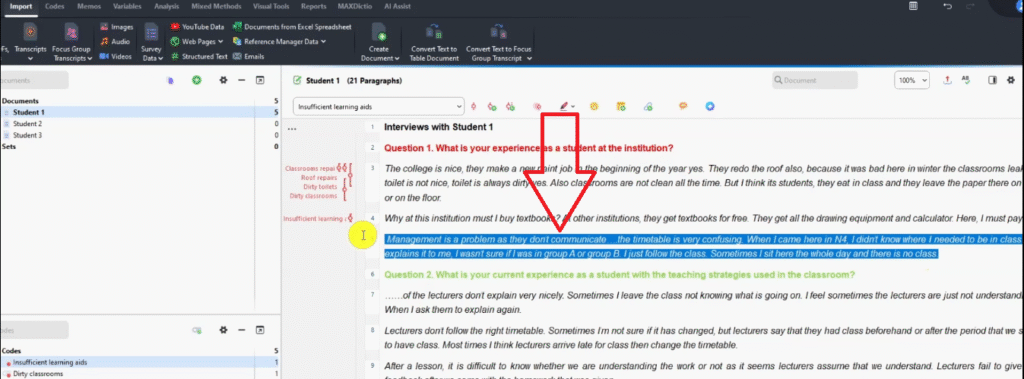
  • Insufficient learning aids — “Why must I buy textbooks? At other institutions they get them for free” (red)
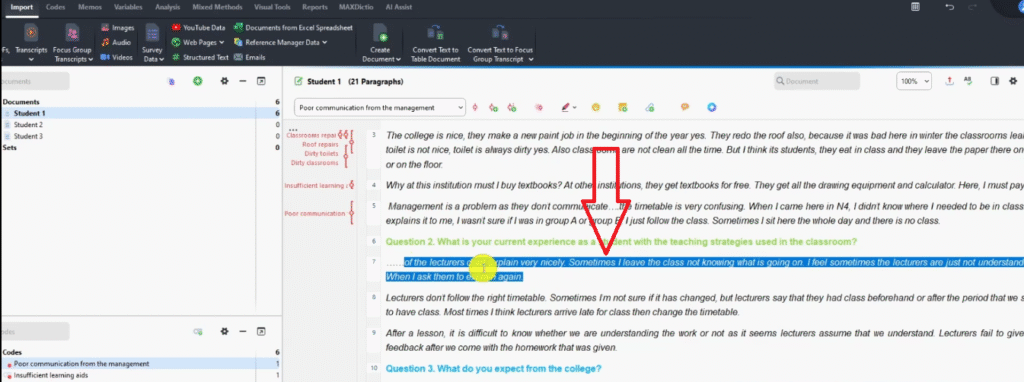
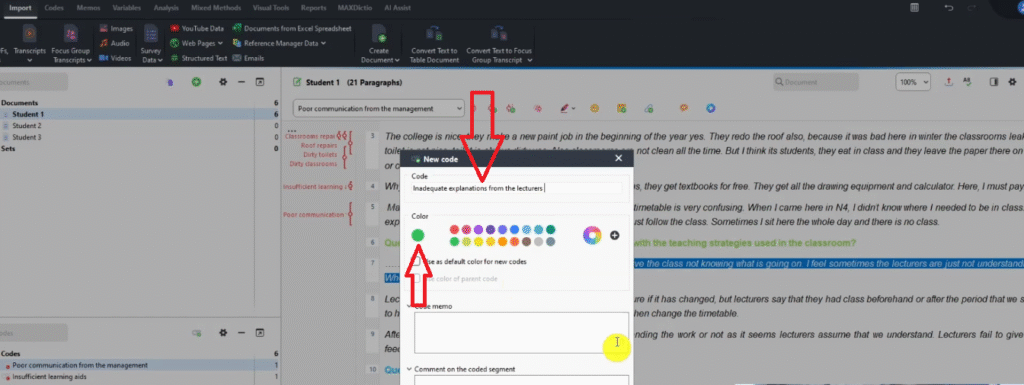
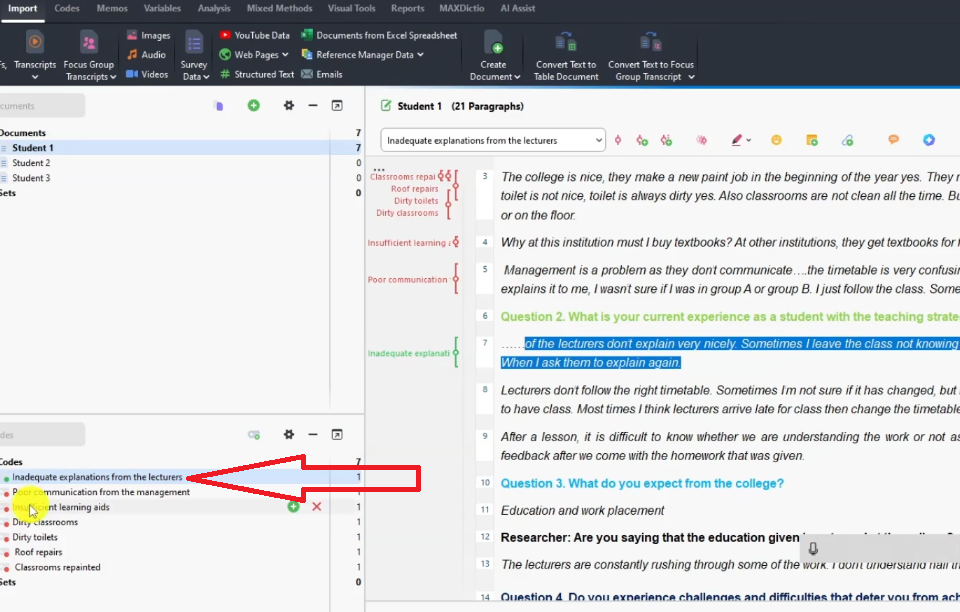
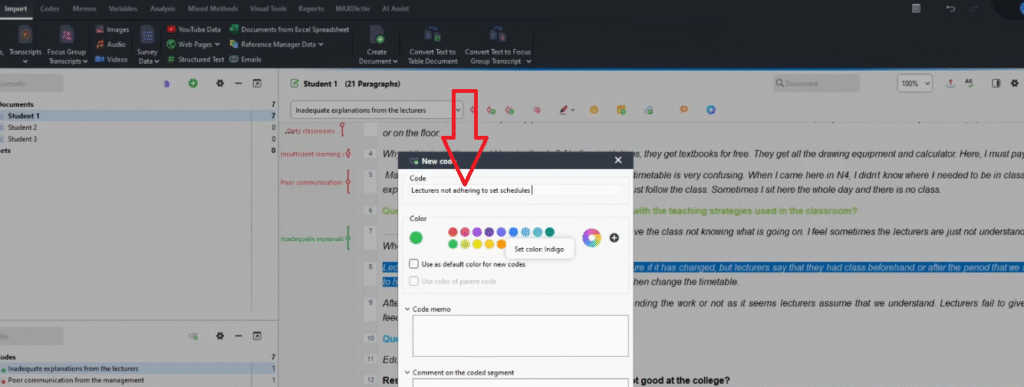
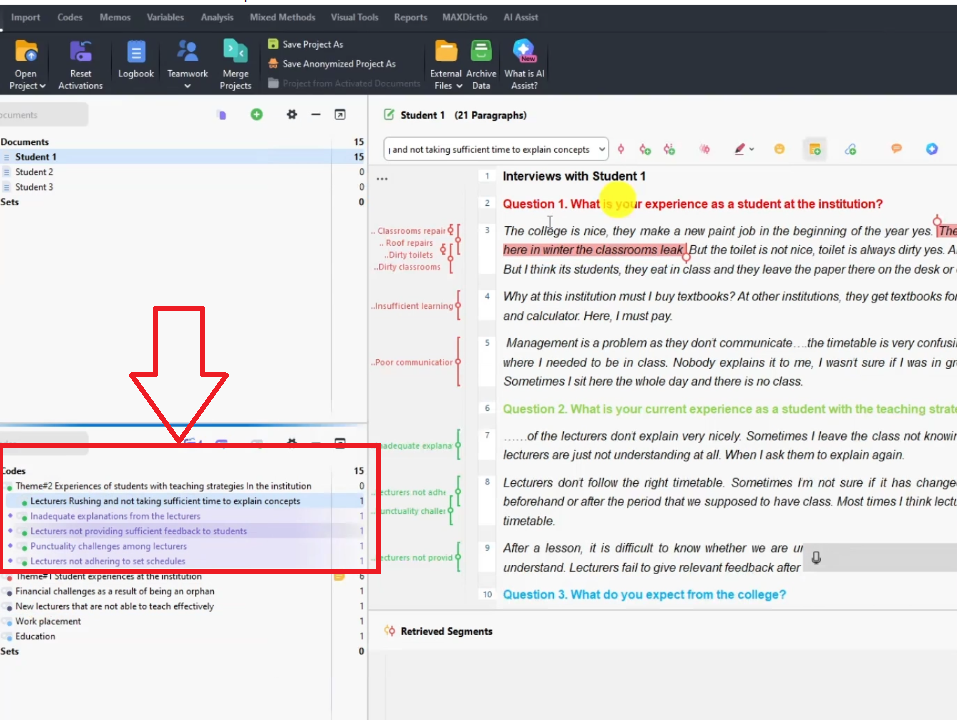
  • Inadequate explanations from lecturers — “The lecturers don’t explain very nicely” (green)
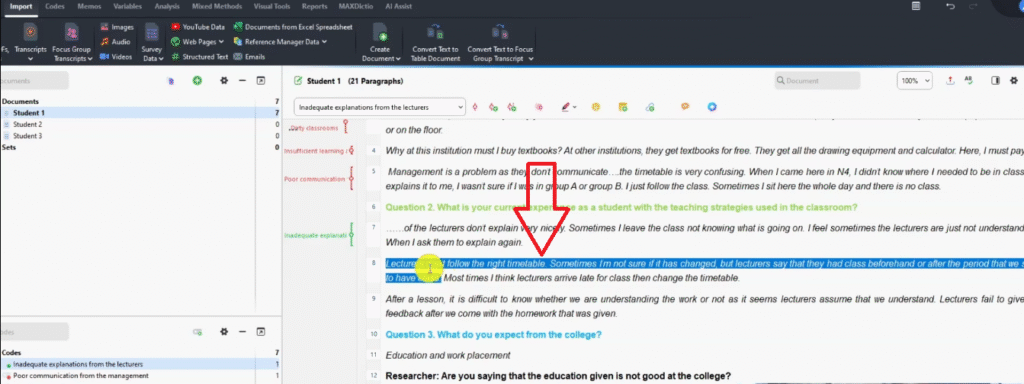
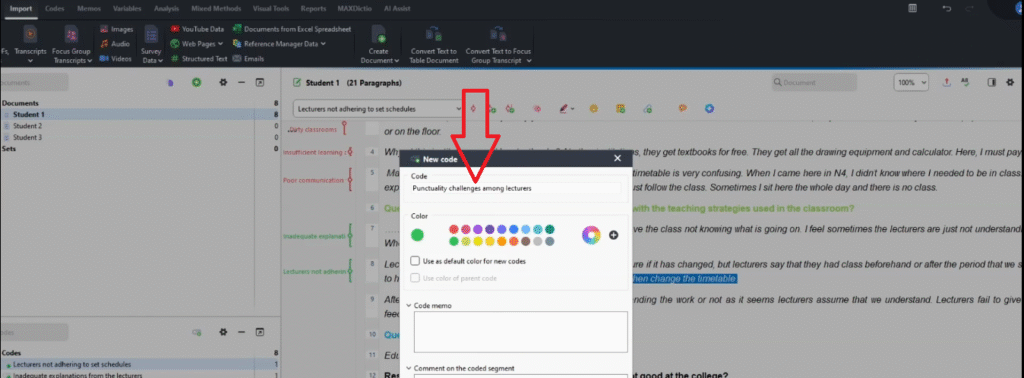
  • Punctuality challenges among lecturers — “Most times lecturers arrive late to class” (green)
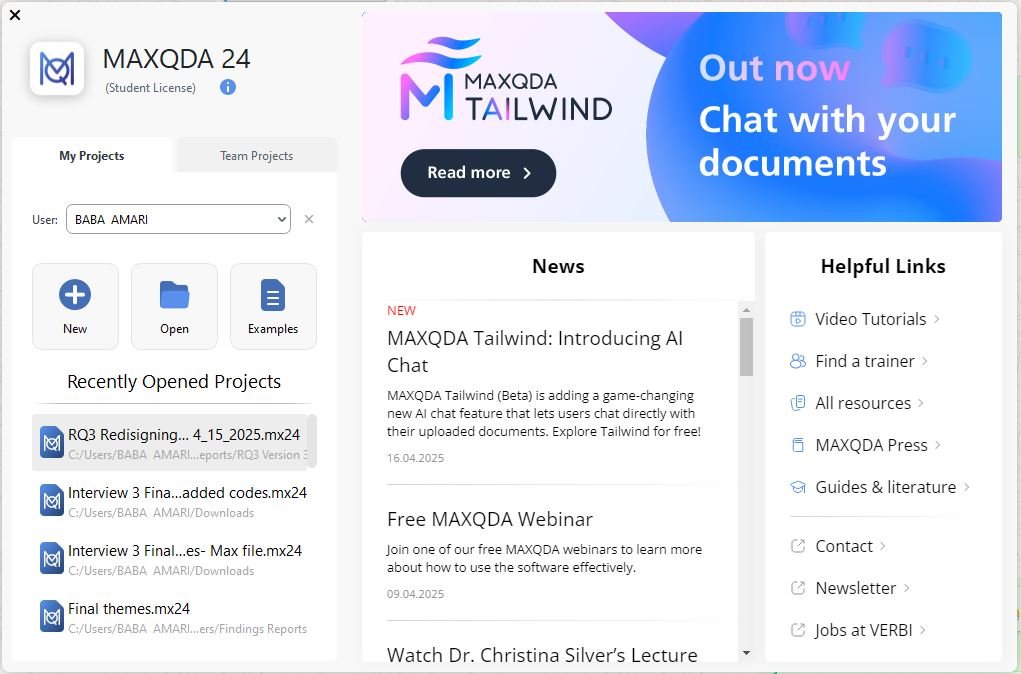
MAXQDA 24 home screen showing project options for qualitative data analysis
MAXQDA new project creation screen for reflexive thematic analysis — naming the RTA initial coding project
MAXQDA transcripts import icon highlighted — importing documents for reflexive thematic analysis
MAXQDA import option showing Transcripts without timestamps selected for reflexive thematic analysis
File selection window showing three student interview transcripts being imported into MAXQDA
MAXQDA document browser displaying coded interview transcript for reflexive thematic analysis
MAXQDA document browser showing imported student interview transcripts for reflexive thematic analysis
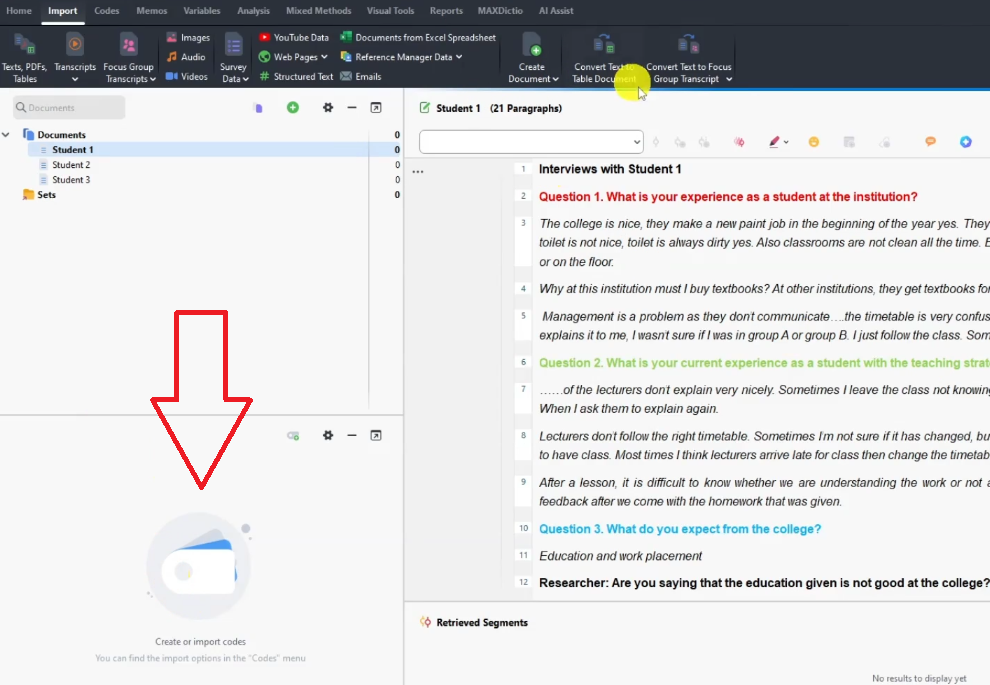
MAXQDA initial coding folder showing code structure section for reflexive thematic analysis
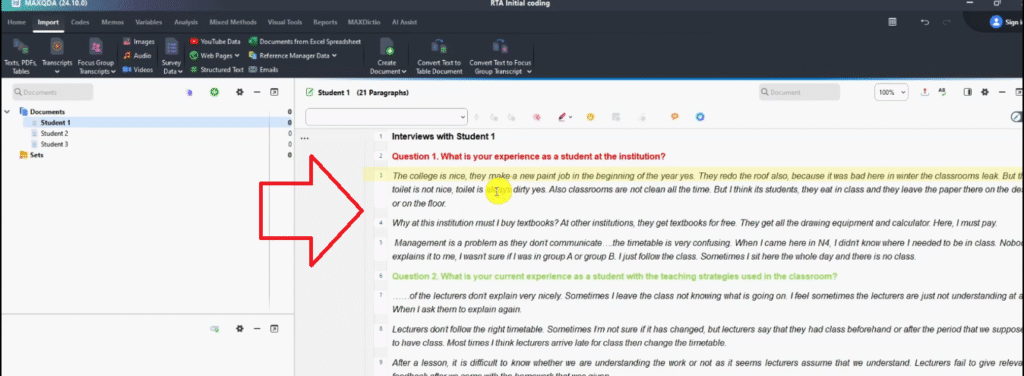
Student interview transcript in MAXQDA showing Q1 highlighted in red — what is your experience at the institution
The section we are coding Student interview transcript in MAXQDA showing Q1 highlighted in red — what is your experience at the institution
MAXQDA right-click menu showing Code with New Code option for creating initial codes in reflexive thematic analysis
MAXQDA color picker showing red selected for Q1 codes in reflexive thematic analysis initial coding
MAXQDA code panel showing Classrooms repainted code created and color coded red for Q1
Highlighted transcript segment about roof repairs in MAXQDA for reflexive thematic analysis coding
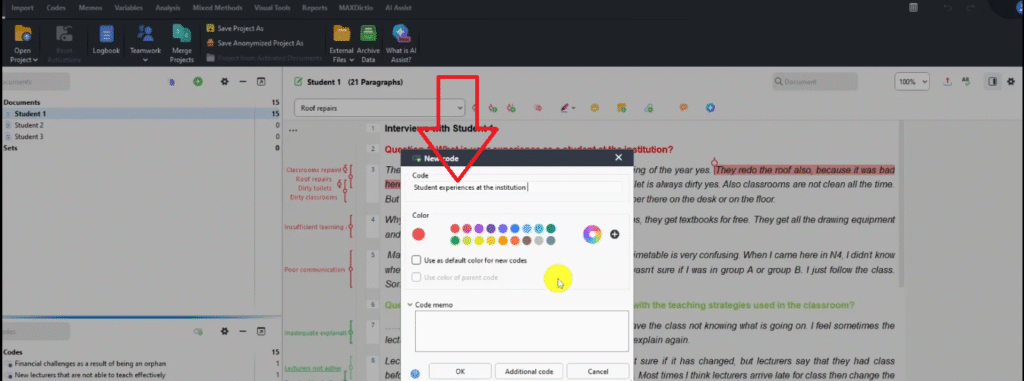
MAXQDA new code dialog showing Roof repairs code being created and color coded red
Highlighted transcript segment about dirty toilets in MAXQDA for reflexive thematic analysis initial coding
MAXQDA code panel showing Dirty toilets code created and color coded red during reflexive thematic analysis
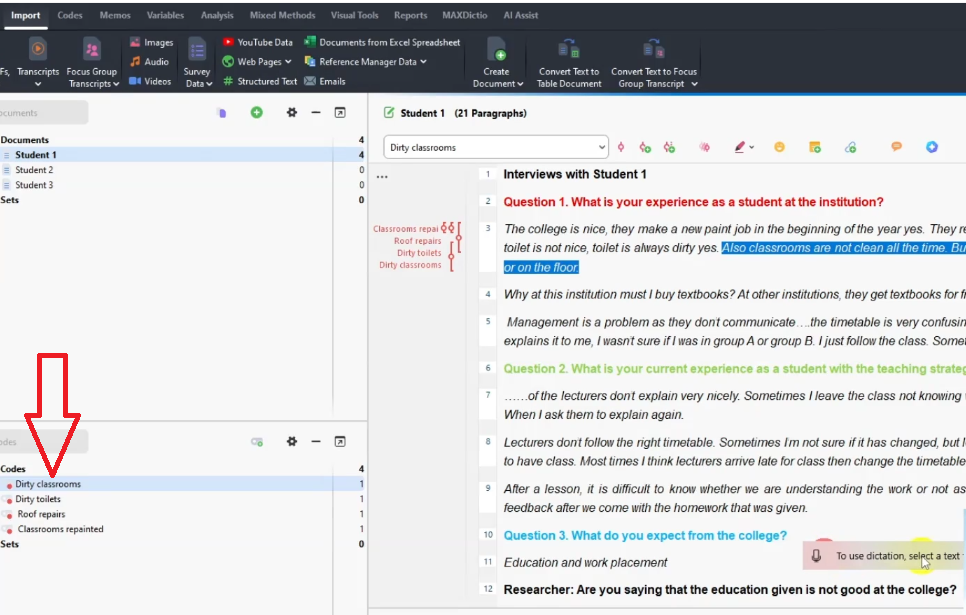
Highlighted transcript segment about unclean classrooms in MAXQDA for reflexive thematic analysis coding
MAXQDA code panel showing Dirty classrooms code created and color coded red during reflexive thematic analysis
Highlighted transcript segment about insufficient learning aids in MAXQDA for reflexive thematic analysis
MAXQDA code panel showing Insufficient learning aids code created and color coded red
Highlighted segment about poor management communication in MAXQDA for reflexive thematic analysis coding
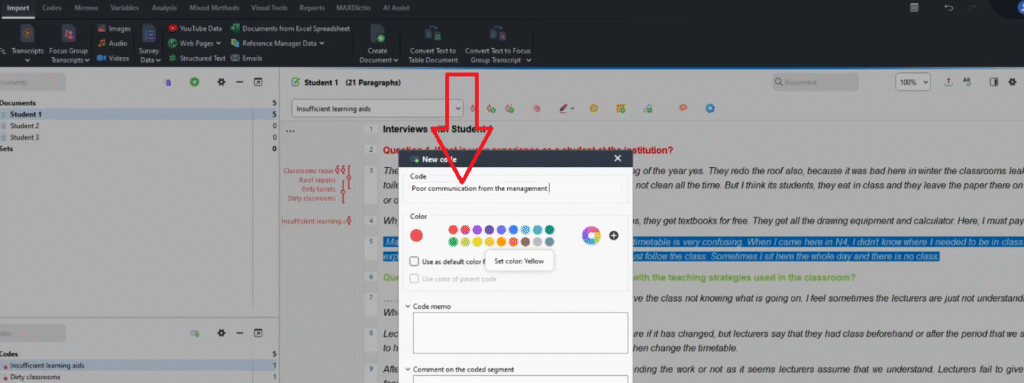
MAXQDA new code dialog showing Poor communication from management code being created in red
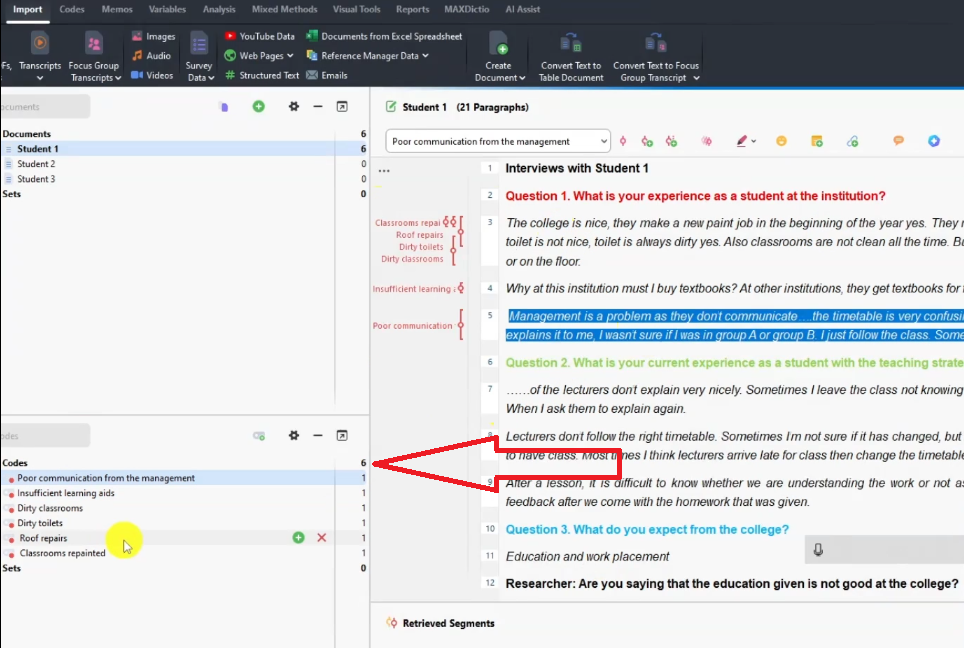
MAXQDA code count showing 6 initial codes created during reflexive thematic analysis Q1 coding
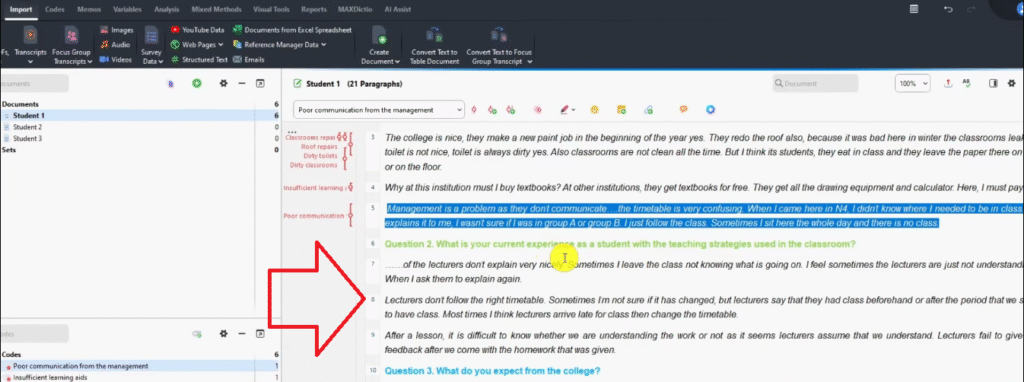
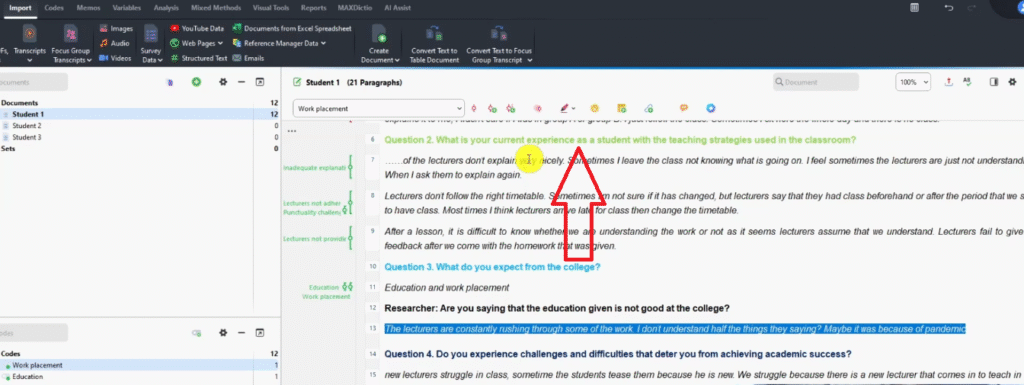
Q2 transcript segment in MAXQDA — student experience with teaching strategies highlighted for coding
Highlighted transcript segment about inadequate lecturer explanations in MAXQDA for initial coding
MAXQDA new code dialog showing Inadequate explanations from lecturers code being created in green
MAXQDA code panel showing Inadequate explanations from lecturers code created and color coded green for Q2
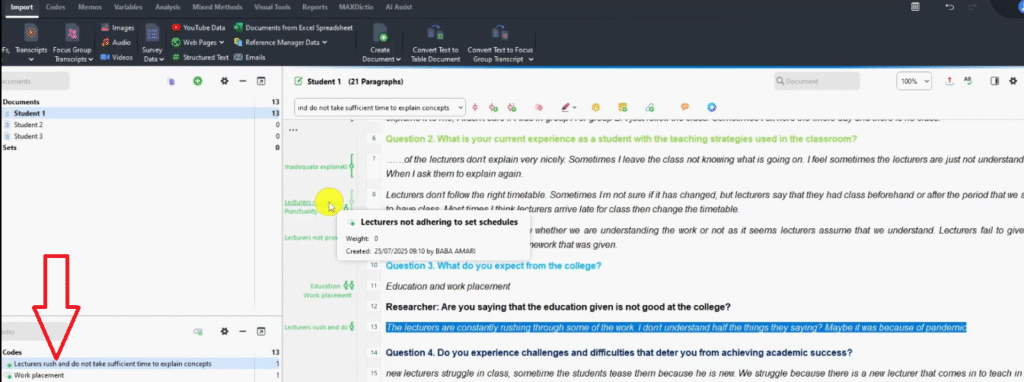
Highlighted transcript segment about lecturers not following timetable in MAXQDA for reflexive thematic analysis
MAXQDA code dialog showing Lecturers not adhering to set schedules code created during reflexive thematic analysis
MAXQDA new code dialog showing Punctuality challenges among lecturers code being created in green
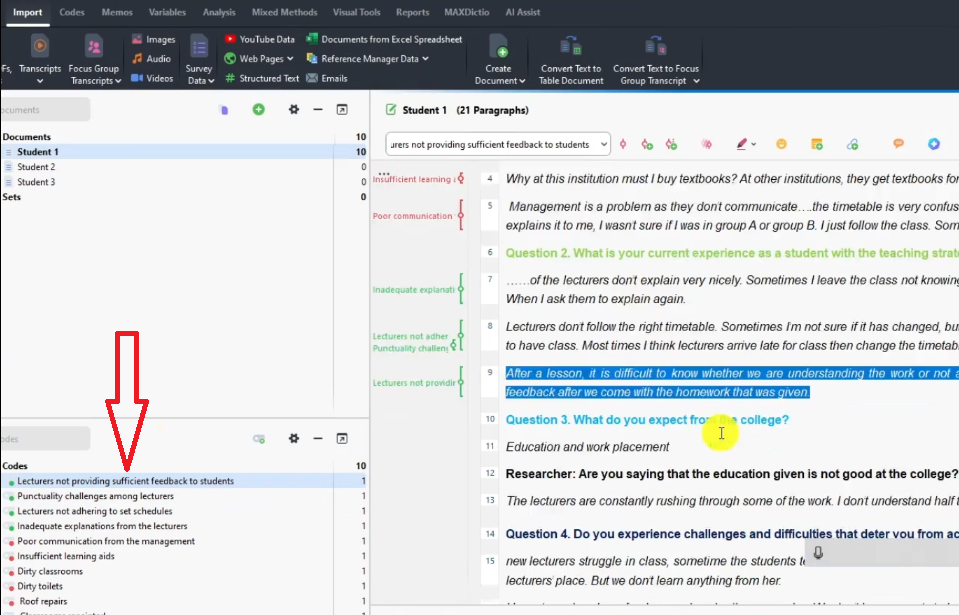
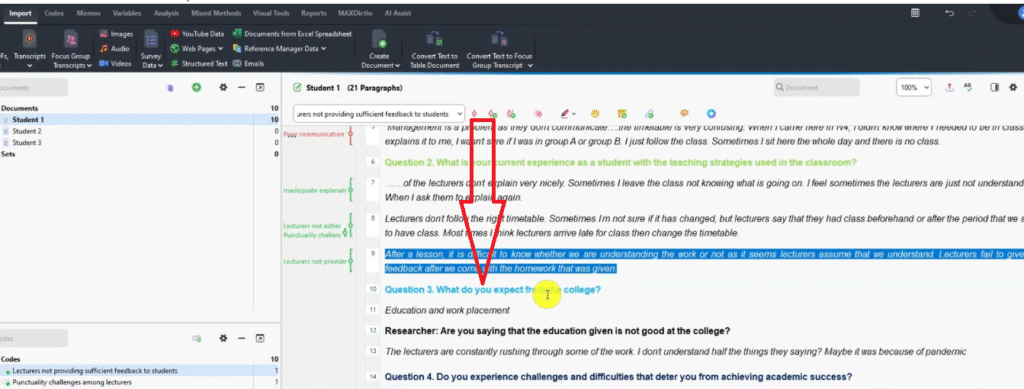
MAXQDA code panel showing Lecturers not providing sufficient feedback code created and color coded green
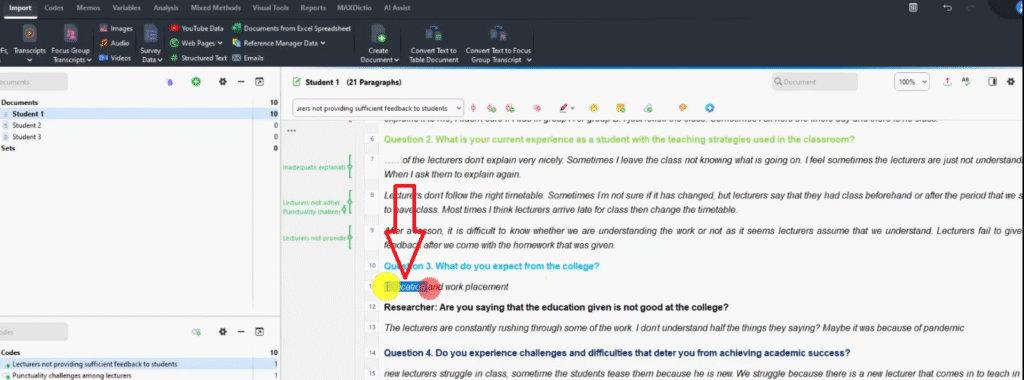
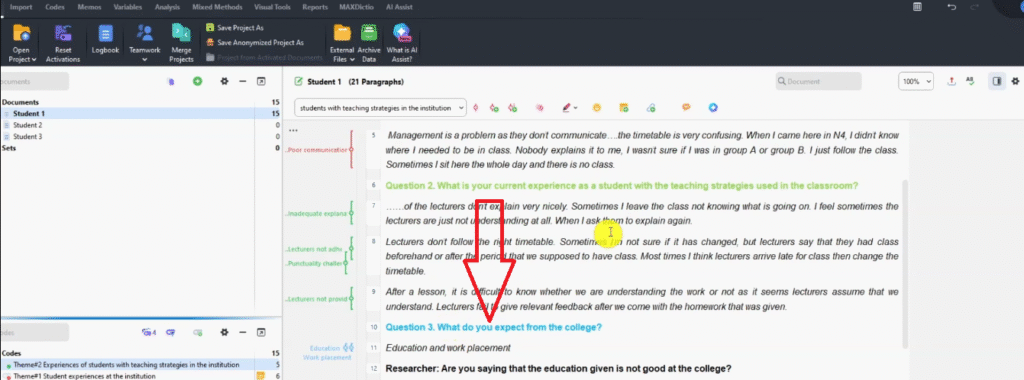
Q3 transcript segment color coded blue in MAXQDA — What do you expect from the college question
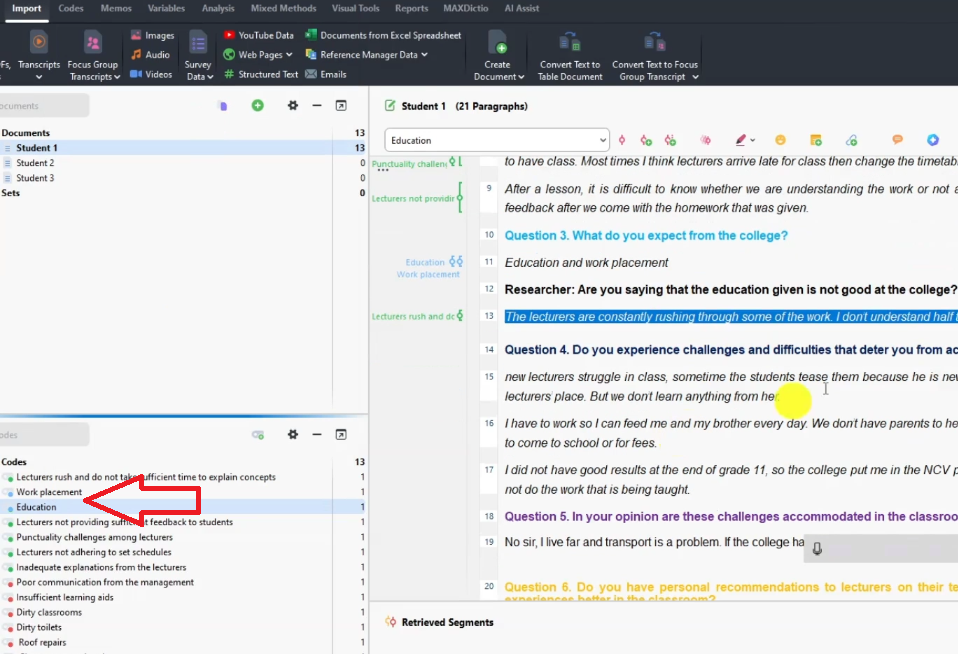
MAXQDA transcript showing education highlighted for In-Vivo coding during reflexive thematic analysis
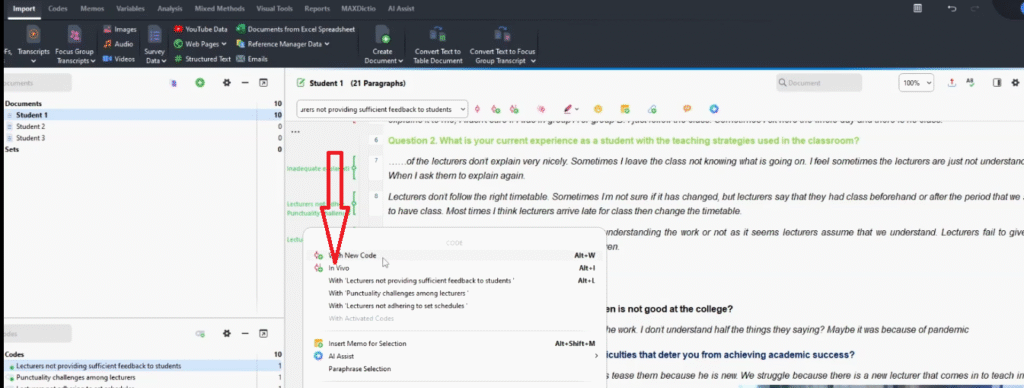
MAXQDA for student interview data during MAXQDA transcript showing education highlighted for In-Vivo coding during reflexive thematic analysis
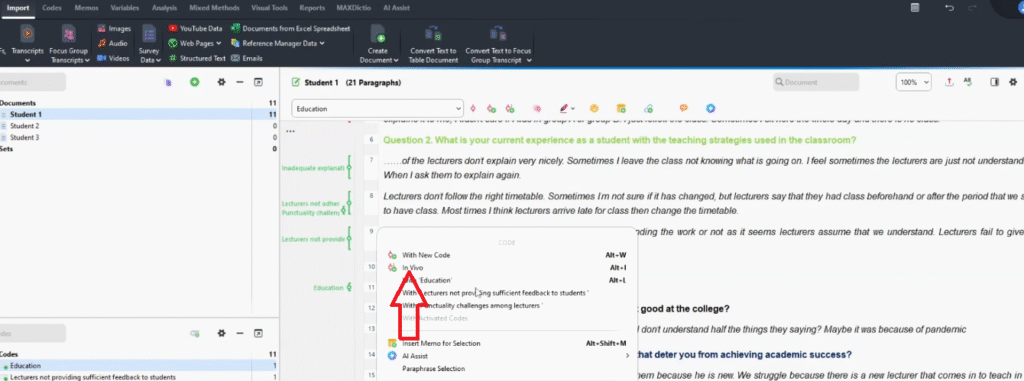
Applying In-Vivo coding in MAXQDA for student interview data during reflexive thematic analysis
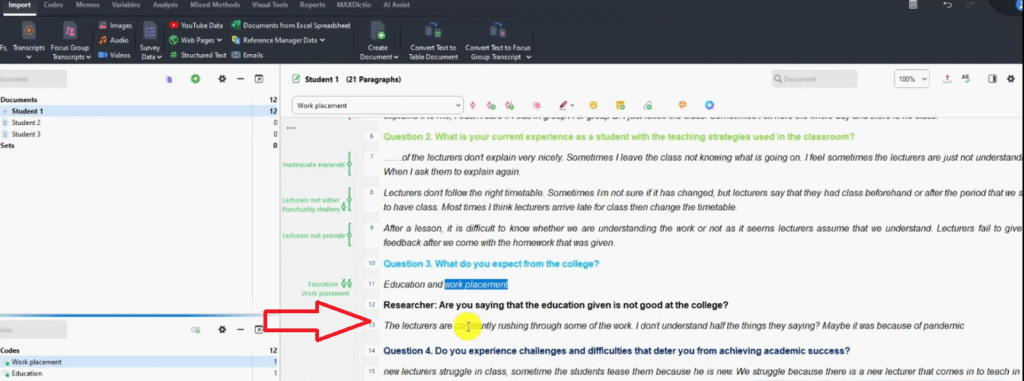
MAXQDA transcript showing work placement highlighted for In-Vivo coding during thematic analysis
Q2
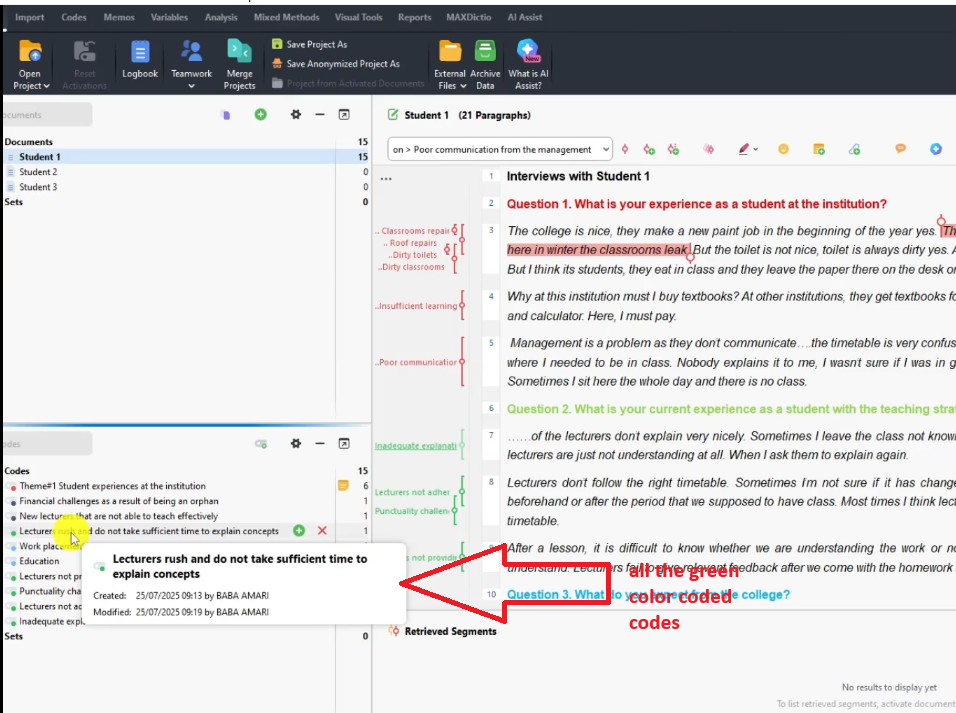
MAXQDA new code dialog showing Lecturers rush and do not take sufficient time code created in green
MAXQDA code panel showing Q3 codes reassigned to blue color to match question three color coding
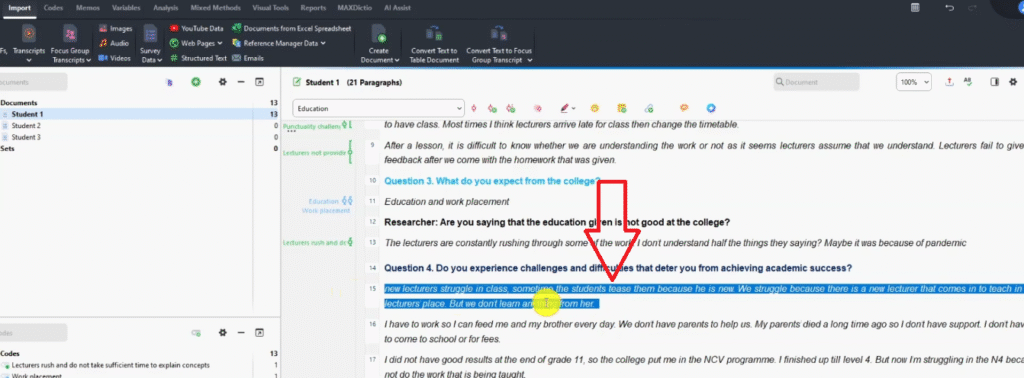
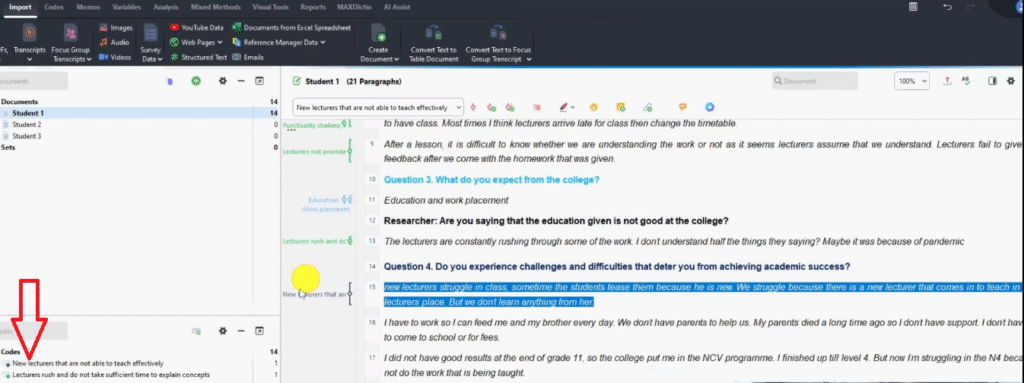
Q4 transcript segment highlighting new lecturers struggling to teach — challenges to academic success in MAXQDA
MAXQDA code dialog showing New lecturers not able to teach effectively code being created
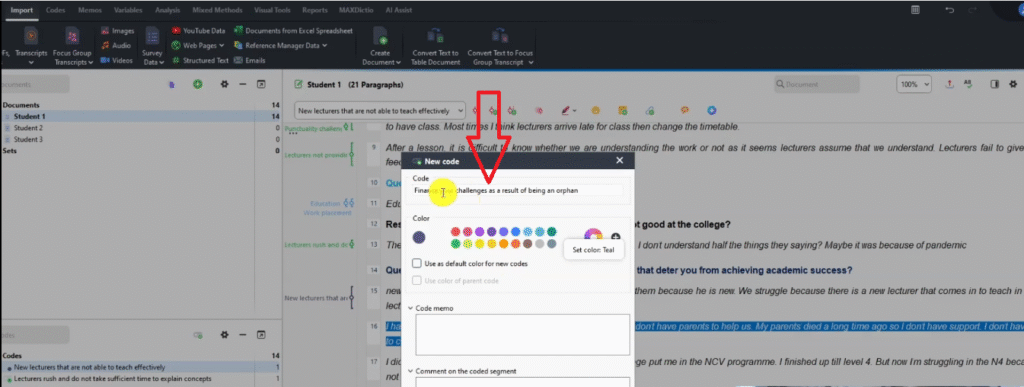
MAXQDA code dialog showing Financial challenges as a result of being an orphan code created for Q4

At this stage, do not overthink your codes. Tag what feels important and move on — you will revise in the reviewing step. For a comparison of how this process works in NVivo, see my guide on qualitative coding in NVivo.

Step 3 — Generating Initial Themes in MAXQDA

How to Combine Codes into Themes

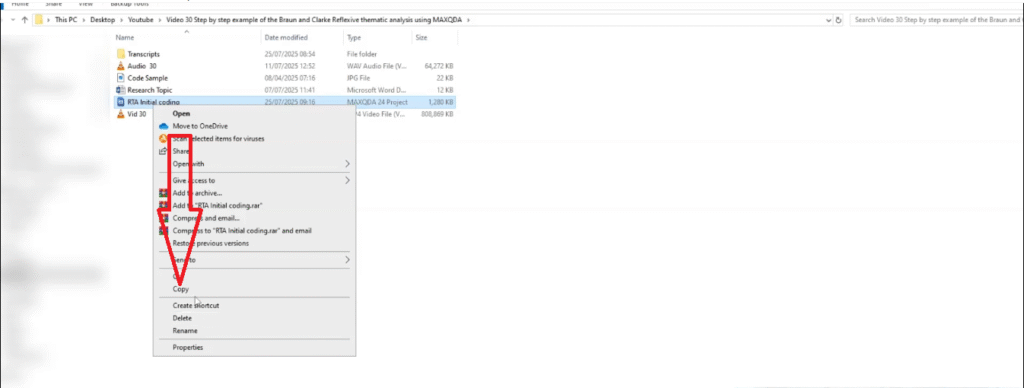
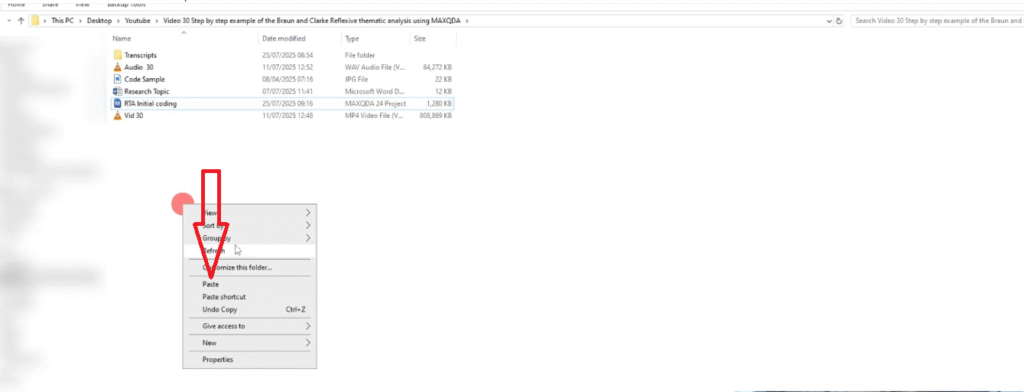
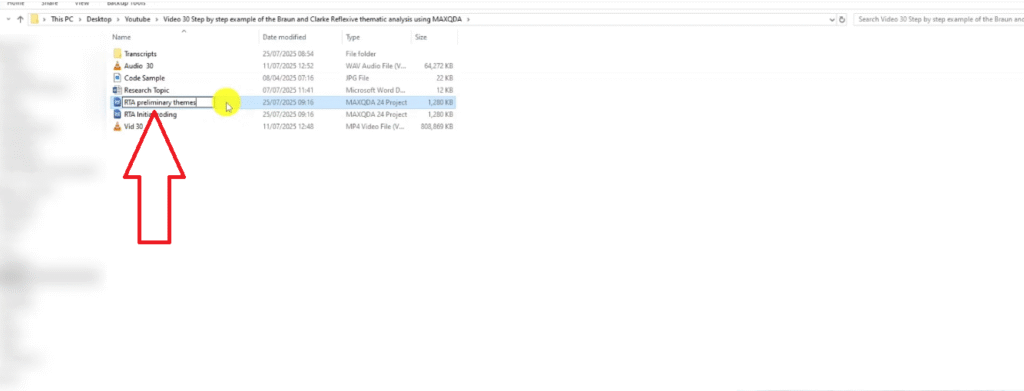
Once you have finished coding all transcripts, save a copy of the project (right-click the file > Copy, then rename to “RTA Preliminary Themes”). This preserves your original coding file untouched.

In the copy, scan your code list for shared patterns of meaning — groups of codes that describe the same underlying idea. Then:

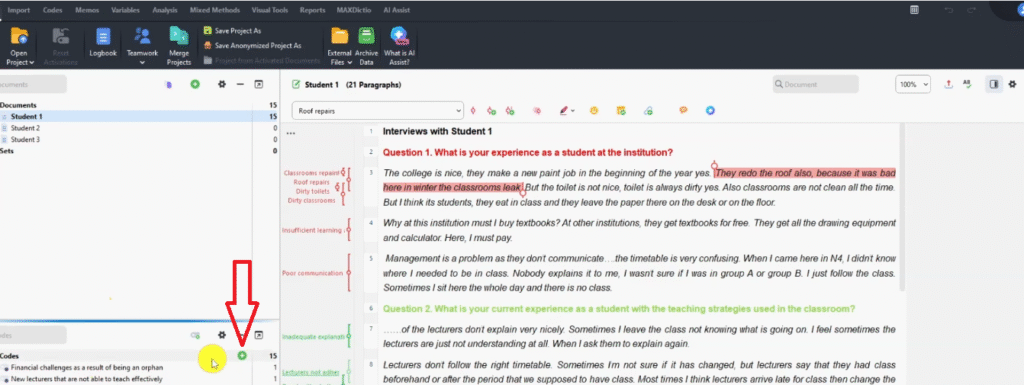
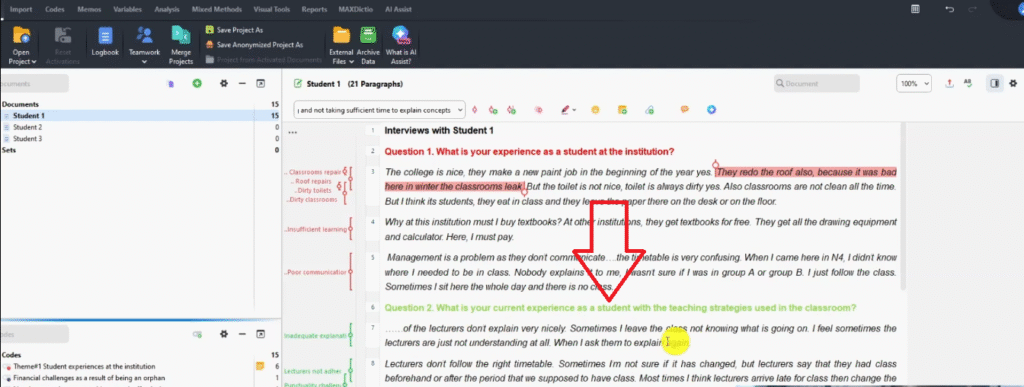
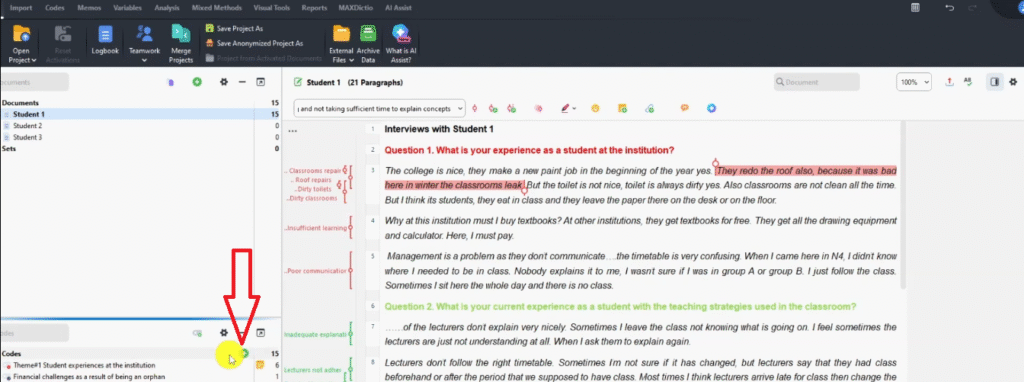
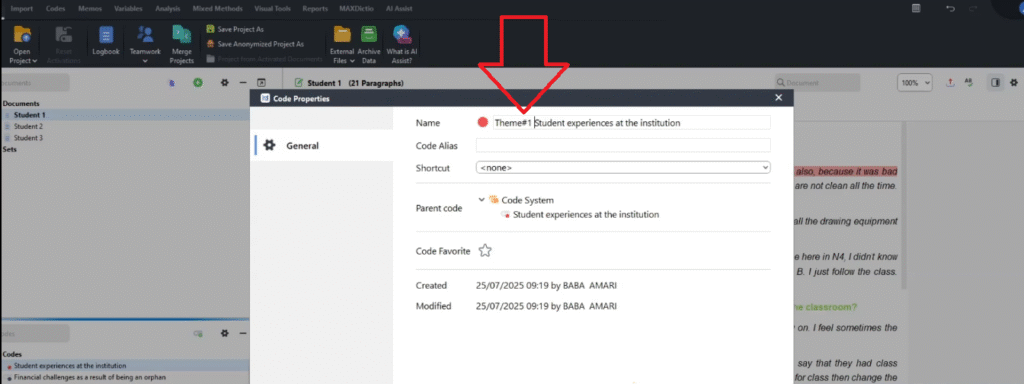
  1. Click the + icon in the MAXQDA code panel to create a new top-level code. Name it your emerging theme — for example, Student Experiences at the Institution. In code properties, label it Theme 1.
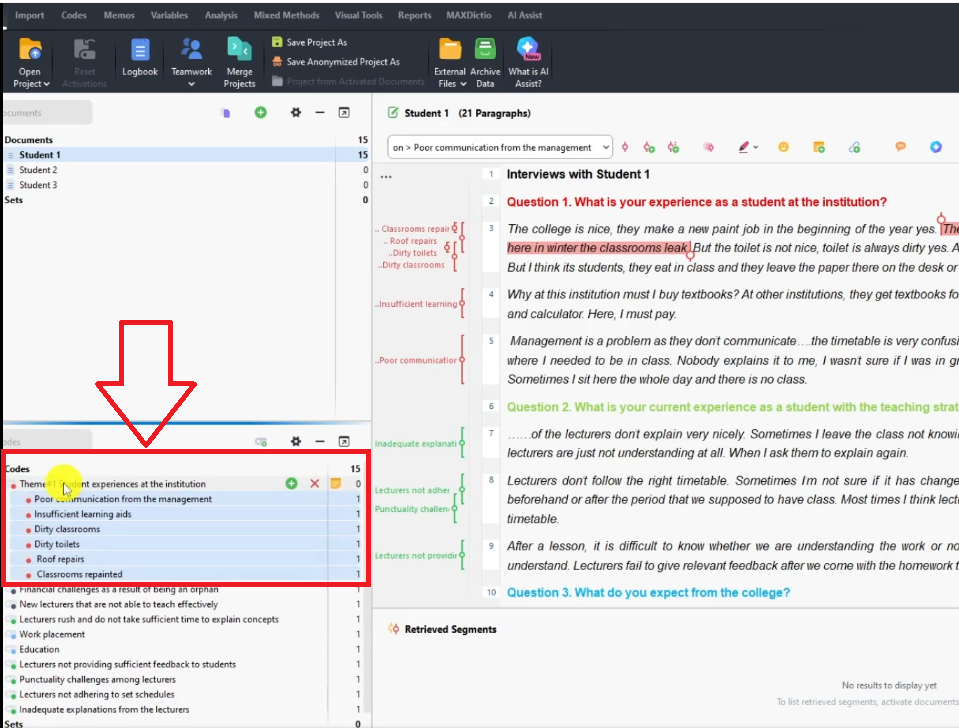
  2. Drag and drop all related initial codes under that theme node.
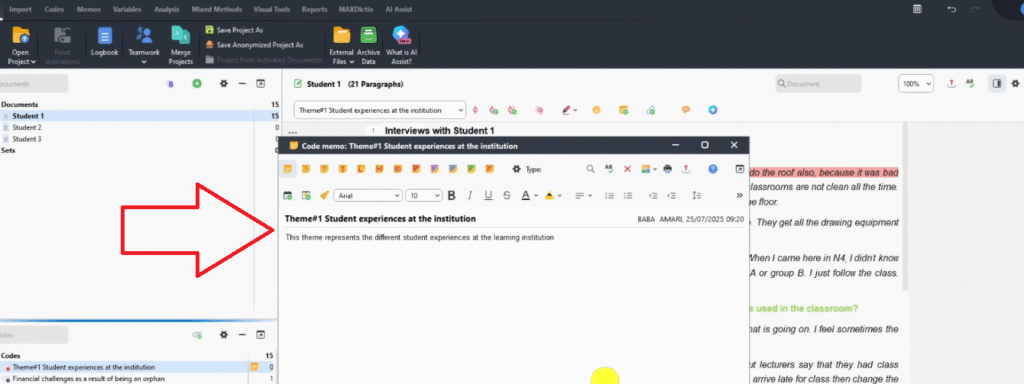
  3. Right-click the theme > Memo. Write one sentence describing what the theme captures. This memo becomes your theme definition in Step 5.
  4. Repeat for all emerging themes.
MAXQDA project panel showing initial coding project being copied to create preliminary themes version
MAXQDA project panel showing pasted copy of initial coding project for preliminary themes
MAXQDA project panel showing RTA Preliminary Themes project renamed and ready for theme generation
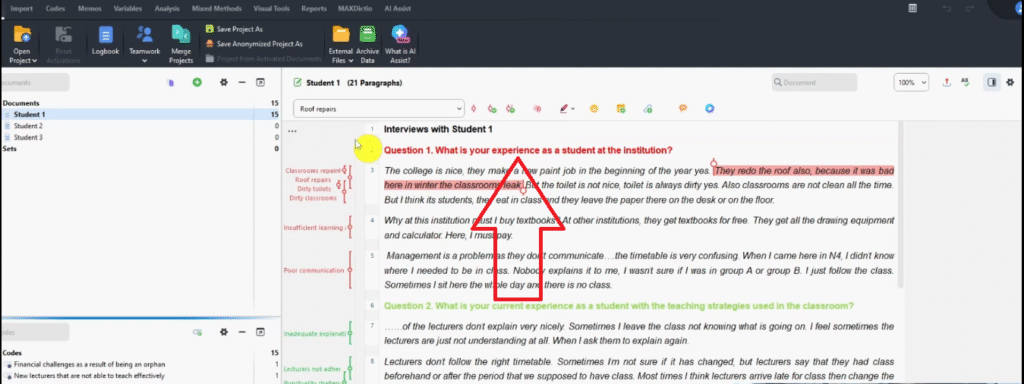
MAXQDA transcript view showing Q1 — student experiences at the institution section for theme generation
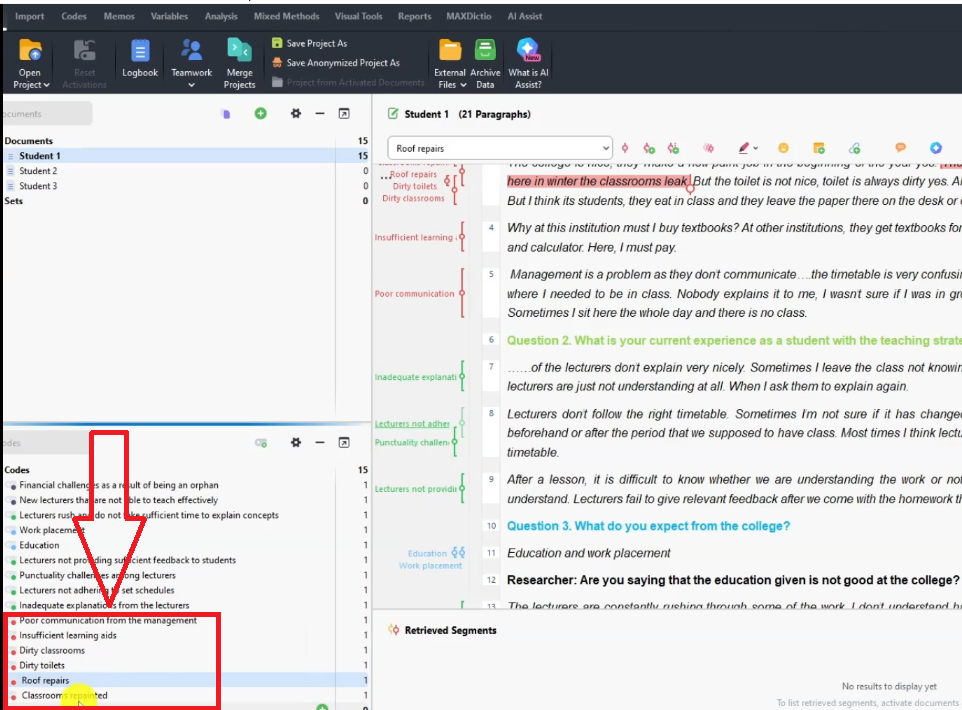
MAXQDA code panel showing all red Q1 codes for grouping into Theme 1 — Student Experiences at the Institution
MAXQDA code panel plus icon highlighted — creating a new theme node for reflexive thematic analysis
MAXQDA code panel showing Student Experiences at the Institution theme being created as Theme 1
MAXQDA code properties dialog showing Theme 1 — Student Experiences at the Institution label assigned
MAXQDA memo dialog showing Theme 1 description being written for Student Experiences at the Institution
MAXQDA code panel showing all red Q1 codes nested under Theme 1 — Student Experiences at the Institution
MAXQDA code panel showing all green Q2 codes for grouping into Theme 2 — Experiences with Teaching Strategies
MAXQDA transcript view showing Q2 — experience with teaching strategies highlighted for Theme 2 generation
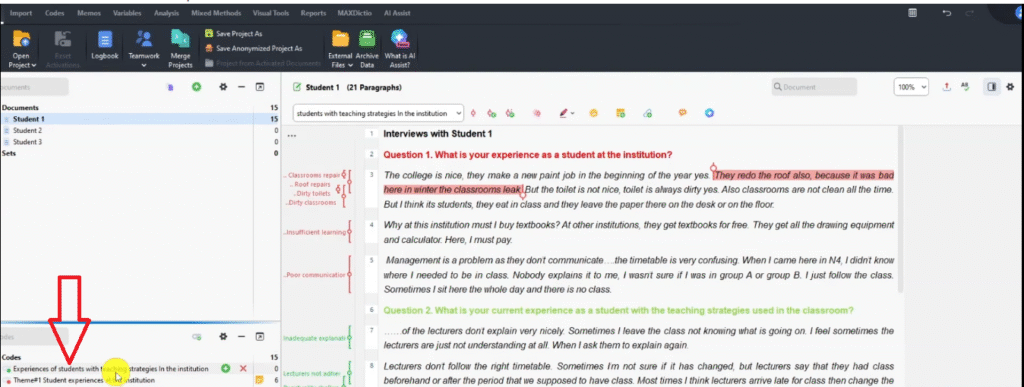
MAXQDA code panel plus icon highlighted — creating Theme 2 node for Experiences with Teaching Strategies
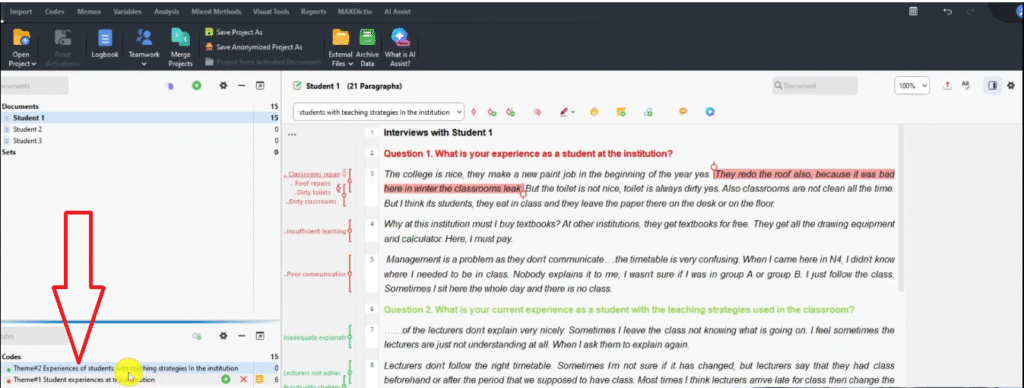
MAXQDA code dialog showing Experiences of Students with Teaching Strategies theme being created in green
MAXQDA code properties dialog showing Theme 2 label assigned in reflexive thematic analysis
MAXQDA code panel showing all green Q2 codes nested under Theme 2 — Experiences with Teaching Strategies
MAXQDA transcript view showing Q3 color coded blue — What do you expect from the college
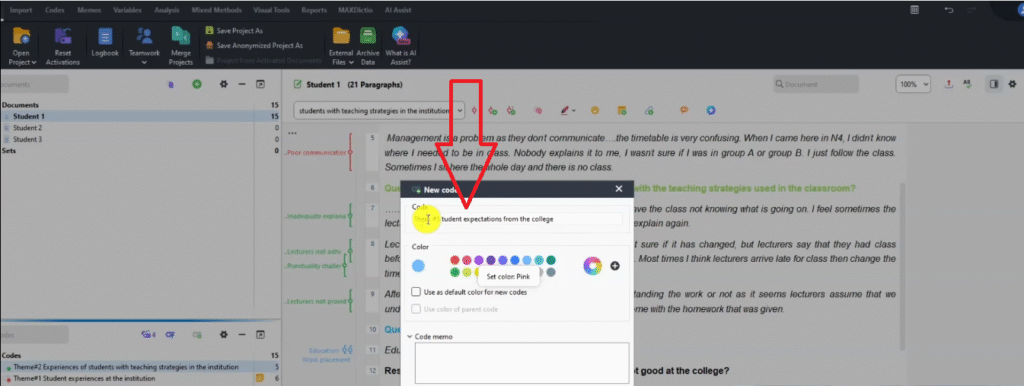
MAXQDA code dialog showing Student Expectations from the College theme being created as Theme 3
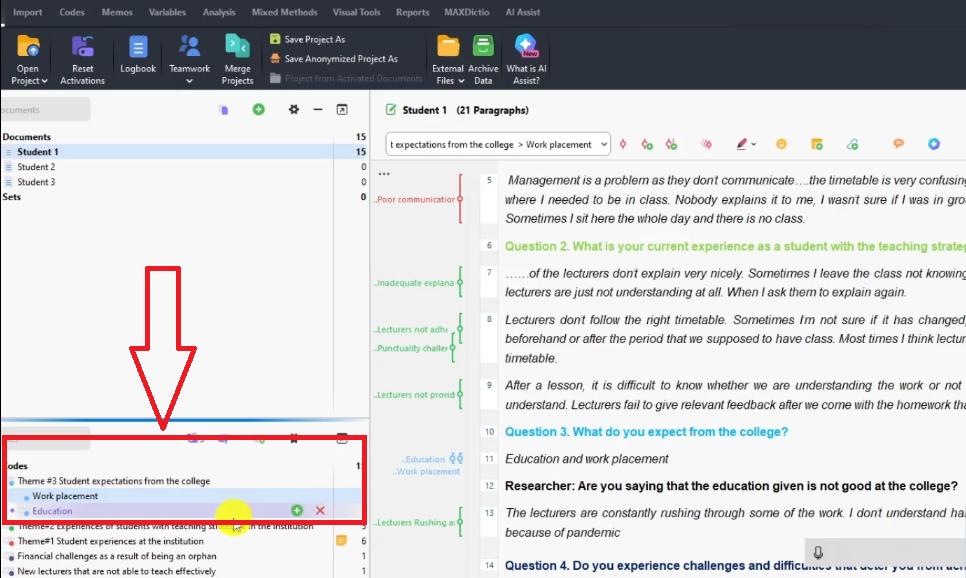
MAXQDA code panel showing education and work placement codes nested under Theme 3 — Student Expectations
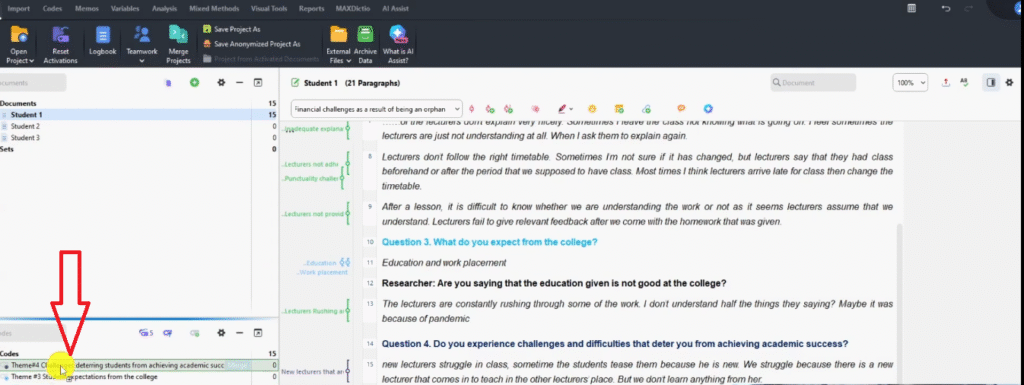
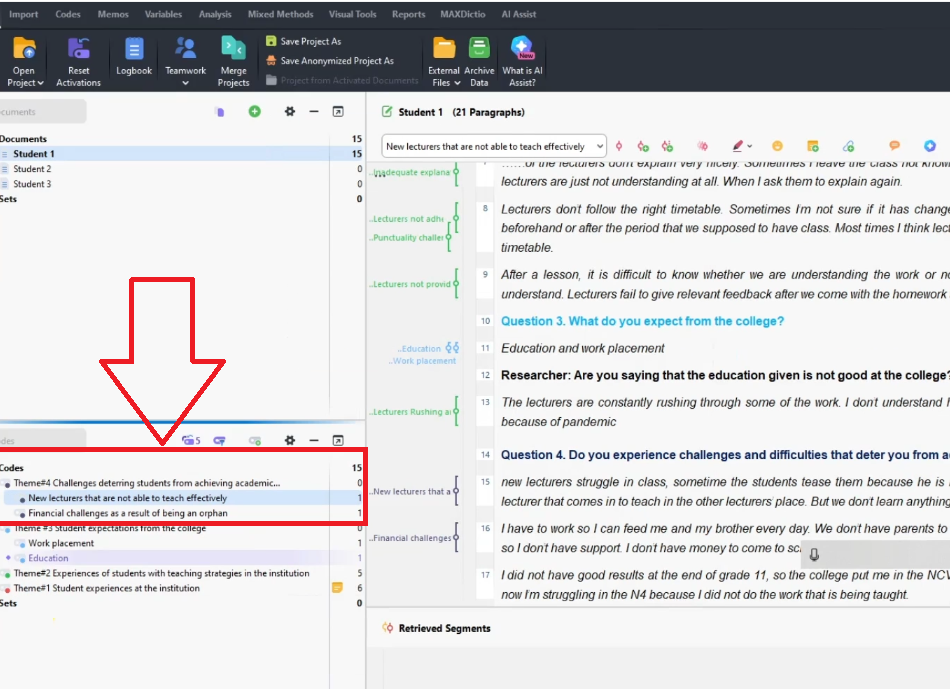
MAXQDA code panel showing Challenges Deterring Students from Academic Success created as Theme 4
MAXQDA code panel showing all navy blue Q4 codes nested under Theme 4 — Challenges to Academic Success

Step 4 — Reviewing and Refining Your Themes

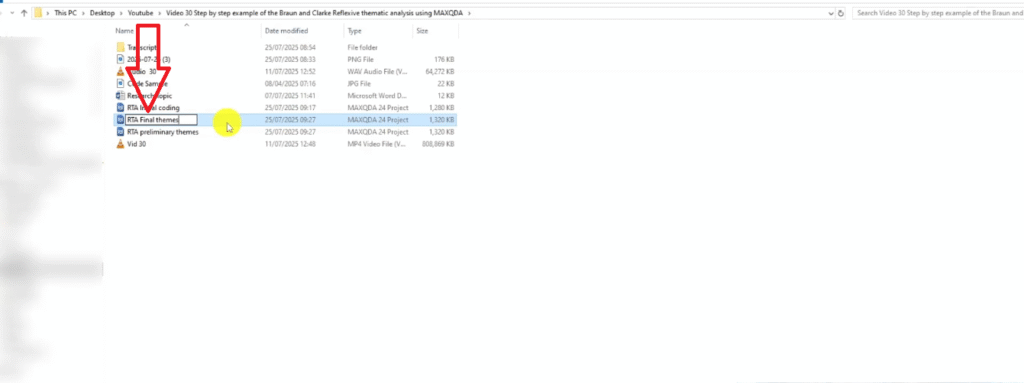
Save another copy of the project and rename it “RTA Final Themes.” Open each theme, re-read the codes and their associated quotes, and ask: do all these codes belong together? Are any overlapping? Can the theme be subdivided for more nuance?

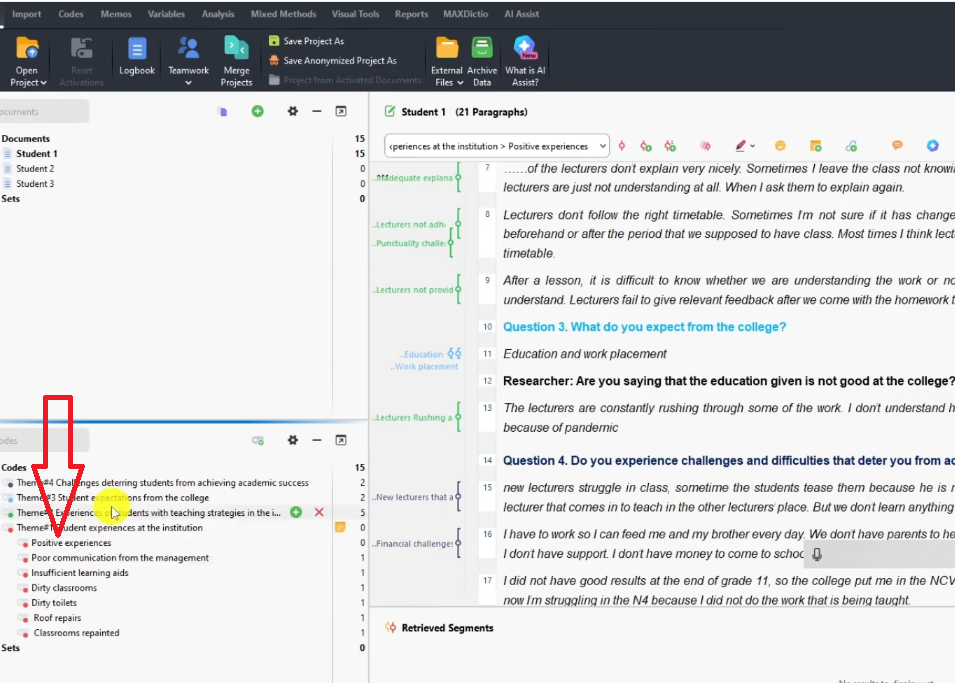
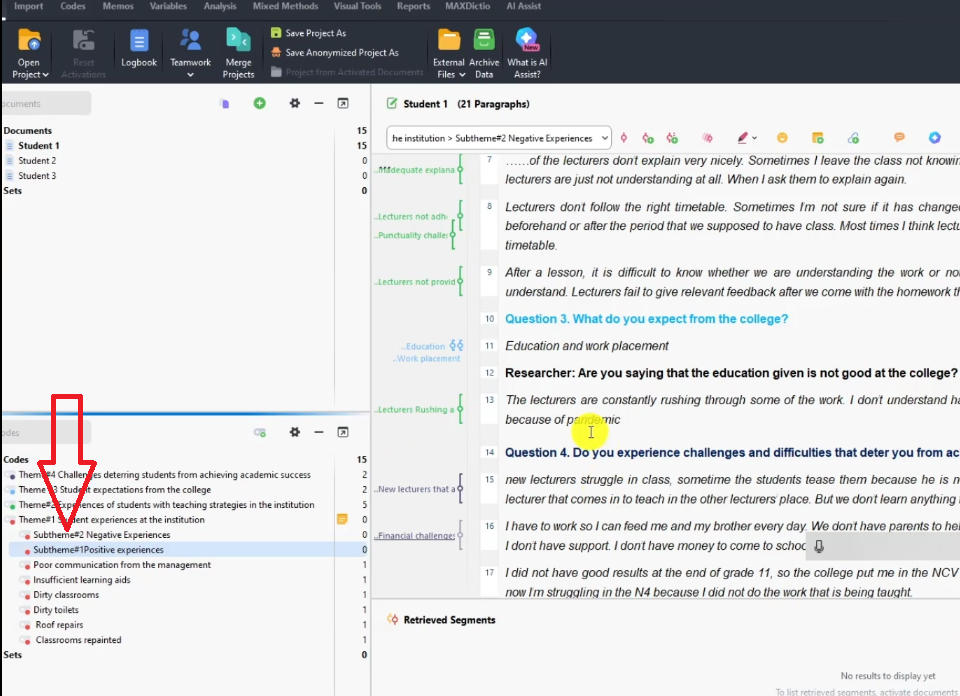
In our example, Theme 1 contained both positive and negative student experiences. During review, I created two sub-themes:

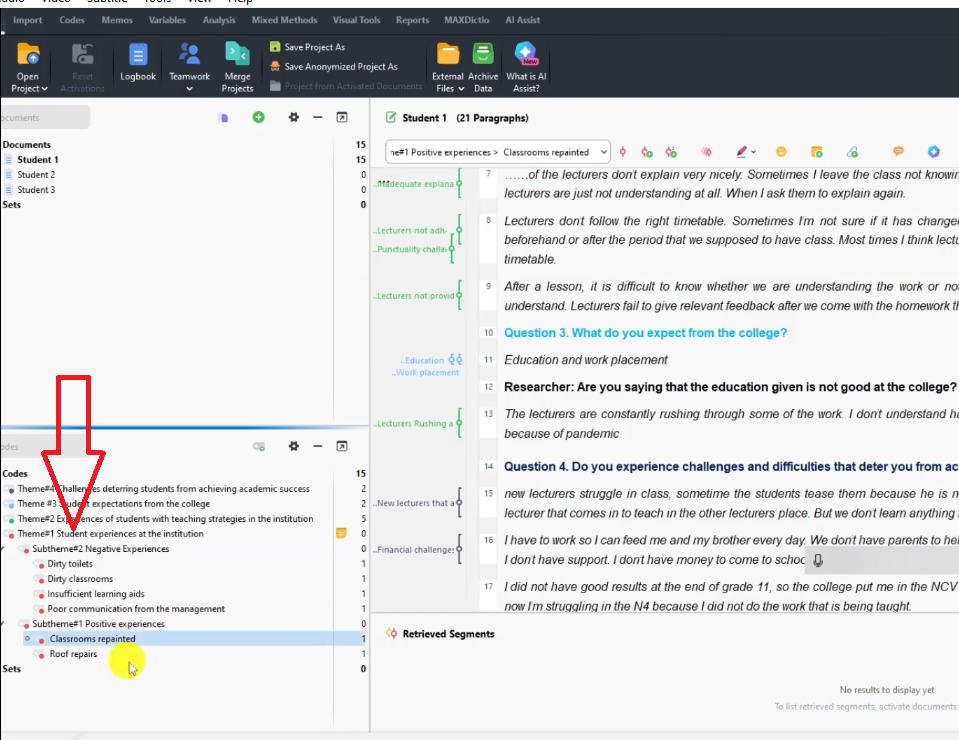
  • Sub-theme 1 — Positive Experiences: classrooms repainted, roof repairs
  • Sub-theme 2 — Negative Experiences: dirty toilets, dirty classrooms, poor management communication, insufficient learning aids

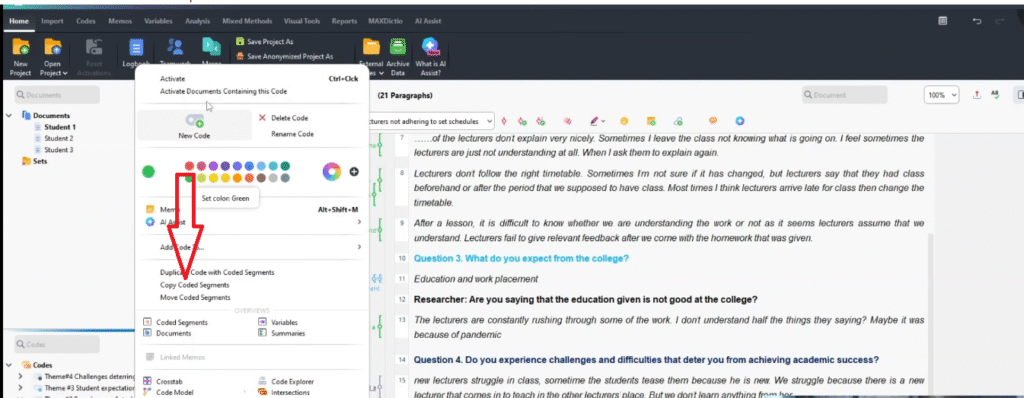
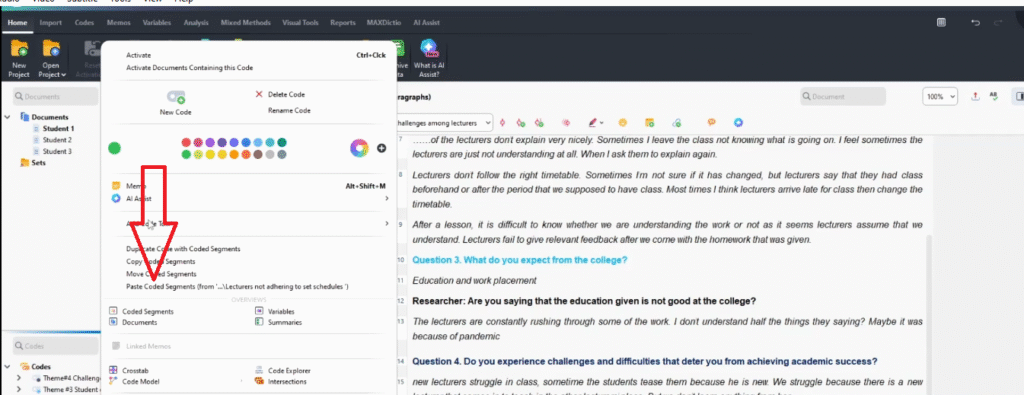
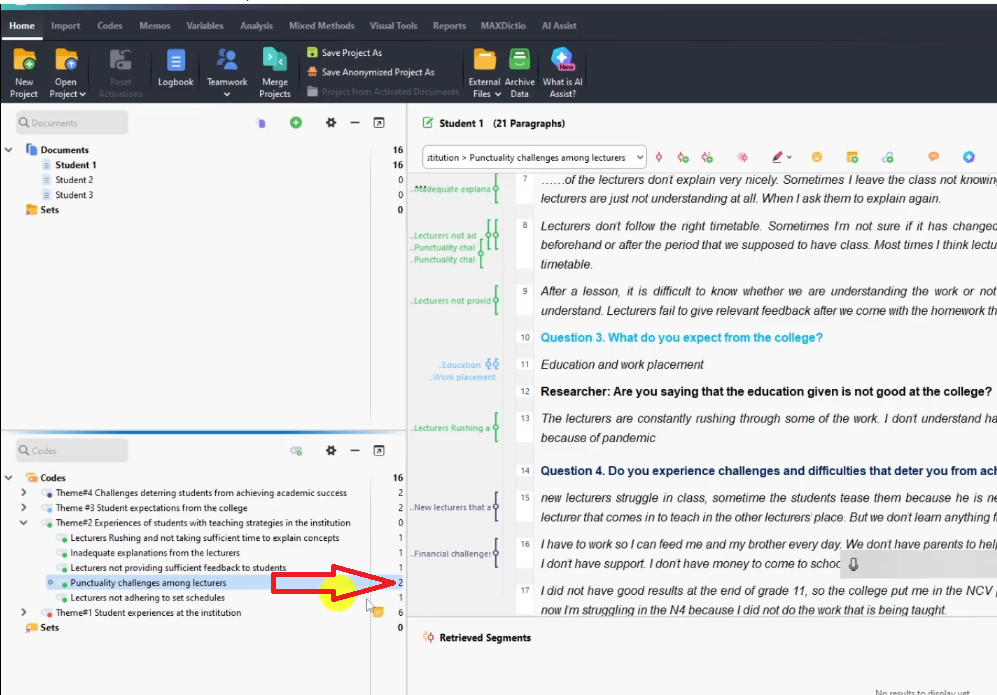
To merge two overlapping codes: right-click a coded segment > Copy coded segment, paste it under the target code, then delete the empty duplicate. This is how you tighten your code structure into clean, non-overlapping themes.
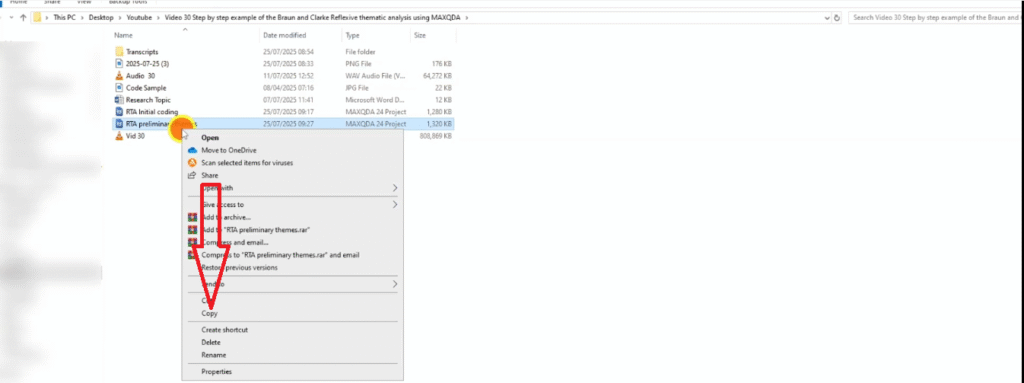
MAXQDA project panel showing Preliminary Themes project being copied to create Final Themes version
MAXQDA project panel showing RTA Final Themes project created for reviewing and refining themes
MAXQDA code panel showing Positive Experiences sub-theme being created under Theme 1 during review step
Subtheme 1 being created
MAXQDA code panel showing Sub-theme 1 Positive and Sub-theme 2 Negative Experiences created under Theme 1
MAXQDA code panel showing codes distributed under Positive and Negative sub-themes in reflexive thematic analysis
MAXQDA coded segment being copied to merge two overlapping codes during the reviewing themes step
MAXQDA interface showing pasted coded segment increasing frequency count for merged code
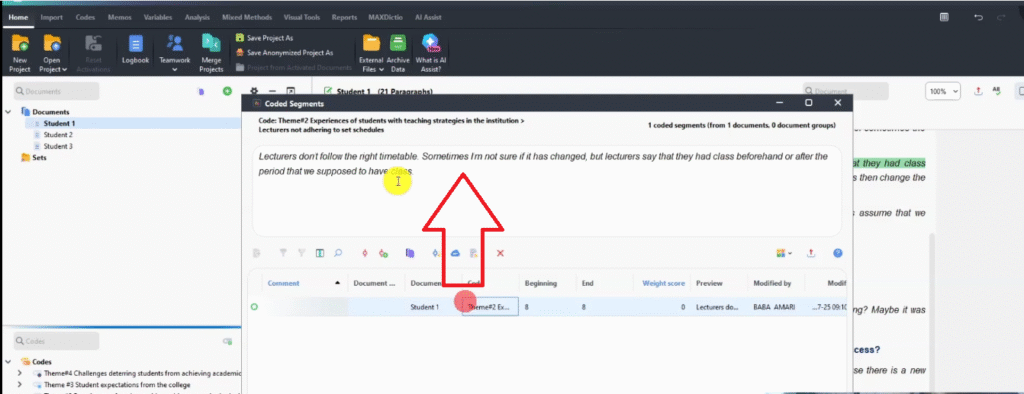
MAXQDA code panel showing two related codes before merging during reviewing themes in MAXQDA
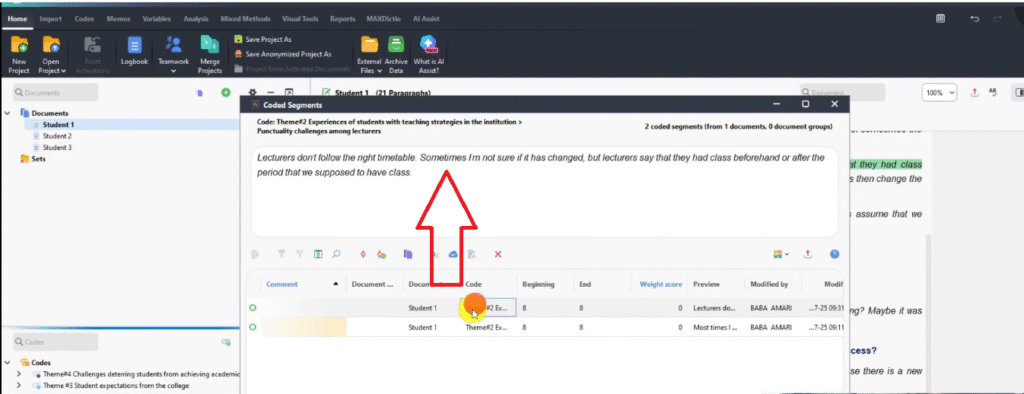
MAXQDA document view showing timetable quote in first code before merging during reviewing themes
MAXQDA document view showing same timetable quote in second code confirming successful code merge

Step 5 — Defining and Naming Your Themes

Right-click each theme and sub-theme > Memo, and write a clear, specific description. These are your formal theme definitions — the language you will use when writing your findings chapter.

Example definitions from our student study:

  • Theme 1: “This theme represents the range of student experiences at the institution, encompassing both positive facility improvements and persistent negative challenges.”
  • Sub-theme 1: “Captures improvements to the physical learning environment that students view favourably.”
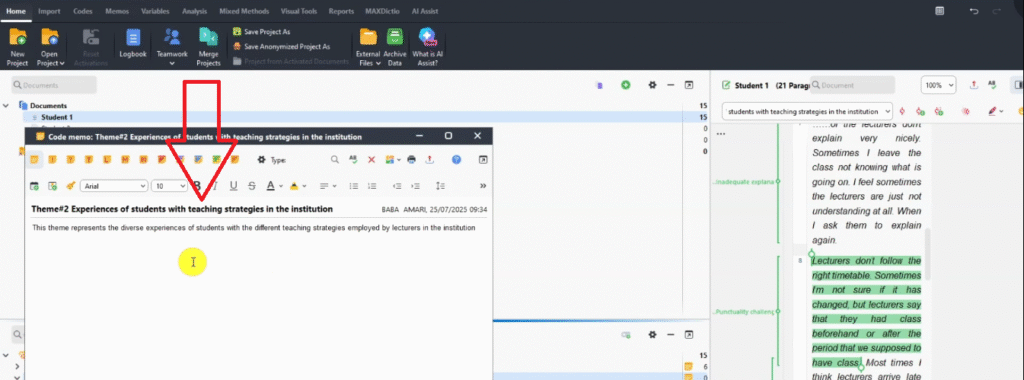
  • Theme 2: “Represents students’ diverse experiences with lecturer teaching strategies — focusing on inadequate explanations, poor scheduling, and lack of feedback.”
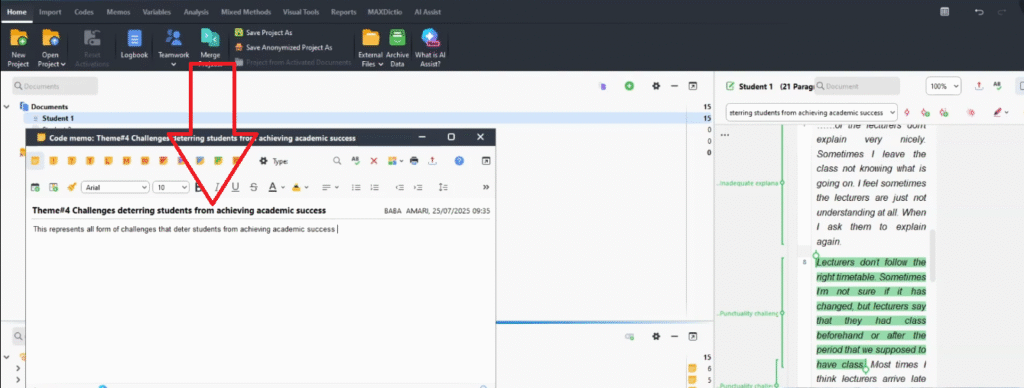
  • Theme 4: “Covers structural and personal challenges preventing students from achieving their academic goals.”

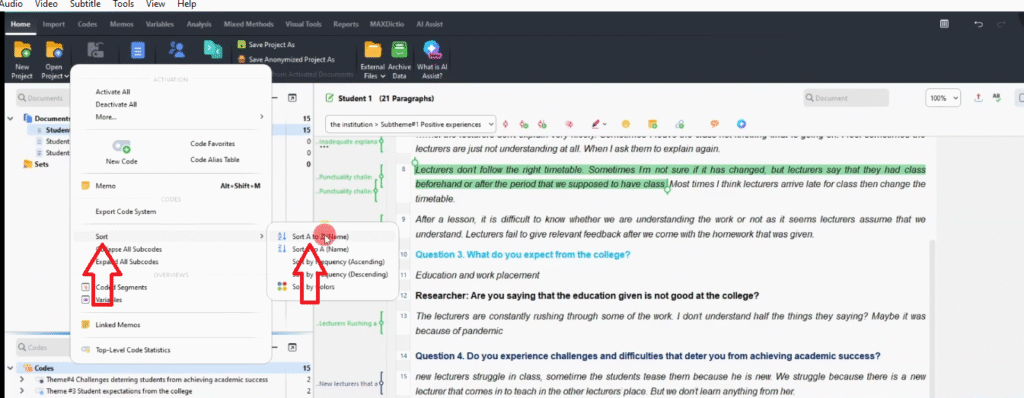
Once all memos are written, right-click the code system > Sort A to Z to organize themes alphabetically.
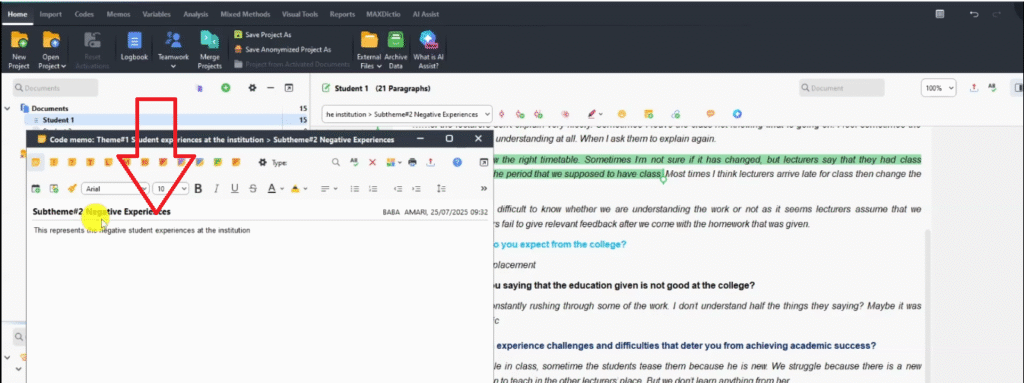
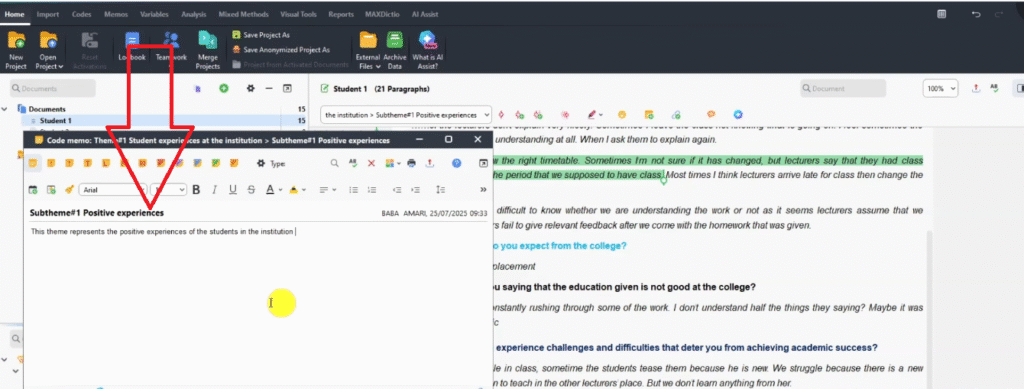
MAXQDA memo dialog showing Sub-theme 2 Negative Experiences description being written for defining step
MAXQDA memo dialog showing Sub-theme 1 Positive Experiences description being written during defining themes step
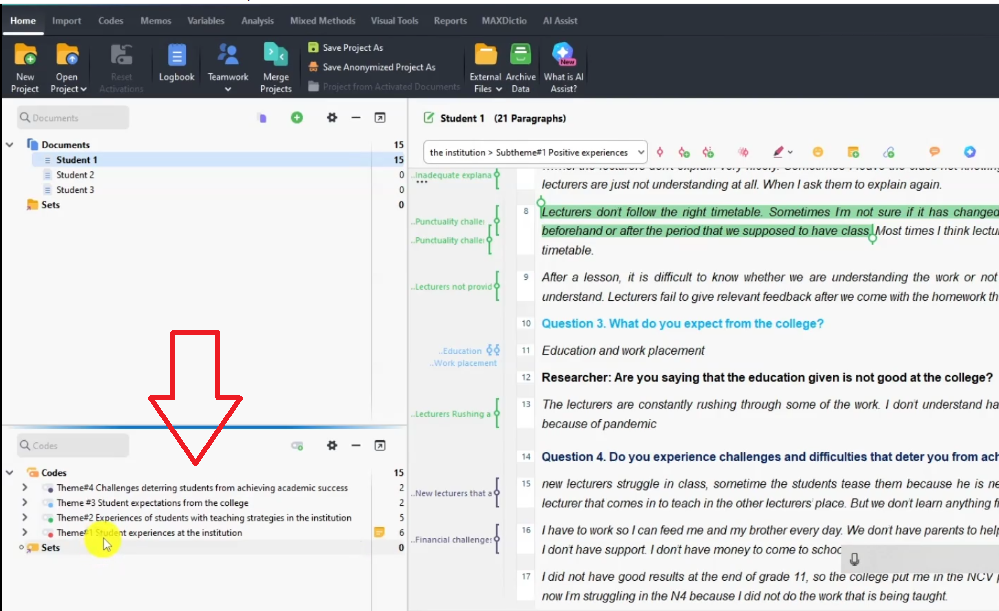
MAXQDA code panel showing all four themes in disorganized order before Sort A to Z during defining step
MAXQDA right-click menu showing Sort A to Z option to organize themes alphabetically
MAXQDA memo dialog showing Theme 2 description — diverse student experiences with teaching strategies
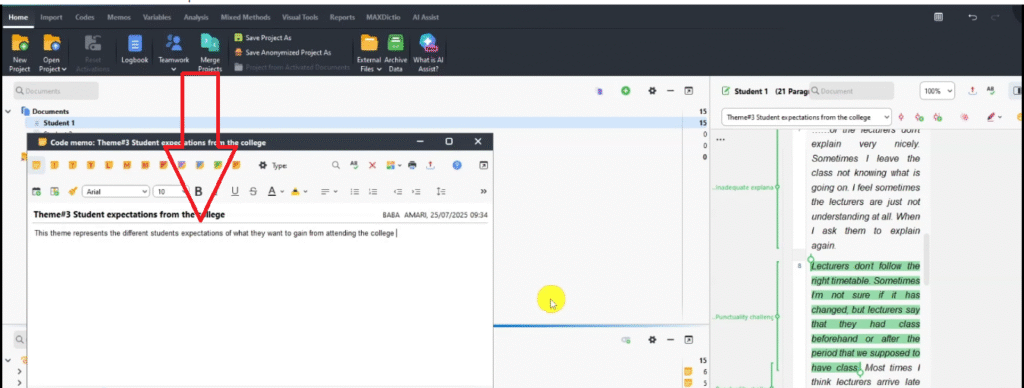
MAXQDA memo dialog showing Theme 3 description — student expectations from the college
MAXQDA memo dialog showing Theme 4 description — challenges deterring students from academic success

Step 6 — Producing the Findings Report

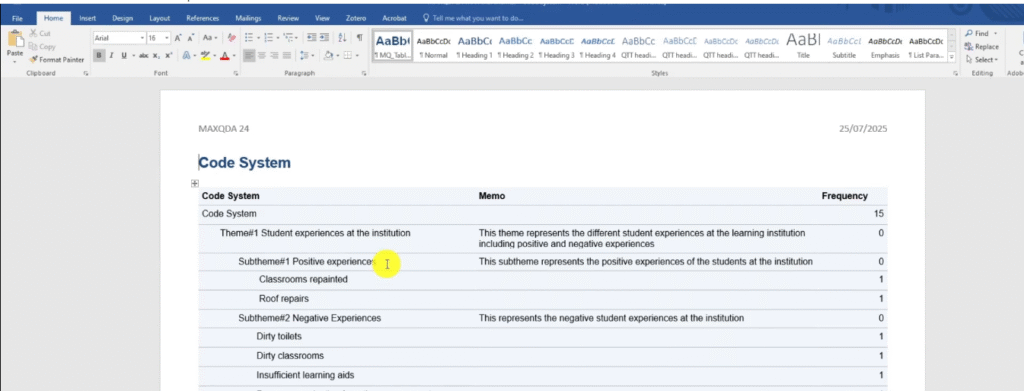
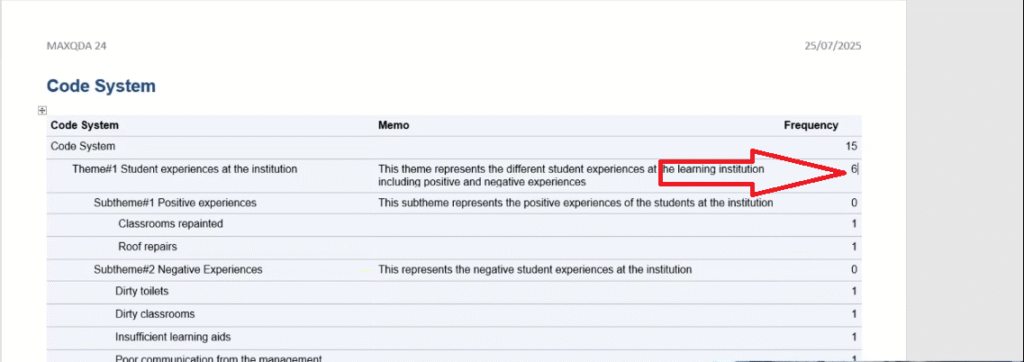
Go to Reports > Export Code System. MAXQDA generates a table of your themes, sub-themes, codes, and frequencies. Note that MAXQDA does not automatically aggregate frequencies at the theme level — add those numbers manually.

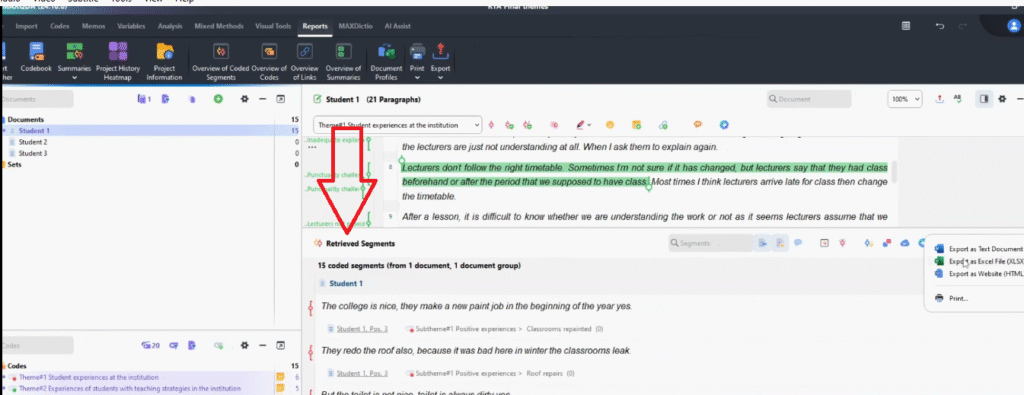
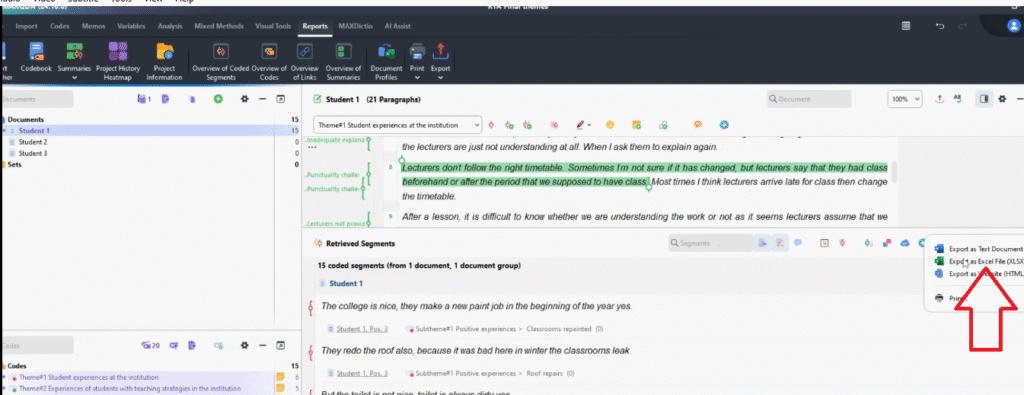
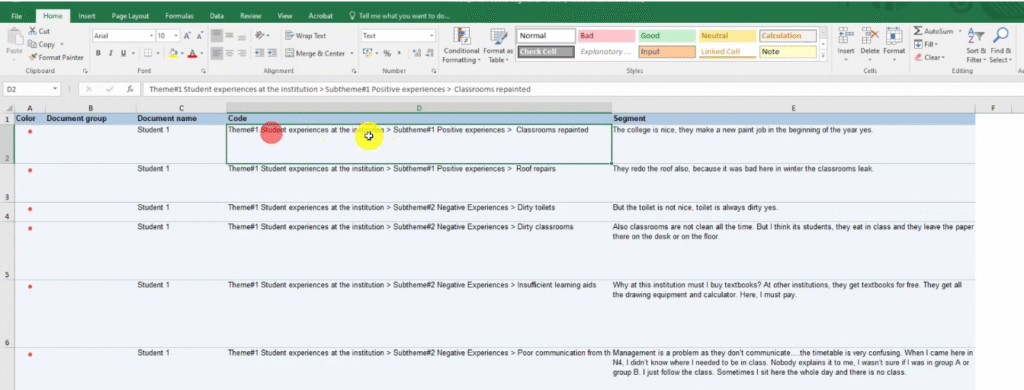
To export your coded segments, activate all themes and transcripts, then go to Retrieved Segments > Export > Excel File. This spreadsheet gives you each theme, code, and participant quote — the raw material for your findings chapter.

For a complete walkthrough of writing up your findings, see my guide on reporting thematic analysis findings in MAXQDA.
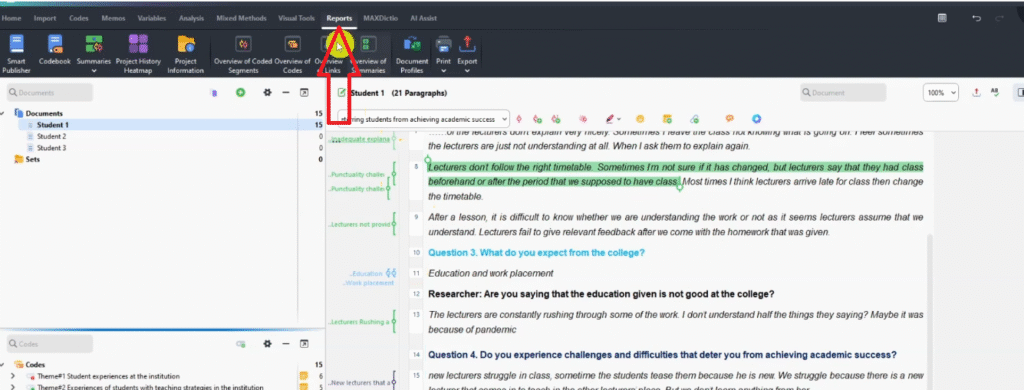
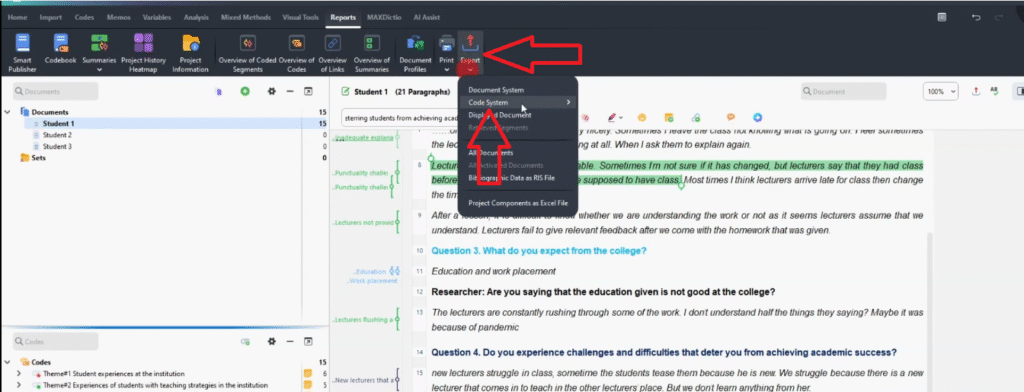
MAXQDA Reports menu highlighted — accessing Export Code System for reflexive thematic analysis output
MAXQDA Export Code System option highlighted in Reports menu for producing the findings report
MAXQDA exported code system table showing themes sub-themes and codes with frequency counts
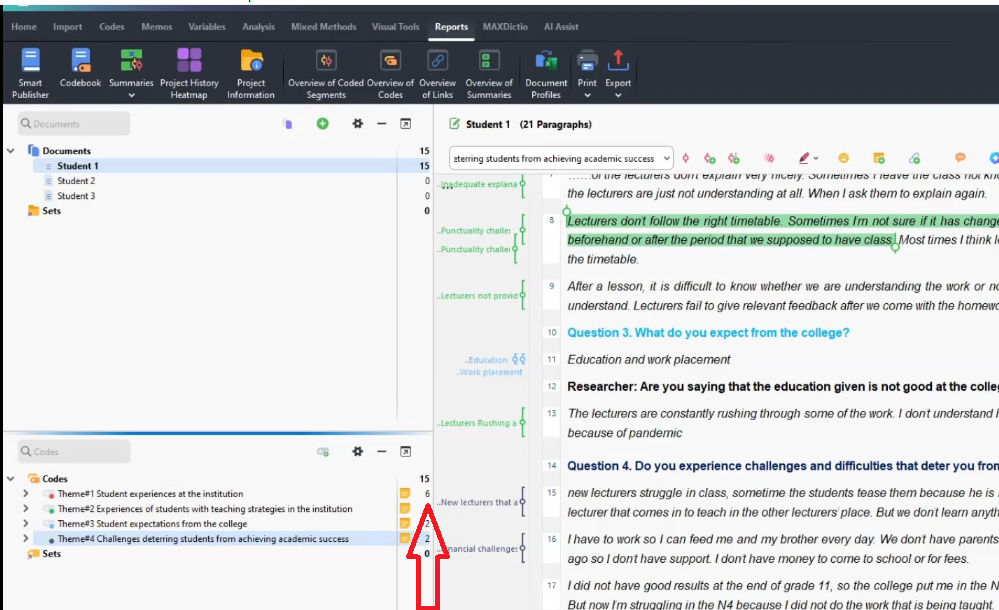
MAXQDA code panel showing frequency counts of zero for themes — requiring manual frequency update
MAXQDA exported code system with manually added frequency count of 6 for Theme 1
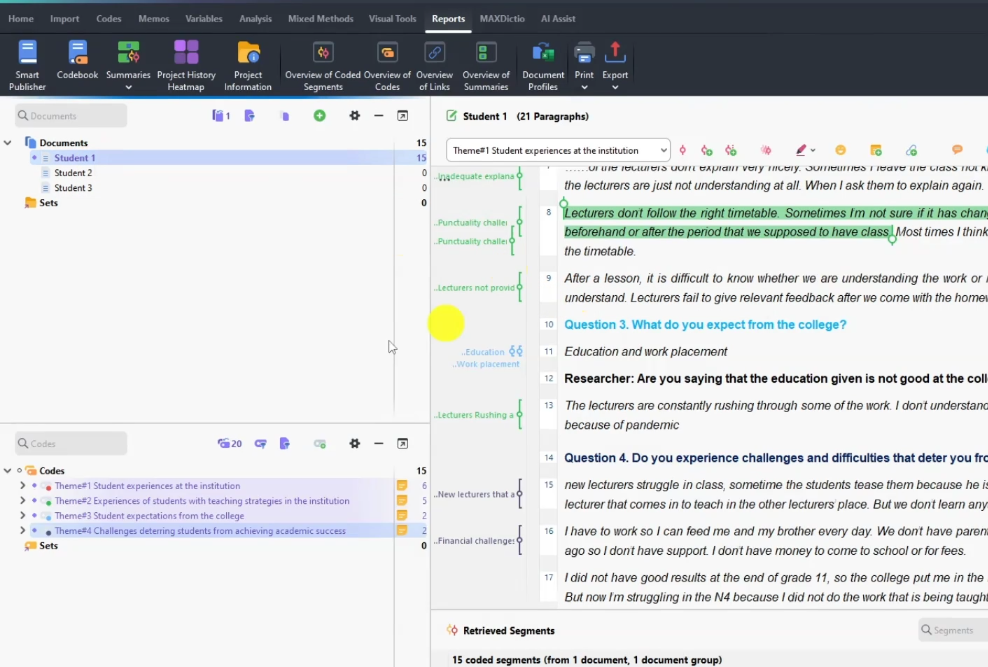
MAXQDA interface showing all four themes and transcripts activated for retrieving coded segments
MAXQDA Retrieved Segments panel showing coded quotes organized by theme ready for export
MAXQDA Retrieved Segments export menu showing Export Excel File option for coded segments
Exported MAXQDA code book in Excel showing themes sub-themes and coded participant quotes for reflexive thematic analysis

Frequently Asked Questions

What is the difference between reflexive thematic analysis and general thematic analysis?

Reflexive thematic analysis places the researcher’s subjectivity at the centre of the process. Rather than removing bias, the researcher documents and reflects on it through reflexive journals. General thematic analysis frameworks often treat the researcher as a neutral observer.

Do I need reflexive journals for every study using thematic analysis?

If you are using the Braun and Clarke reflexive thematic analysis framework, yes — reflexive journals are a core component, not optional. They must be acknowledged in the Role of the Researcher section of your thesis.

Can I use MAXQDA even if my university recommends NVivo?

Yes. The analytical process is identical regardless of the software. MAXQDA, NVivo, and ATLAS.ti all support the coding and theme-building steps Braun and Clarke describe. Check with your supervisor, but the six steps are fully software-neutral.

How many themes should I aim for?

There is no fixed number. Braun and Clarke recommend enough themes to capture the breadth of the data without each becoming too broad. For a typical dissertation with 8-12 interviews, 4-6 themes is a common and manageable range.

Key Takeaways

  • Reflexive thematic analysis follows six steps: familiarize, code, generate themes, review, define, and report.
  • The reflexive element means keeping journals of your thoughts and biases throughout — cited in the Role of the Researcher section of your thesis.
  • In MAXQDA, colour-code by interview question, save separate project copies at each stage, and use memos to write formal theme definitions.
  • Export both the code system and the coded segments from MAXQDA to use as the foundation for your findings chapter.
  • For the official MAXQDA documentation and tutorials, visit maxqda.com.

Need Help with Your Qualitative Data Analysis?

If your transcripts are sitting untouched and your deadline is approaching, my team can step in. The done-for-you thematic analysis service covers full MAXQDA coding, theme development, and write-up support — delivered to you. More than 600 PhD students have used this service to finish their dissertations. Book a consultation today.

1 thought on “Reflexive Thematic Analysis in MAXQDA: A Step-by-Step Guide for PhD Students”

  1. Pingback:  MAXQDA Free Training for Beginners: Start Coding Your Data -

Leave a Comment

Your email address will not be published. Required fields are marked *

Scroll to Top