
Last Updated on 5 months ago by Grace Nyambura
Thematic Analysis of Focus Group Data in NVivo [Step-by-Step Guide]
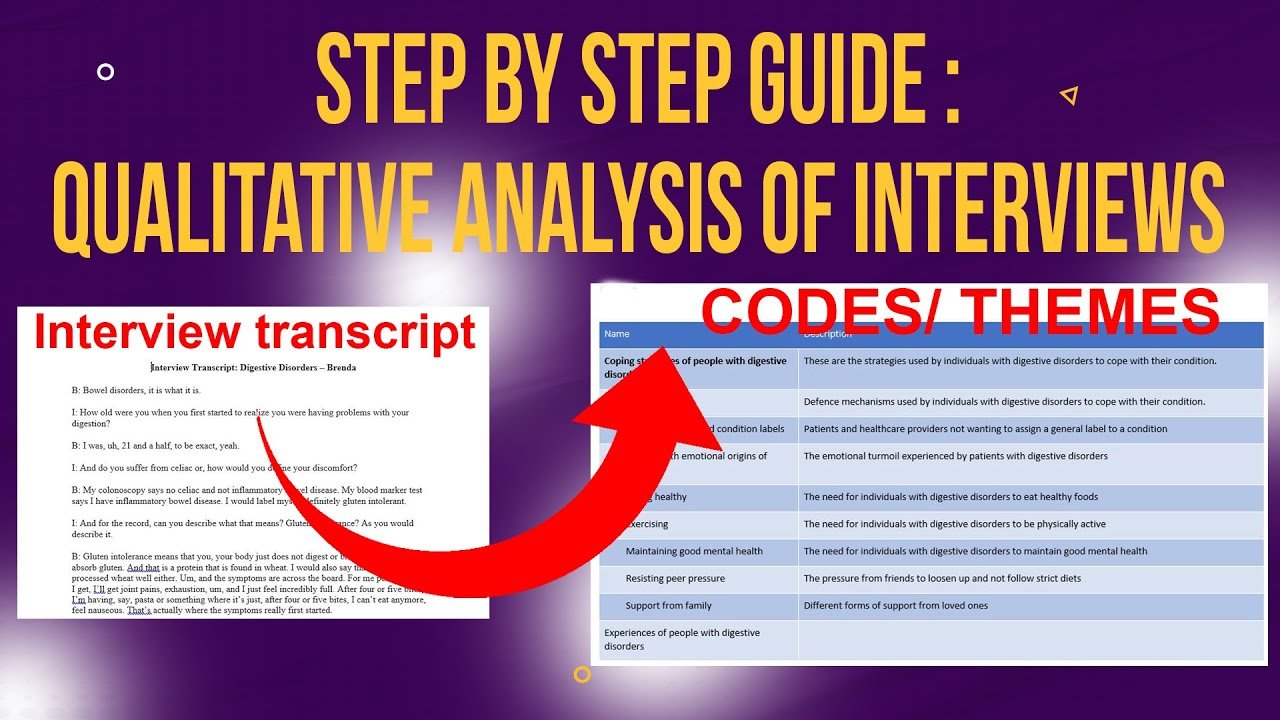
Focus groups generate rich qualitative data — but extracting meaningful themes from group discussions is more complex than coding individual interviews. In this guide, I’ll walk you through how to conduct thematic analysis of focus group data in NVivo from start to finish, following Braun and Clarke’s six-step framework — the most widely cited approach to thematic analysis in qualitative research.
I’m using a real focus group dataset as the worked example: a discussion with patients diagnosed with atrial fibrillation in São Paulo, Brazil. This gives you a concrete picture of every step rather than a generic walkthrough.
If you’ve previously coded individual interviews in NVivo, you’ll find much of this familiar — but I’ll highlight where focus group data introduces specific challenges. For the interview version of this process, see my guide on qualitative analysis of interviews with NVivo
- Thematic Analysis of Focus Group Data in NVivo [Step-by-Step Guide]
- What Is a Focus Group? (And Why Use Thematic Analysis?)
- Inductive vs Deductive: Which Approach Should You Use?
- What You Need Before You Start
- Step 1 – Familiarise Yourself With the Focus Group Transcript
- Step 2 – Import the Transcript Into NVivo and Generate Initial Codes
- Step 3 – Review and Revise Your Initial Codes
- Step 4 – Generate Preliminary Themes
- Step 5 – Review, Define, and Name Your Final Themes
- Step 6 – Write the Findings Report
- Frequently Asked Questions
- Key Takeaways
- Need Help With Your Focus Group Analysis?
What Is a Focus Group? (And Why Use Thematic Analysis?)
A focus group is a qualitative data collection method in which a small group of participants are asked about their attitudes, opinions, experiences, or beliefs on a specific topic. Unlike interviews, focus groups are interactive — participants respond to each other, not just to the moderator, which produces richer and sometimes unexpected data.
Thematic analysis is well-suited to focus group data when you want to understand:
- People’s views and opinions on a topic
- Shared or contrasting experiences within a group
- How participants make sense of a concept or phenomenon
- Values, beliefs, or knowledge about a given subject
For more on what thematic analysis is and when to use it, Scribbr’s thematic analysis guide provides a clear methodological overview.
Inductive vs Deductive: Which Approach Should You Use?
Before you open NVivo, decide which approach you’re taking.
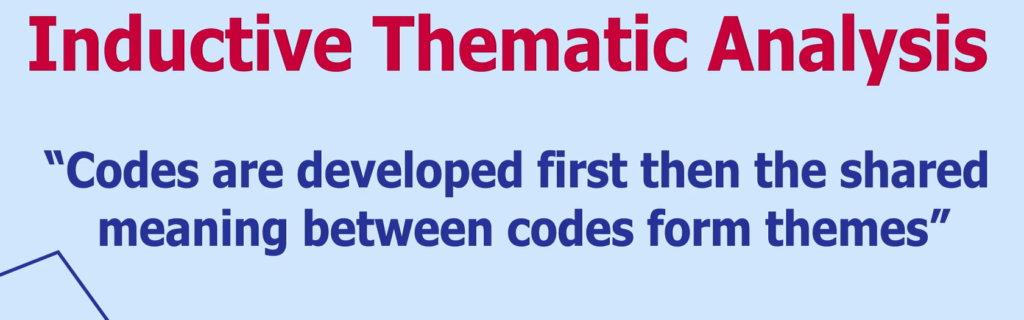
Inductive thematic analysis — also called bottom-up or data-driven analysis — means you let the themes emerge from the data itself. You don’t decide in advance what the themes will be. This is the approach I use in this guide, following Braun and Clarke’s framework.
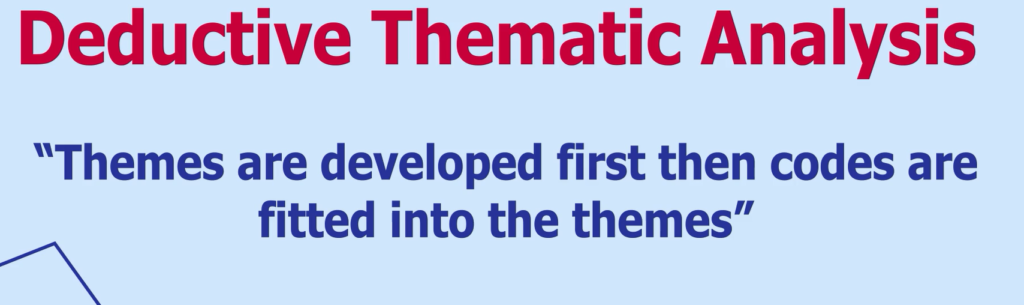
Deductive thematic analysis — also called top-down or theory-driven analysis — means you start with predetermined themes (usually from a theoretical framework or prior literature) and code the data against them.
For most PhD students analysing focus group data, inductive analysis is the right starting point. If your supervisor has specified a framework or you’re testing a theory, the deductive approach may be more appropriate. My guide on inductive thematic analysis in NVivo goes deeper into the data-driven coding process if you need it.
What You Need Before You Start
- Your focus group transcript as a Word (.docx) or PDF file
- NVivo 14 or NVivo 15 (both work — I’m using NVivo 14 here)
- A clear research question or objective your analysis will address
- Time to read the full transcript before touching NVivo
For full details on NVivo’s capabilities, see the official NVivo documentation from Lumivero.
Step 1 – Familiarise Yourself With the Focus Group Transcript
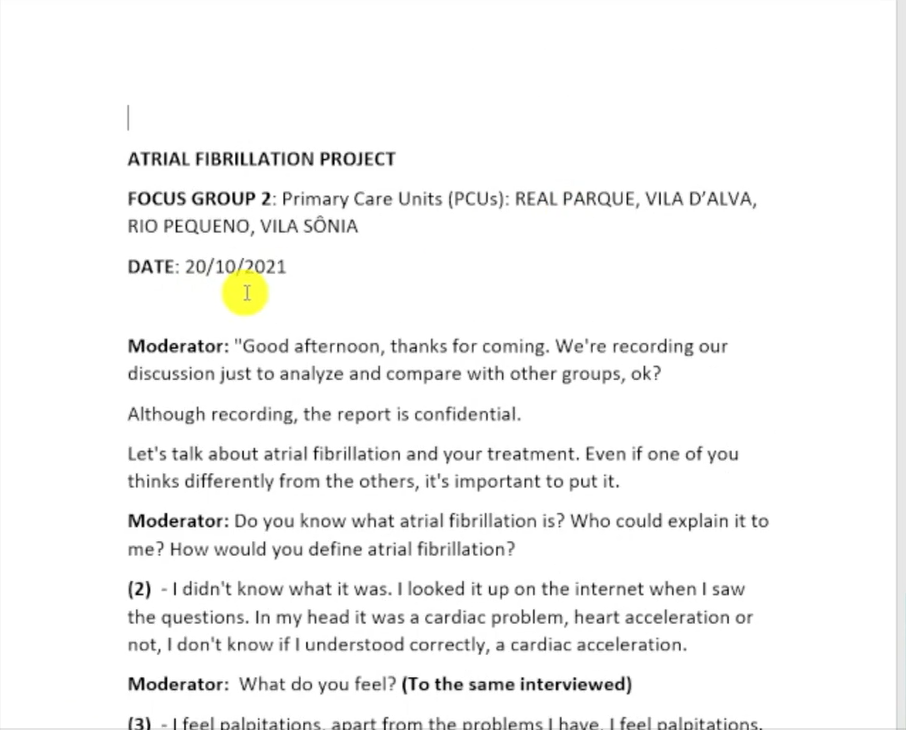
Before you create a single code, read the entire transcript. Read it the way you’d read a story — without highlighting, without stopping to code, just absorbing the content.
As you read, pay attention to:
- The moderator’s questions and how they shape the discussion
- How different participants respond to the same question
- Moments where participants agree, disagree, or build on each other’s points
- Any surprising, repeated, or emotionally charged statements
For the atrial fibrillation focus group, I read through the full discussion to understand the context — who the participants are, what the moderator is exploring, and how participants describe their experience of living with this heart condition.
Jot down any initial impressions in a separate notes document. These become useful when you’re trying to justify coding decisions later and they form part of your reflexivity trail.
Step 2 – Import the Transcript Into NVivo and Generate Initial Codes

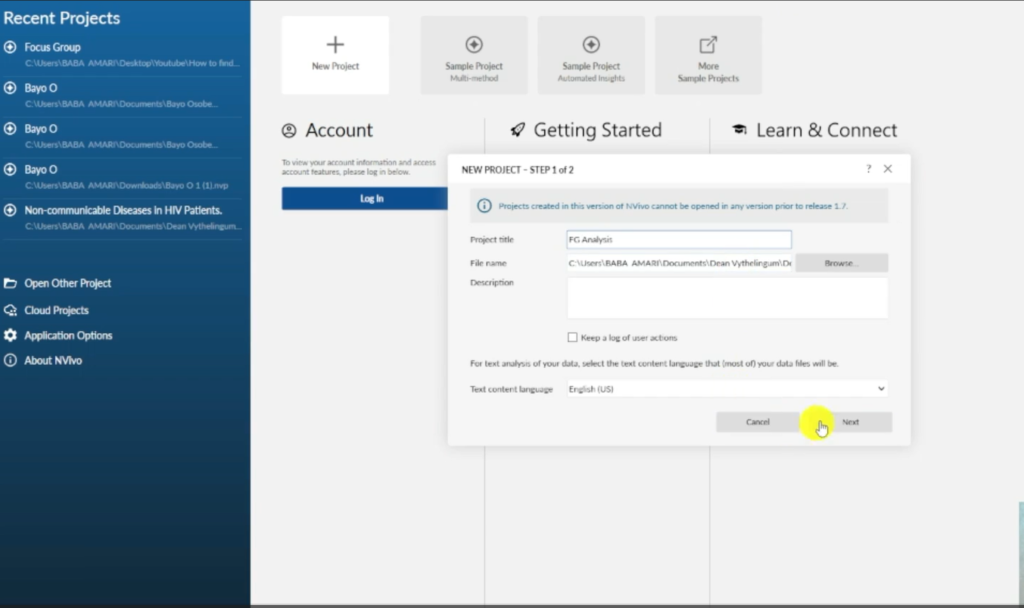
Once you’ve familiarised yourself with the data, open NVivo and create a new project.
- Create a new project. Name it something clear — I called mine FG Analysis. Set the save reminder to every 15 minutes and turn off auto-save. NVivo can lose progress with auto-save enabled.
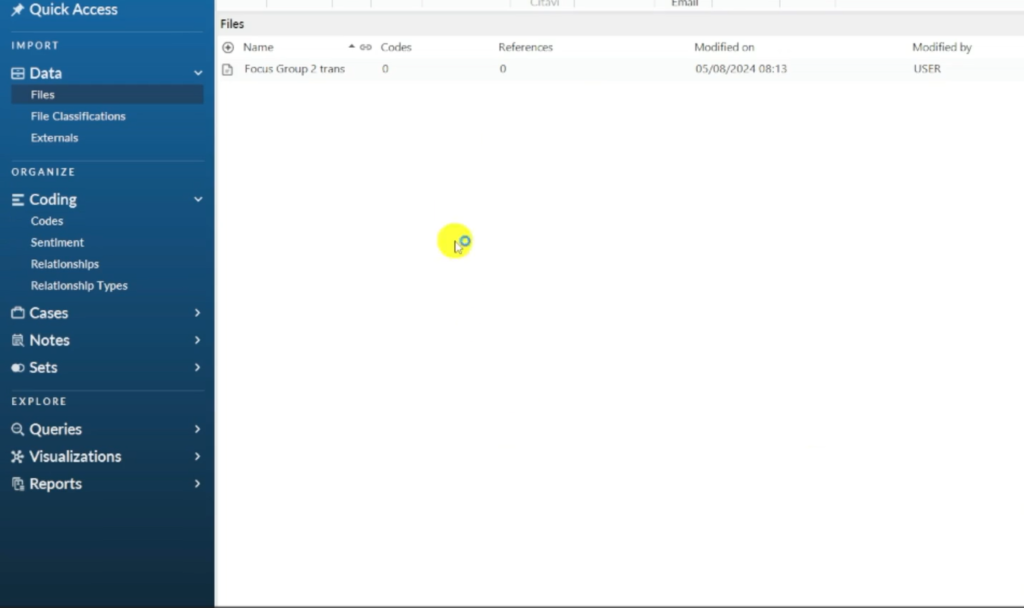
- Import the transcript. Go to the Files section in the blue sidebar and drag your focus group transcript directly into it. Or go to Import → Files.
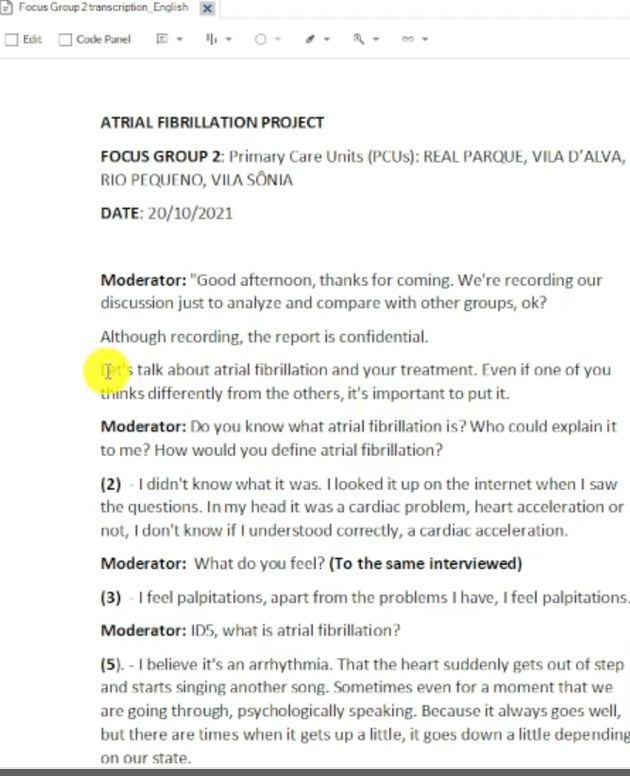
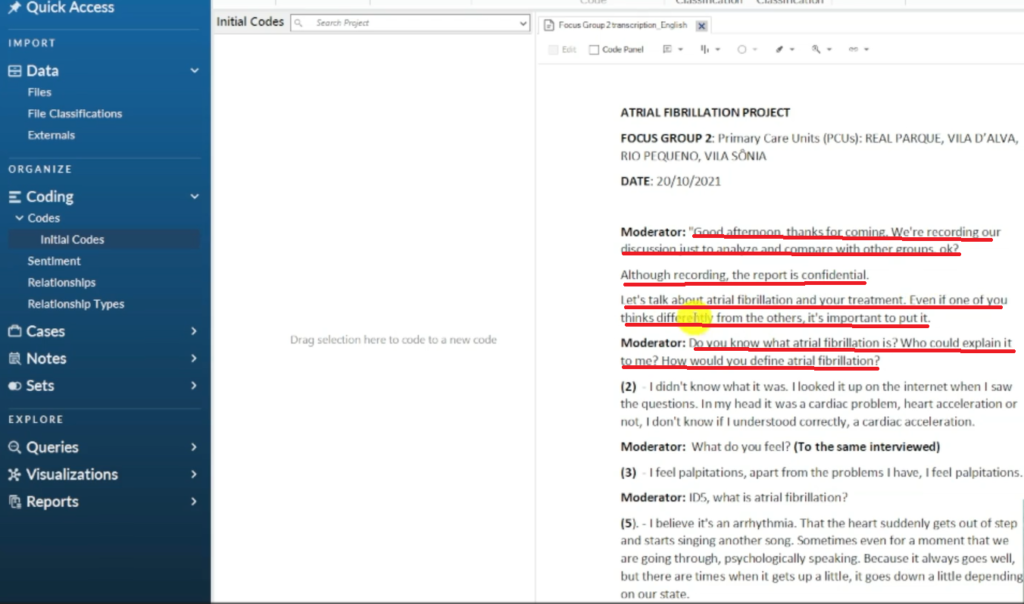
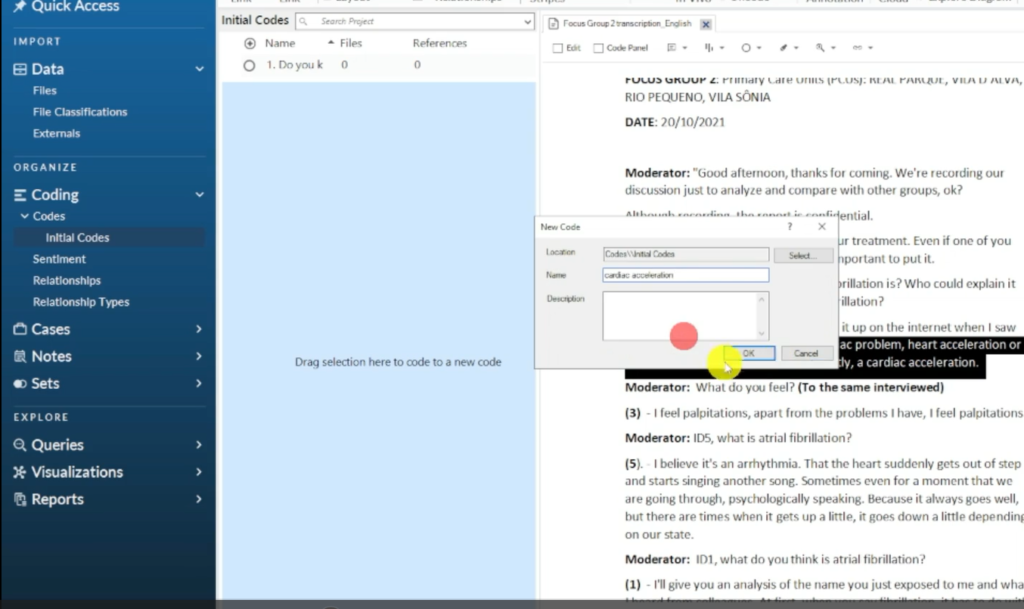
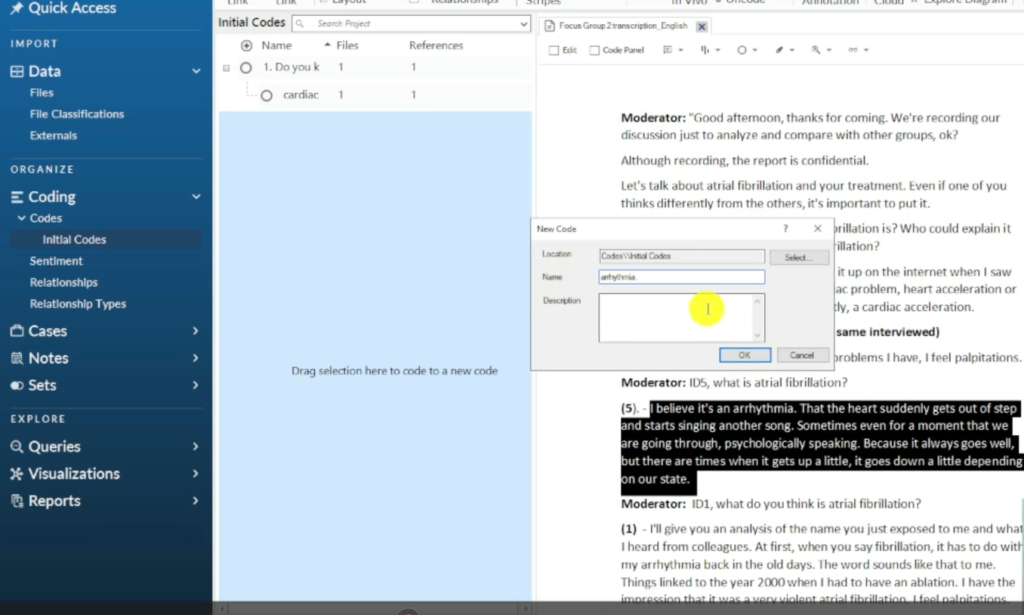
- Open the transcript and begin coding. Highlight a relevant passage, drag it into the Codes panel, and name the code. Repeat for each significant passage.
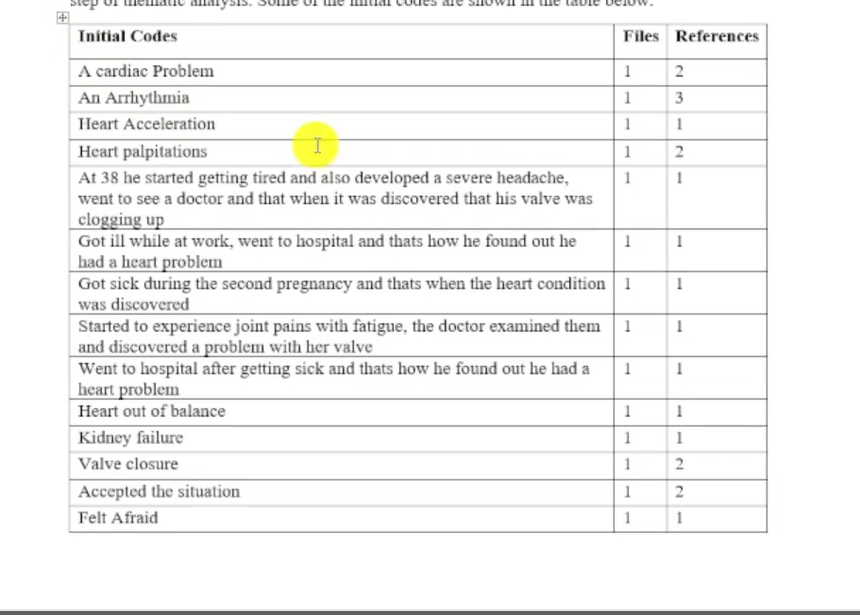
Here’s how the first few codes emerged from the atrial fibrillation focus group:
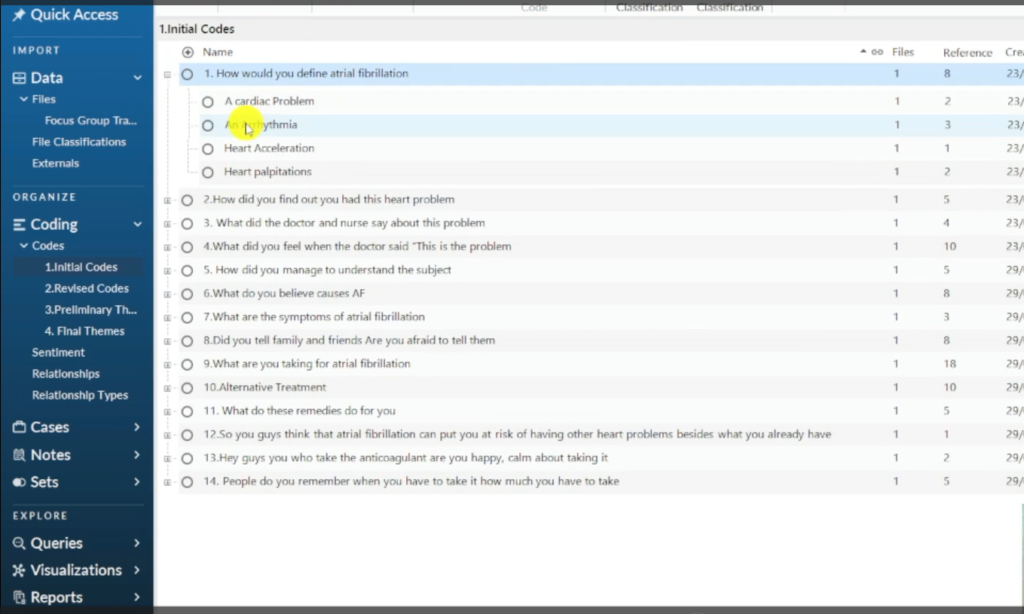
The moderator asked: “How would you define atrial fibrillation?”
“It was a cardiac problem. Heart acceleration or not. I don’t know if I understood correctly. A cardiac acceleration.”
Code assigned: Cardiac acceleration
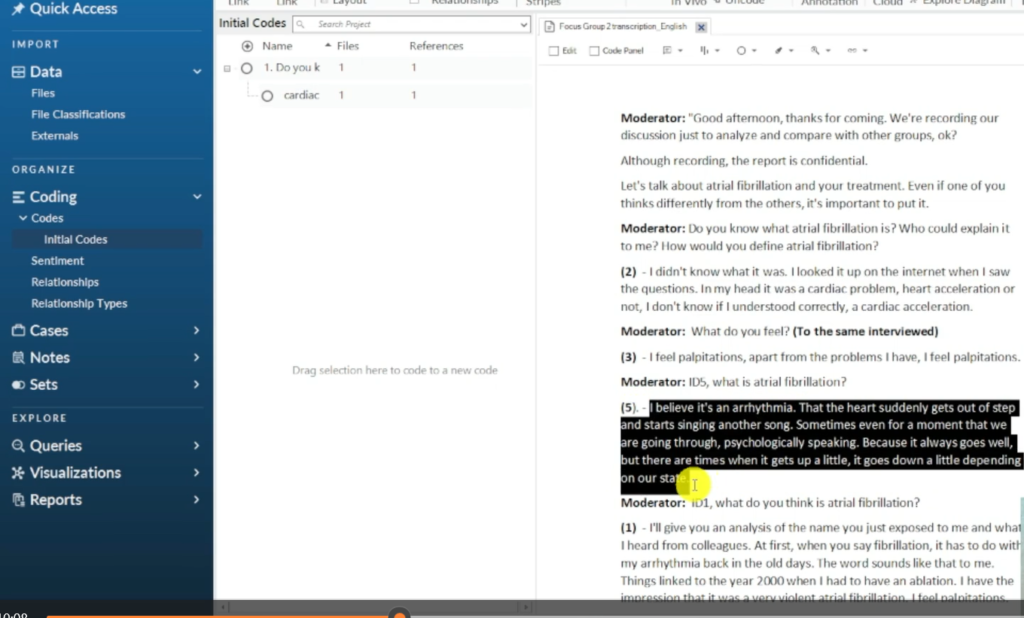
“I believe it’s arrhythmia. The heart suddenly gets out of step and starts singing another song.”
Code assigned: Arrhythmia
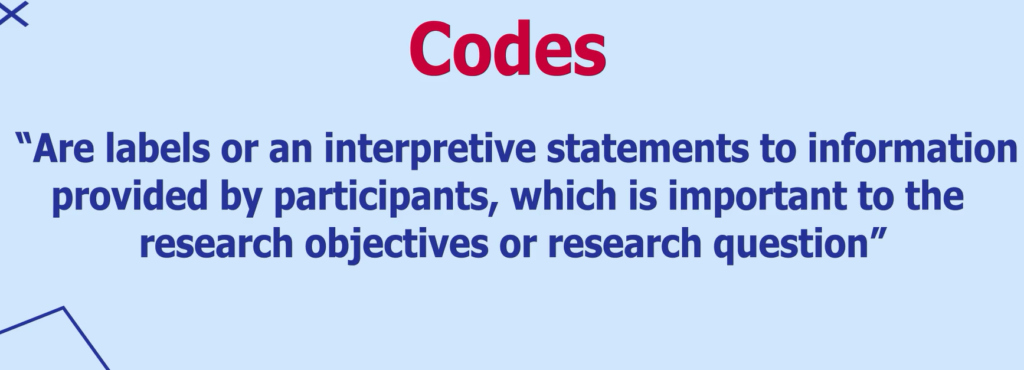
A code is a label or interpretive statement for a specific piece of data that is important to your research question. Codes can be one word, a phrase, or a full sentence — what matters is that the code accurately captures the meaning of the passage, not that it looks tidy.
For a detailed walkthrough of the coding process itself, see my guide on qualitative coding in NVivo.
Step 3 – Review and Revise Your Initial Codes
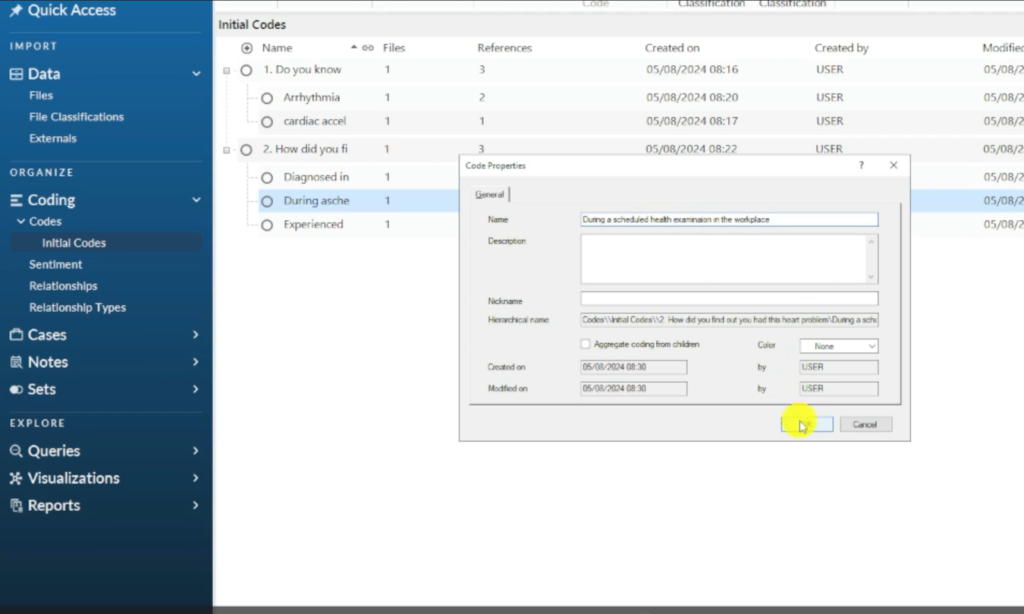
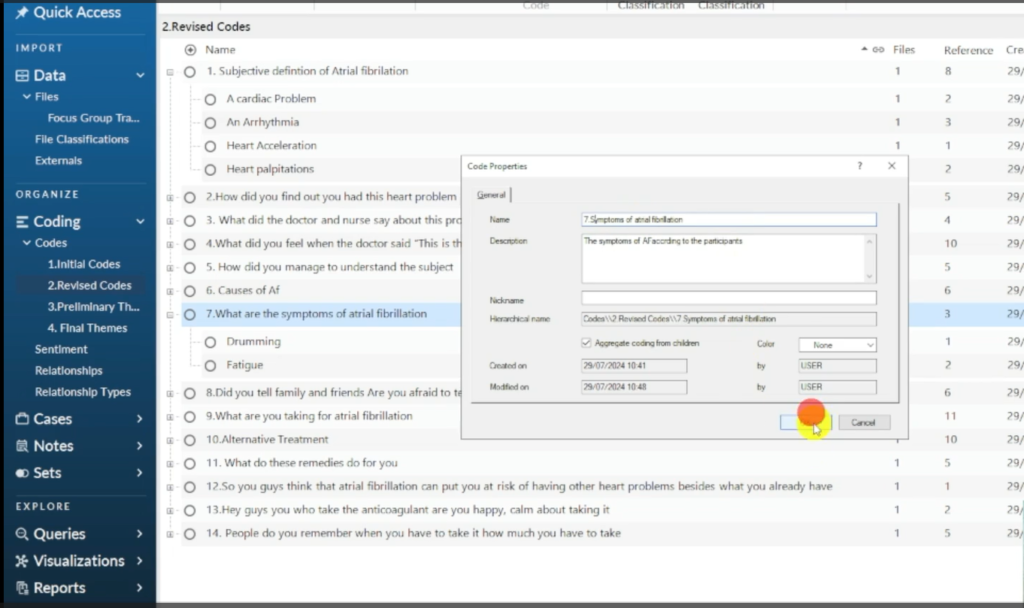
Once you’ve coded the entire transcript, go back through your codes. Right-click each code, select Code Properties, and review the name.
At this stage, ask yourself:
- Is this code name accurate — does it genuinely capture the meaning of the passage?
- Are there any codes that say essentially the same thing? Merge them.
- Are there any codes that are too broad — covering multiple different ideas? Split them.
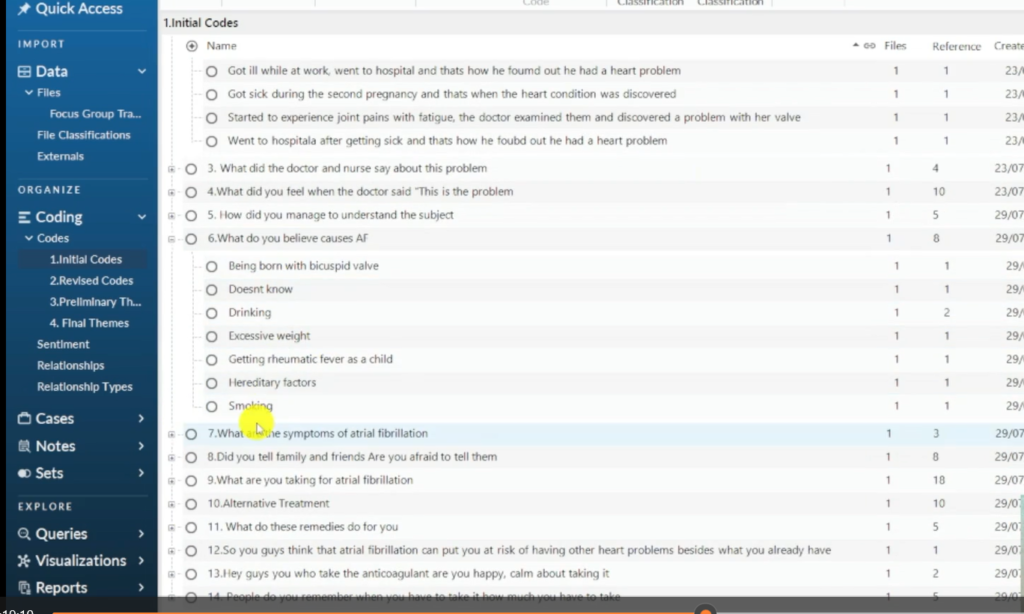
In the atrial fibrillation example, after coding the full transcript, I had codes under questions like: What do you believe causes atrial fibrillation? — with responses including smoking, drinking, bicuspid valve, excessive weight, and rheumatic fever as a child. These are distinct codes but they all relate to the same underlying question, which becomes important in the next step.
Step 4 – Generate Preliminary Themes
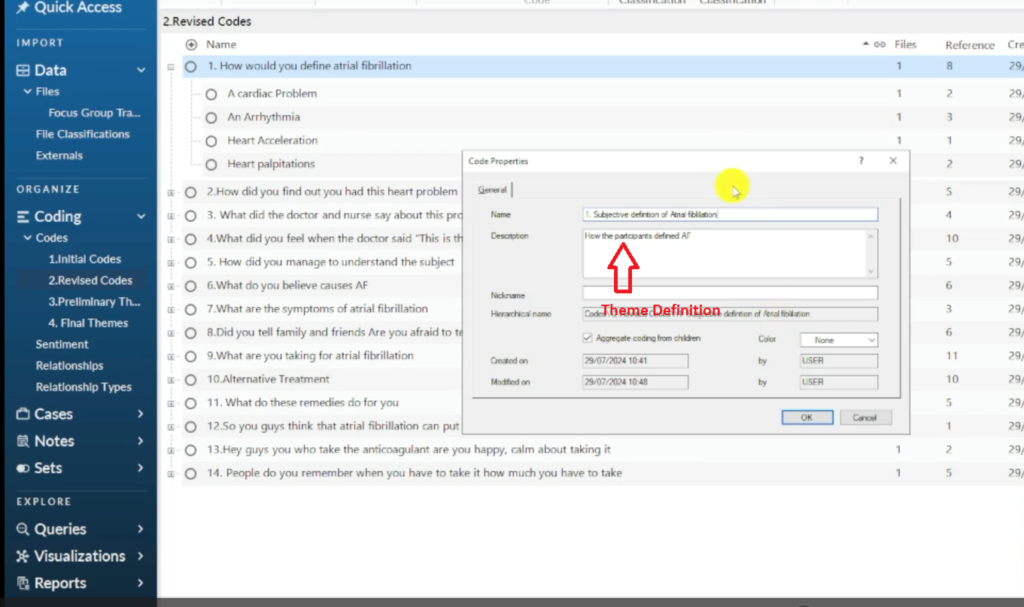
Now you move from codes to themes. Look at the questions the moderator asked and the codes grouped beneath each question. Ask: what is the underlying topic this question was exploring? Rename the question into a theme that captures that topic.
Examples from the focus group:
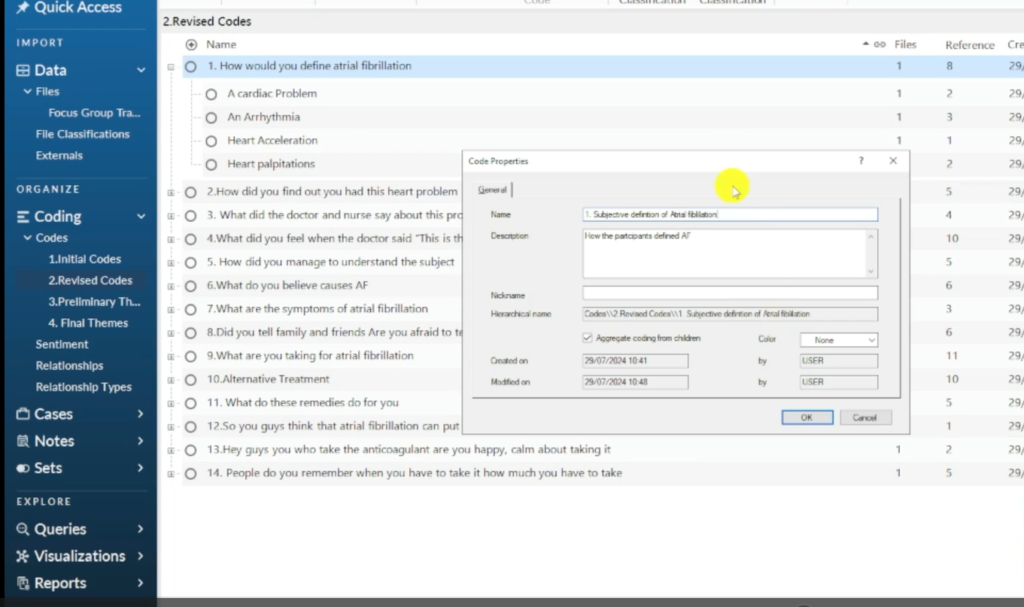
- “How would you define atrial fibrillation?” → Preliminary theme: Subjective definitions of atrial fibrillation
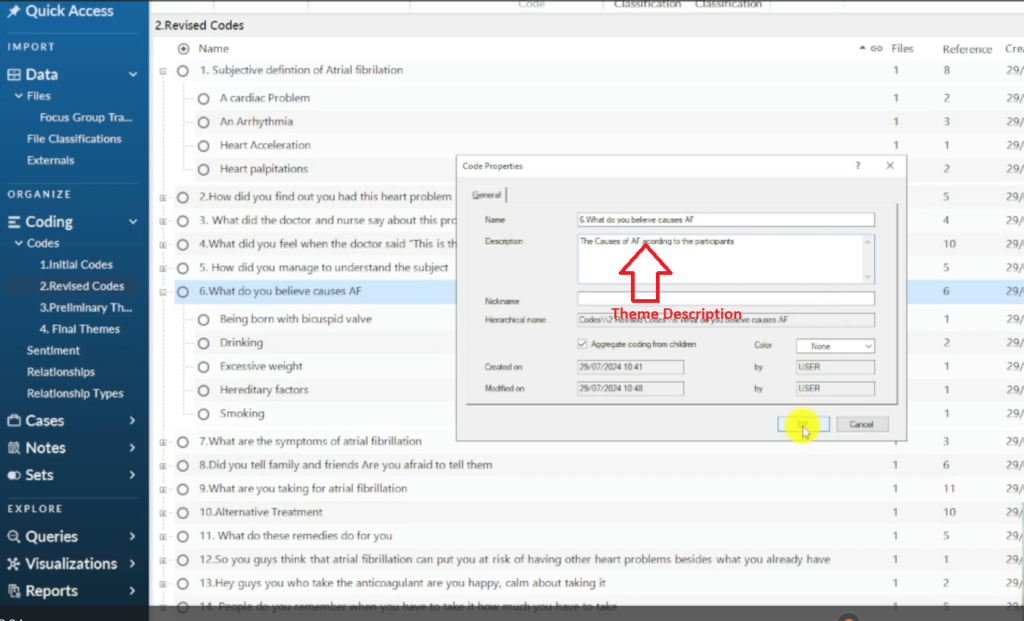
- “What do you believe causes atrial fibrillation?” → Preliminary theme: Perceived causes of atrial fibrillation
- “What are the symptoms of atrial fibrillation?” → Preliminary theme: Symptoms of atrial fibrillation
Step 5 – Review, Define, and Name Your Final Themes
With your preliminary themes listed, review them as a set. This is where the analytical work happens:
- Look for themes with shared meaning — can two preliminary themes be merged into a stronger, broader theme?
- Check that each theme is distinct — it should cover a different aspect of the phenomenon from every other theme
- Make sure each theme has sufficient evidence — at least 2–3 coded passages from different participants
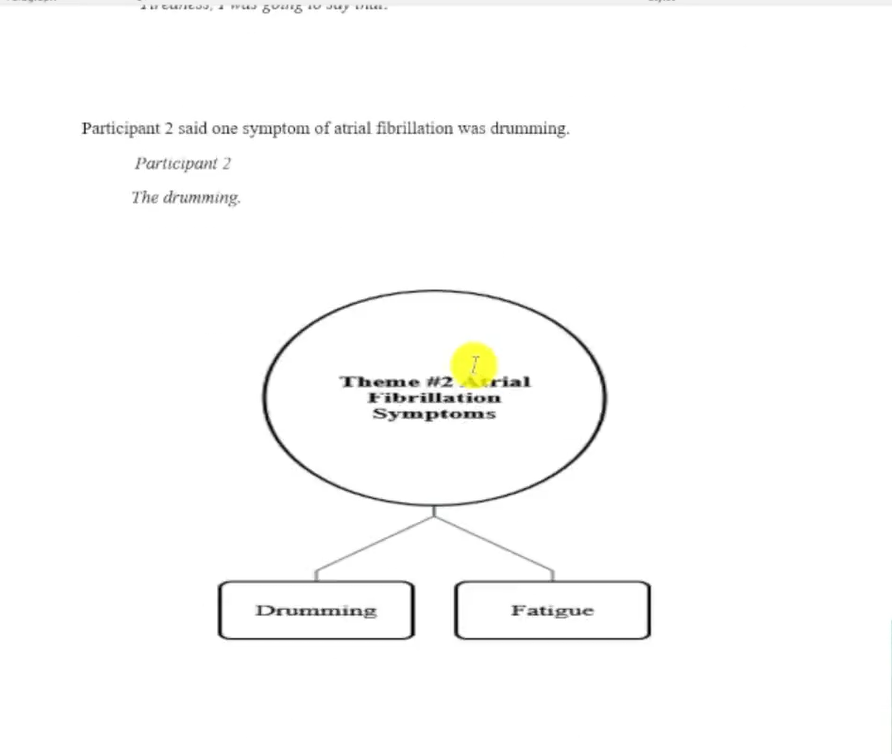
- Check that sub-themes are properly nested — if a theme has multiple facets, these become sub-themes within it
Once your final themes are confirmed, define each one formally. Right-click the theme in NVivo, go to Code Properties, and write a 2–3 sentence description that explains what the theme covers and what kinds of participant views or experiences it captures.
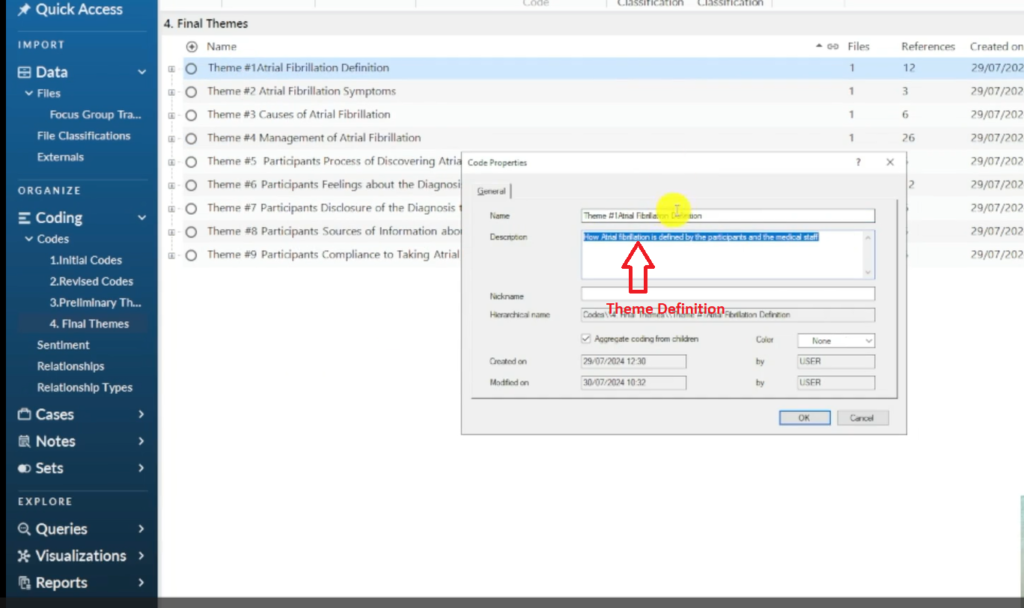
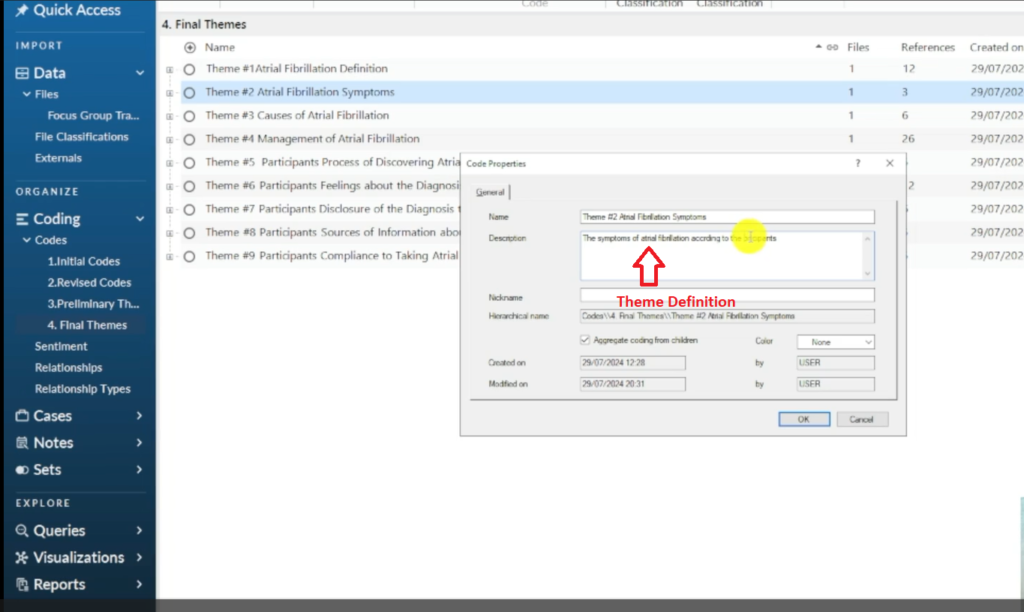
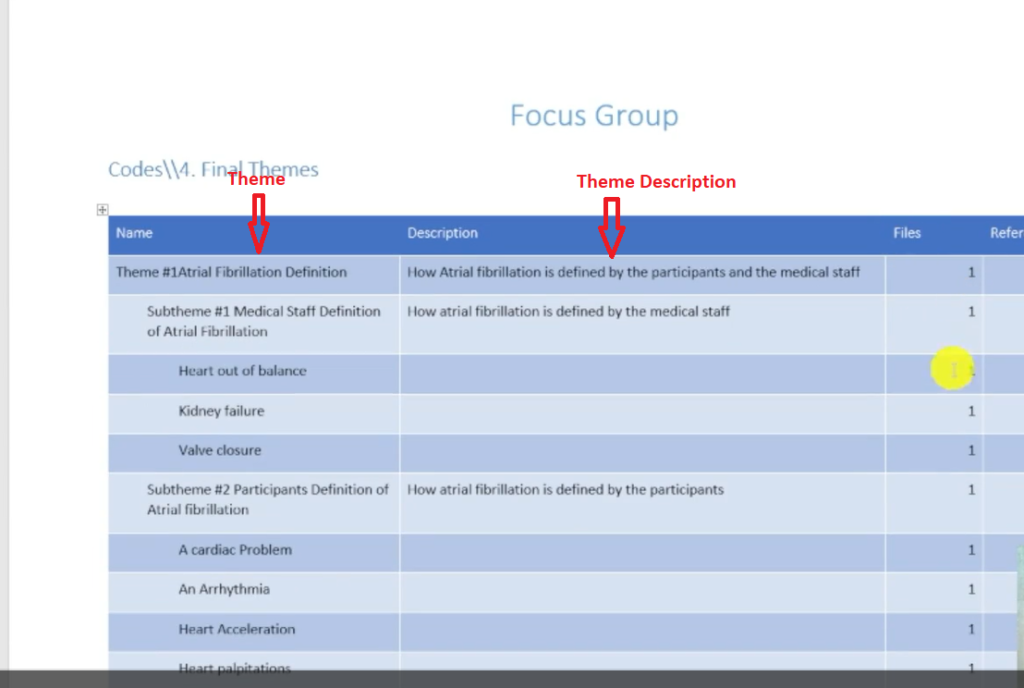
When all themes are defined, export your codebook: go to Share → Export → Export Codebook. The codebook gives you a permanent record of every theme, its definition, and its sub-themes — essential for your methodology section and your findings chapter.
For a deeper look at how to build strong, well-defined themes, see my guide on thematic analysis in NVivo 15.
Step 6 – Write the Findings Report
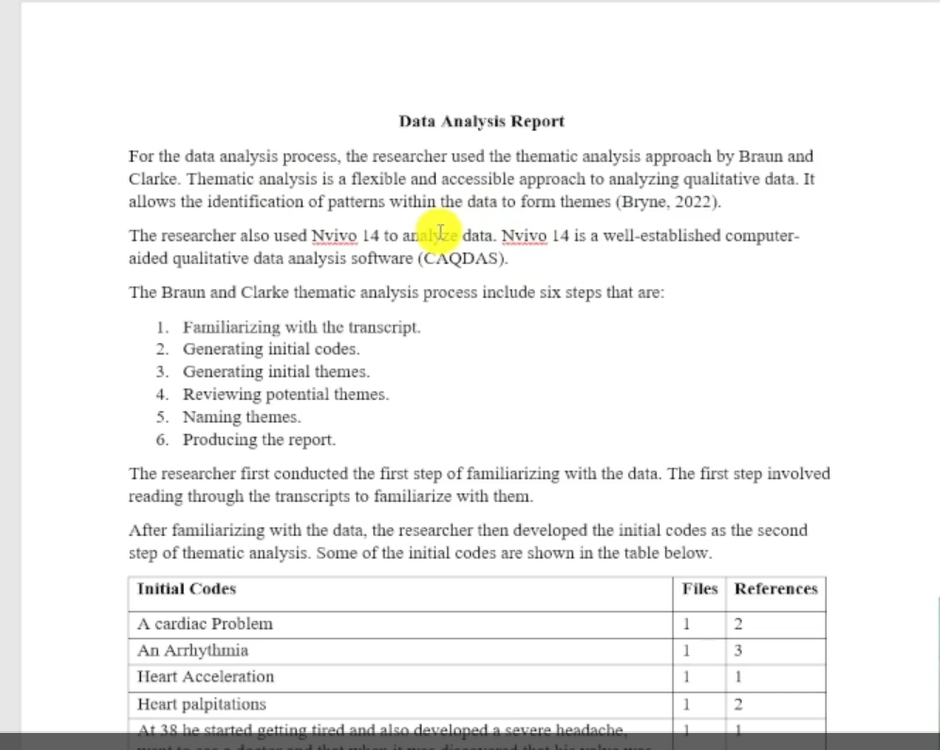
With your final themes, sub-themes, and codebook ready, you have everything you need to write Chapter 4.
Structure each theme section as follows:
- Introduce the theme. State the theme name and use your codebook description as the opening 2–3 sentences.
- Describe the pattern. Explain what participants generally said — the shared experience or view this theme captures.
- Embed participant quotes. Use 2–3 direct quotes from the focus group to illustrate the theme. Attribute each to a participant identifier (e.g. P1, P2).
- Interpret the finding. Connect the theme to your research question — what does it tell you?
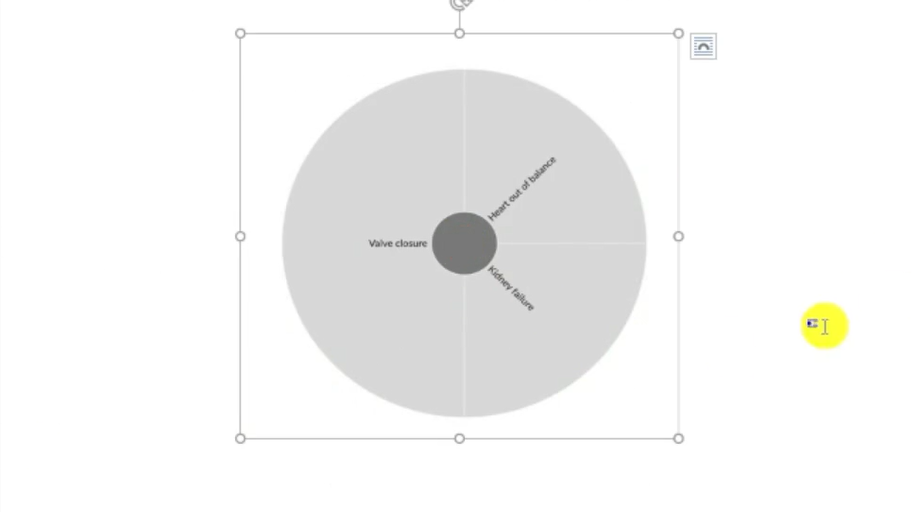
- Add visuals where useful. NVivo can generate hierarchy charts and mind maps from your coded data — these are particularly effective in focus group reports where showing the structure of themes adds clarity.
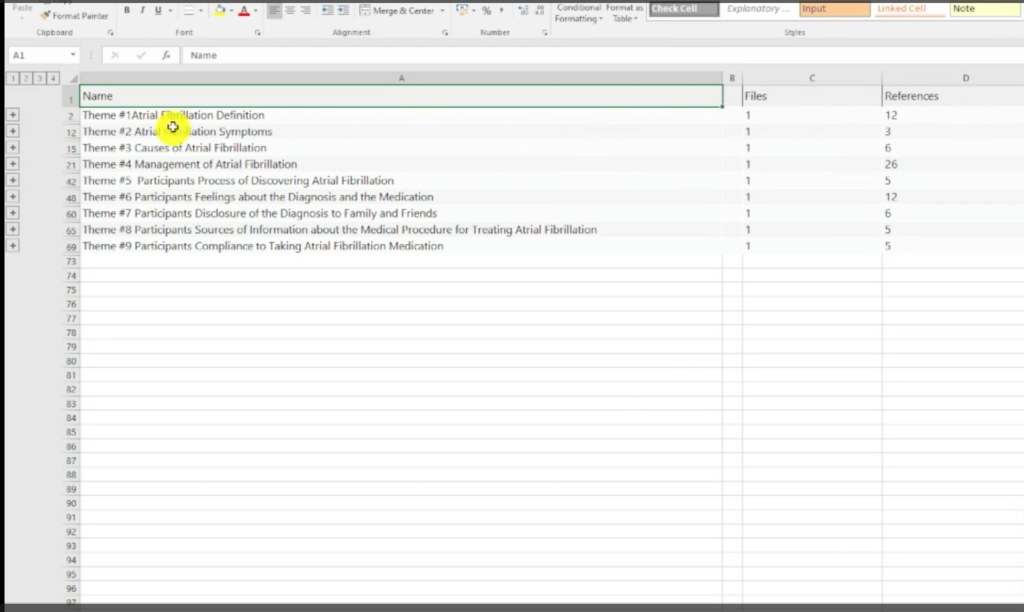
To export theme tables from NVivo, press Ctrl+A on your final themes folder, then go to Export → Export List. This produces an Excel file with every theme, sub-theme, and code count.
For a detailed guide to writing up the findings report itself, see my post on how to report thematic analysis findings in NVivo.
Frequently Asked Questions
How is focus group analysis different from interview analysis in NVivo?
The NVivo process is largely the same. The key difference is that focus group transcripts have multiple speakers per session, and participants often build on or respond to each other’s points. When coding, you need to pay attention to group dynamics — consensus, disagreement, and co-construction of meaning — not just individual responses.
How many focus groups do I need to analyse?
This depends on your research design and data saturation — the point at which additional groups produce no new themes. For most PhD studies, 3–5 focus groups is typical, but your methodology chapter should justify your number based on the complexity of the topic and the homogeneity of your participant groups.
Should I code the moderator’s questions or just participant responses?
Code the participant responses. The moderator’s questions provide context for understanding what each response is about, but the analytical content lies in what participants say, not in the questions themselves.
Can I use the same NVivo project for focus groups and individual interviews?
Yes. NVivo handles multiple file types in a single project. You can import both focus group transcripts and individual interview transcripts and code them together, which is useful if your study uses a mixed methods design.
What is a codebook and do I need one?
A codebook is a document listing every theme and code with a clear definition of each. In NVivo, you export it via Share → Export → Export Codebook. Most institutions require it as part of the methodology appendix, and it’s essential for demonstrating analytical rigour in your dissertation.
Key Takeaways
- Correct spelling: it’s Braun and Clarke — not ‘Brown and Clark’ — and their six-step framework is the standard approach this guide follows
- Familiarise before you code — reading the full transcript first produces deeper, more accurate codes
- Use NVivo’s Code Properties panel to rename codes and add descriptions at every stage
- Preliminary themes come from renaming the interview questions into topic labels; final themes come from reviewing, merging, and defining those preliminary themes
- Export your codebook before writing the findings report — it becomes the backbone of your methodology chapter
- Visualise your results — NVivo’s hierarchy charts and mind maps are particularly effective for presenting focus group themes
Need Help With Your Focus Group Analysis?
If you’re stuck on the coding or theme development, or you’re working against a deadline, I offer a done-for-you qualitative analysis service for PhD students. Send me your transcripts and research questions — I handle the NVivo analysis and deliver structured themes, and a findings report you can write up immediately.