

Last Updated on 4 months ago by Grace Nyambura
| Quick Definition: Inductive thematic analysis is a qualitative method where themes emerge directly from the data — rather than being decided in advance. You read your transcripts, identify patterns, and let the data guide the findings. Saldana’s approach structures this into four clear steps: identify and categorize codes, develop high-level categories, generate themes through analytic memoing, and apply themes to research questions. |
- What Is Inductive Thematic Analysis? (Quick Definition)
- Why Use Saldana's Method in NVivo?
- Step 1 — Identify and Categorize Codes in NVivo
- Step 2 — Develop High-Level Categories in NVivo
- Step 3 — Generate Themes Through Analytic Memoing
- Step 4 — Apply Themes to Your Research Questions
- Exporting Your NVivo Codebook
- Frequently Asked Questions
- Key Takeaways
- Need Help With Your NVivo Analysis?
If you are doing qualitative research for your PhD or dissertation, chances are you have come across the name Johnny Saldana. His 4-step approach to thematic analysis is one of the most structured and widely taught methods for analyzing interview data — and it works particularly well when you use NVivo to manage your coding process.
In this guide, I walk you through how to do inductive thematic analysis in NVivo step by step, using Saldana’s framework. I use a real dataset about teaching challenges at a community college to show exactly how each step works inside NVivo.
My name is Bernard Mugo. Over the past three years, I have helped more than 300 PhD students analyze qualitative data and complete their dissertations. This guide is based on that hands-on experience.
What Is Inductive Thematic Analysis? (Quick Definition)
Thematic analysis is a method for identifying, analyzing, and reporting patterns — called themes — within qualitative data. The inductive version means you go into your data without predetermined codes or categories. Your themes are shaped entirely by what your participants actually said.
This is different from deductive thematic analysis, where you start with a theory or framework and test it against the data. Inductive analysis is more open-ended and is the most commonly used approach among PhD students analyzing interviews, focus groups, and open-ended survey responses.
For a broader overview of qualitative approaches, Scribbr’s guide to thematic analysis gives a clear breakdown of when to use each type and which is better suited to your research design.
Why Use Saldana’s Method in NVivo?
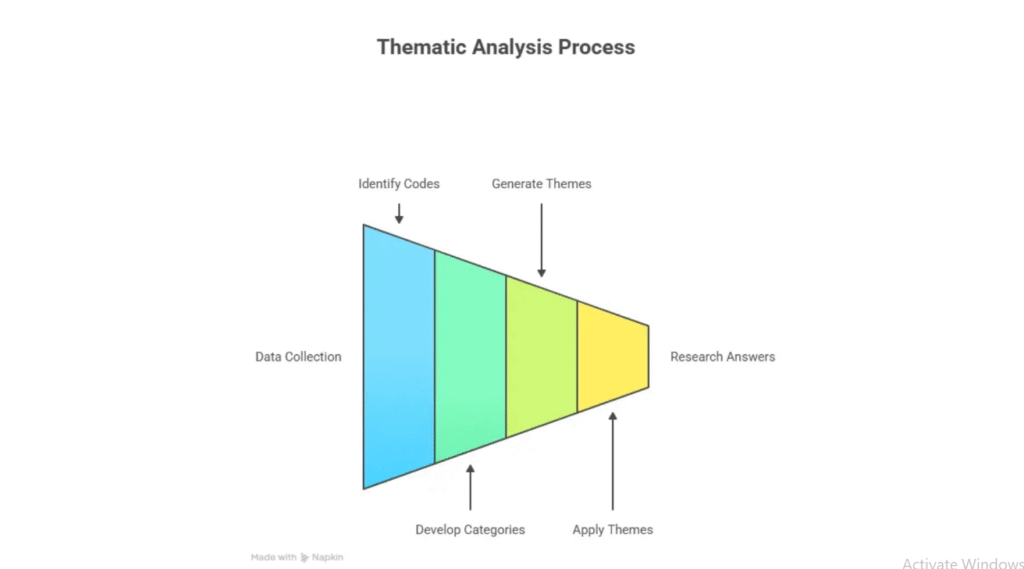
There are several frameworks for doing thematic analysis — Braun and Clarke’s six-step model is another popular one. Saldana’s approach, outlined in The Coding Manual for Qualitative Researchers (SAGE Publishing), is particularly well-suited to NVivo because it follows a clear hierarchical structure: codes → categories → themes → research questions.
NVivo is built around exactly that kind of hierarchical organization. If you need help getting started with NVivo itself, see my guide on how to do thematic analysis in NVivo before working through the steps below.
Here are the four steps we will follow:
- Identify and categorize codes
- Develop high-level categories
- Generate themes through analytic memoing
- Apply themes to your research questions
Step 1 — Identify and Categorize Codes in NVivo
The first step is to read your data carefully and assign codes to meaningful segments. A code is a short label that captures the essence of a chunk of text. At this stage, you are not trying to form themes — you are just naming what you see in the data.
Setting Up Your NVivo Project
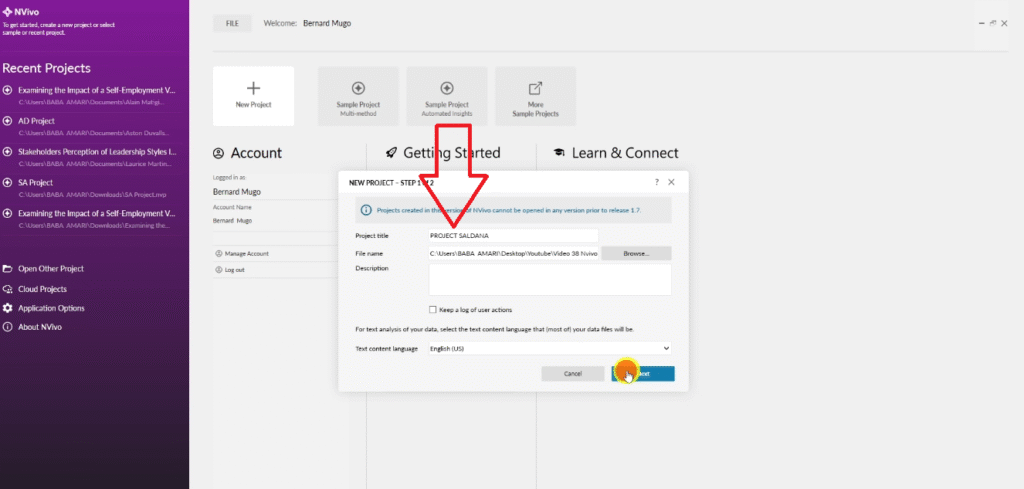
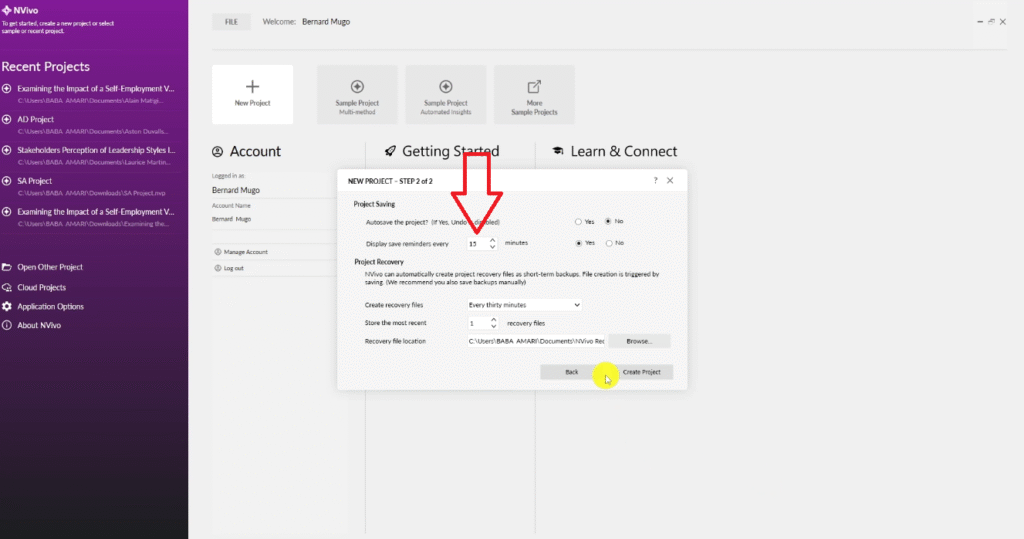
Start by creating a new NVivo project: go to File → New and give your project a descriptive name. Once open, save it manually and set a reminder to save every 15 minutes — NVivo does not auto-save and losing work mid-session is frustrating.
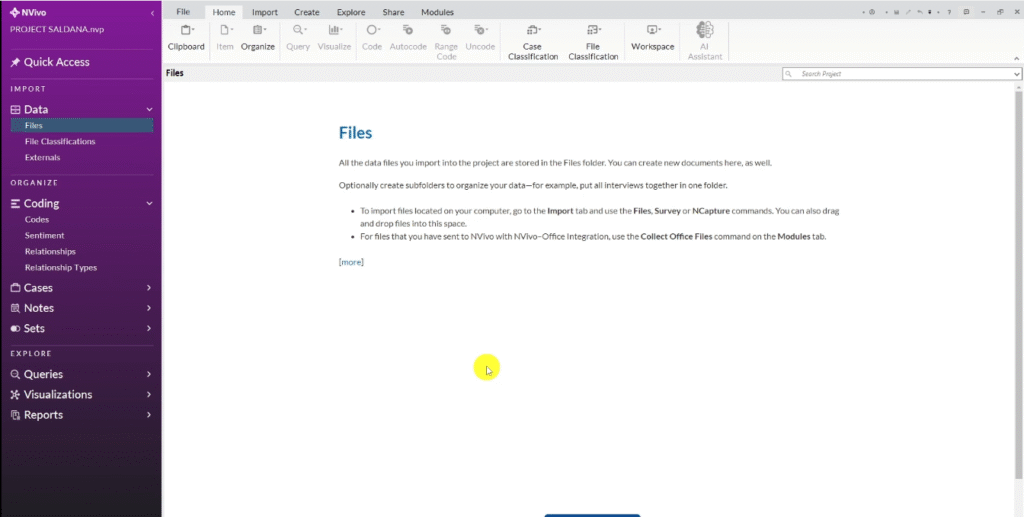
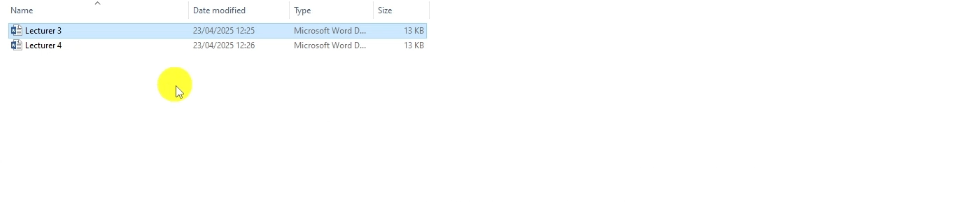
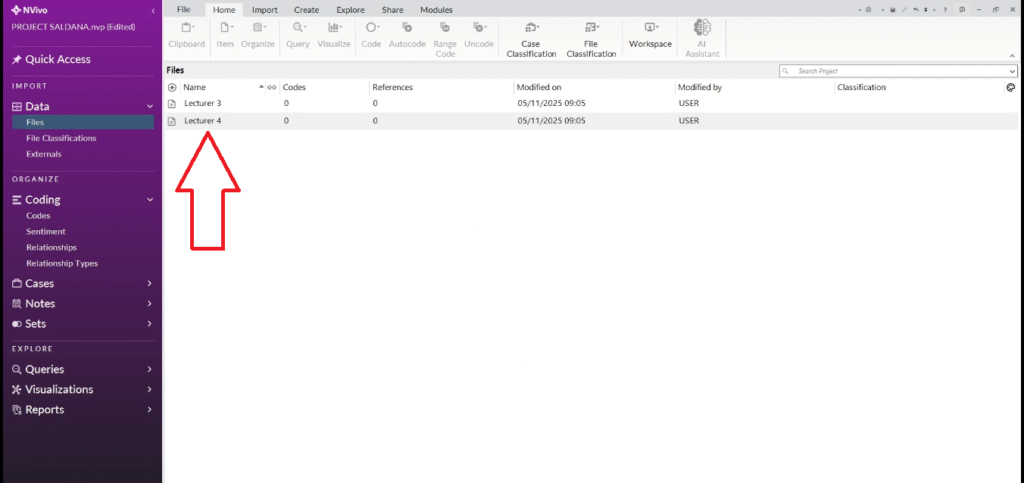
Import your transcripts by dragging and dropping them into the Files area in NVivo, or use the Import option from the ribbon. Keep your research questions visible throughout — either printed out or in a separate window — because you will reference them at every stage.
Color-Coding by Research Question
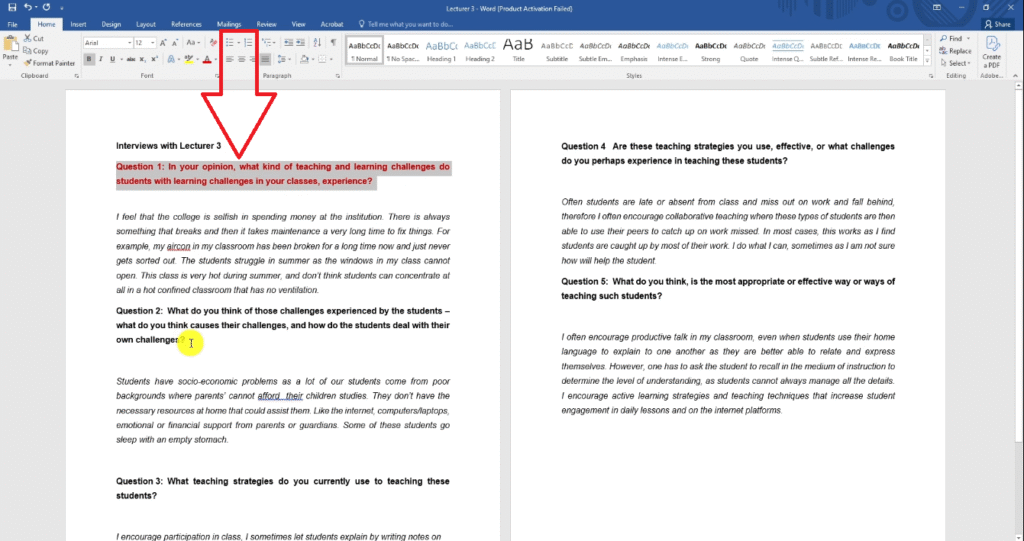
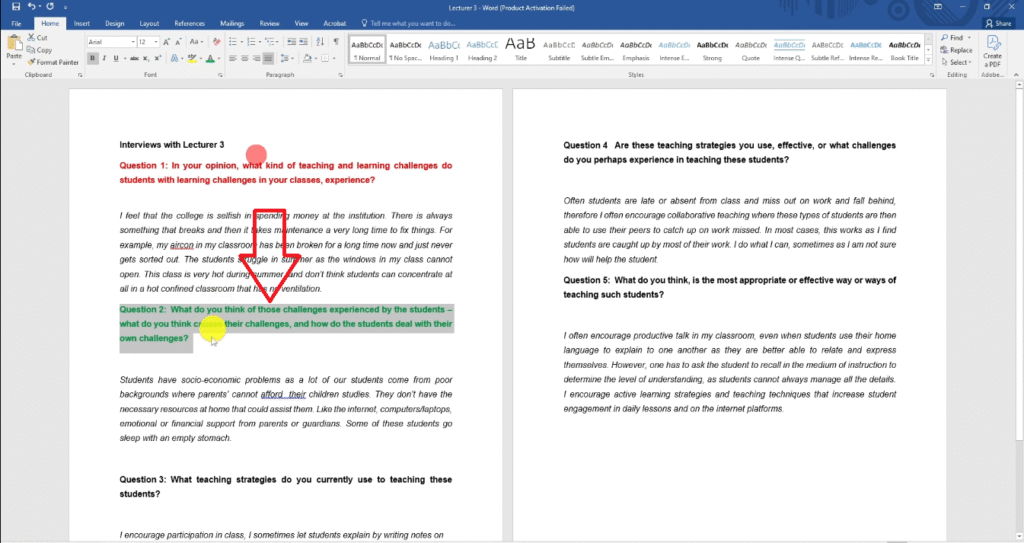
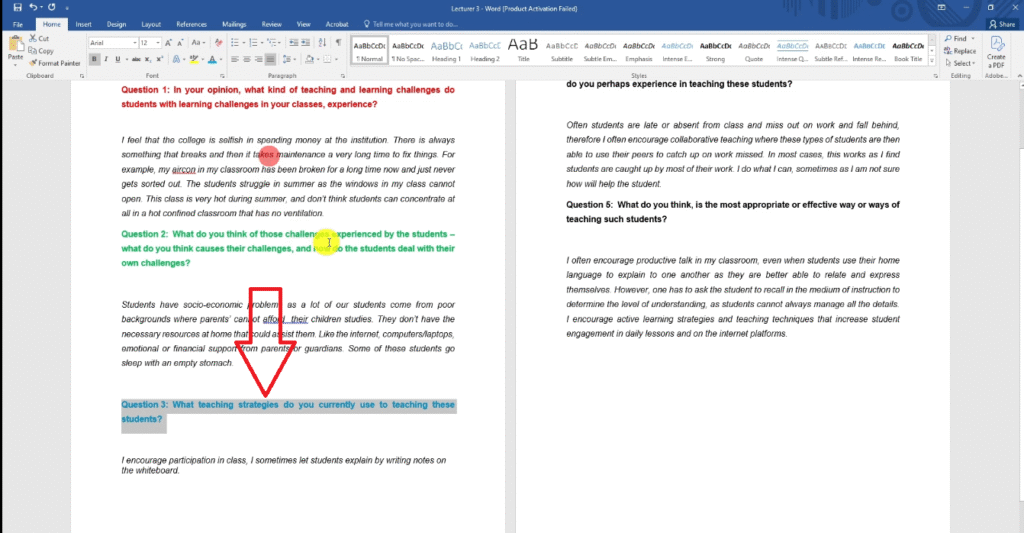
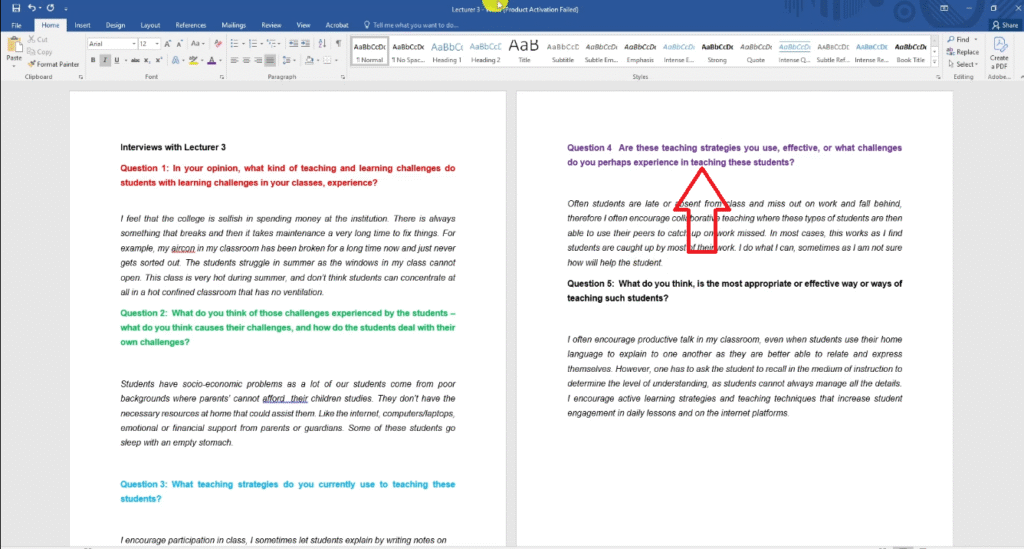
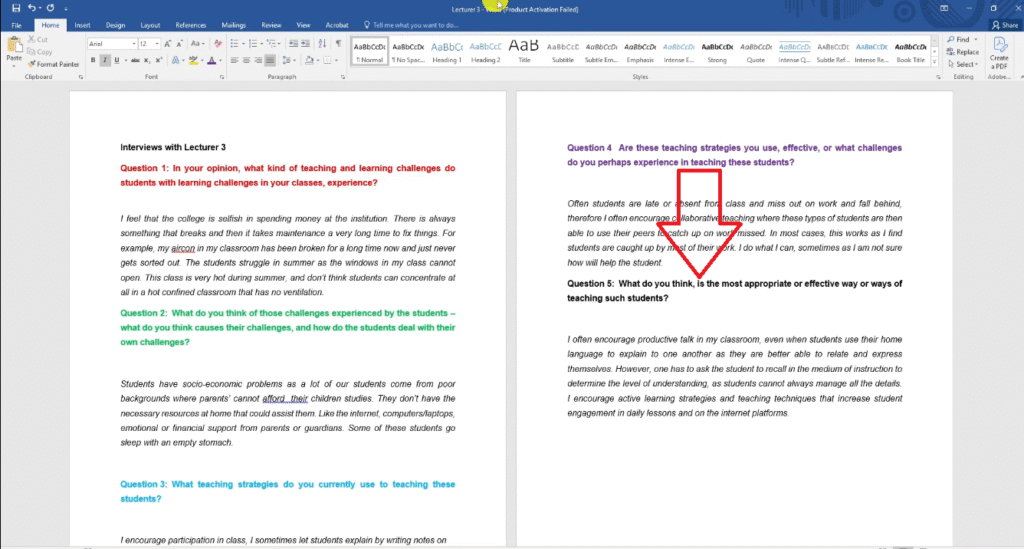
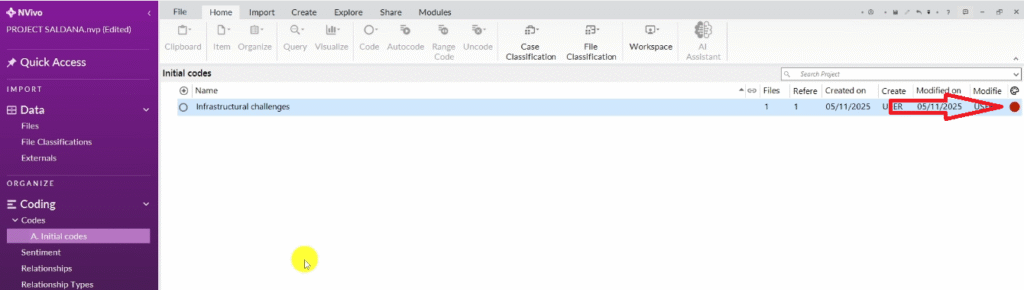
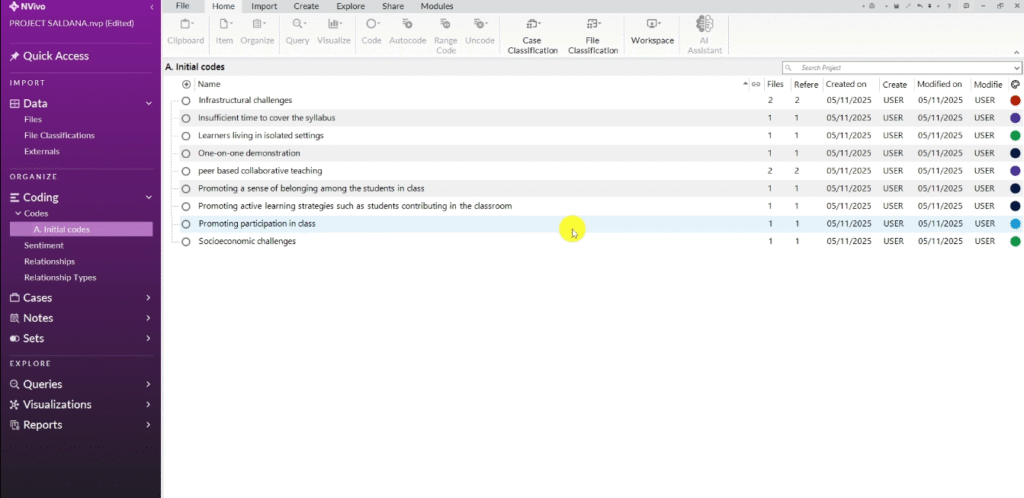
Before coding, I recommend assigning a color to each research question. This is not a required step in Saldana’s framework, but it makes the categorization step significantly easier. When you assign a segment to a code, mark the code with the color of the research question it relates to:
- Research question 1 → Red
- Research question 2 → Green
- Research question 3 → Blue
- Research question 4 → Purple
- Research question 5 → Navy blue
Generating Your Initial Codes
In the Codes section of NVivo, right-click and create a new folder. Name it “A) Initial Codes” — using letters to prefix folders keeps them in logical order as you work through the four steps.
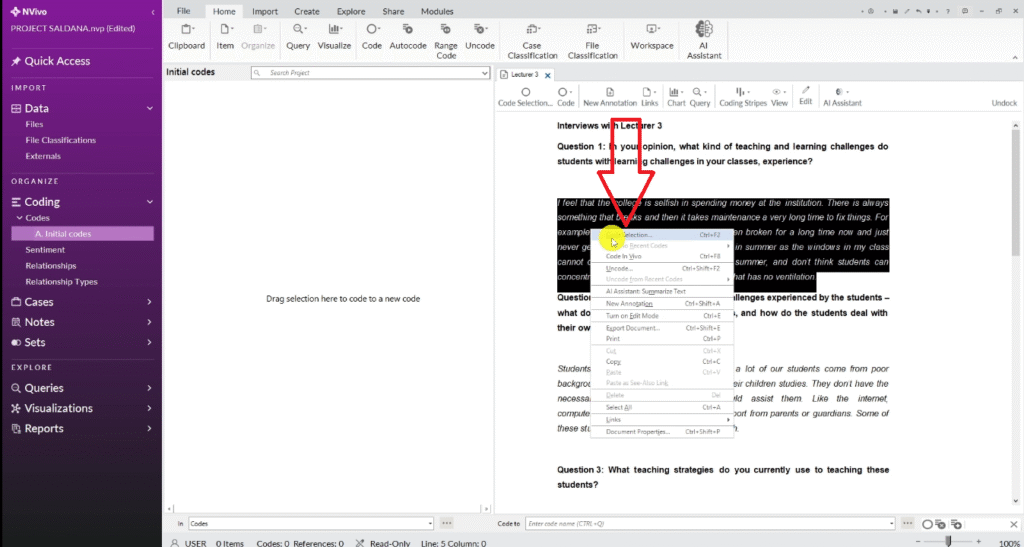
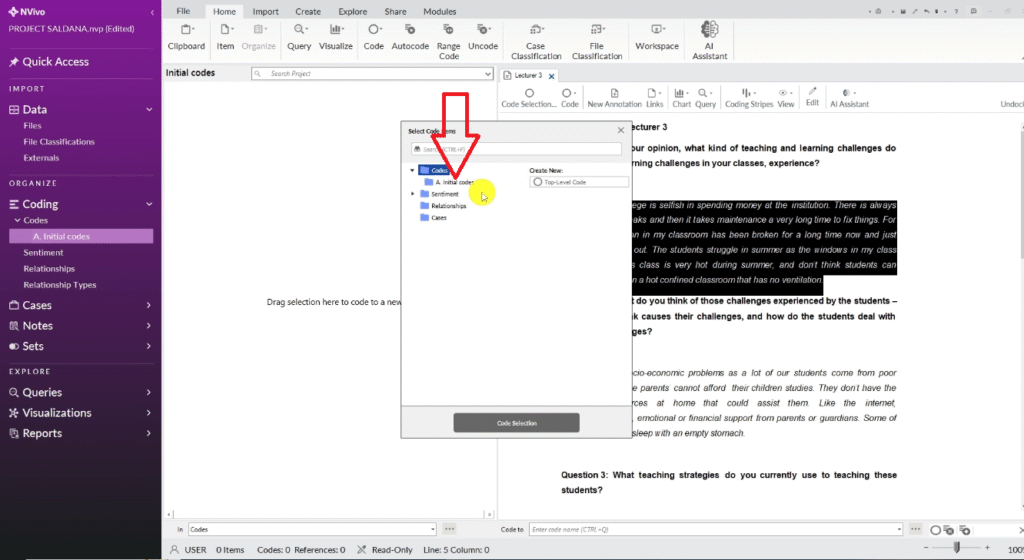
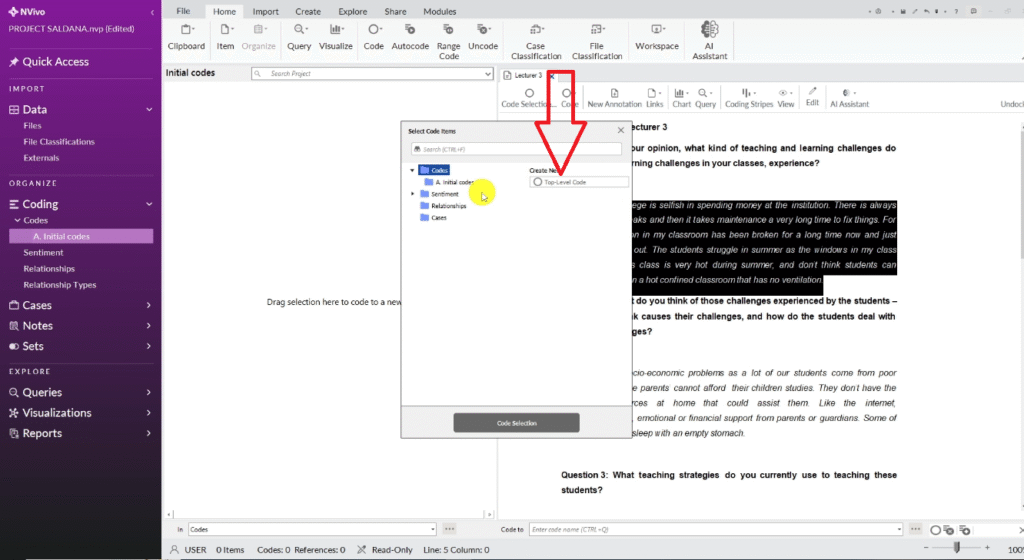
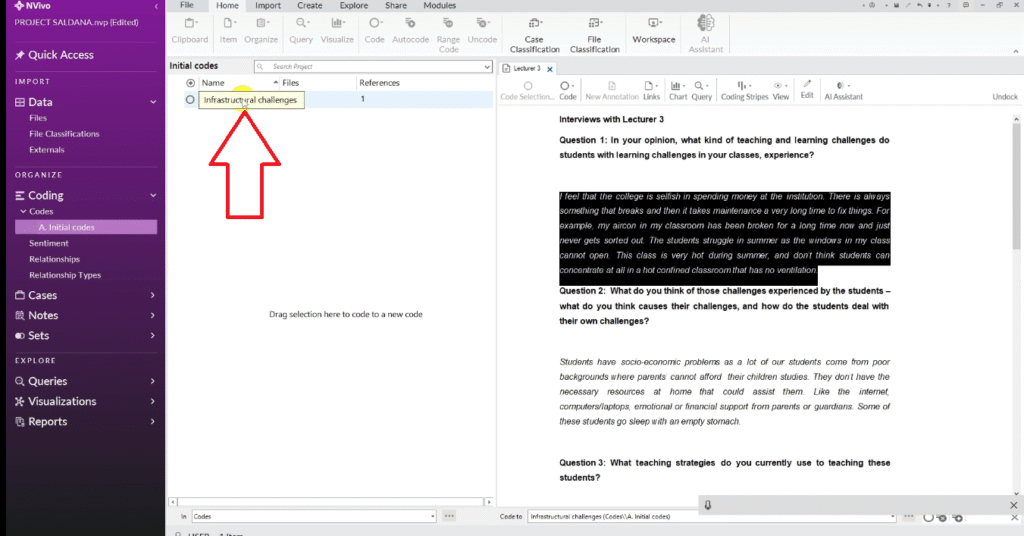
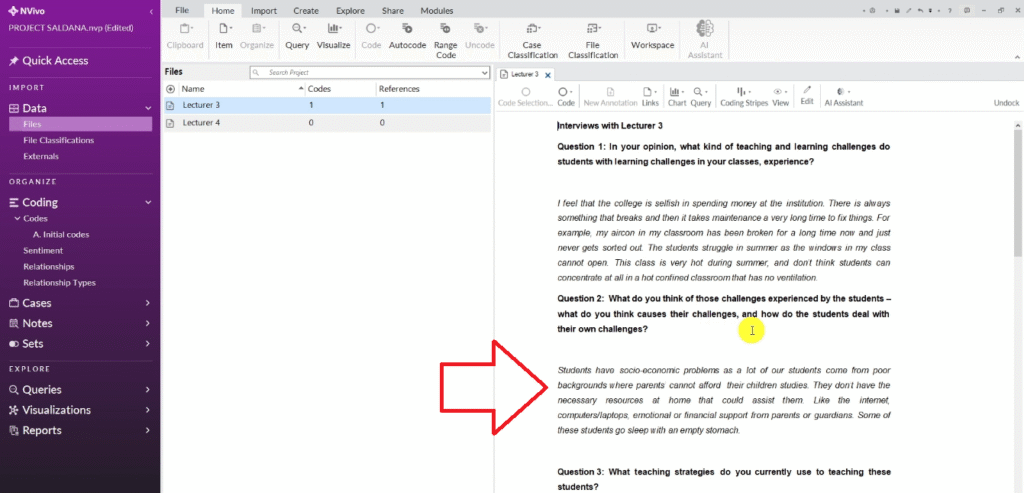
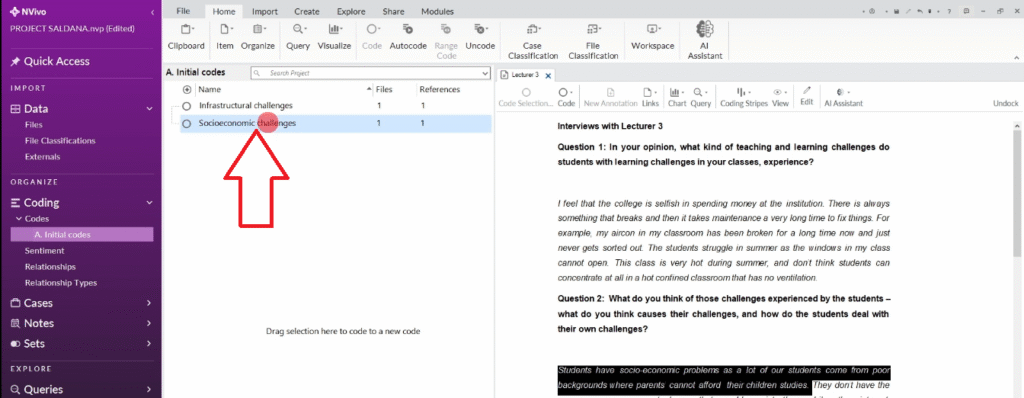
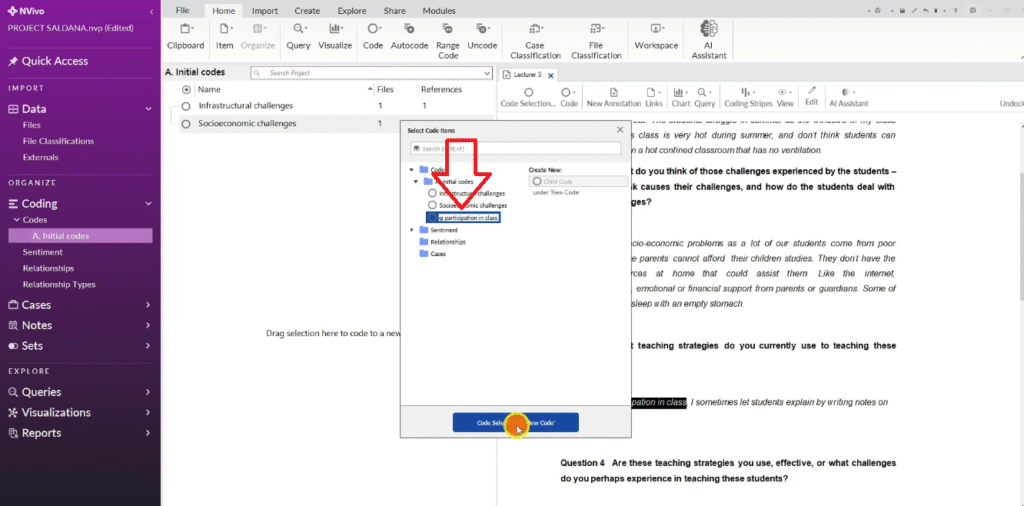
Open your first transcript and read through it slowly. When you find a meaningful segment, highlight it, right-click, and select Code Selection → Top Level Code. Give the code a short descriptive name based on what the passage literally describes.
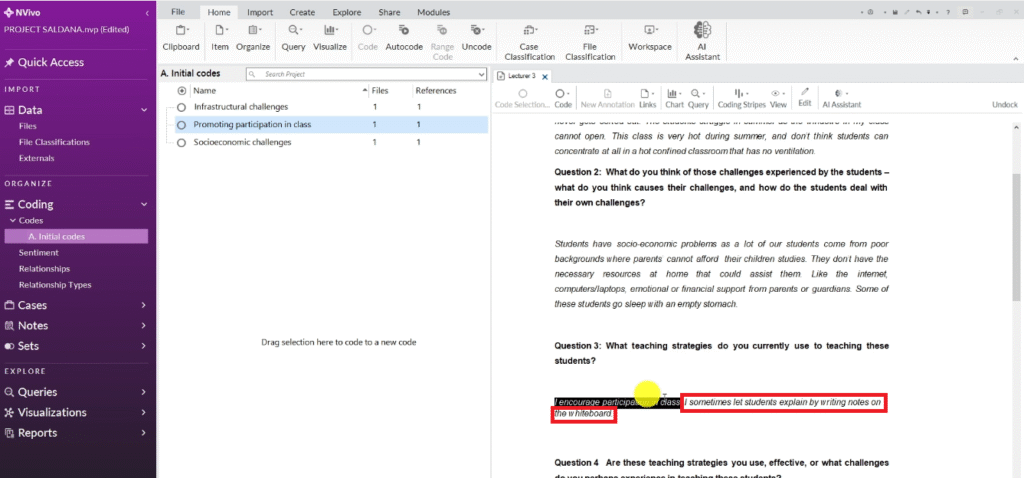
In my dataset, a lecturer described a classroom with no ventilation where students struggled to concentrate in summer. I coded that segment as “Infrastructural Challenges.” Another passage described students lacking internet and computers at home — I coded it “Socioeconomic Challenges.”
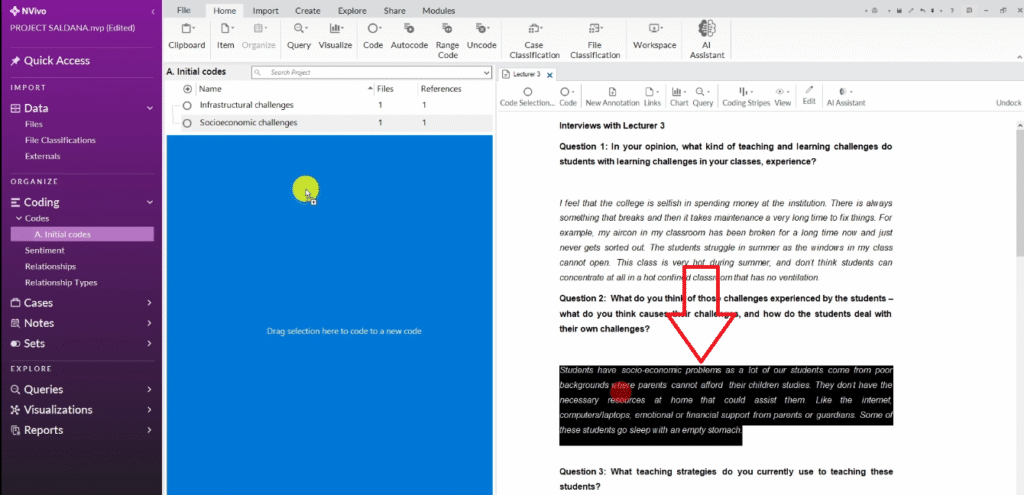
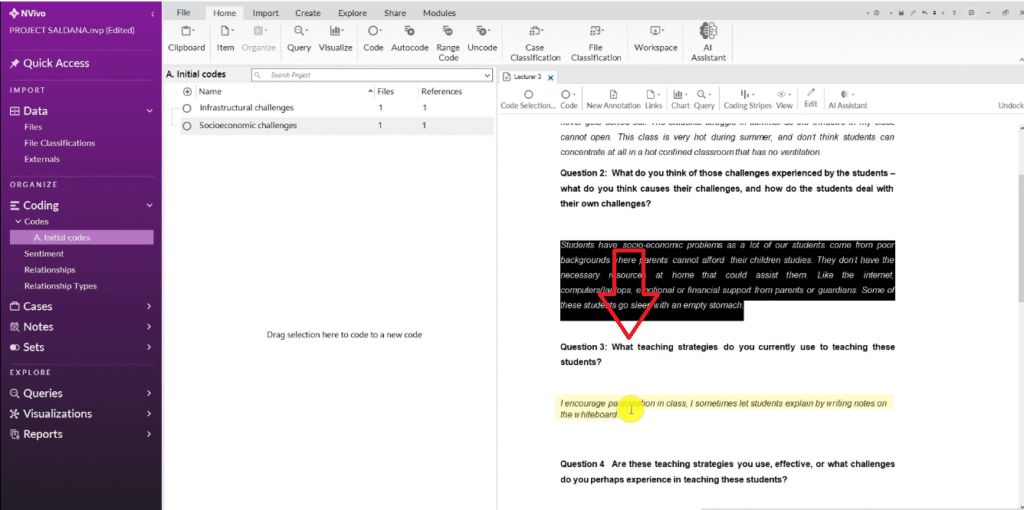
As you work through the second transcript, you will find passages that describe the same idea as an earlier code. When that happens, drag the new passage directly onto the existing code rather than creating a new one. This is how you begin to see which codes are strongly supported across multiple participants.
Step 2 — Develop High-Level Categories in NVivo
Once you have a solid set of initial codes, group them into broader categories. Categories sit between your initial codes and your final themes — more abstract than codes, more concrete than themes.
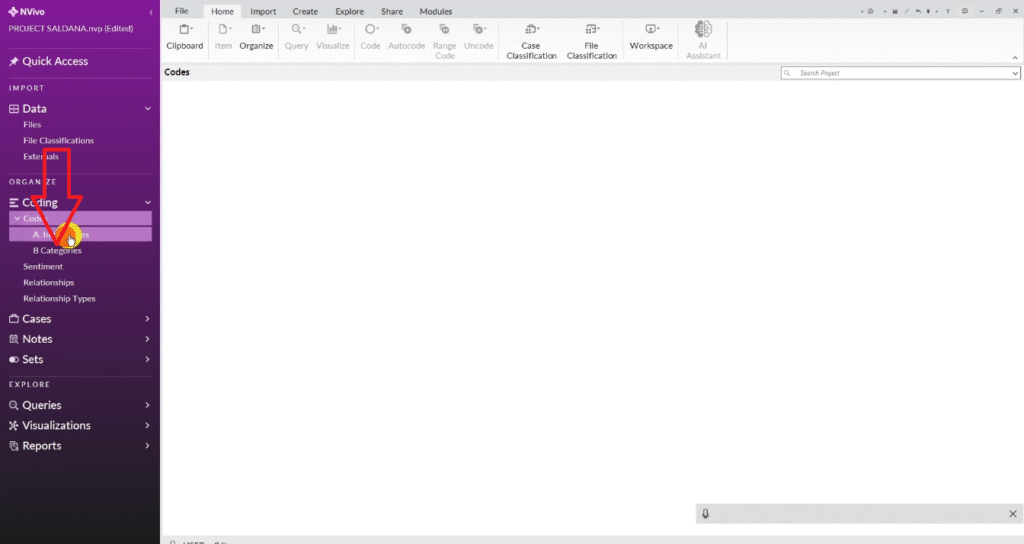
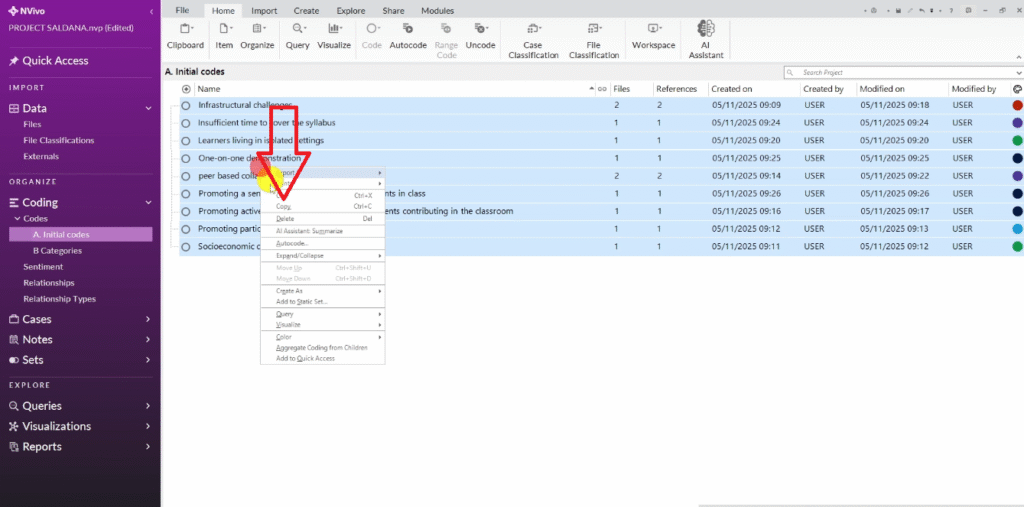
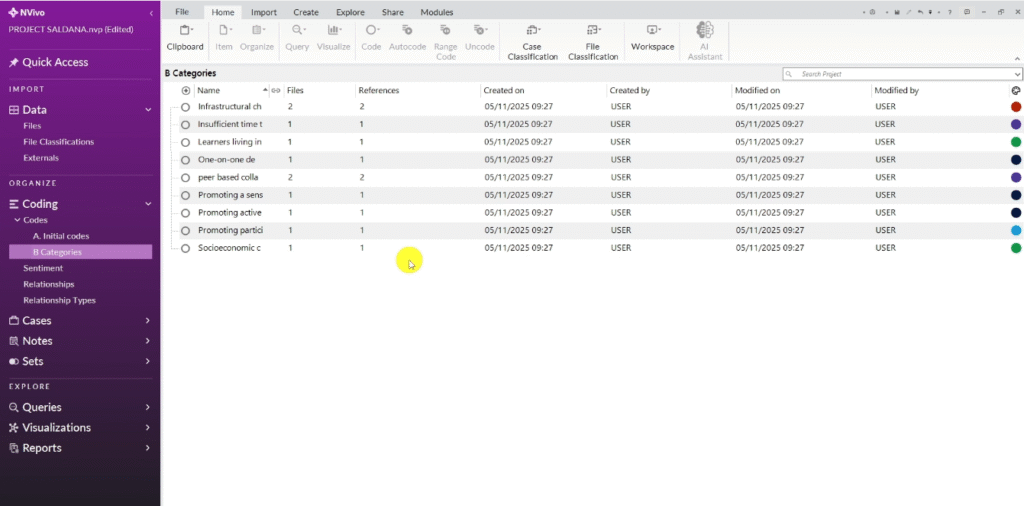
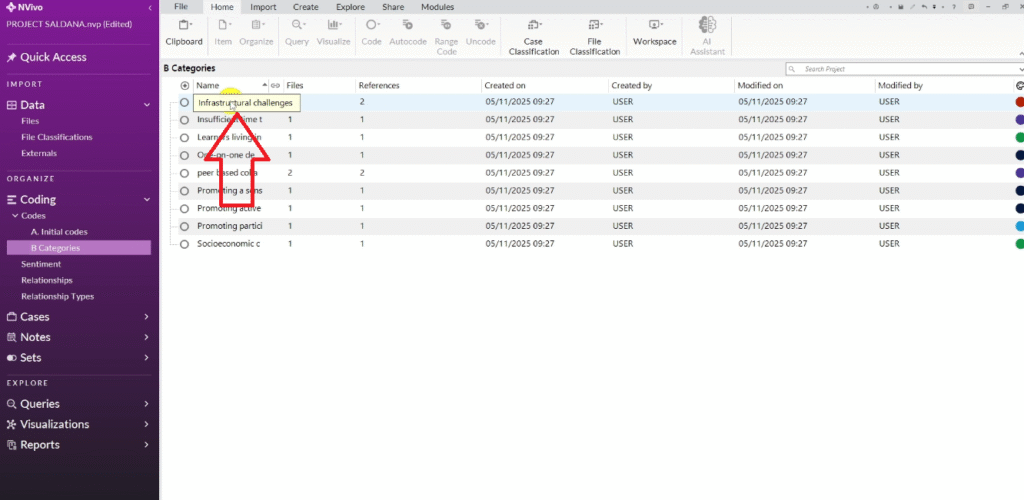
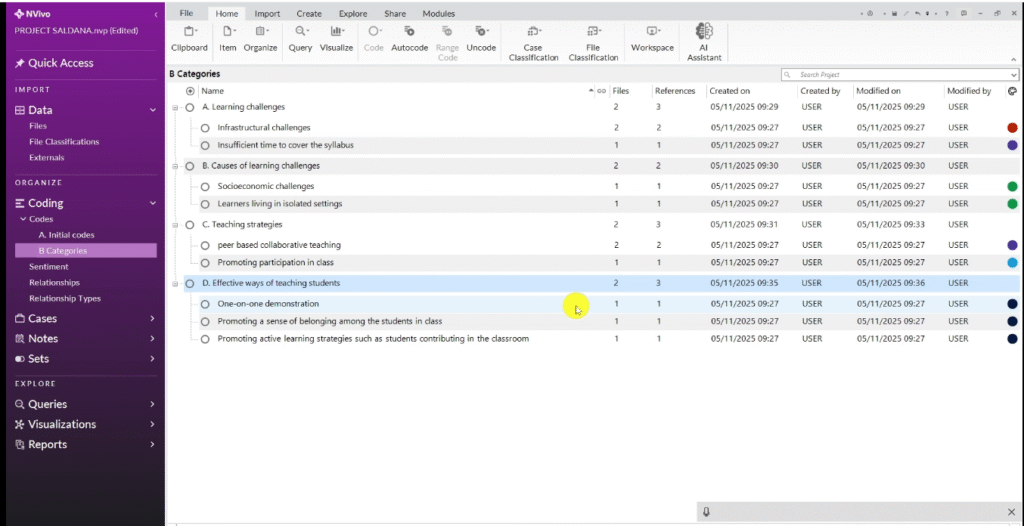
In NVivo, create a new folder called “B) Categories.” Copy all your initial codes and paste them into this folder. You now have a working copy to reorganize without disturbing your originals.
The guiding question is: which codes belong together? The color-coding system from Step 1 helps here — all your red codes relate to the same research question, so they likely belong in the same category. But read the codes carefully and group them by shared meaning, not just by color.
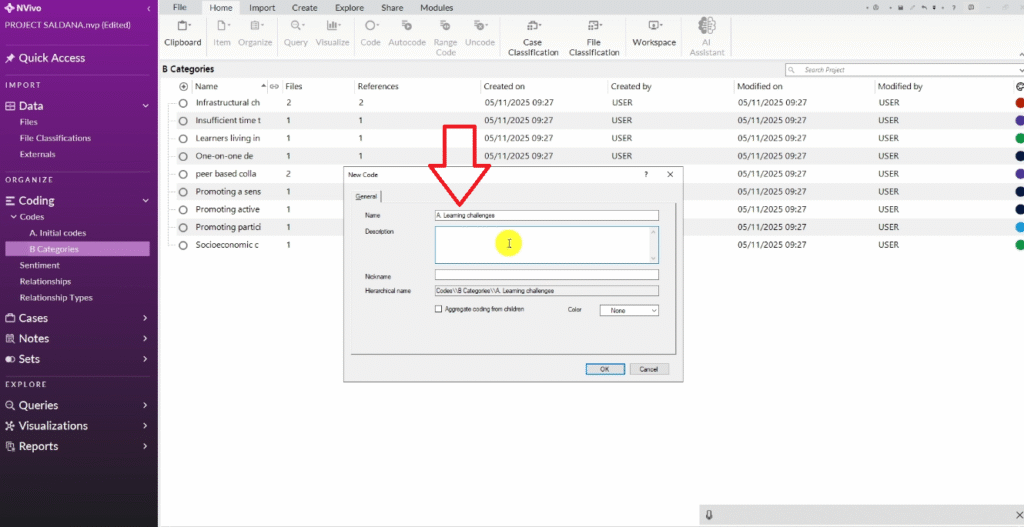
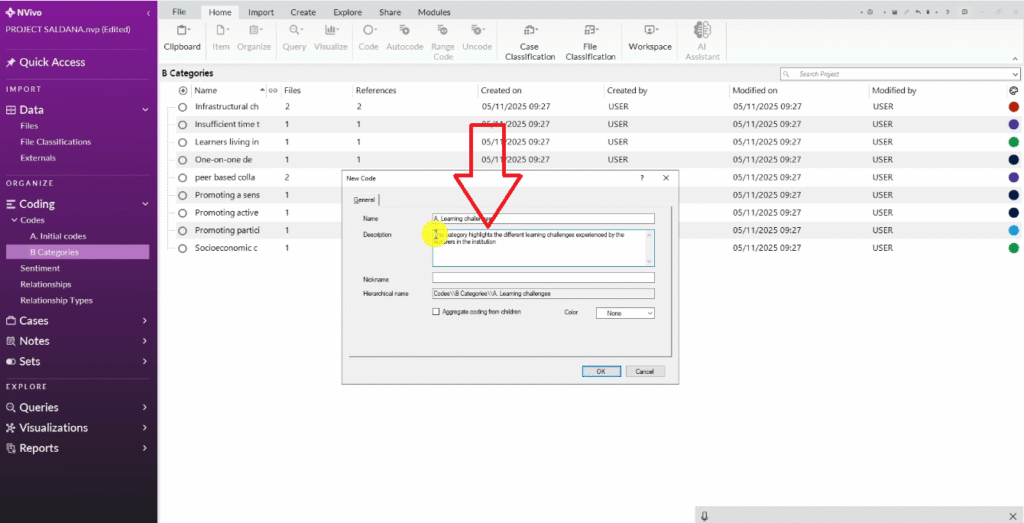
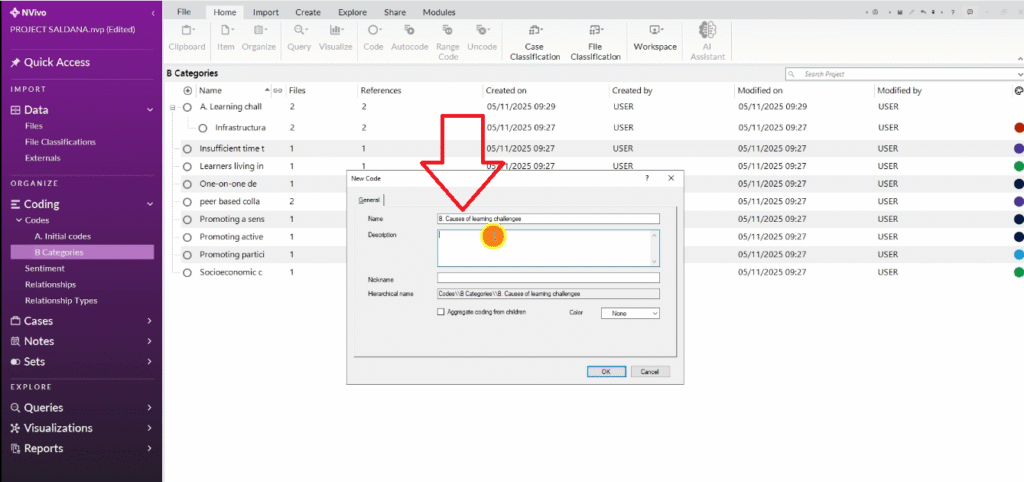
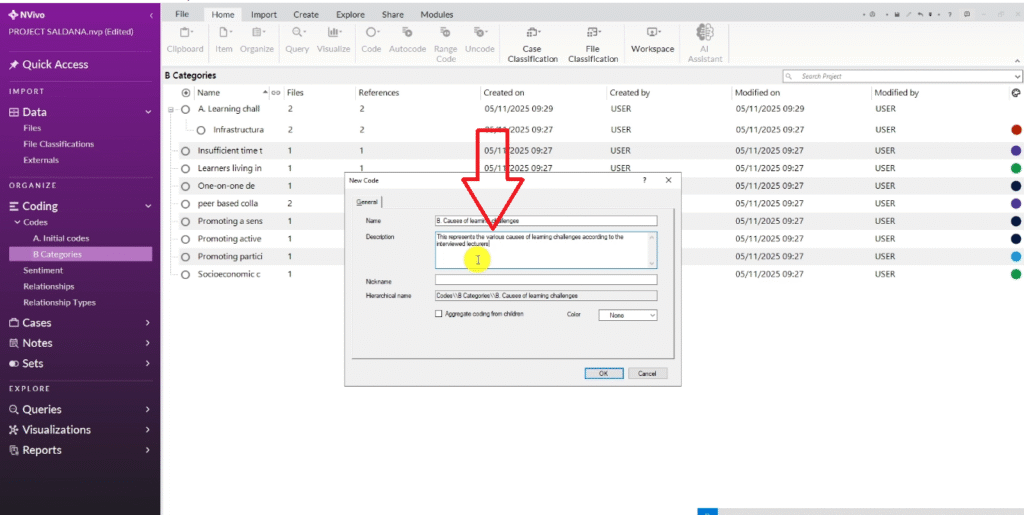
For each category, create a new code in NVivo and write a description in the code properties — one or two sentences explaining what this category is about. These descriptions matter: you will use them to define your themes in Step 3.
In my dataset, the categories that emerged were:
- Learning Challenges — infrastructural and time-related issues faced by lecturers
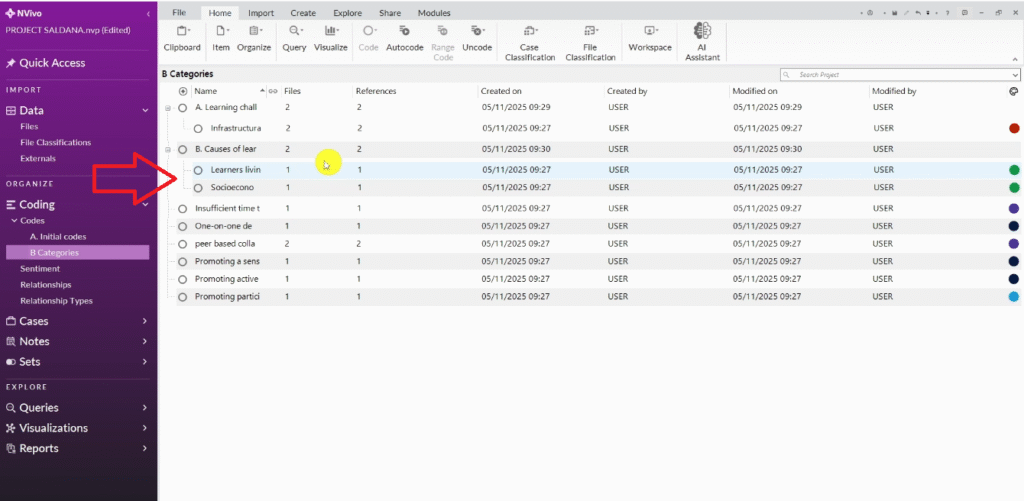
- Causes of Learning Challenges — socioeconomic background and social isolation
- Teaching Strategies — peer collaboration and participation-based approaches
- Effective Teaching Methods — one-on-one demonstration and promoting a sense of belonging
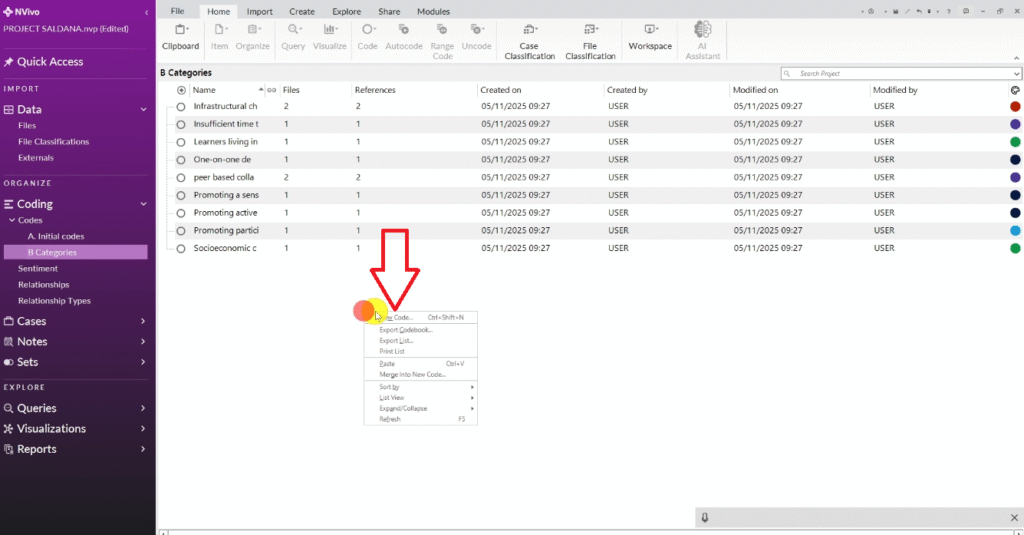
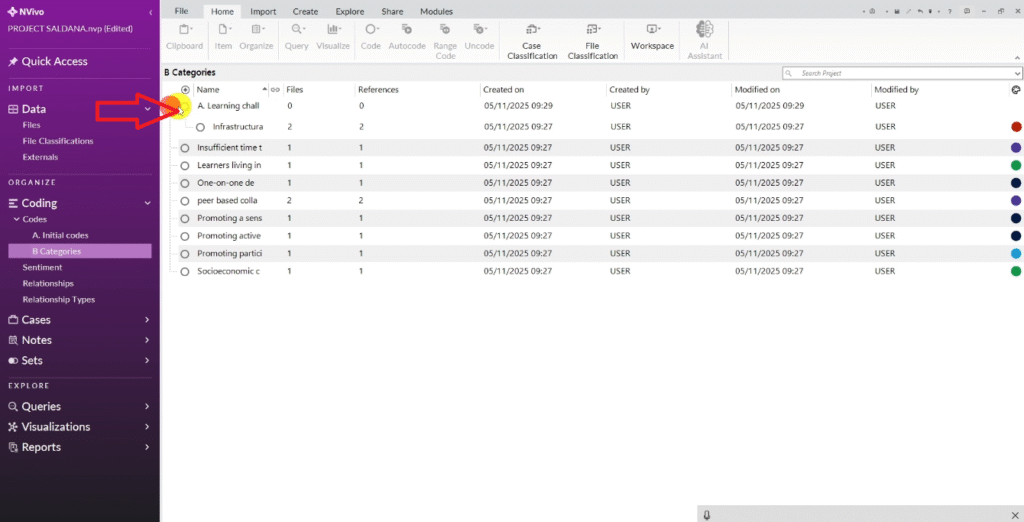
I can create a new folder under codes and called it B)Categories.
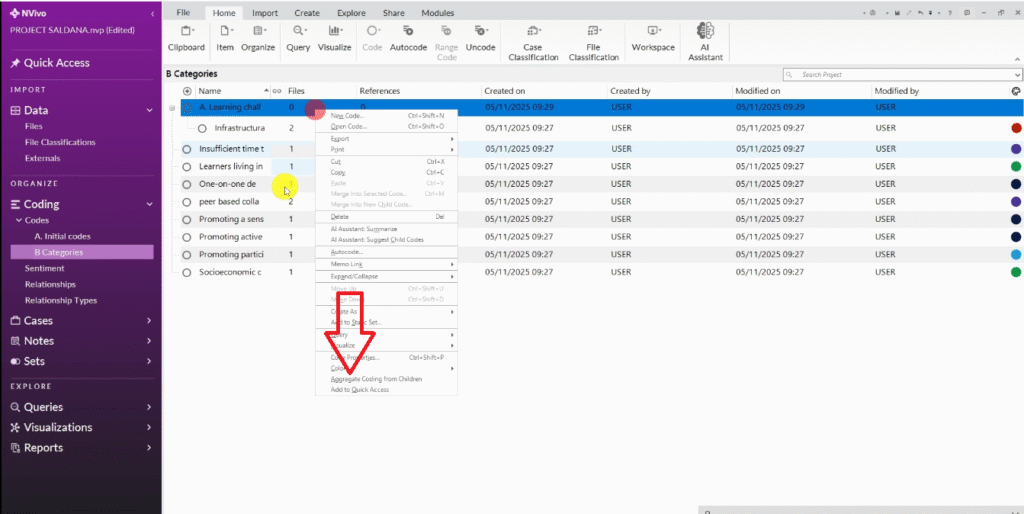
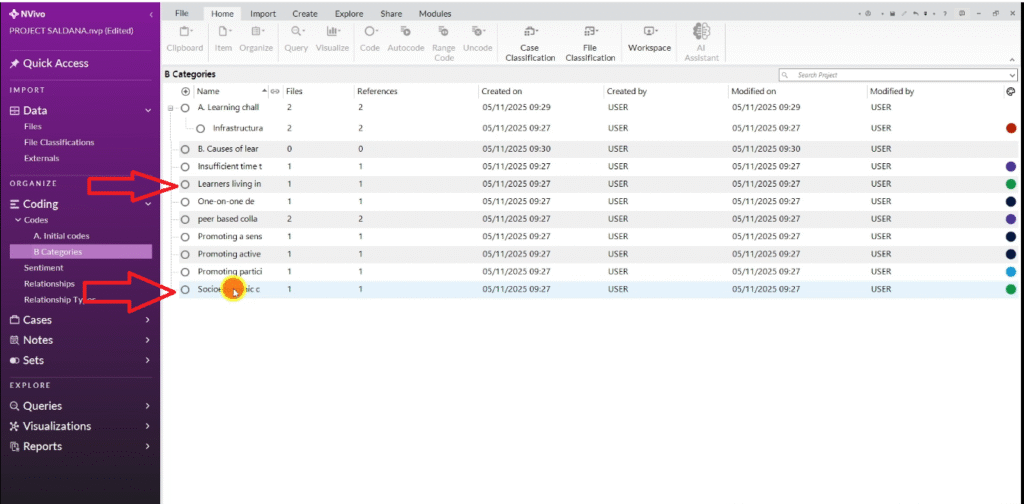
Drag each initial code into its appropriate category folder, then right-click the category and select Aggregate Coding From Children. This tells NVivo to count all references from the sub-codes as part of the category total, giving you an accurate picture of how strongly each category is supported across the data.
Step 3 — Generate Themes Through Analytic Memoing
Themes are the big ideas that run through your data. They are broader and more interpretive than categories. In Saldana’s approach, you arrive at themes through analytic memoing — writing reflective notes that help you examine what the categories mean together and how they connect to your research questions.
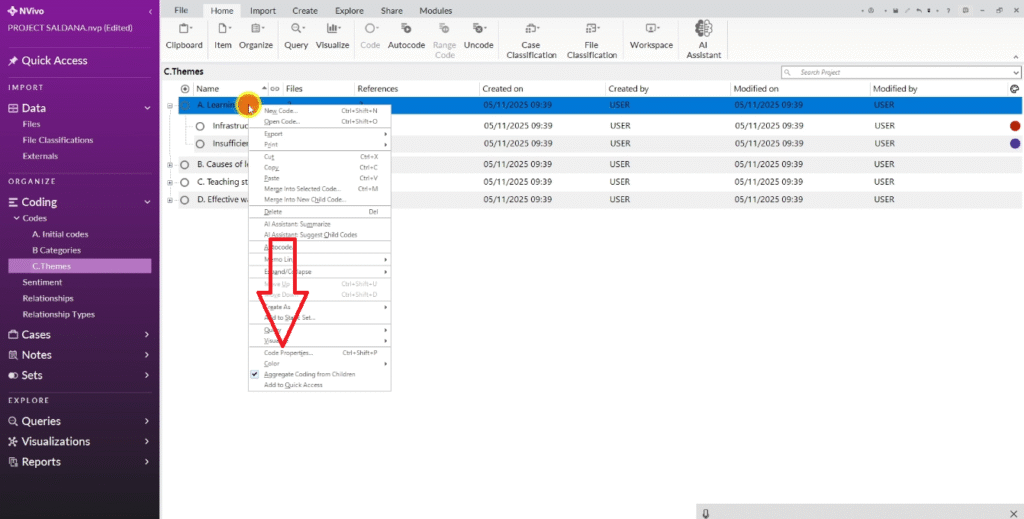
Create a third folder called “C) Themes.” Copy your categories folder and paste it here as a starting point. For a detailed guide on developing themes in NVivo, see my post on how to get themes in qualitative data analysis.
Work through each category and ask: does this category represent a meaningful finding that directly addresses my research questions? If two categories are closely related, consider merging them. If a category is too broad, consider splitting it.
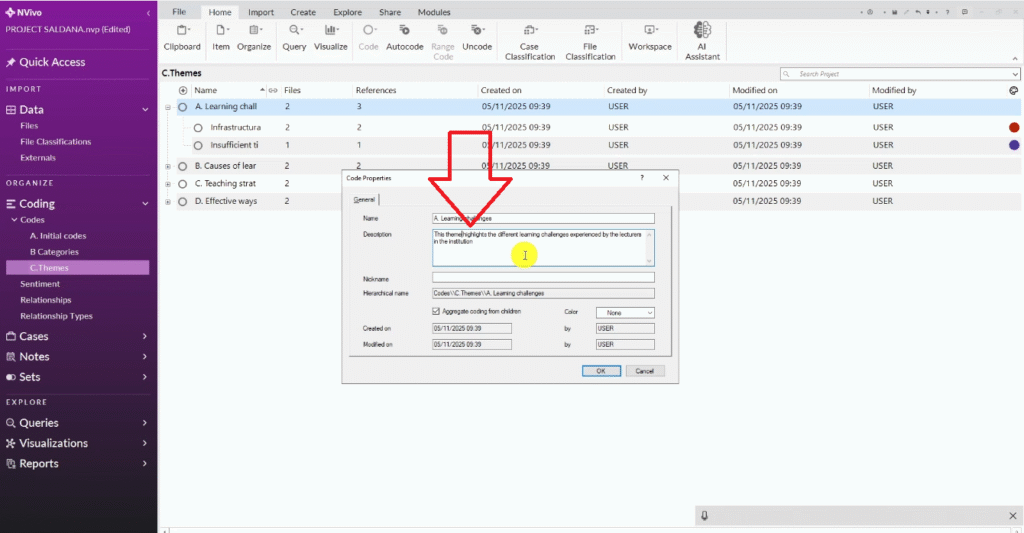
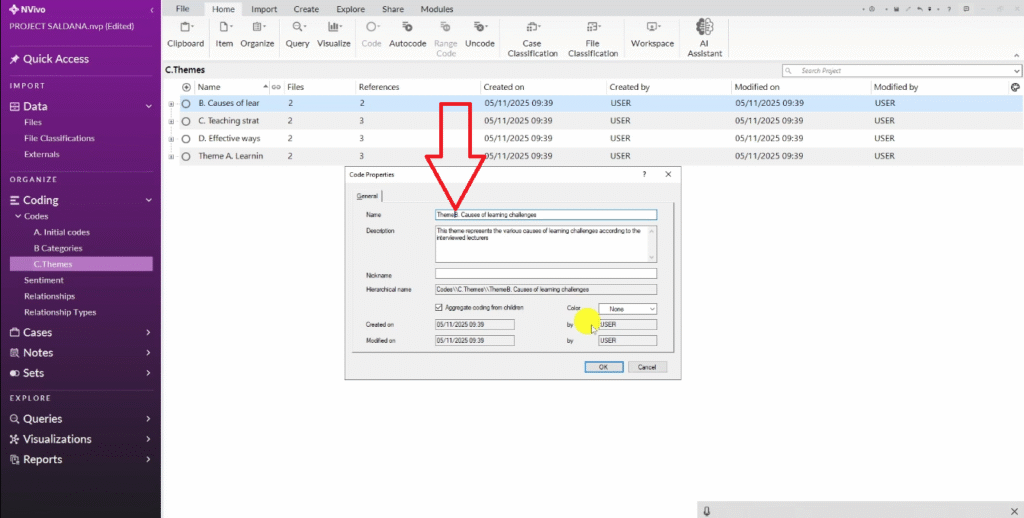
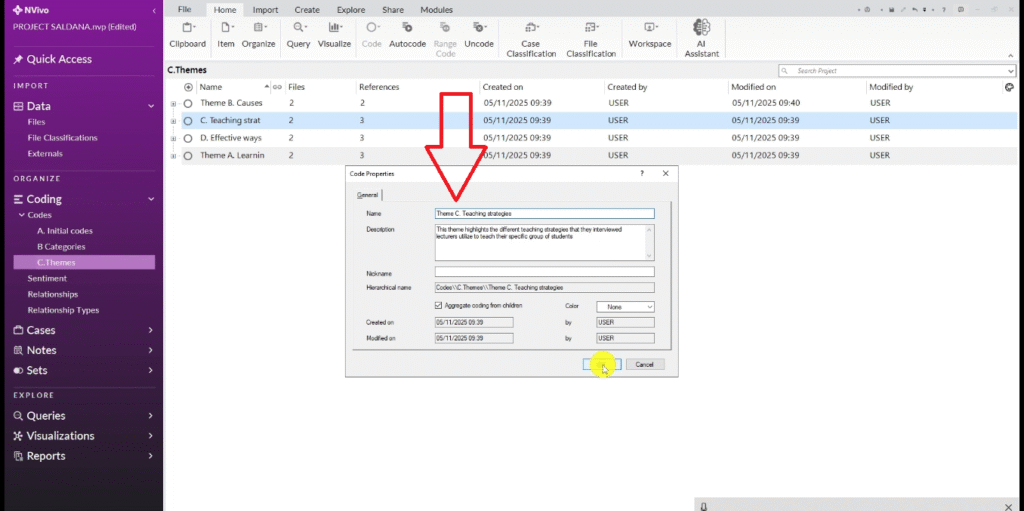
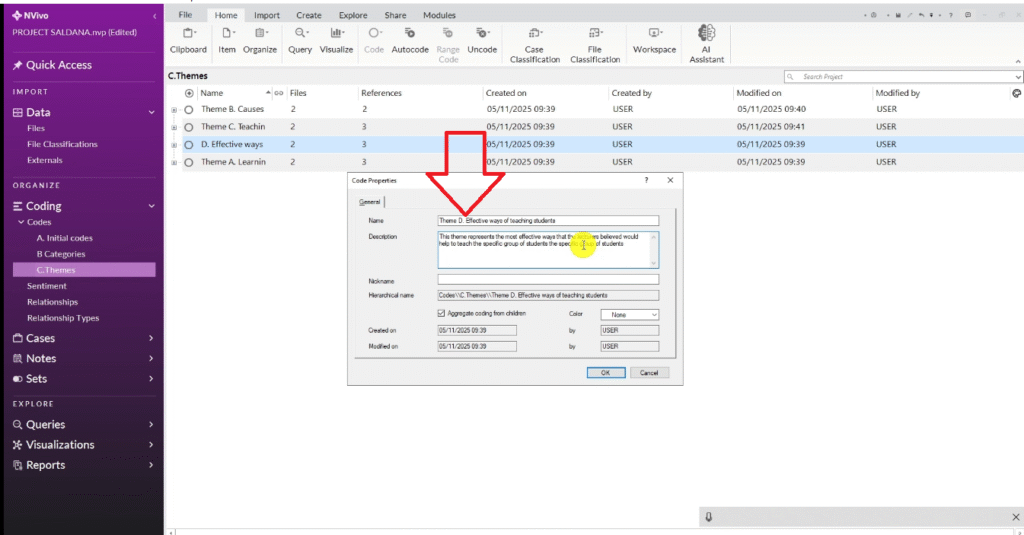
Revise the description for each item from a category description to a theme definition — a clear statement of what the theme means and why it matters. This is the analytic memo writing. You are making interpretive claims, not just organizing data.
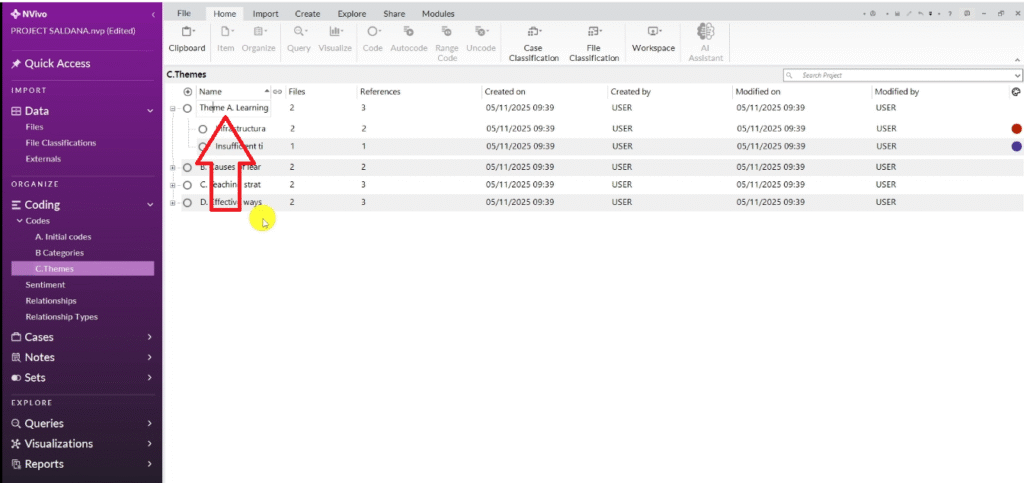
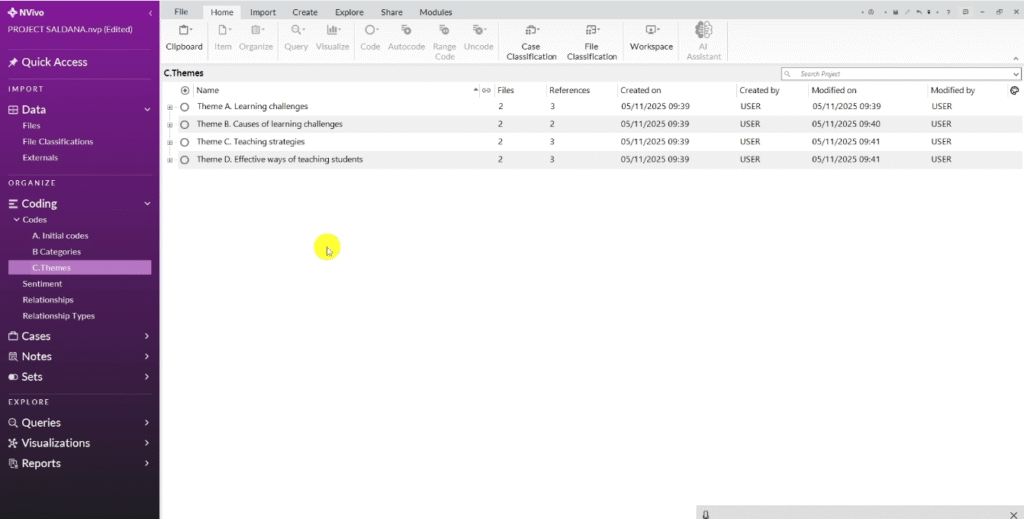
Once satisfied, rename your categories as themes — Theme A, Theme B, Theme C, Theme D — or give them meaningful substantive names. Aim for a small set of well-defined, distinct themes, each clearly grounded in the data.
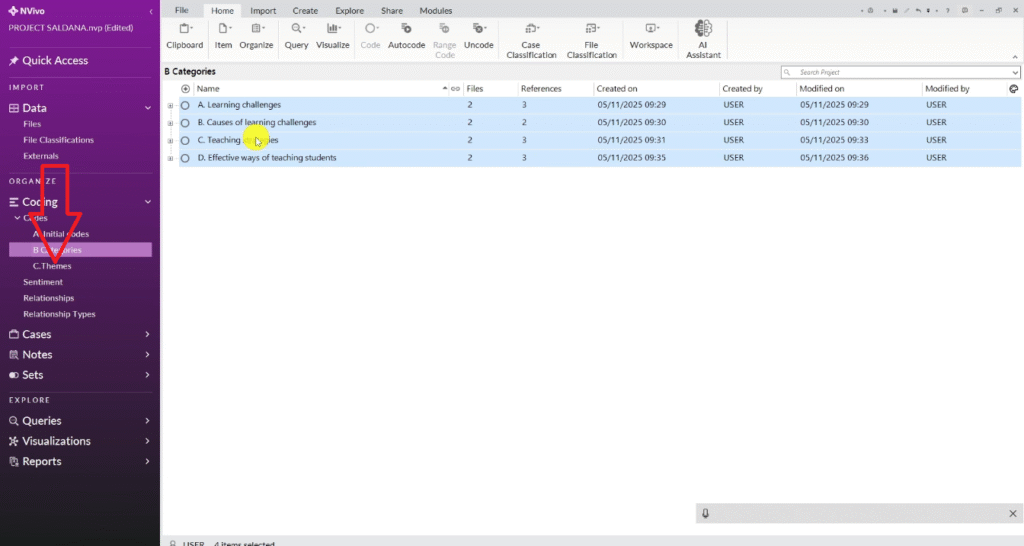
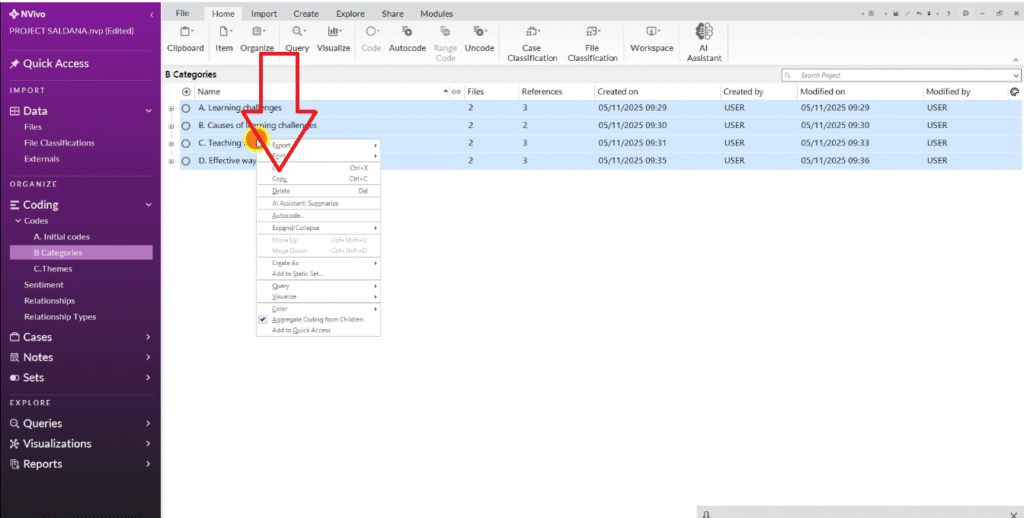
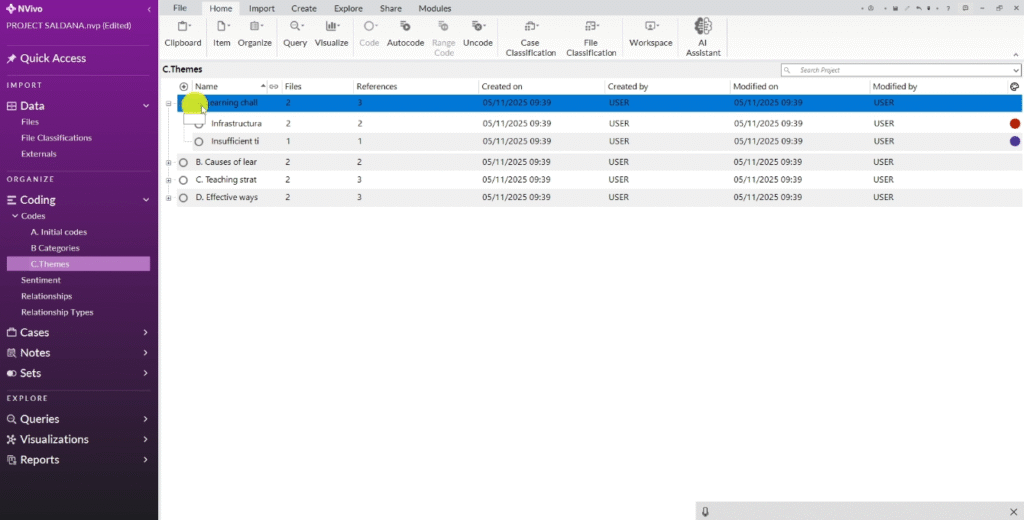
Then I am going to review this themes over and over and ask myself do they sound okay?
For example learning challenges, go to code properties and try to write better description.
Step 4 — Apply Themes to Your Research Questions
The final step connects your themes back to the research questions that guided your study. This is where your analysis becomes an actual answer to your research problem.
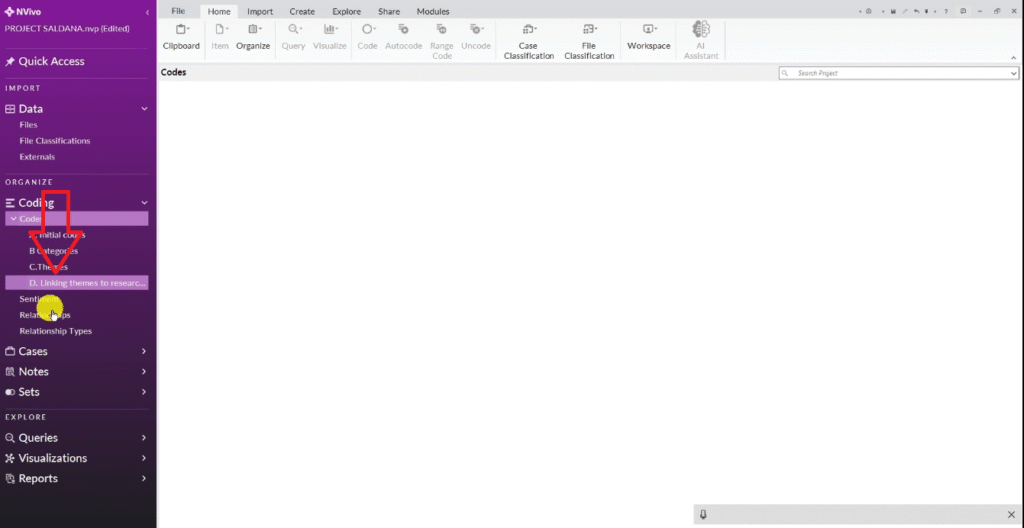
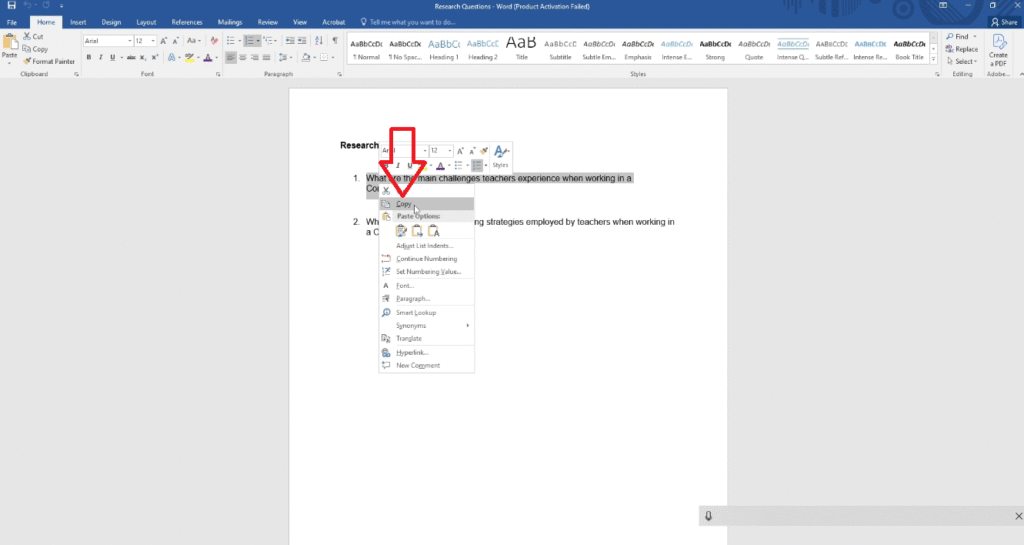
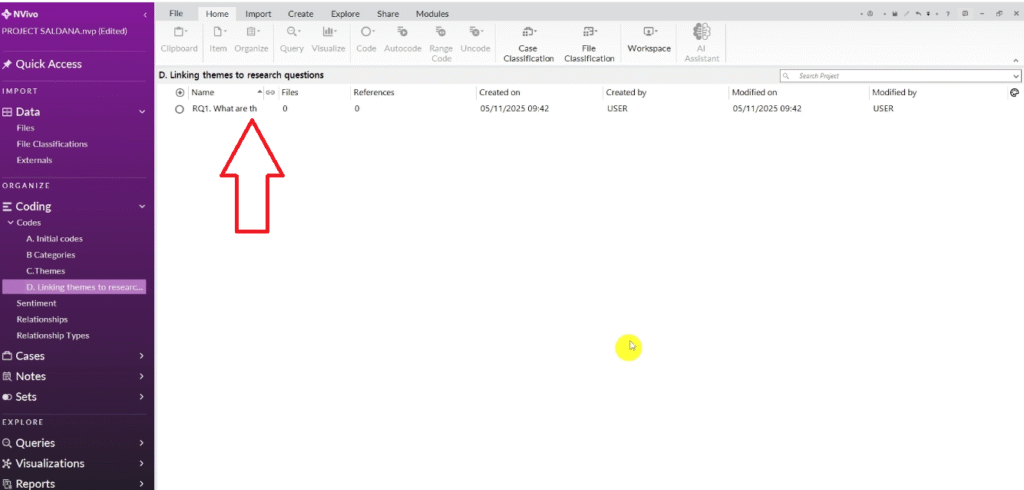
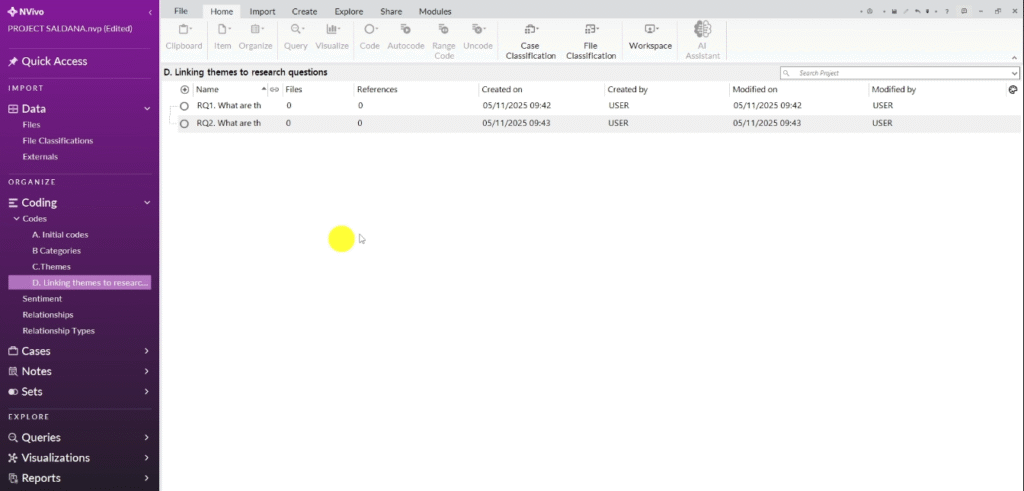
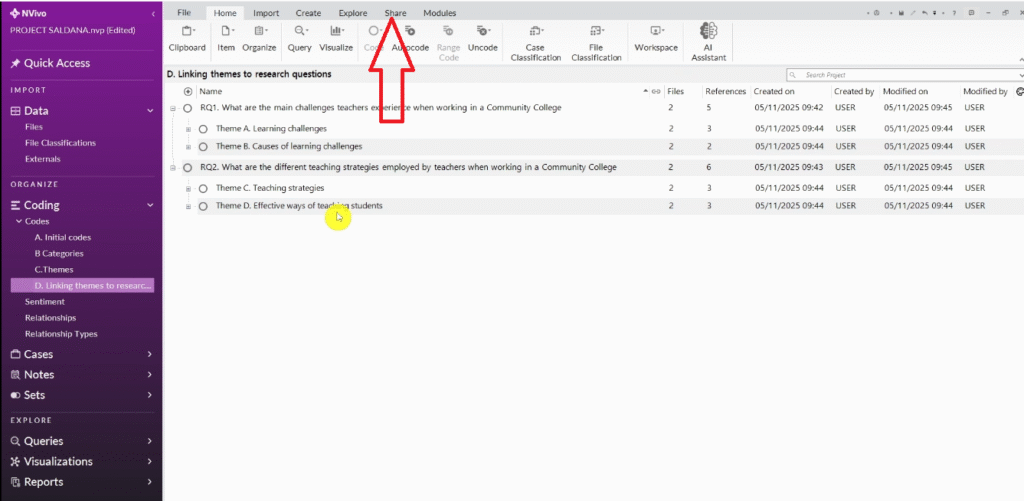
In NVivo, create a fourth folder called “D) Linking Themes to Research Questions.” Inside it, create a sub-folder or code for each of your research questions.
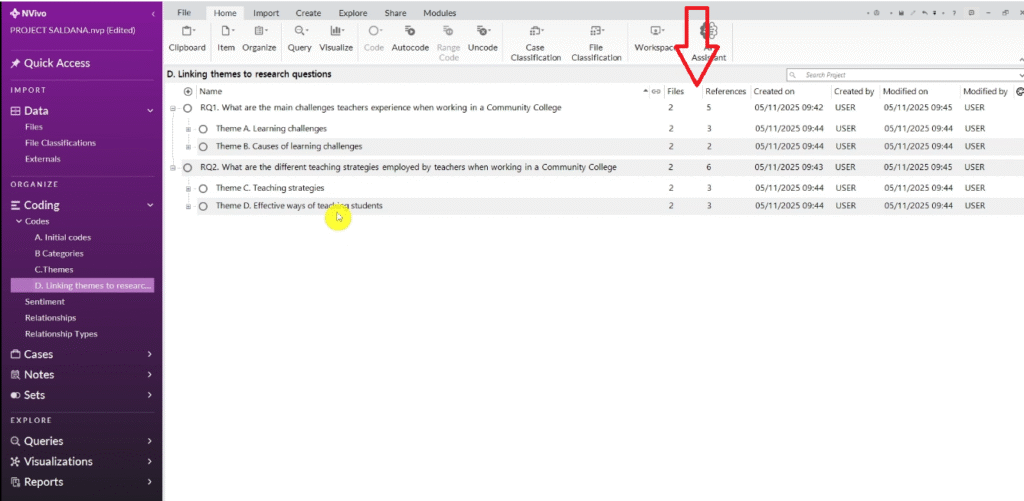
Copy each theme from your themes folder and paste it under the research question it most directly answers. When done, right-click each research question node and select Aggregate Coding From Children.
In my dataset, the themes about learning challenges and their causes both mapped to Research Question 1 (What challenges do teachers face?). The themes about teaching strategies and effective methods mapped to Research Question 2 (What strategies do teachers use?).
Exporting Your NVivo Codebook
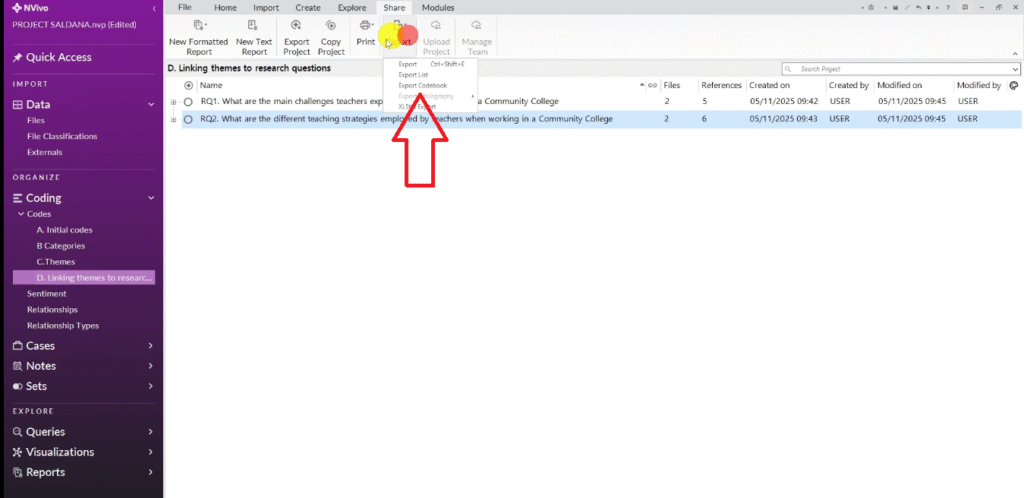
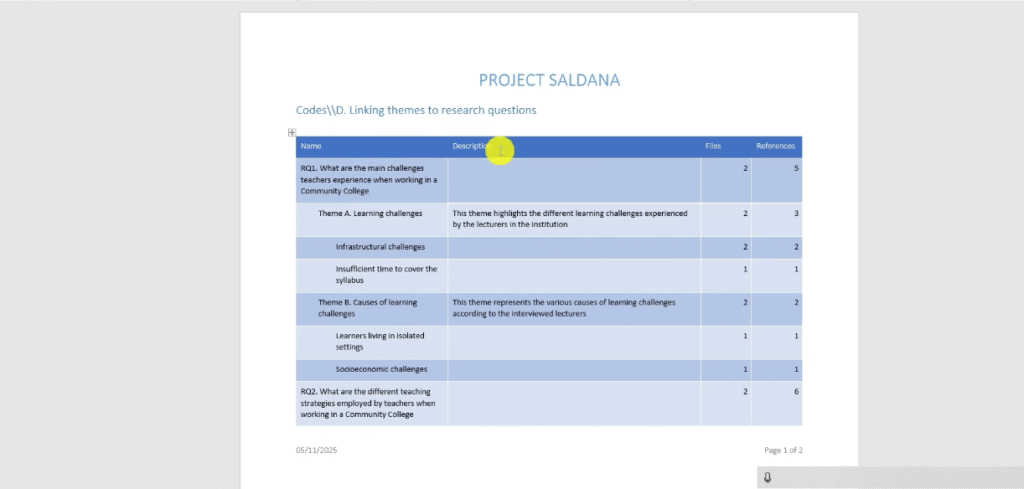
Once you have completed all four steps, export your codebook. Go to Share → Export → Export Codebook. This produces a structured document showing all your codes, categories, and themes with their definitions and reference counts.
A well-formed codebook should show a clear hierarchy: initial codes → categories → themes → research questions. Each theme should have a clear definition and support from multiple participants.
You may be asked to include the codebook as a dissertation appendix, and your supervisor or examiner may request it during your viva. For full details on how NVivo structures qualitative data, visit the official NVivo documentation (Lumivero).
Frequently Asked Questions
What is the difference between inductive and deductive thematic analysis?
Inductive analysis lets themes emerge from the data — no predetermined framework. Deductive analysis applies an existing theory to the data. For most dissertation research, inductive analysis is more appropriate because findings are shaped by what participants actually said.
How many themes should I have at the end of Saldana’s process?
Saldana does not prescribe a specific number. In practice, most studies produce between three and six main themes. More than eight usually means your categories need further refinement.
Can I use Saldana’s method in MAXQDA or ATLAS.ti?
Yes. Saldana’s framework describes an analytical process, not a software workflow. The four steps work equally well in MAXQDA or ATLAS.ti.
Do I need NVivo to do inductive thematic analysis?
No. You can do thematic analysis manually or in Microsoft Word. NVivo makes the process faster and more organized, especially with large datasets. If you are handling more than four or five interviews, a QDA tool is worth the investment.
Key Takeaways
- Inductive thematic analysis lets themes emerge from the data — you do not start with a predetermined framework
- Saldana’s method has four steps: identify codes, develop categories, generate themes through analytic memoing, and apply themes to research questions
- NVivo’s folder structure maps directly onto Saldana’s hierarchy — label folders A, B, C, D for each stage
- Color-coding initial codes by research question makes Step 2 categorization significantly faster
- Write a description for each category and theme — these become the definitions you use in your dissertation write-up
- Export your codebook when done — it may be required as a dissertation appendix
Need Help With Your NVivo Analysis?
If you have worked through this guide and still feel uncertain about your coding or thematic structure, I offer done-for-you NVivo analysis and one-on-one consulting sessions specifically for PhD students.

Pingback: Deductive Coding in NVivo: Step-by-Step Guide [With Examples] -
Pingback: NVivo Qualitative Analysis Tutorial: Coding, Themes & Reporting -