
Last Updated on 5 months ago by Grace Nyambura
Qualitative Coding in Microsoft Word: Step-by-Step Guide
- Qualitative Coding in Microsoft Word: Step-by-Step Guide
- What Is Qualitative Coding?
- Definition of a code
- Two Types of Codes You Need to Know
- What You Need Before You Start
- How to Code a Transcript in Microsoft Word: 5 Steps
- Real Coding Example: Walk-Through with a Sample Transcript
- Semantic vs. Latent Codes: How to Tell the Difference
- From Codes to Themes — What Comes Next?
- Frequently Asked Questions
- Key Takeaways
- Need Help with Your Qualitative Analysis?
Qualitative coding is the process of labelling meaningful pieces of information in your qualitative data — such as interview transcripts, focus group notes, or documents — so you can identify patterns and develop themes. In this guide, I’m going to show you exactly how to do qualitative coding in Microsoft Word using the built-in comment function, with real examples so you can follow along.
If you’re looking for a free, accessible way to start coding without specialist software, this is the approach I recommend for beginners.
What Is Qualitative Coding?
Qualitative coding is a step in thematic analysis where you read through your data and assign short, interpretive labels — called codes — to passages that are relevant to your research question. Think of it as tagging important information so you can organise it later.
Coding always comes before theming. First you generate codes, then you look for patterns of shared meaning across those codes to develop themes. If you want to see what that looks like, I cover it in detail in my guide on thematic analysis examples: inductive and deductive.
According to Scribbr’s guide to qualitative research methods, qualitative coding is one of the most widely used approaches to making sense of non-numerical data, and it applies across interview research, document analysis, and observation studies.
You can perform qualitative coding by hand — using tools like Microsoft Word — or through dedicated qualitative data analysis software like NVivo or MAXQDA. I cover qualitative coding in NVivo and MAXQDA in separate guides if you want to explore those options.
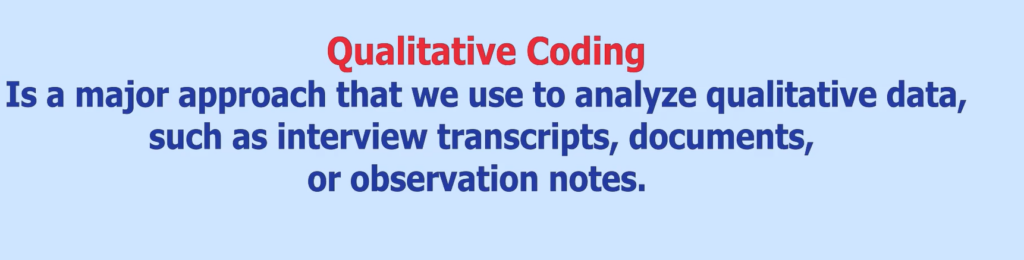
Qualitative Coding Approach Defined as an Approach used to Analyze Qualitative Data, such as Interviews Transcripts, Documents, or Observation notes
Definition of a code
A code is simply a label or an interpretive statement to particular information that’s important to a research question.

Definition of a code as a label or interpretive statement for qualitative research data
So, by performing qualitative coding, we are simply tagging or labelling important information in our qualitative data set.
Two Types of Codes You Need to Know
Before we start coding, it helps to understand the two main types of codes you’ll encounter.
Semantic Coding
Semantic coding is based on the surface or obvious meaning of a participant’s words. If a participant says “I was diagnosed with diabetes,” a semantic code might be “received a diabetes diagnosis.” You’re not adding interpretation — you’re simply labelling what they said in a concise way.
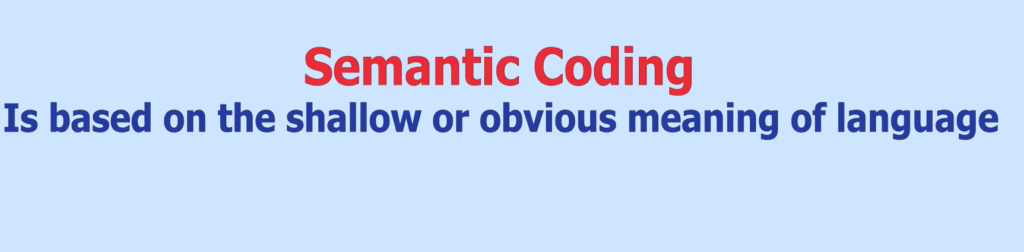
Semantic coding definition showing it is based on the obvious surface meaning of language
Latent Coding
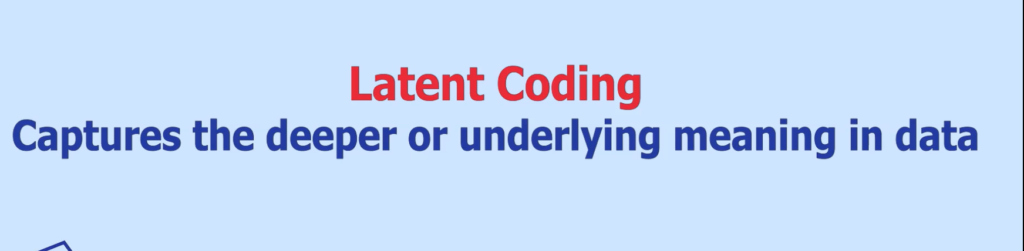
Latent coding goes deeper. It captures the underlying meaning or implication behind what a participant says, even if they didn’t state it directly. If a participant says “I didn’t tell anyone at work,” a latent code might be “concealed illness from colleagues” — because that’s what the statement implies, even though the word “conceal” was never used.
In practice, you’ll use both types as you code. Don’t worry too much about categorising each code as you go — the goal is to get accurate, useful labels.
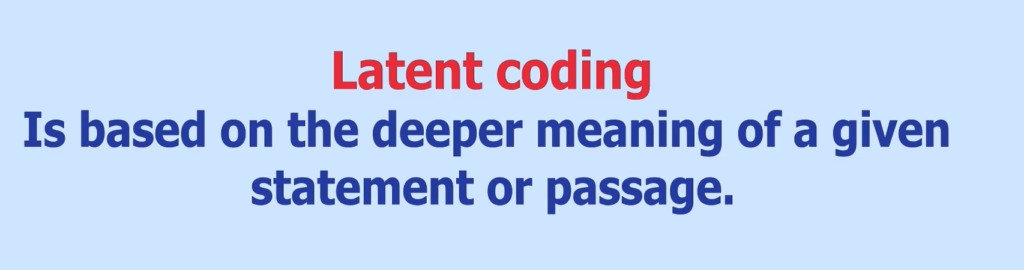
Latent coding definition showing it interprets the deeper meaning behind participant statements
What You Need Before You Start
- Your interview transcript saved as a Word document (.docx)
- Microsoft Word (any recent version works)
- A clear research question to guide what counts as important
For practice transcripts, I recommend Figshare — a free repository where researchers share their data publicly. Search “interview transcripts” and you’ll find a wide range of datasets you can use to practise your coding.
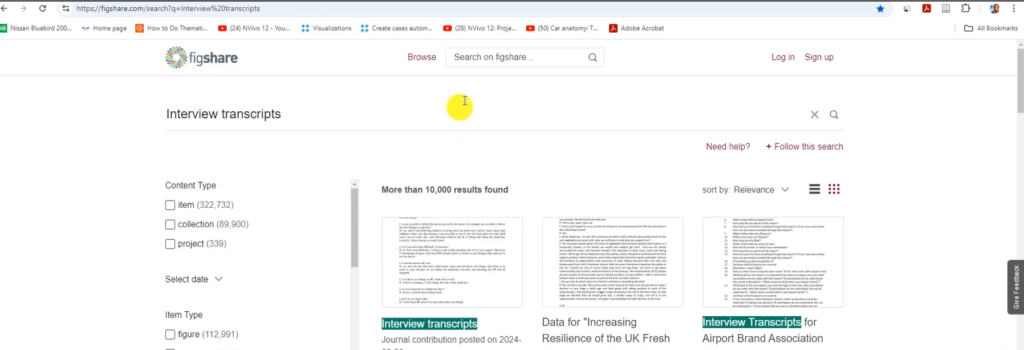
Figshare website showing publicly available interview transcripts for qualitative research practice
How to Code a Transcript in Microsoft Word: 5 Steps
Step 1 – Open Your Transcript in Word
Open your interview transcript as a regular Word document. Make sure you have the Review tab visible at the top — this is where the comment function lives.
Step 2 – Highlight a Key Passage
Read through your transcript carefully with your research question in mind. When you find a passage that’s relevant, highlight it by clicking and dragging across the text.
Step 3 – Insert a Comment as Your Code
With the passage highlighted, go to Review → New Comment (or right-click and select “New Comment”). A comment box will appear on the right side of the document. Type your code into that comment box — this is your interpretive label for that passage.
Step 4 – Repeat for Every Meaningful Passage
Continue reading through the transcript, highlighting relevant passages and adding a new comment for each one. Not every line needs a code — only tag information that’s directly relevant to your research question.
Step 5 – Review and Group Your Codes
Once you’ve coded the full transcript, review all your comments. Look for codes that seem related — these may eventually cluster into themes. At this stage, keep your codes intact; the grouping into themes comes next.
Real Coding Example: Walk-Through with a Sample Transcript
To show you how this works in practice, I’ll use an extract from a transcript related to the study: Experiences of Women with Immune Treatments for Fertility. I sourced this transcript from Figshare.
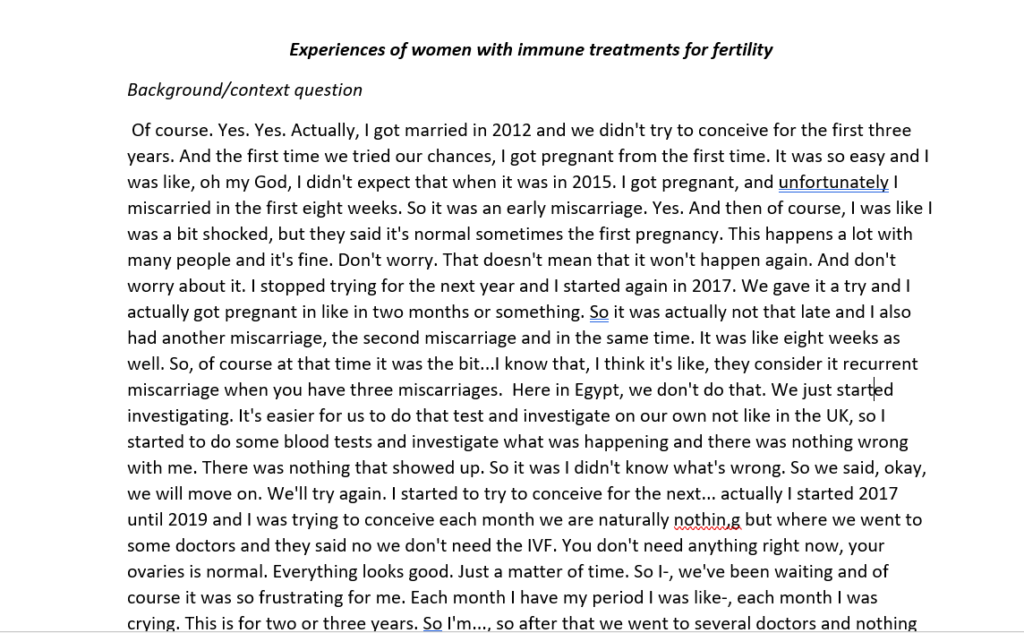
Example study title: Experiences of Women with Immune Treatments for Fertility
Here’s the first passage:
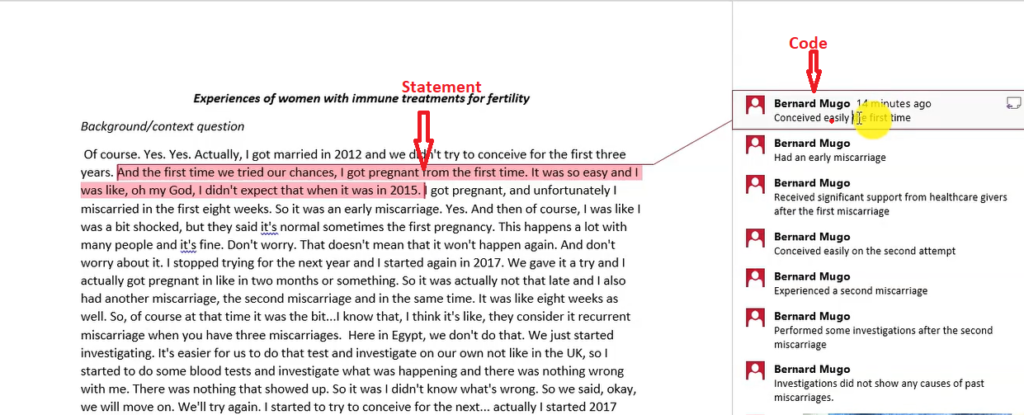
“The first time we tried our chances, I got pregnant for the first time. It was so easy, and I was like, oh my God, I didn’t expect that when it was 2015.”
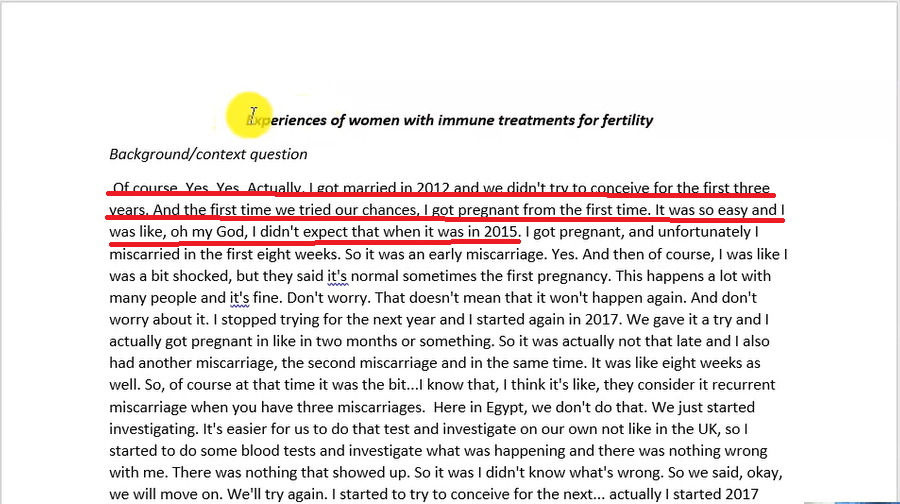
Highlighted section of interview transcript in Microsoft Word showing participant’s account of first pregnancy
I highlight this passage, right-click, and add a new comment. My code: conceived easily the first time. This is a semantic code — it’s a direct, obvious label for what she described.

The Code Conceived Easily the First Time is Created
Next passage:
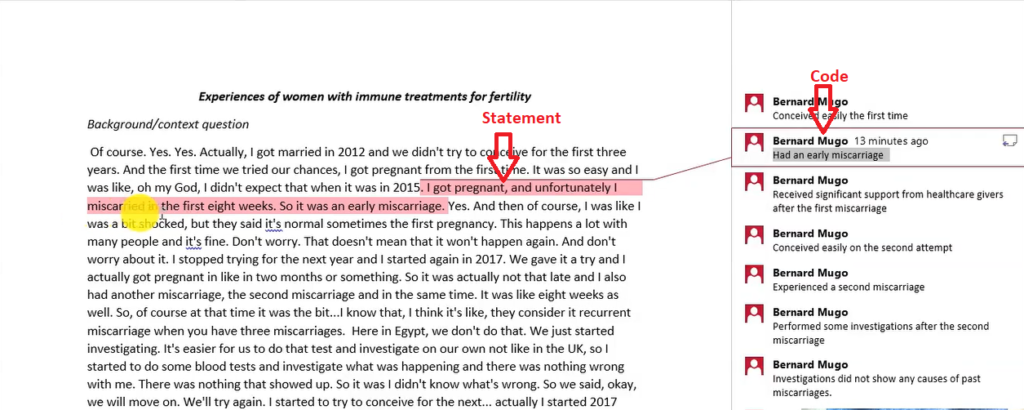
“I got pregnant and unfortunately, I miscarried in the first eight weeks. It was an early miscarriage.”
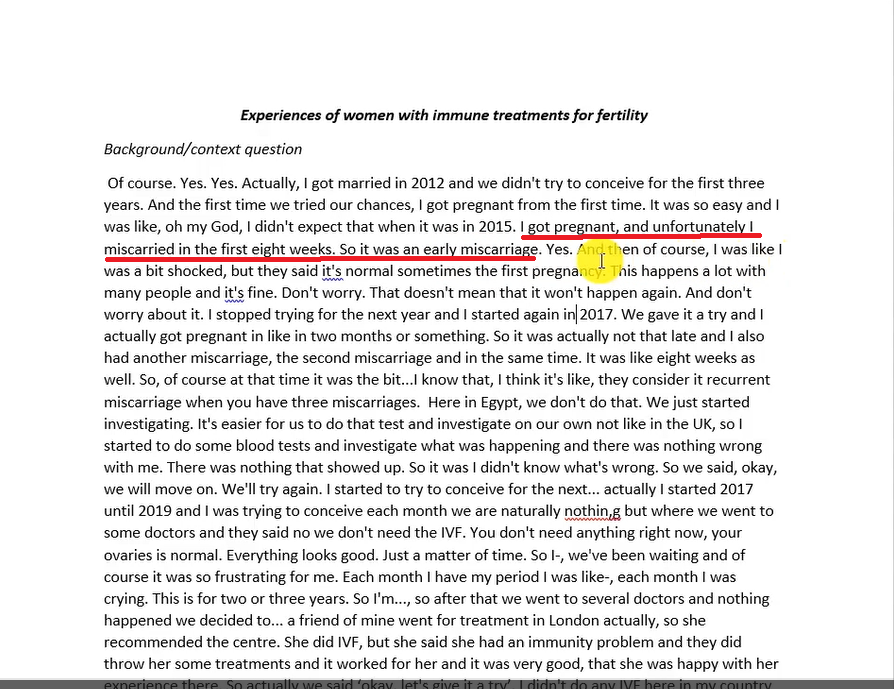
Highlighted passage in Microsoft Word transcript where participant describes experiencing an early miscarriage
Code: had an early miscarriage. Another semantic code, because we’re restating what she said in slightly compressed form.
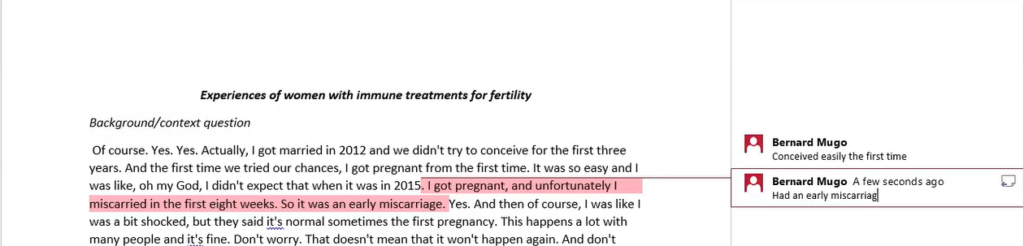
Qualitative code ‘had an early miscarriage’ applied as a Word comment to interview transcript passage
Next:
“They said it’s normal sometimes the first pregnancy. This happens a lot with many people and it’s fine. Don’t worry.”
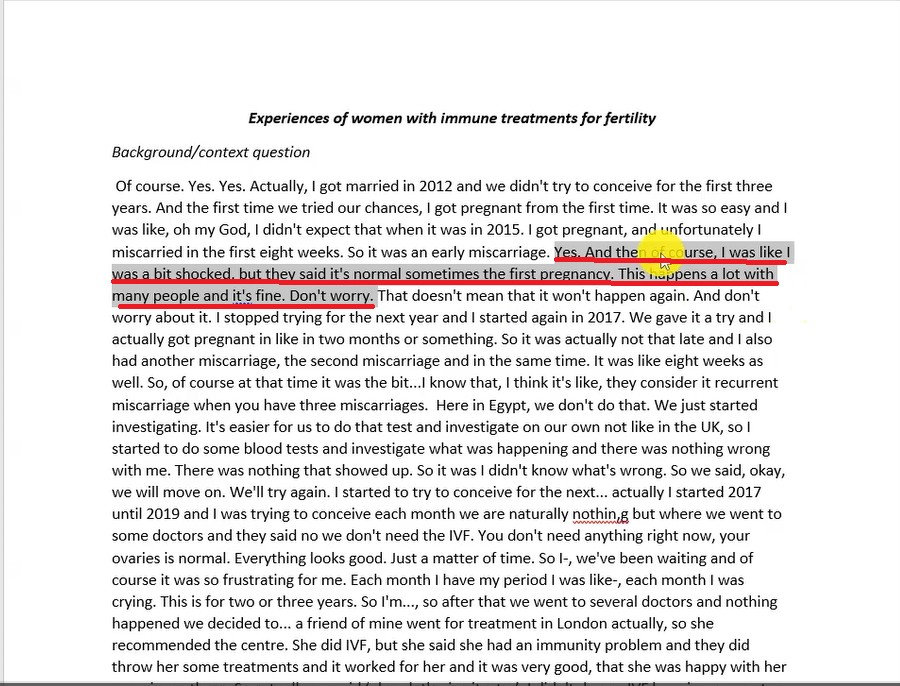
Highlighted transcript section in Microsoft Word showing participant receiving reassurance from healthcare providers
Code: received significant support from healthcare givers after the first miscarriage. This is a latent code. The participant never used the word “support” — but we can infer from the reassurance she received that this is what the passage is about.
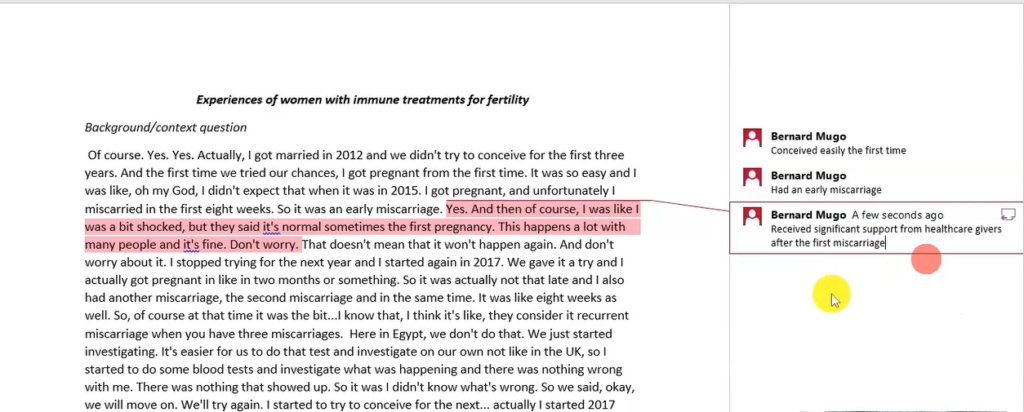
Qualitative code ‘received significant support from healthcare givers’ applied as a Word comment to interview transcript
Continue working through the transcript the same way until you’ve coded every relevant passage.
Semantic vs. Latent Codes: How to Tell the Difference
The simplest way to check: if your code is essentially a shorter version of what the participant said, it’s semantic. If your code captures what the participant implied rather than what they said, it’s latent.
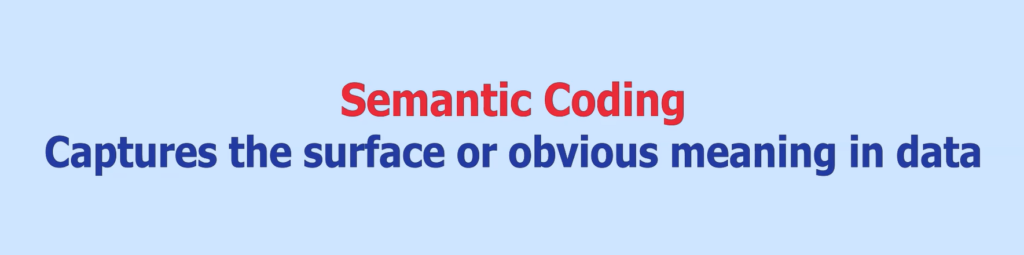
Semantic Coding Definition
Latent Coding Definition
Both types of codes are valid and useful. Research by Braun and Clarke (2006), whose thematic analysis framework is one of the most widely cited in qualitative research, recognises both semantic and latent levels of analysis as legitimate approaches depending on your research questions.
Later on, you might combine these codes together to form deems. For example, conception journey can be a theme that includes so many of these codes.
Then we have miscarriage experiences, which is another theme probably, which can have different codes.
Themes come later. First you do coding, then you look for a pattern of shared meaning between the codes to get themes.
But this article is not about themes. I have other articles about that such as Thematic Analysis Examples: Inductive and Deductive (step by step) .
This article is about qualitative coding.
That’s how we do qualitative coding through Microsoft Word by using the comment function in Word.
From Codes to Themes — What Comes Next?
Once you’ve finished coding your transcript, your next step is to look for patterns across your codes. Groups of codes that share a common meaning can be combined into themes.
For example, from the coding we did above, codes like “conceived easily the first time,” “had an early miscarriage,” and “experienced a second miscarriage” might all belong to a theme called Conception Journey. Codes related to healthcare reassurance might form a separate theme around Professional Support.
Semantic code ‘conceived easily the first time’ shown alongside corresponding transcript passage in Microsoft Word
Semantic code ‘had an early miscarriage’ shown alongside corresponding transcript passage in Microsoft Word
Themes come after coding — not during. For a full walkthrough of the theming process, see my guide on thematic analysis examples: inductive and deductive
Frequently Asked Questions
Can I use Microsoft Word for qualitative coding if my study has multiple participants?
Yes, though it gets harder to manage as your data grows. For studies with more than 5 or 6 interviews, I’d recommend moving to dedicated software like NVivo or MAXQDA, which let you manage and compare codes across multiple transcripts at once.
What’s the difference between qualitative coding in Word vs. NVivo?
In Word, you use comments to tag passages manually. NVivo automates the organisation of codes, lets you run frequency queries, and makes it easier to work across large datasets. MAXQDA is similarly powerful and widely used in European academic settings. Word is a good starting point, but specialist software gives you more analytical power.
Do I need to code every line of my transcript?
No. You only code passages that are relevant to your research questions. Irrelevant content — small talk, filler words, off-topic discussion — can be skipped.
How many codes should I expect to generate?
There’s no fixed number, but a typical interview transcript might generate 20–50 initial codes. You’ll often reduce these significantly when you start grouping them into themes.
Key Takeaways
- Qualitative coding in Microsoft Word uses the comment function to label meaningful passages in your transcript.
- Codes are short, interpretive labels tied to your research question — not summaries of everything the participant said.
- Semantic codes capture the obvious meaning of a statement; latent codes capture the implied or deeper meaning.
- Code the full transcript before attempting to group anything into themes.
Need Help with Your Qualitative Analysis?
If you’re struggling with qualitative coding — or any part of your qualitative data analysis — I offer one-on-one consulting sessions through Surviving Research. Whether you’re working with interview transcripts, focus groups, or documents, I can help you move from raw data to clear, defensible findings. Get in touch here.