

Last Updated on 4 months ago by Grace Nyambura
| Quick Definition: Inductive thematic analysis is a qualitative research method where themes emerge directly from your data — not from a pre-existing framework. Johnny Saldaña’s approach breaks this process into four clear, auditable stages, making it one of the most practical methods for PhD students and researchers working with interview or focus group data. |
- What Is Saldaña's Inductive Thematic Analysis?
- Why Use MAXQDA for Saldaña's Method?
- Step 1 — Identifying and Categorising Codes in MAXQDA
- Step 2 — Developing High-Level Categories
- Step 3 — Generating Themes Through Analytic Memoing
- Step 4 — Connecting Themes to Your Research Questions
- Common Mistakes to Avoid
- Frequently Asked Questions
- Key Takeaways
There are several approaches to thematic analysis in qualitative research. Saldaña’s inductive method stands out because of its structured, step-by-step logic — each stage builds directly on the one before it. If you’re working through your interview transcripts in MAXQDA and wondering how to move from raw codes to meaningful themes, this guide walks you through every step with a real worked example.
My name is Bernard Mugo. Over the past four years, I’ve helped more than 600 PhD students and researchers analyse qualitative data and complete their theses. In this article, I’ll show you exactly how to apply Saldaña’s framework inside MAXQDA — from your first line of coding all the way to connecting themes to your research questions.
If you’d prefer to follow along visually, the full video tutorial is on the Surviving Research YouTube channel.
What Is Saldaña’s Inductive Thematic Analysis?
Johnny Saldaña is the author of The Coding Manual for Qualitative Researchers, one of the most widely cited references in qualitative methodology. His approach to inductive thematic analysis focuses on allowing themes to emerge from the data itself — which is why it’s called inductive. You start with no predetermined codebook, read your data, label what you find, and build upward toward themes.
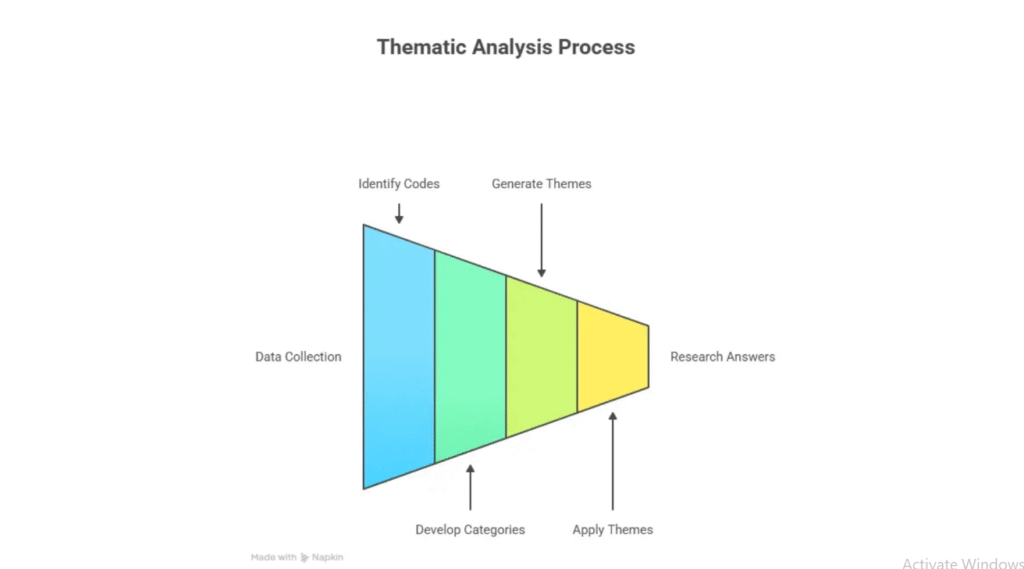
The Saldaña method consists of four main stages:
- Identifying and categorising codes
- Developing high-level categories
- Generating themes through analytic memoing
- Connecting themes to your research questions
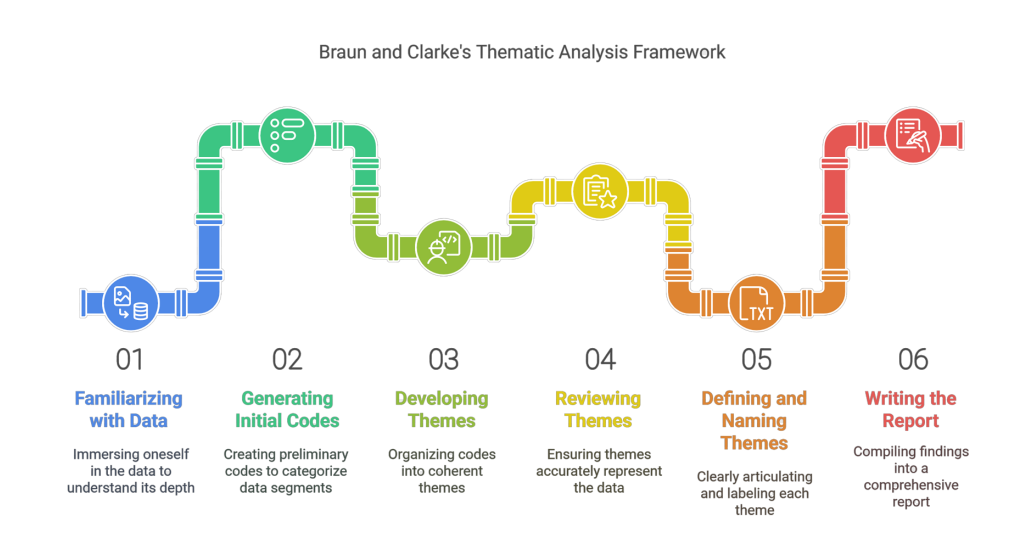
This differs from Braun and Clarke’s six-step reflexive thematic analysis, which is another popular approach. If you’re deciding between the two, Scribbr’s guide to thematic analysis offers a clear comparison. This article focuses specifically on Saldaña’s method in MAXQDA.
Why Use MAXQDA for Saldaña’s Method?
MAXQDA is built for qualitative data analysis, and it maps directly onto Saldaña’s framework. The software lets you create codes, group them into categories, write analytic memos, and restructure your code system — all in one workspace. You can also use MAXQDA’s colour-coding feature to track which codes belong to which research question, which makes Step 2 significantly faster.
For a full overview of MAXQDA’s features, the MAXQDA official how-to resource centre is the best starting point. If you’re newer to the software, my guide on interview coding in MAXQDA covers the basics of the interface and code system before you start analysis.
Step 1 — Identifying and Categorising Codes in MAXQDA

The first step in Saldaña’s inductive thematic analysis is identifying and labelling codes. A code is a short interpretive label you assign to a segment of data that captures its core meaning. This is the foundation of everything that follows.
How to Import and Colour-Code Your Transcripts
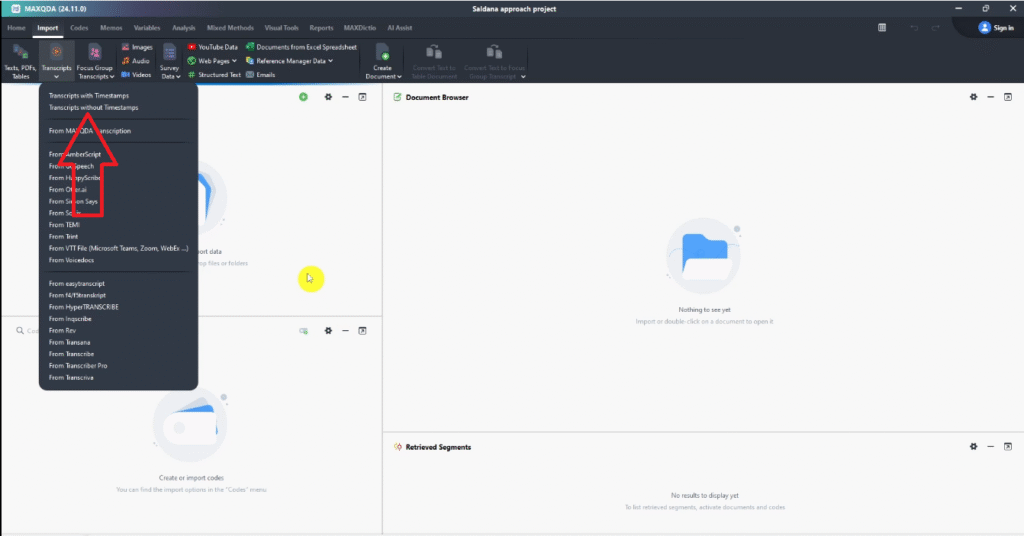
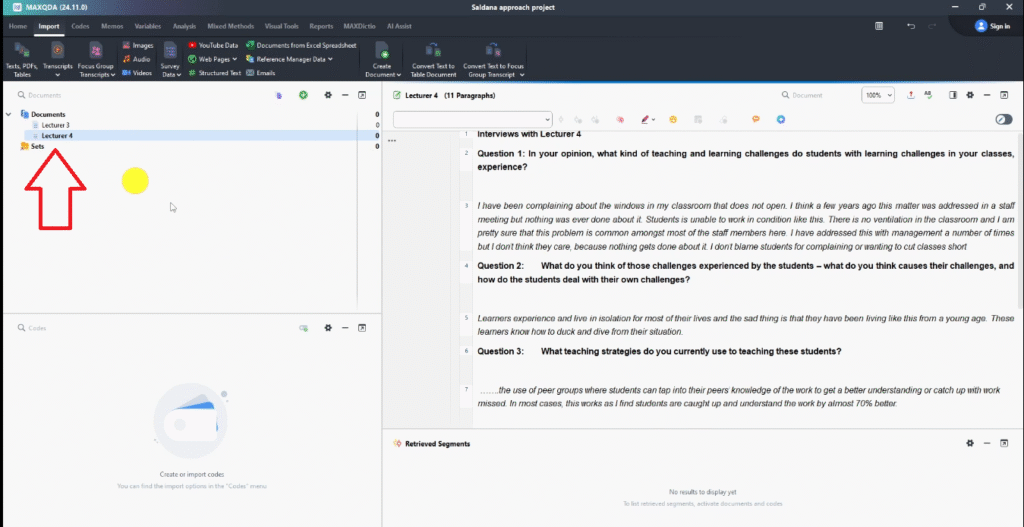
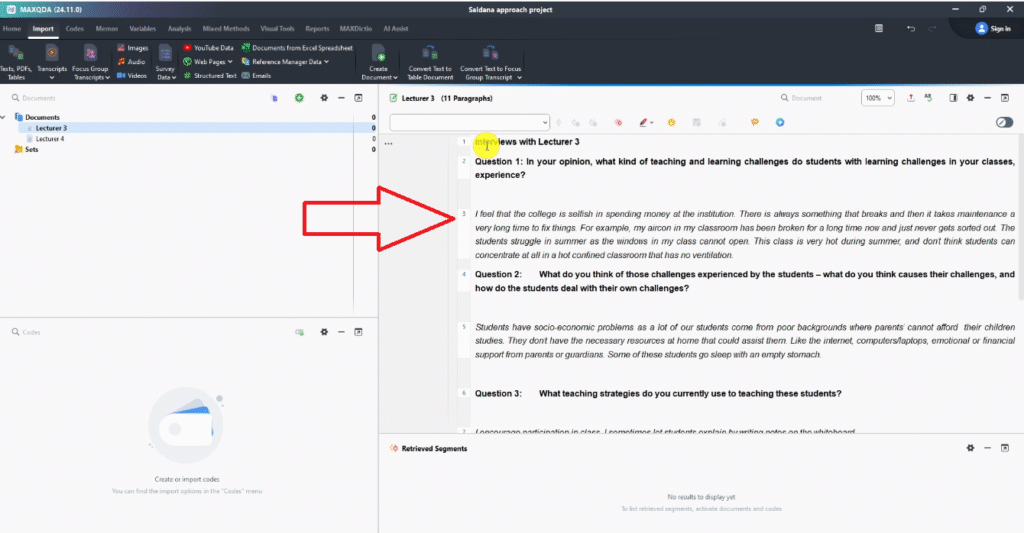
Start by importing your interview transcripts into MAXQDA. You can use the Import button in the toolbar or drag and drop files directly into the Document System panel.
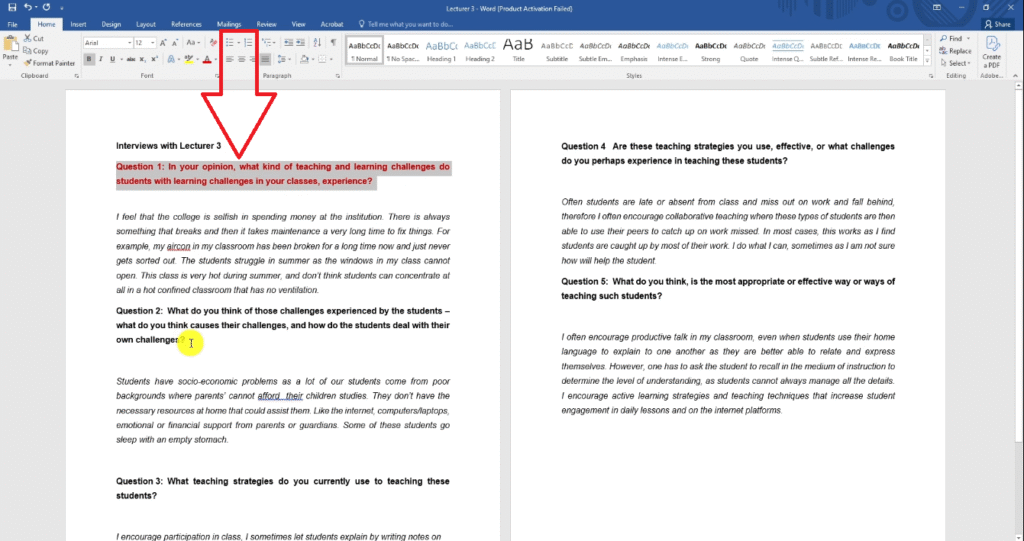
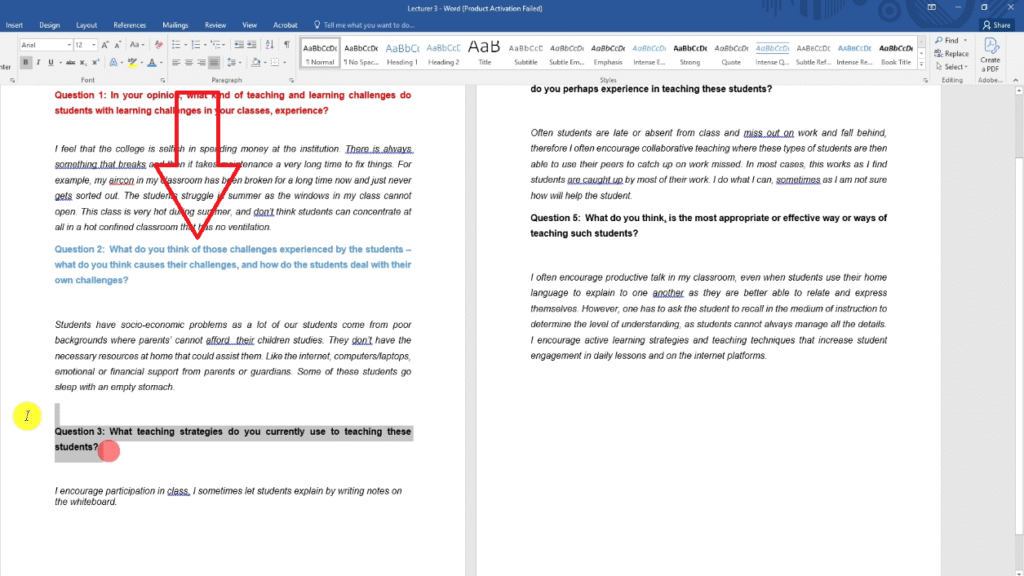
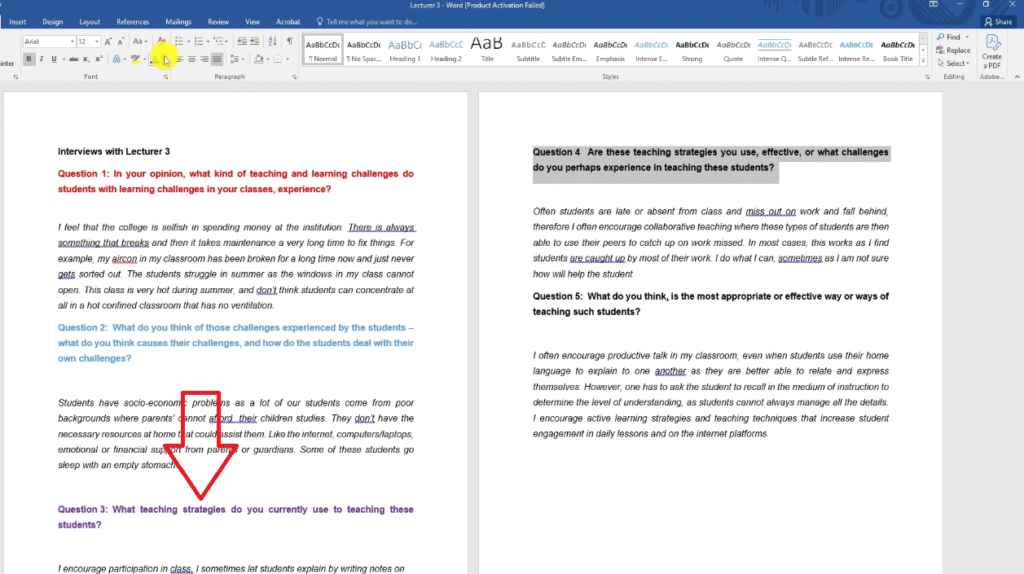
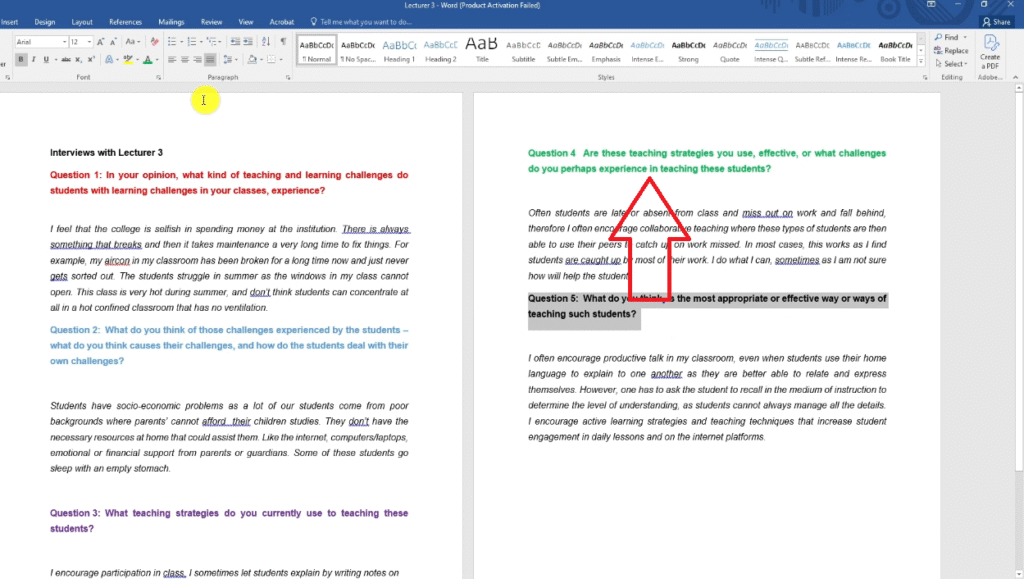
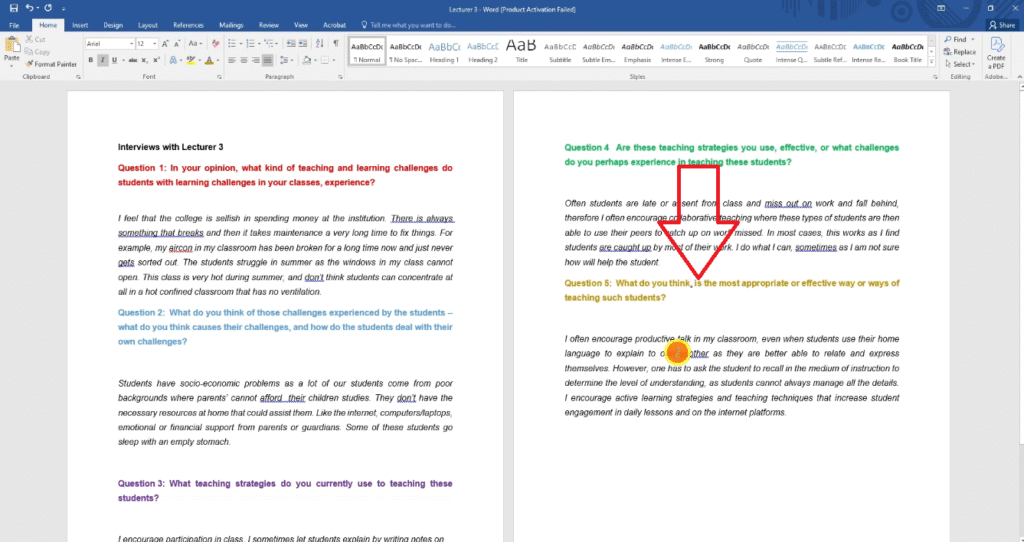
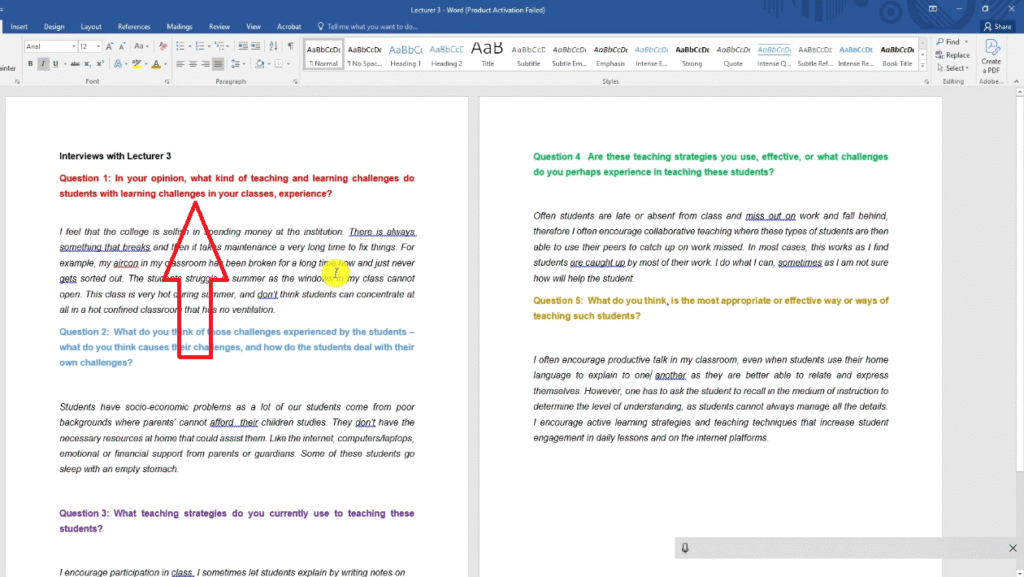
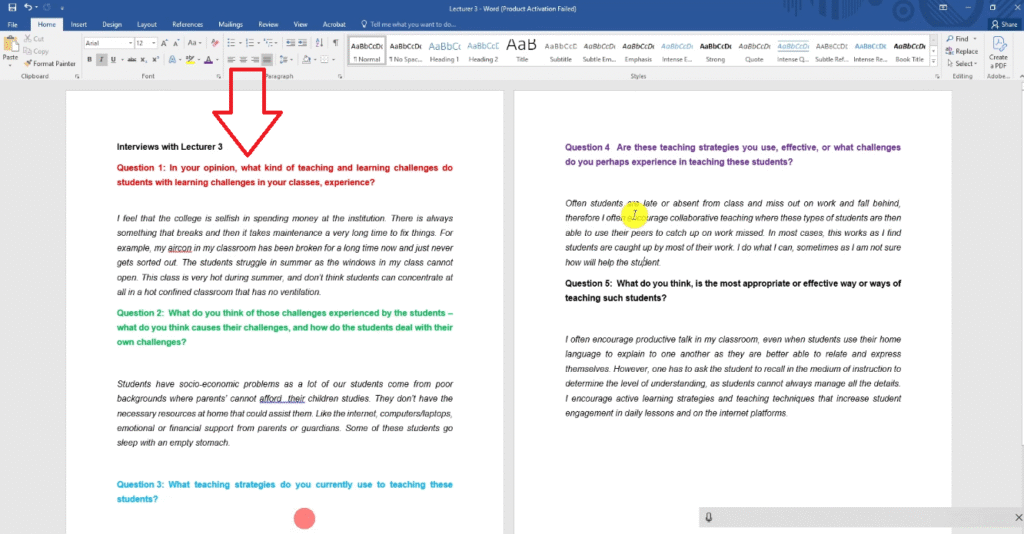
Before coding, I recommend setting up a colour system that maps each colour to one of your research questions. This is a technique I use with every client — it makes Step 2 significantly faster. Here’s the system used in the example study on teaching challenges in community colleges:
- Red → Research Question 1: Teaching and learning challenges experienced by students
- Blue → Research Question 2: Causes of student challenges
- Purple → Research Question 3: Teaching strategies currently in use
- Green → Research Question 4: Effectiveness of teaching strategies
- Brown → Research Question 5: Most effective ways of teaching
Assign each code the colour of the research question that prompted that segment of data. This visual layer pays off heavily when you move to Step 2.
Creating Your First Codes in MAXQDA
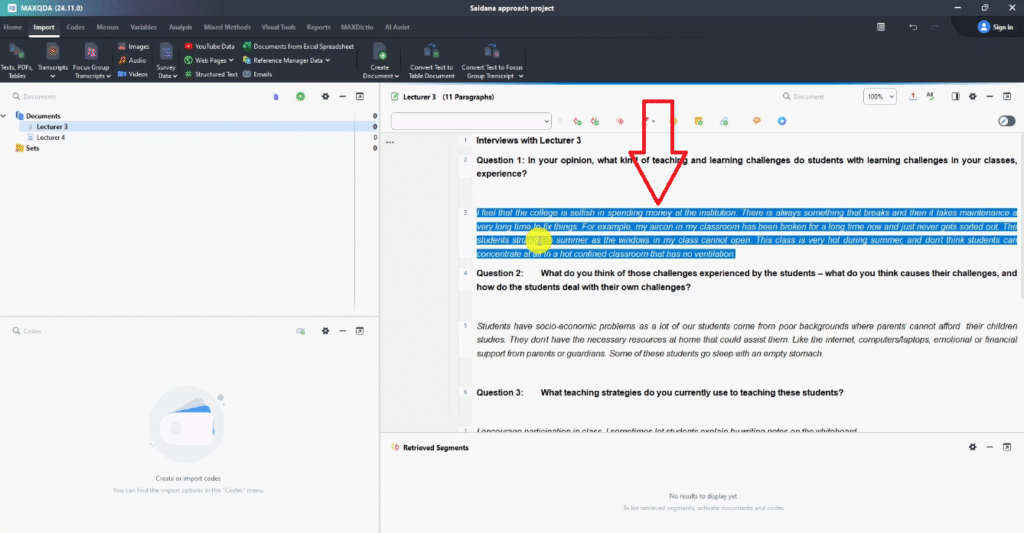
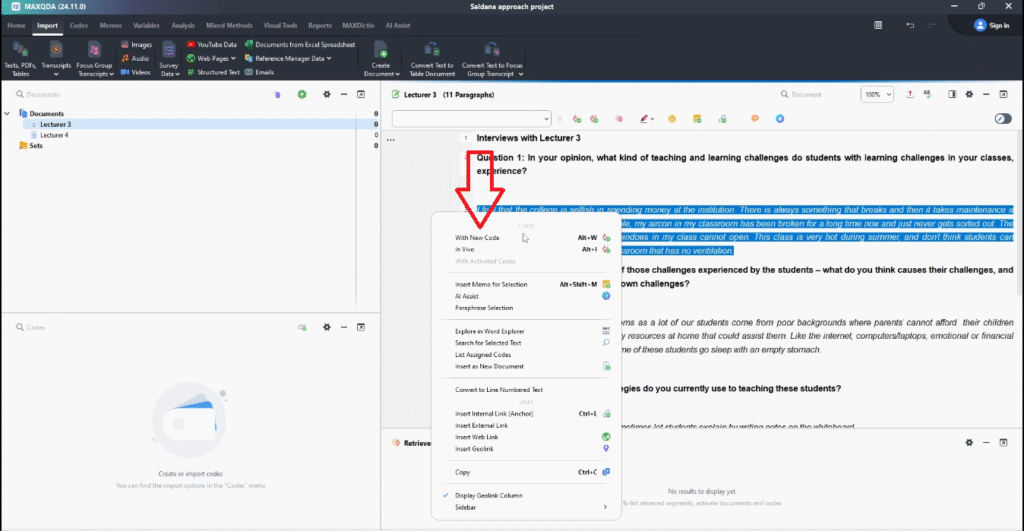
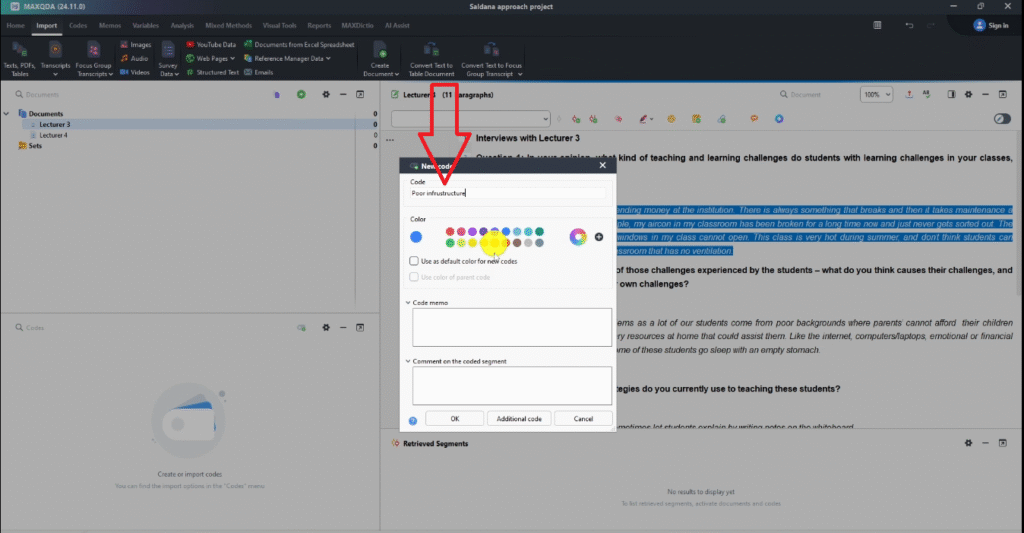
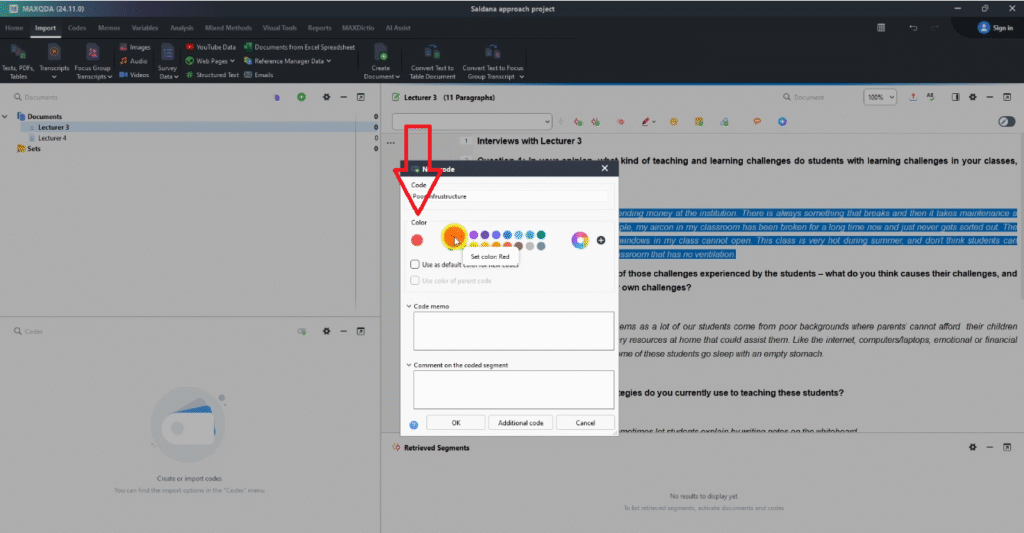
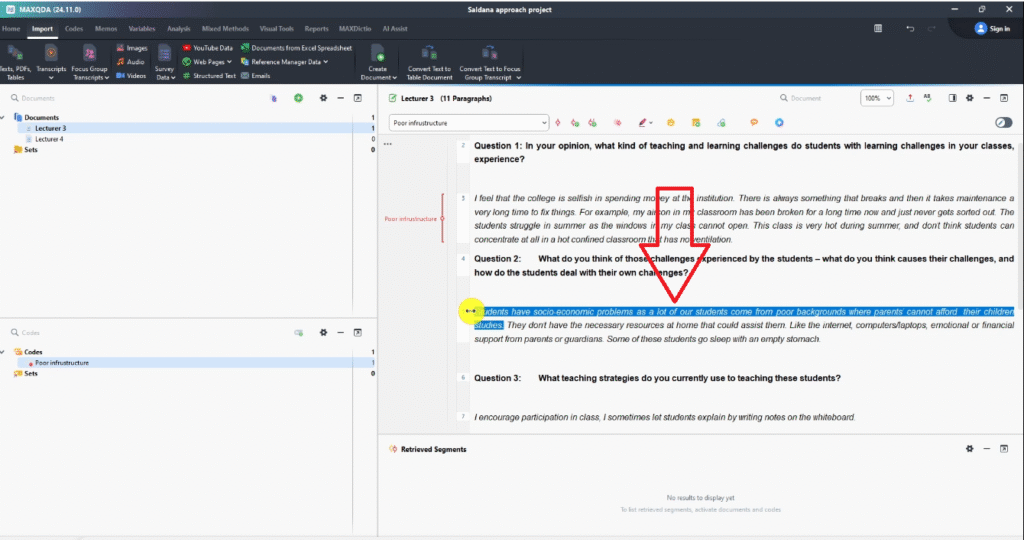
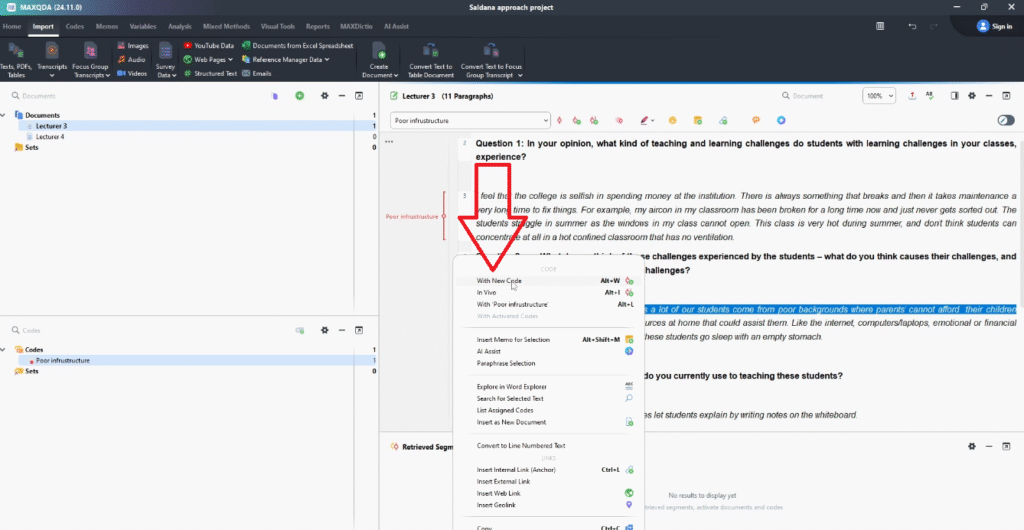
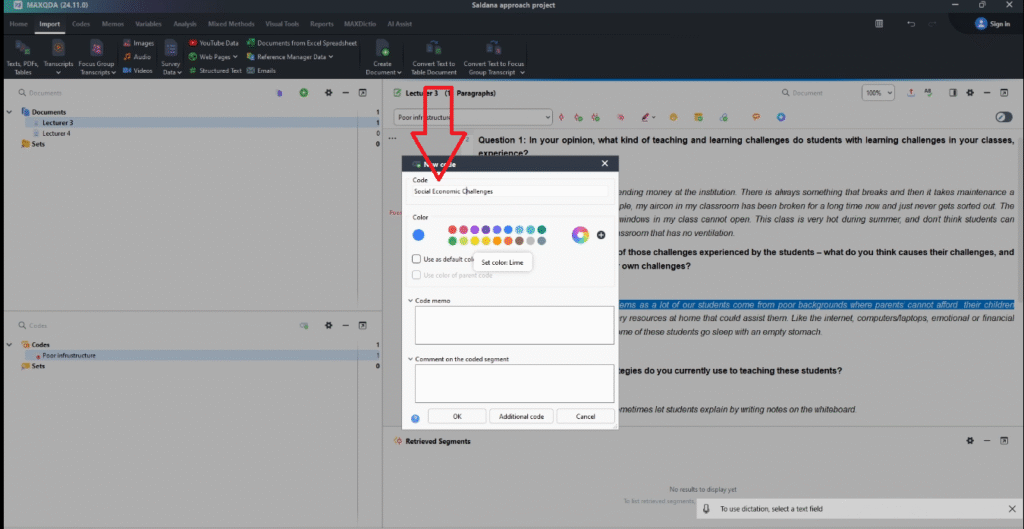
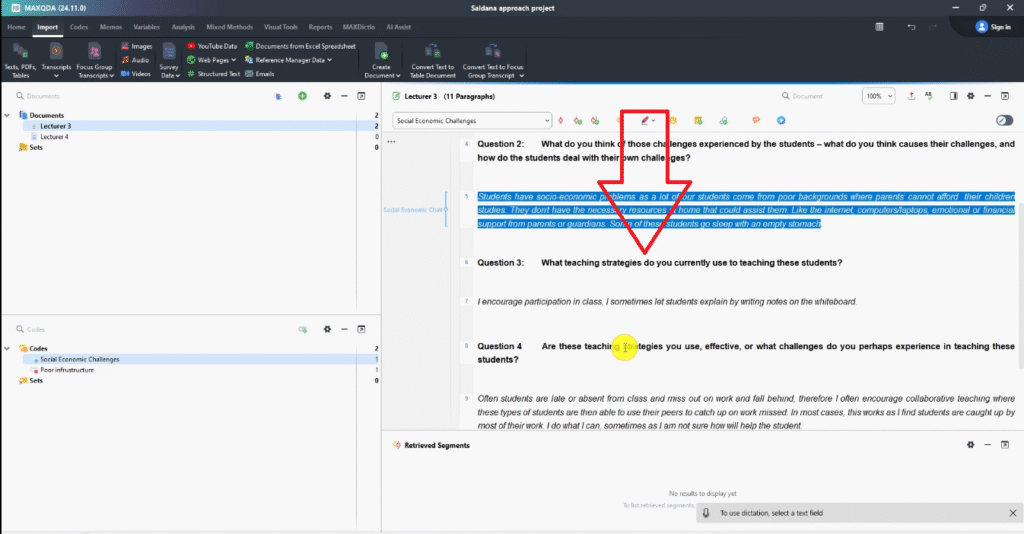
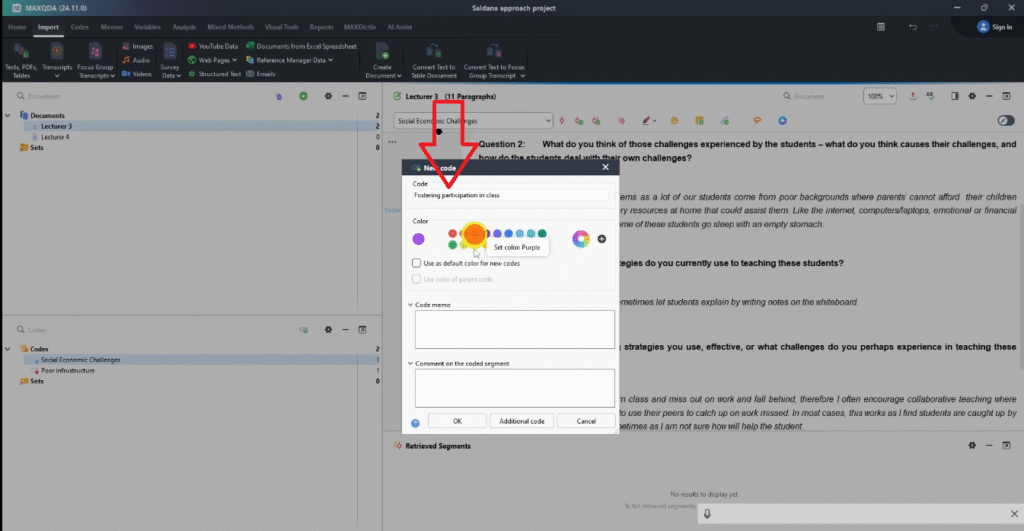
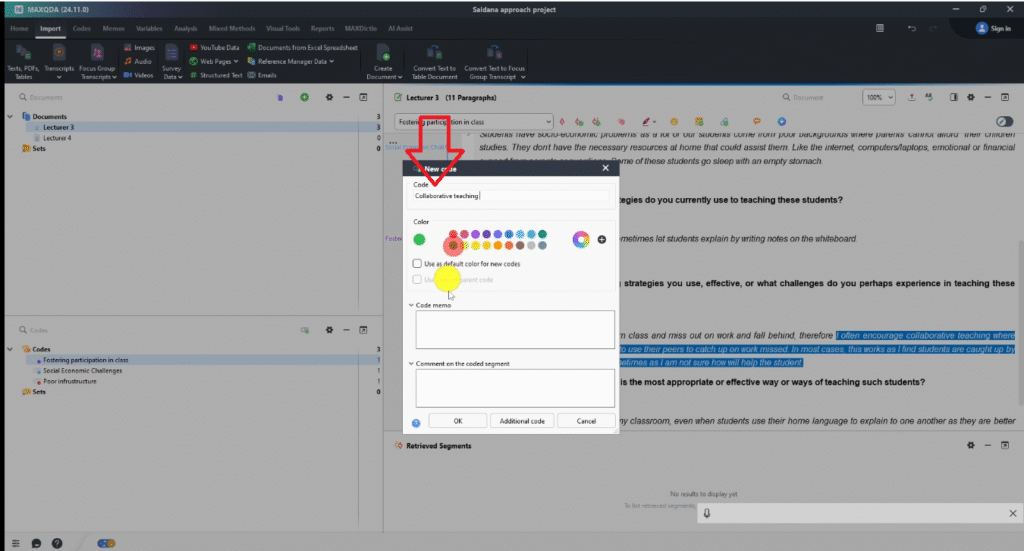
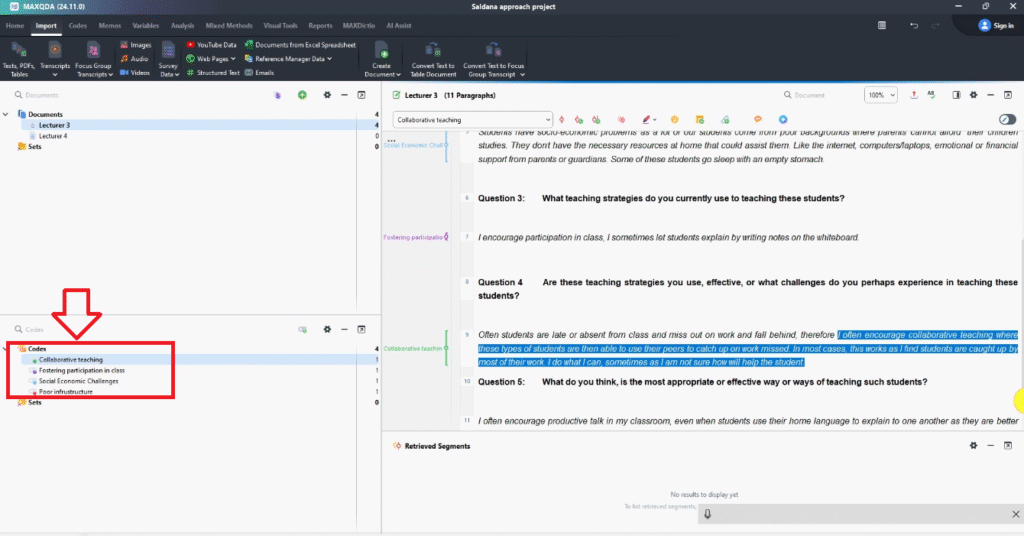
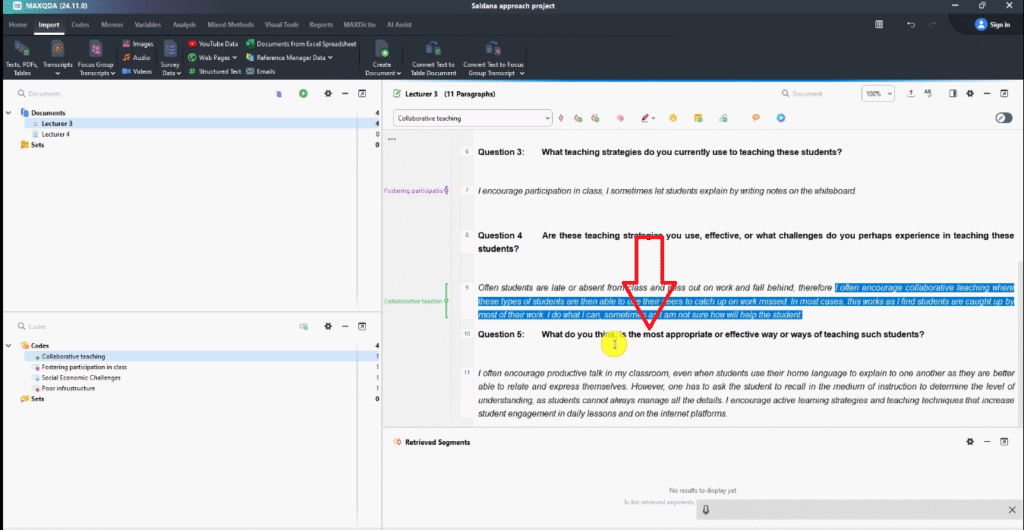
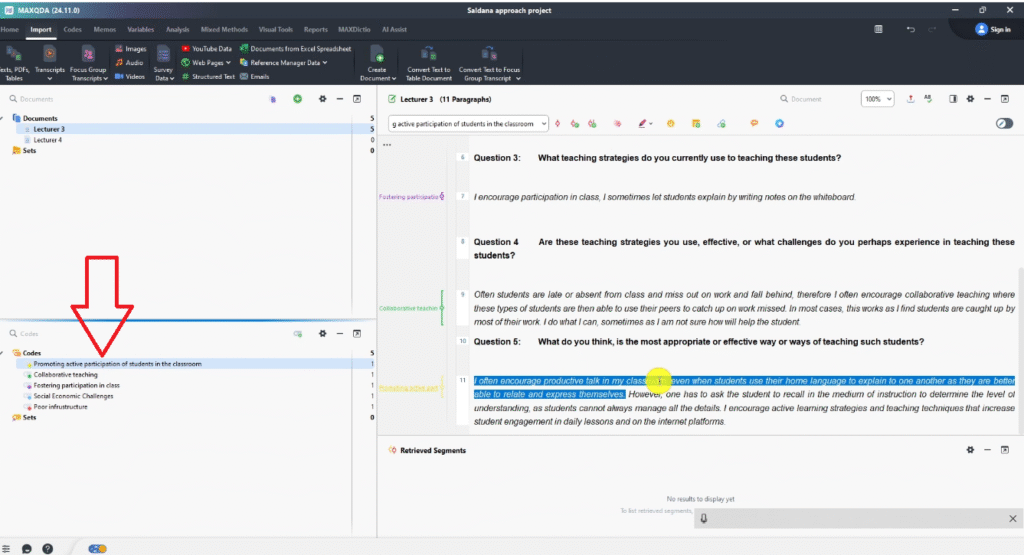
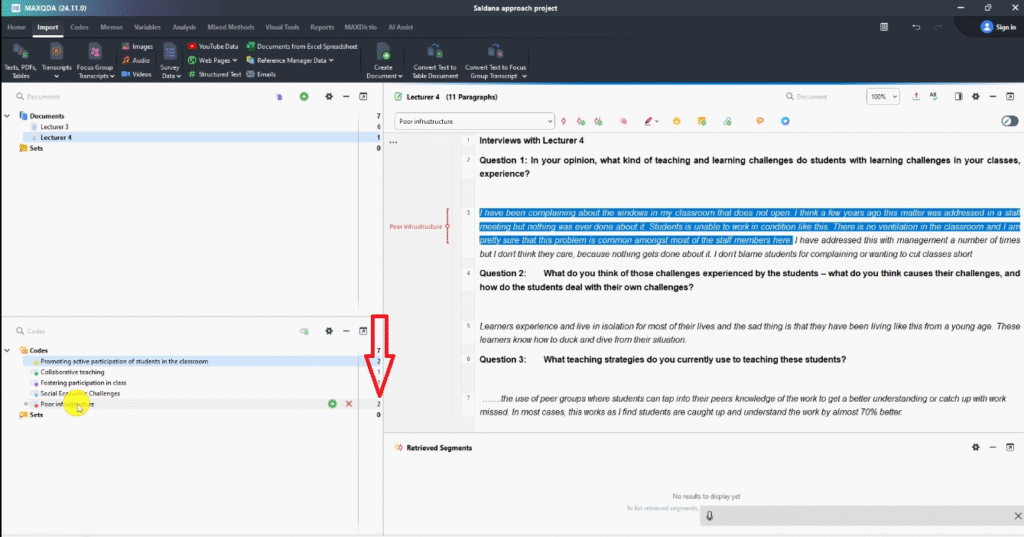
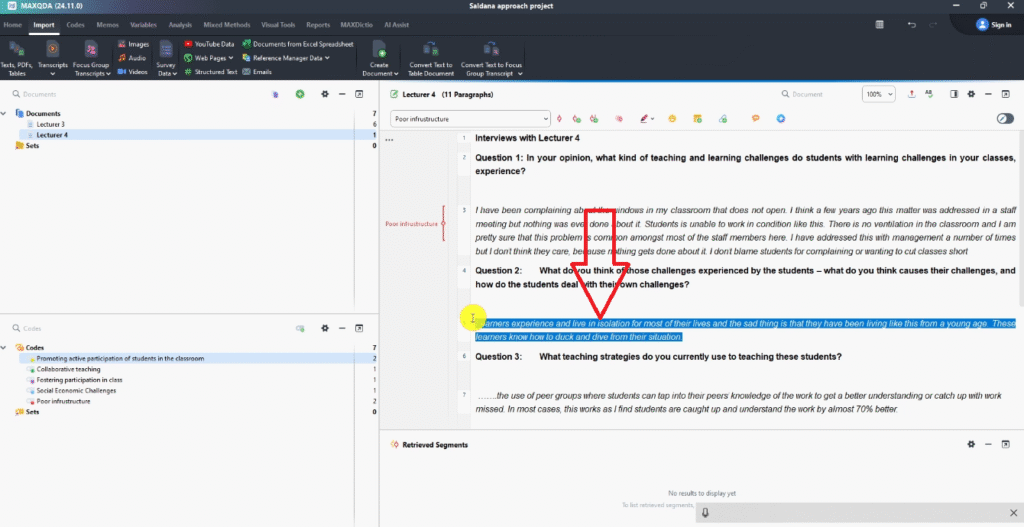
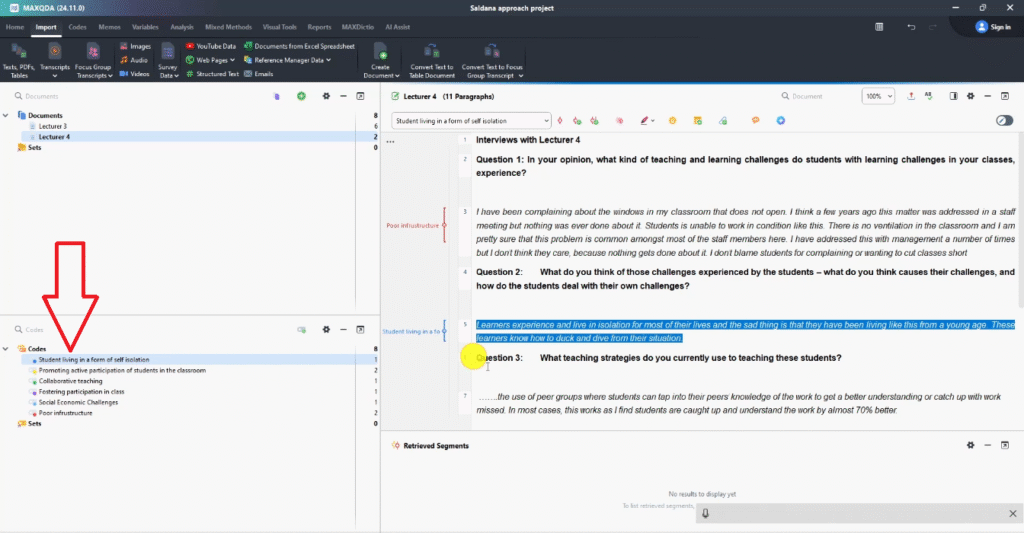
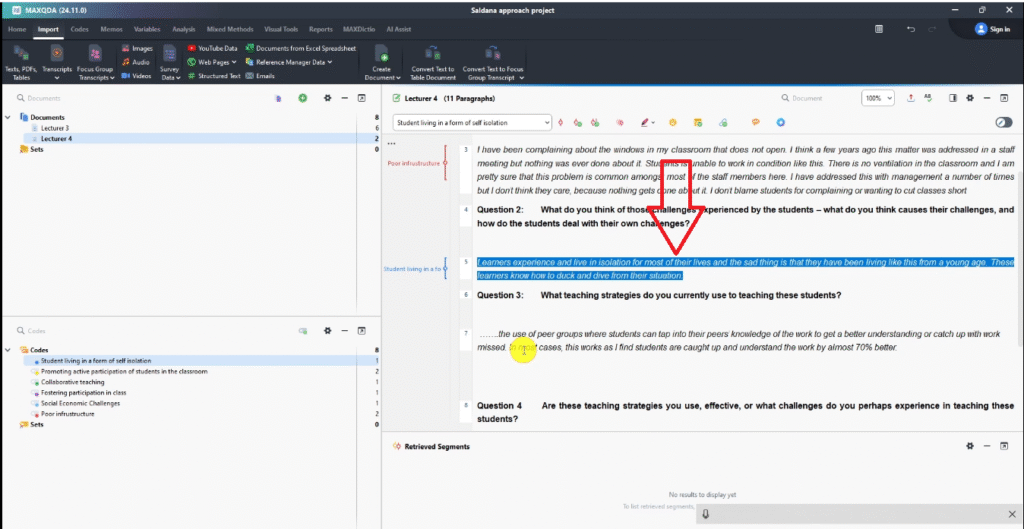
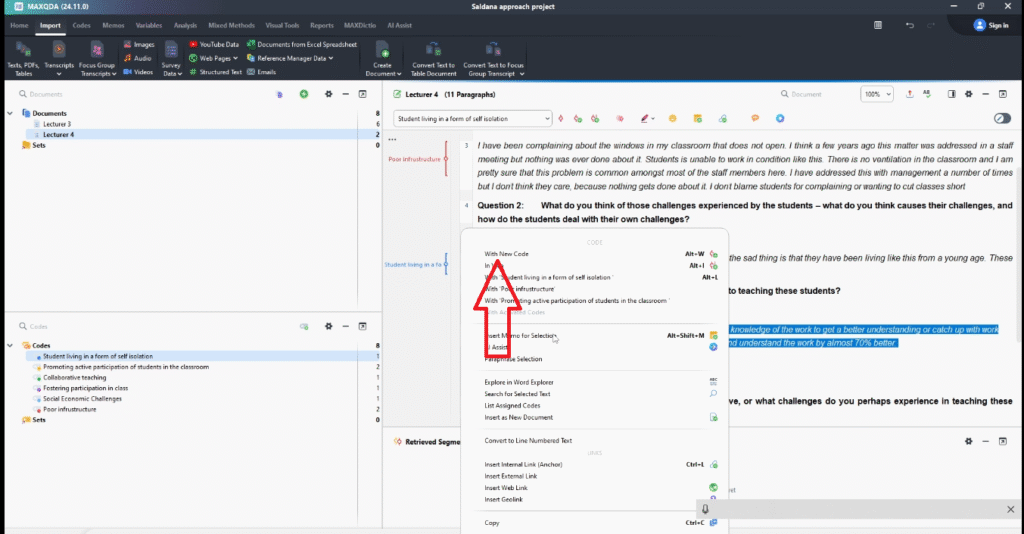
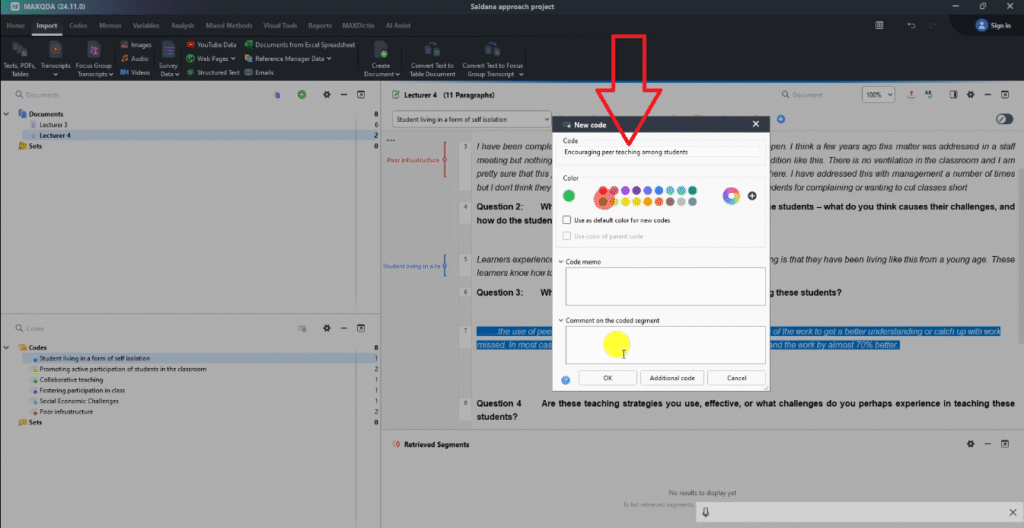
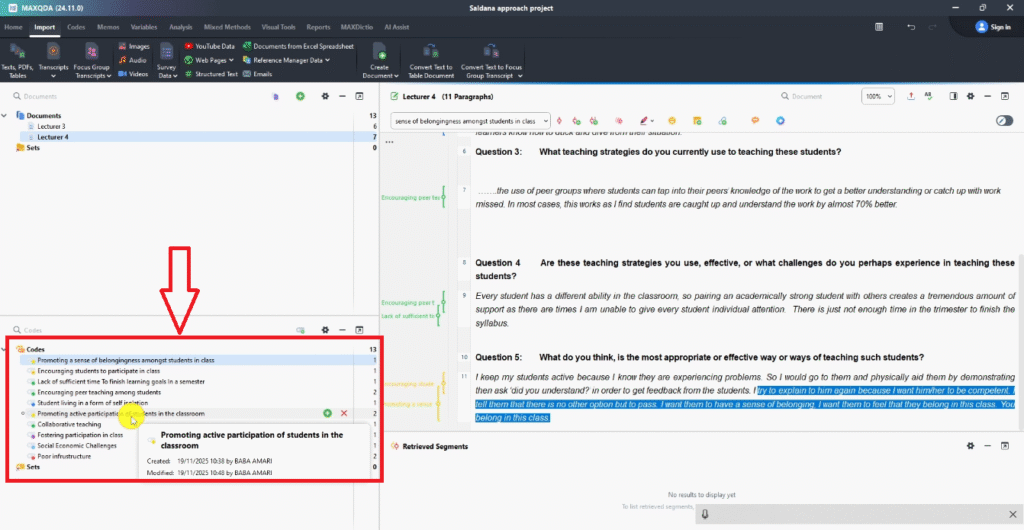
Open a transcript and read through it. When you encounter a passage that captures a meaningful idea, highlight it, right-click, and select With New Code. Give it a short, interpretive label and assign the appropriate colour.
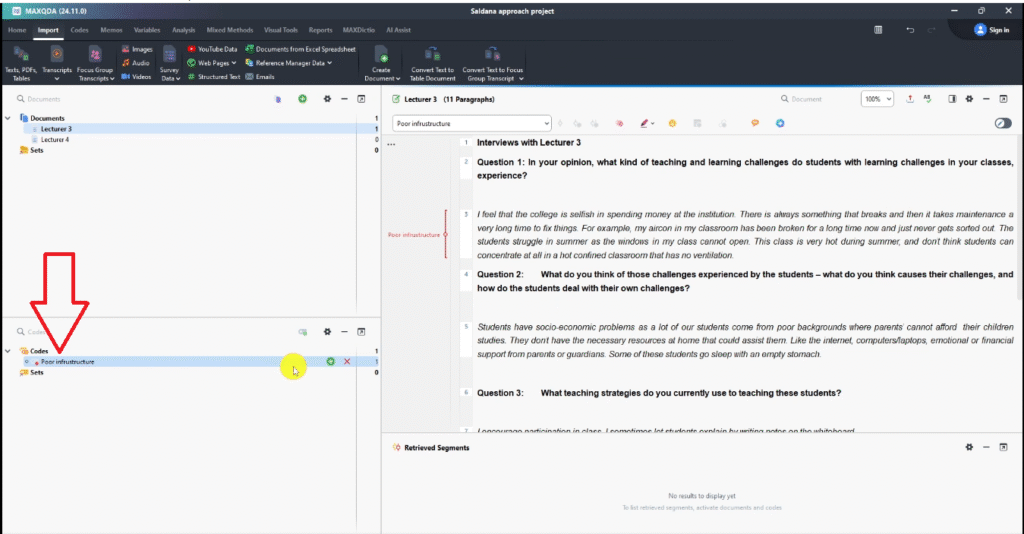
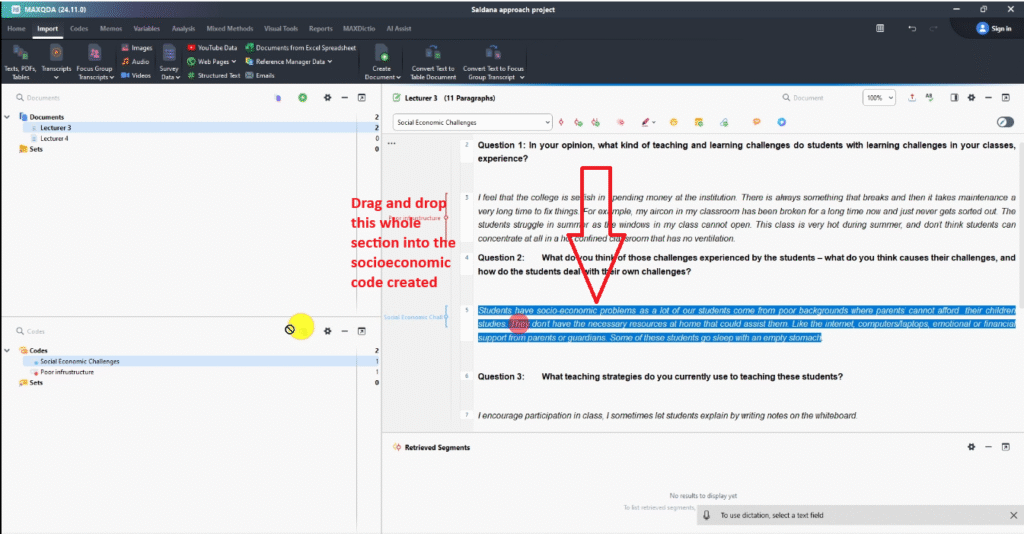
In the example study, a lecturer described broken air conditioning leaving students unable to concentrate. I highlighted the relevant passage and coded it as poor infrastructure, assigned red for Research Question 1. As you move through your transcripts, drag new passages into existing codes when they share the same meaning — this naturally builds your code list from the data.
At this stage, don’t aim for perfection. You’re building a working picture of what’s in your data. Refinement happens in Steps 2 and 3.
Step 2 — Developing High-Level Categories

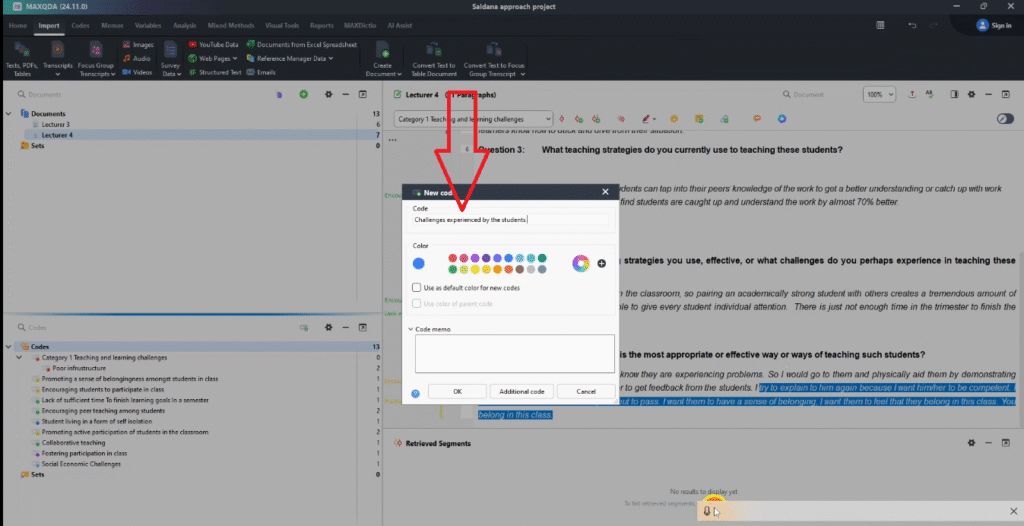
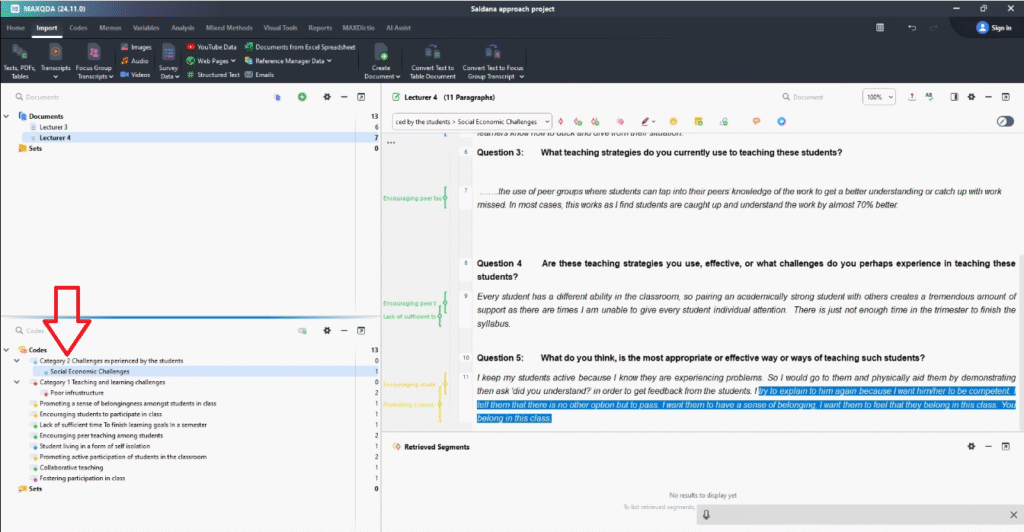
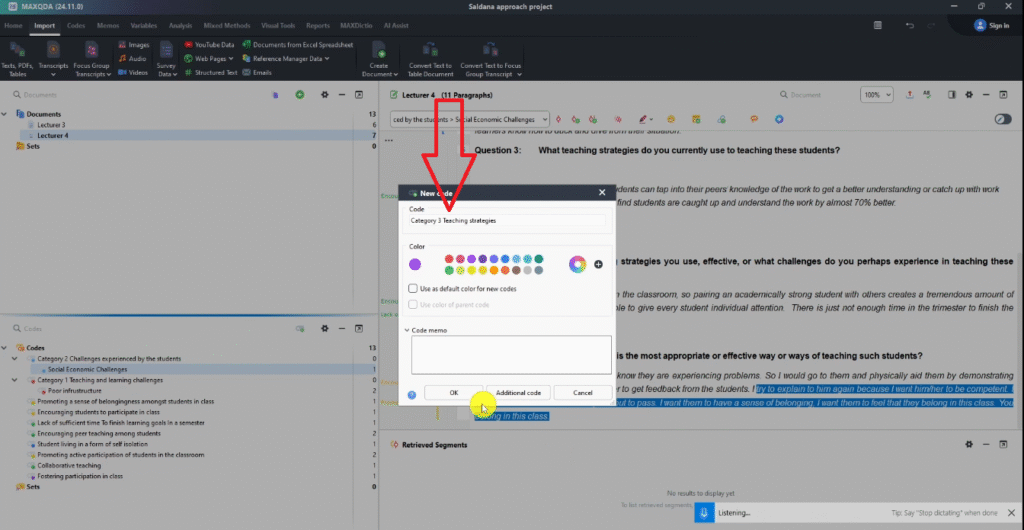
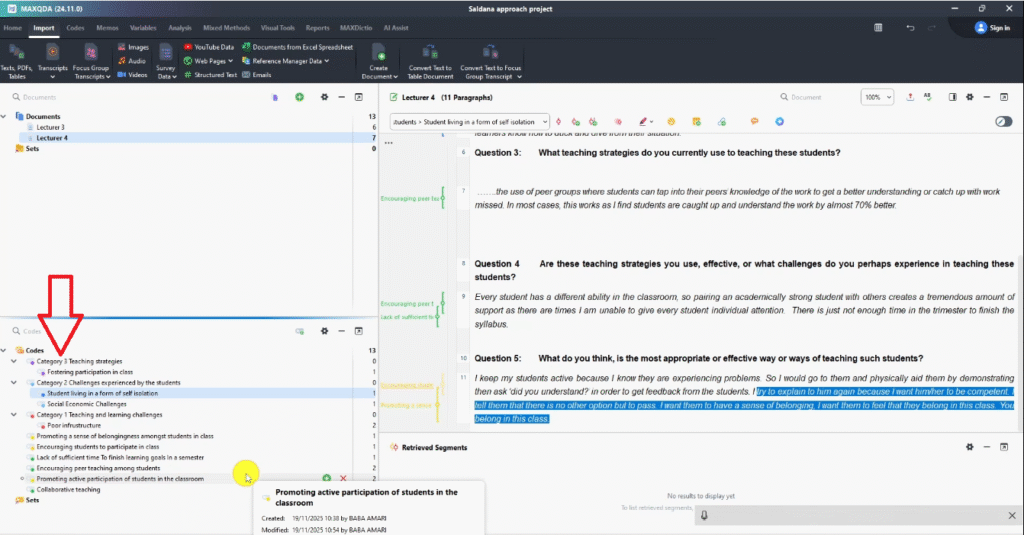
Once you’ve coded your transcripts, the second step is grouping related codes into high-level categories. A category is a container for codes that share a common meaning at a broader level.
How to Group Codes into Categories
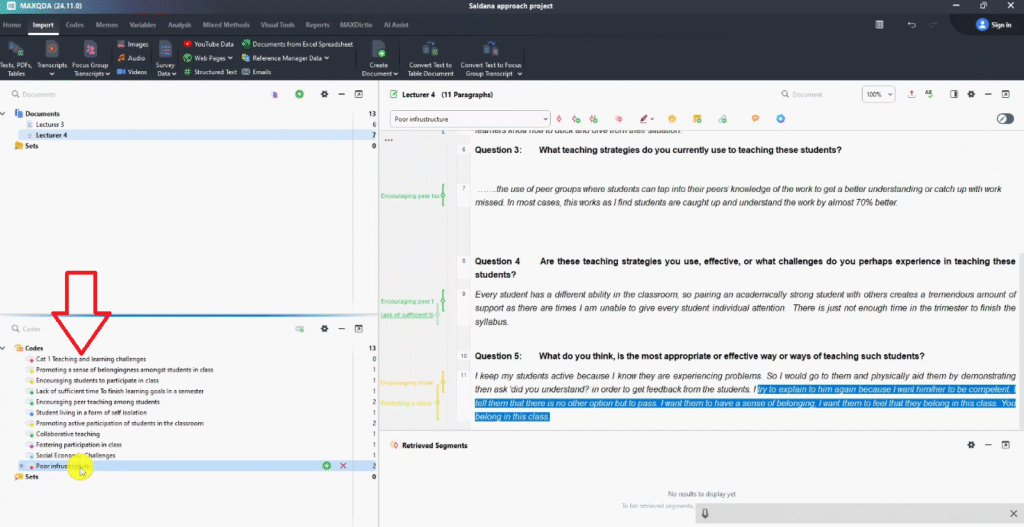
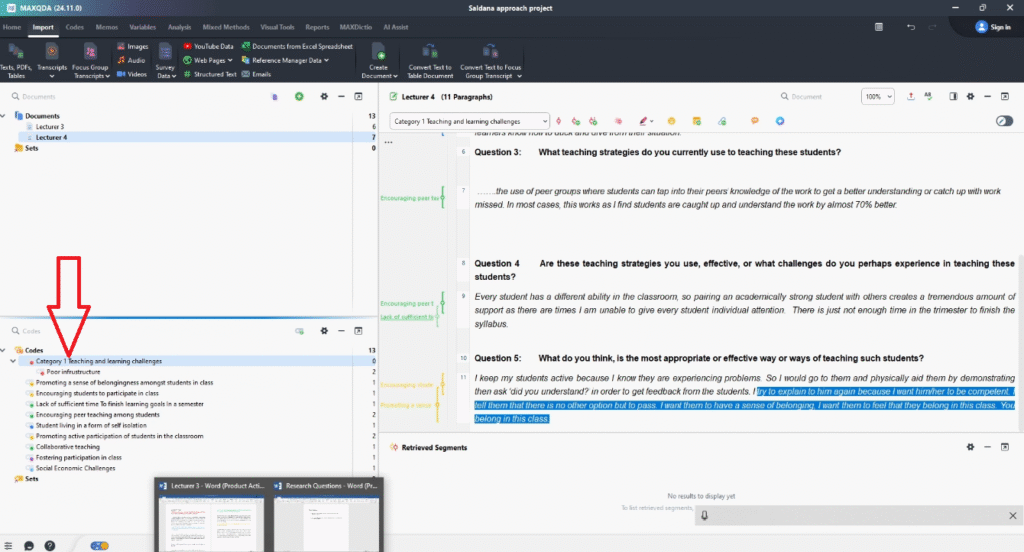
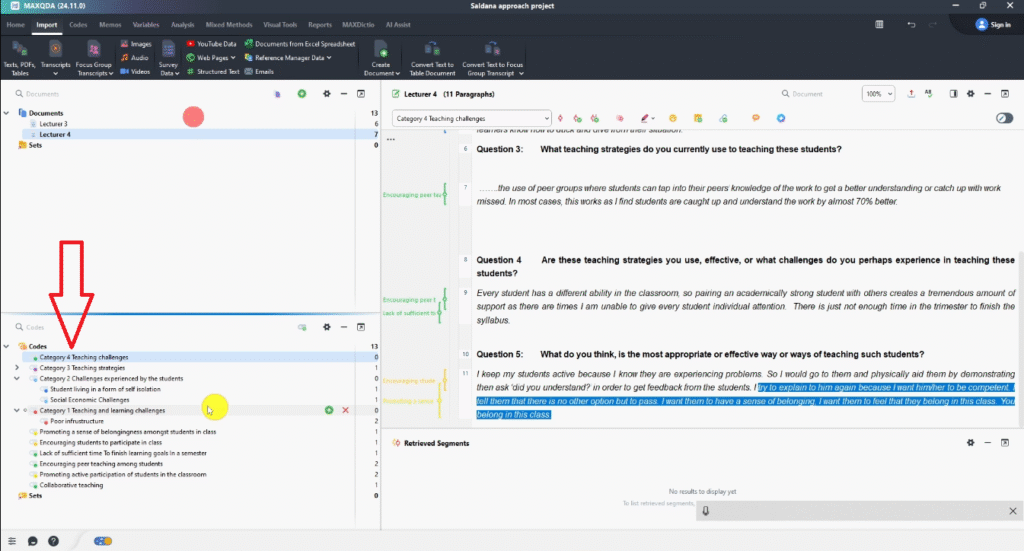
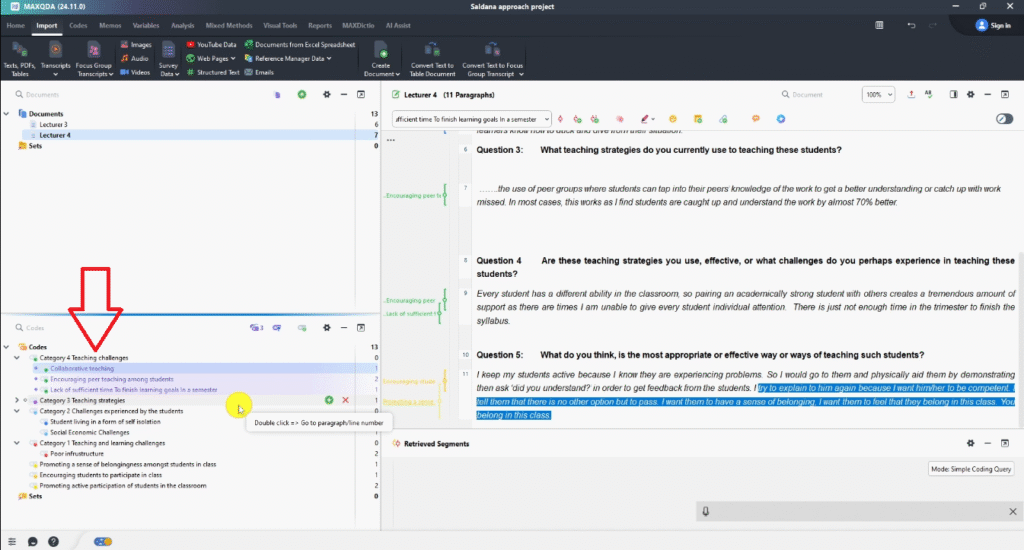
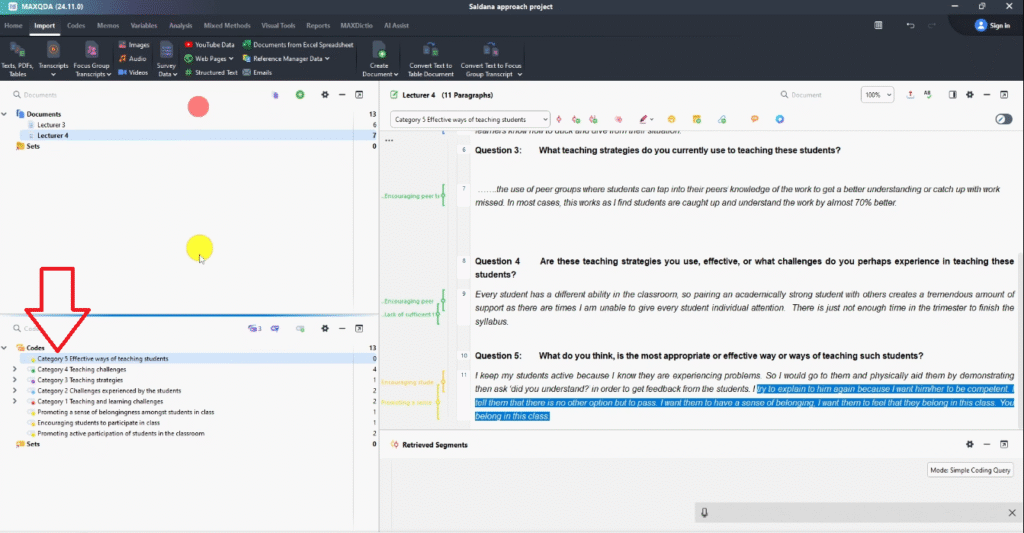
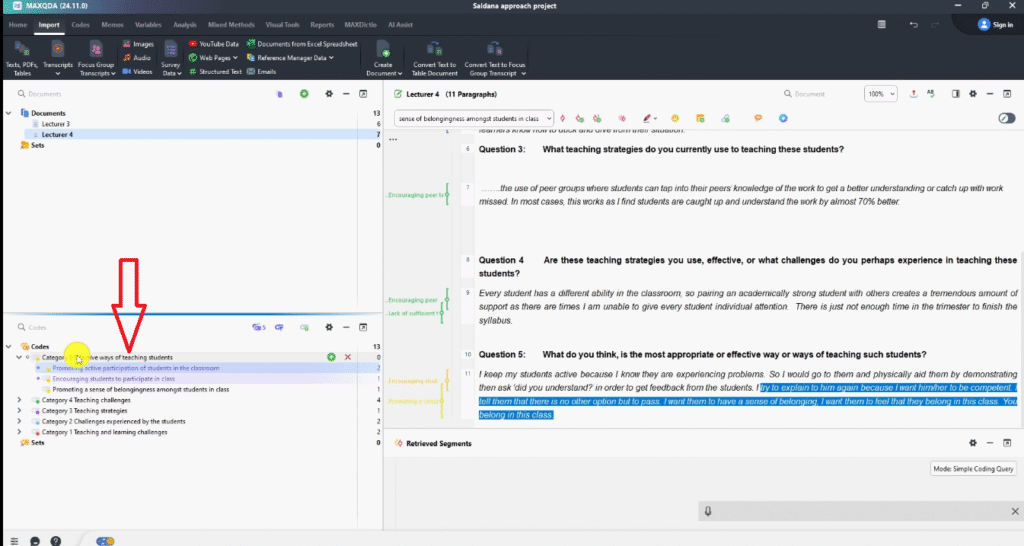
This is where the colour system from Step 1 pays off. Scan your Code System panel — each colour tells you which research question a code belongs to. For each research question, create a new category, then drag and drop the matching codes inside.
In the community college study, the five categories were:
- Teaching and Learning Challenges (red codes)
- Challenges Experienced by Students (blue codes)
- Teaching Strategies (purple codes)
- Teaching Effectiveness Challenges (green codes)
- Effective Ways of Teaching (brown codes)
Work carefully here — the quality of your categories determines the quality of your themes. For deeper conceptual grounding on how categories and themes differ, SAGE Research Methods has authoritative methodological resources used by researchers worldwide.
If you want to explore a deductive alternative where you start with predetermined themes rather than building them inductively, I’ve written a separate guide on deductive thematic analysis in MAXQDA.
Step 3 — Generating Themes Through Analytic Memoing

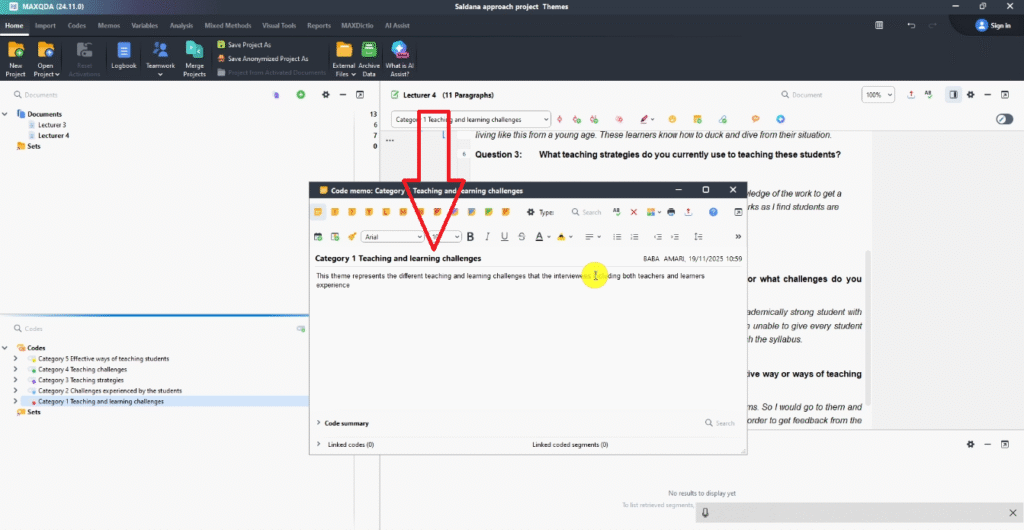
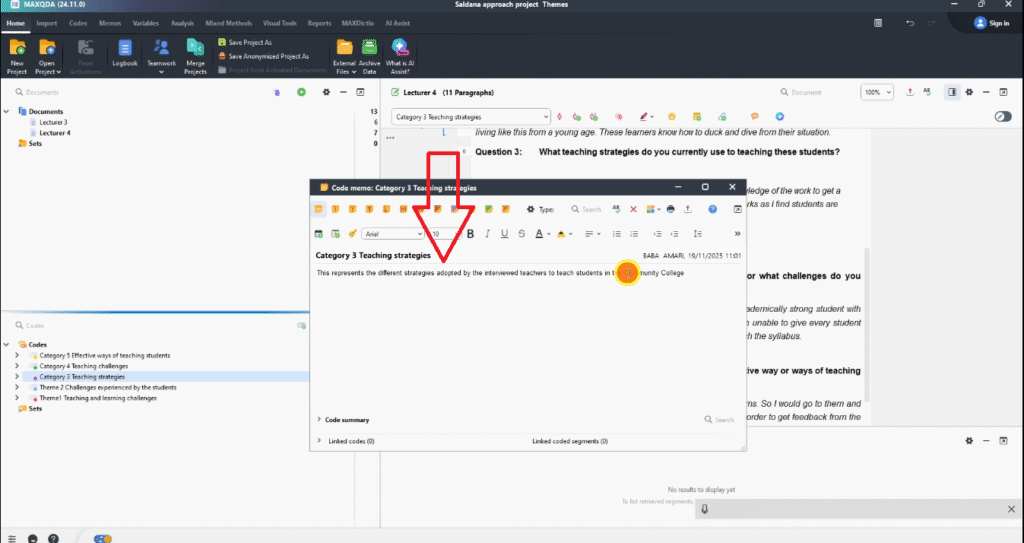
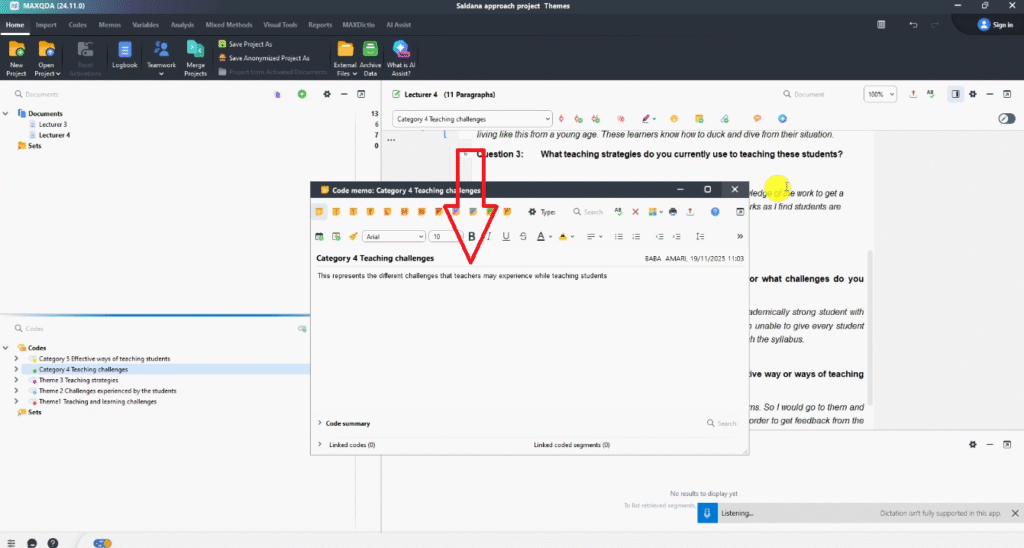
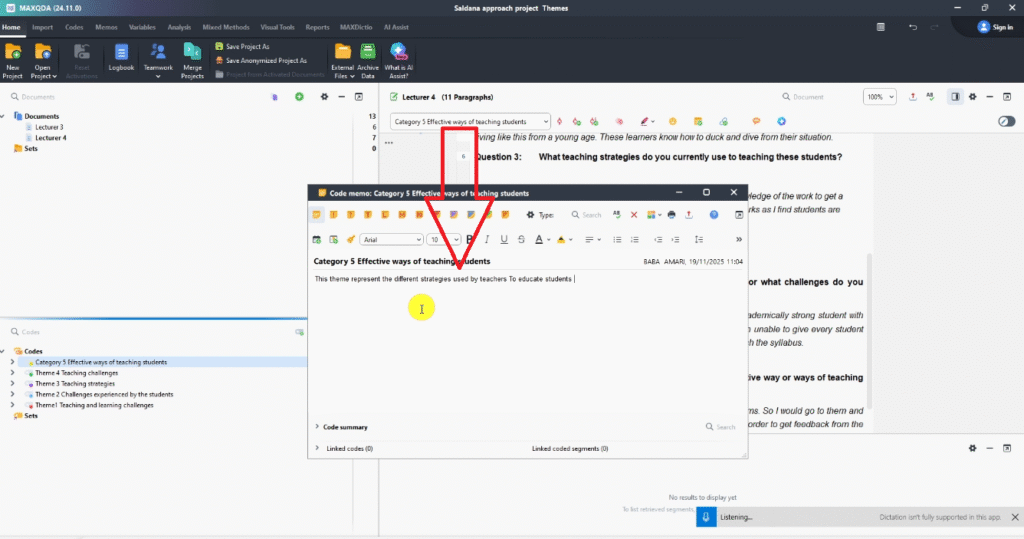
This is where your analysis develops real depth. Analytic memoing means writing reflective notes about each category — explaining what it represents, where the codes came from, and how it relates to your broader research context. These memos are what transform a raw category into a well-defined theme.
How to Write an Analytic Memo in MAXQDA
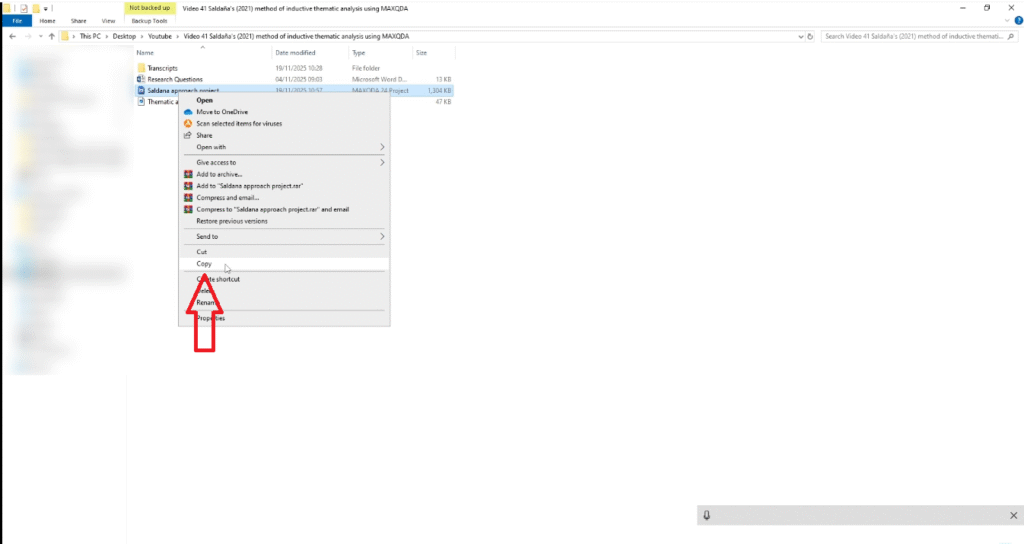
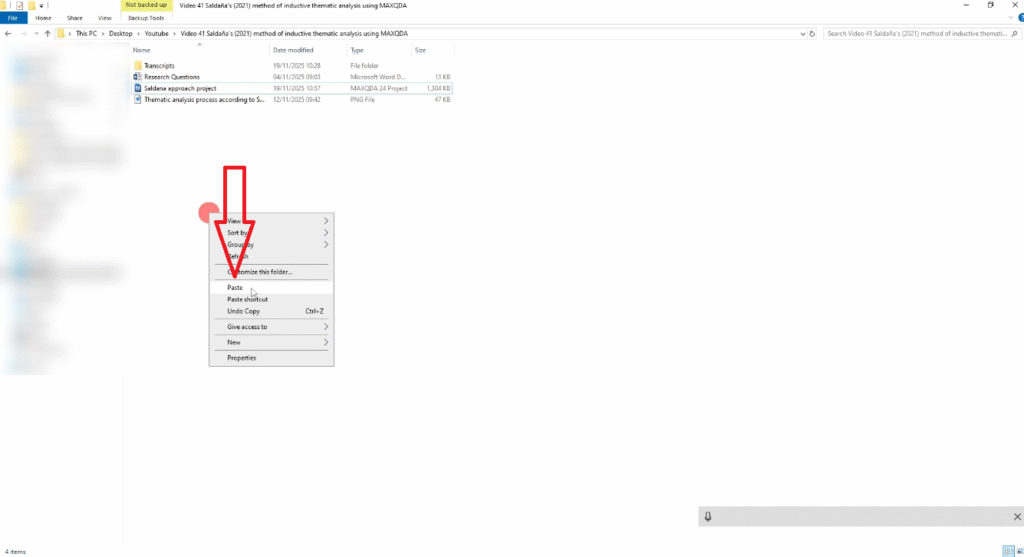
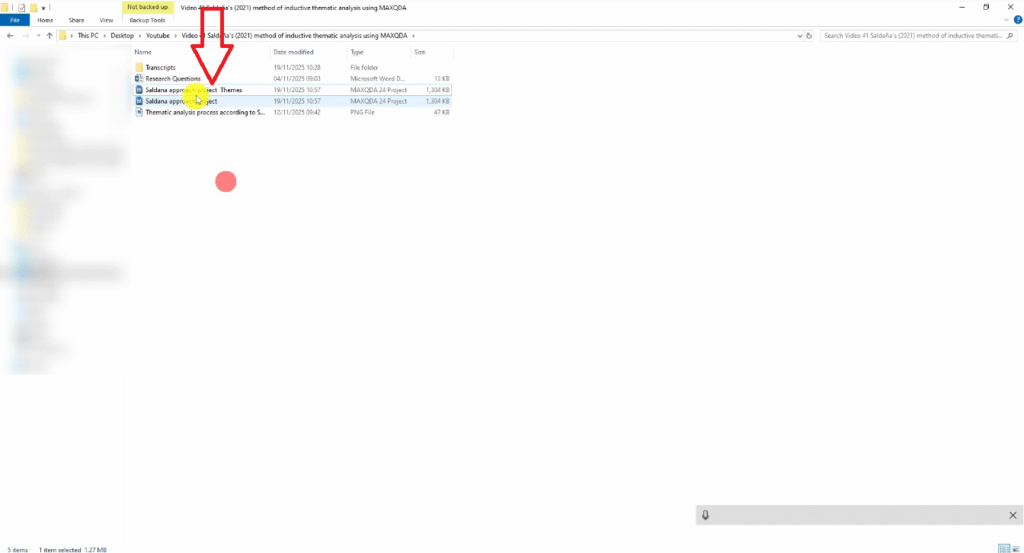
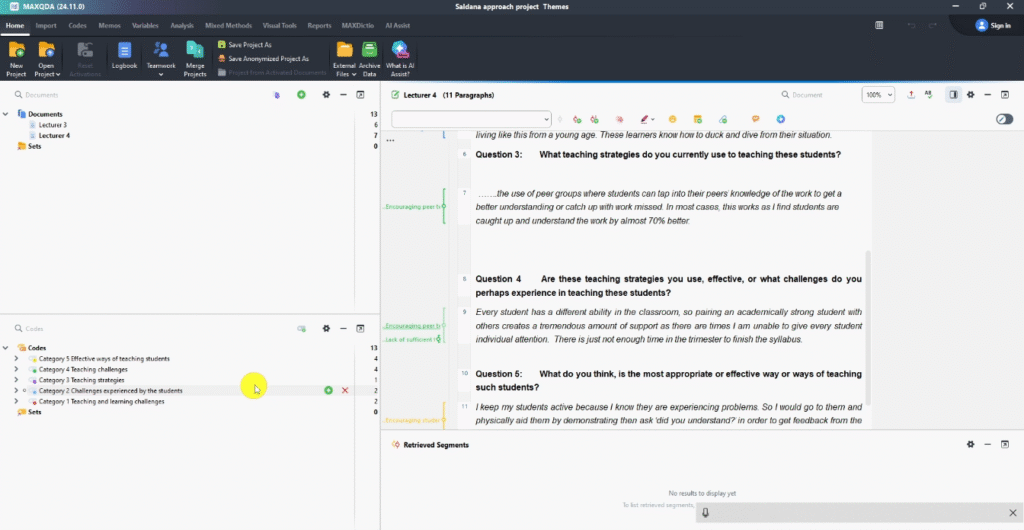
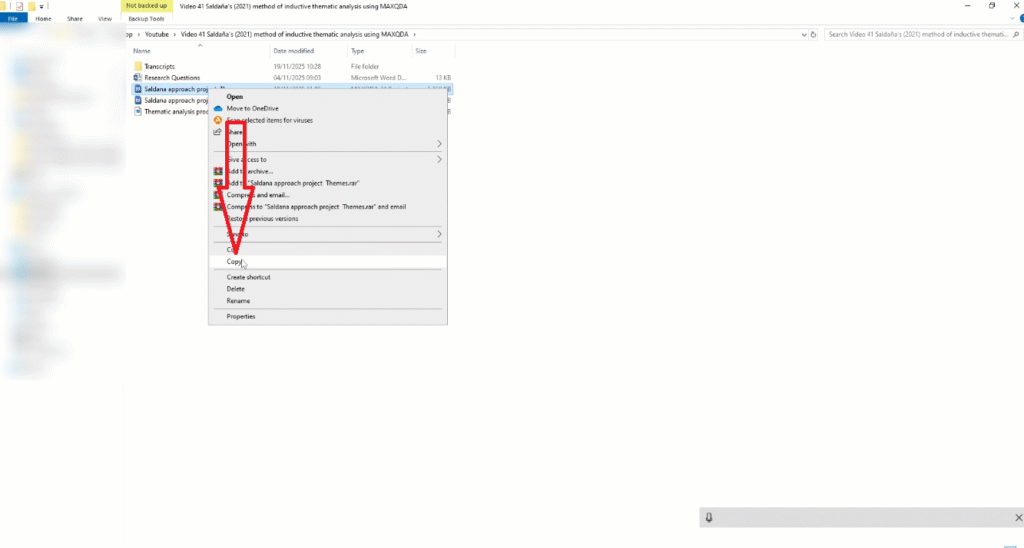
Before making changes, duplicate your MAXQDA project file and rename it ProjectName_Themes.mx24. This preserves your original coding structure.
In the copied file, right-click each category and select Write Memo. In the memo, describe:
- What the category represents in plain language
- Which codes it contains and why they belong together
- How it relates to the original research question
- Any patterns, tensions, or nuances you noticed across the data
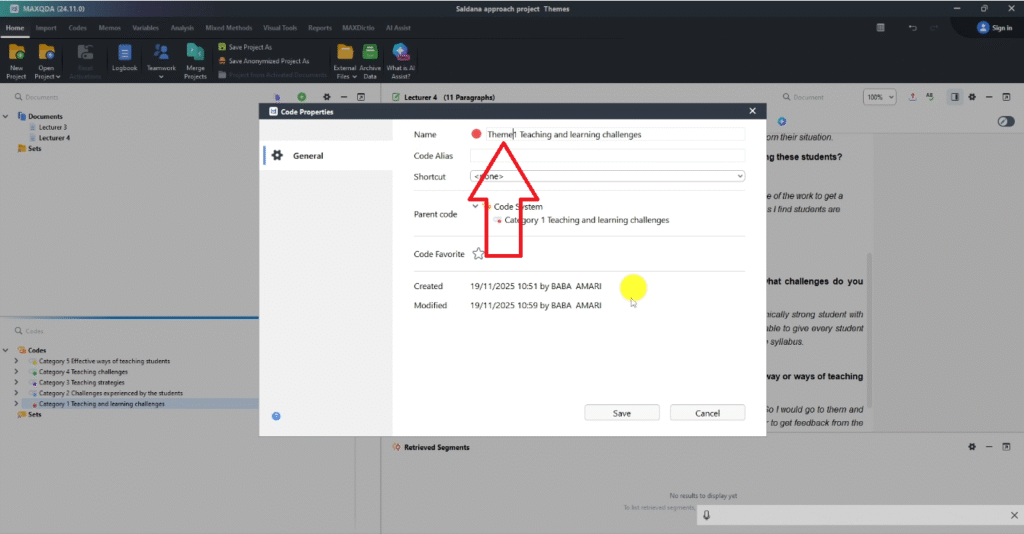
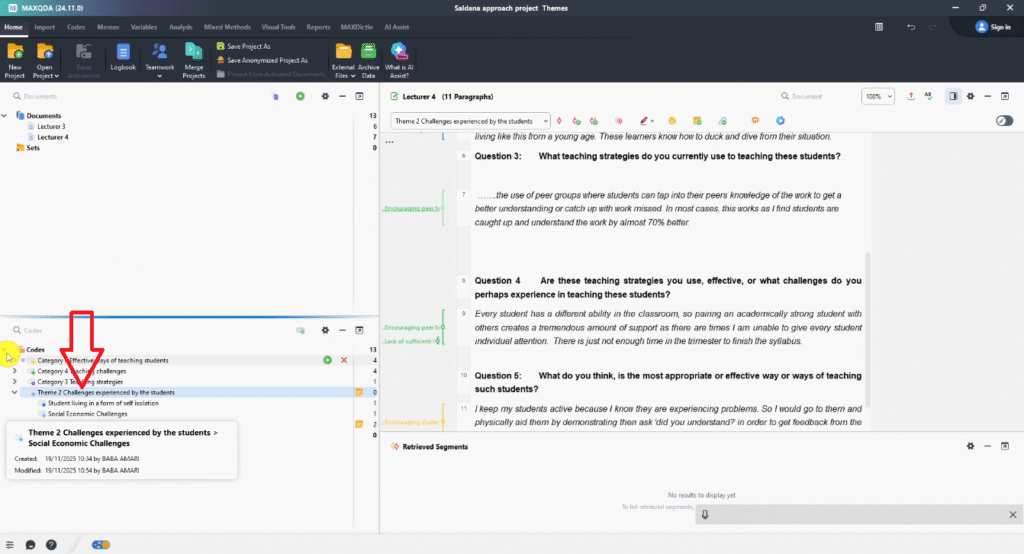
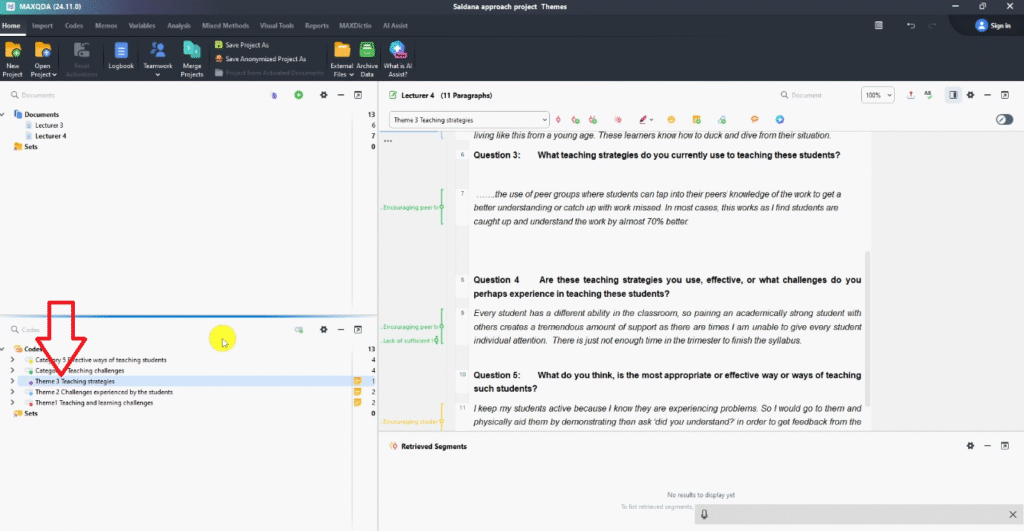
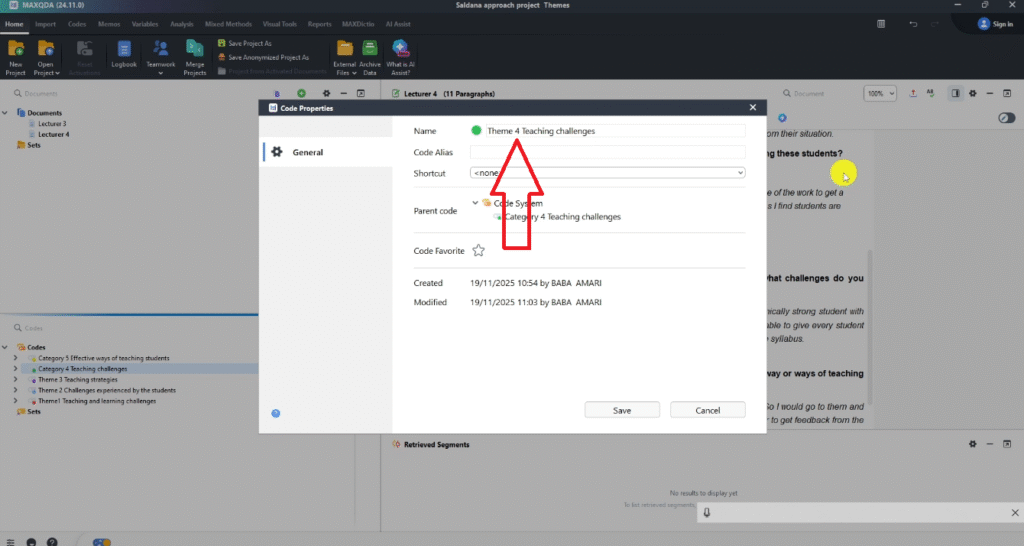
Once you’ve written the memo, rename the category from its descriptive label to a formal theme name — for example, Category: Teaching Challenges becomes Theme 1: Teaching and Learning Challenges. This rename signals the transition from grouping to interpretation.
Repeat for all categories. By the end of Step 3, you should have well-defined themes — each with a name, written description, and the supporting codes underneath. For a related guide on theme development in a different tool, see my article on getting themes in qualitative data analysis using NVivo.
Step 4 — Connecting Themes to Your Research Questions

The fourth step maps your themes back to the research questions they address. This is a critical step — it’s where your analysis becomes findings.
Mapping Themes to RQ1 and RQ2
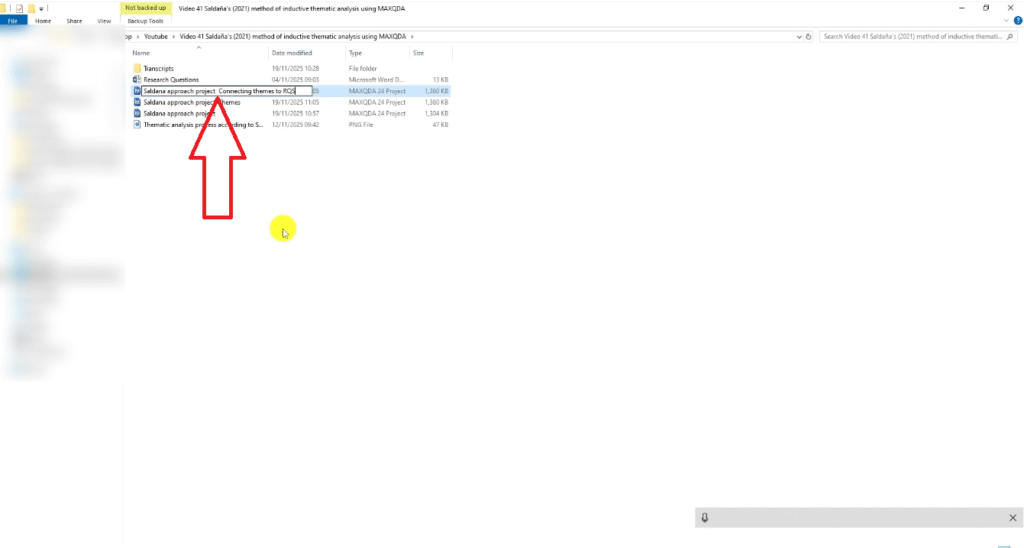
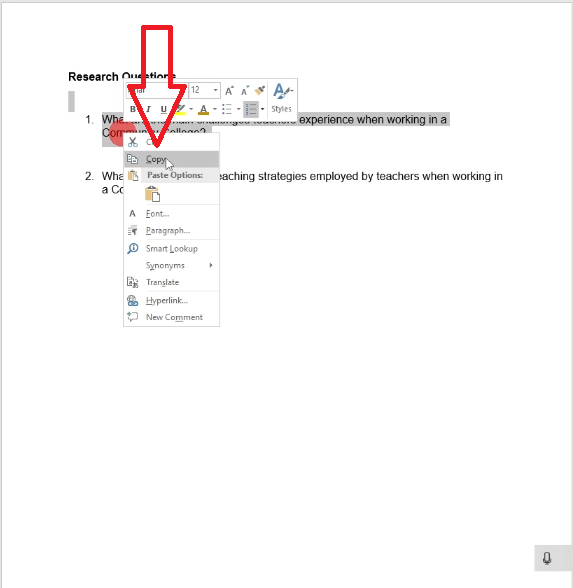
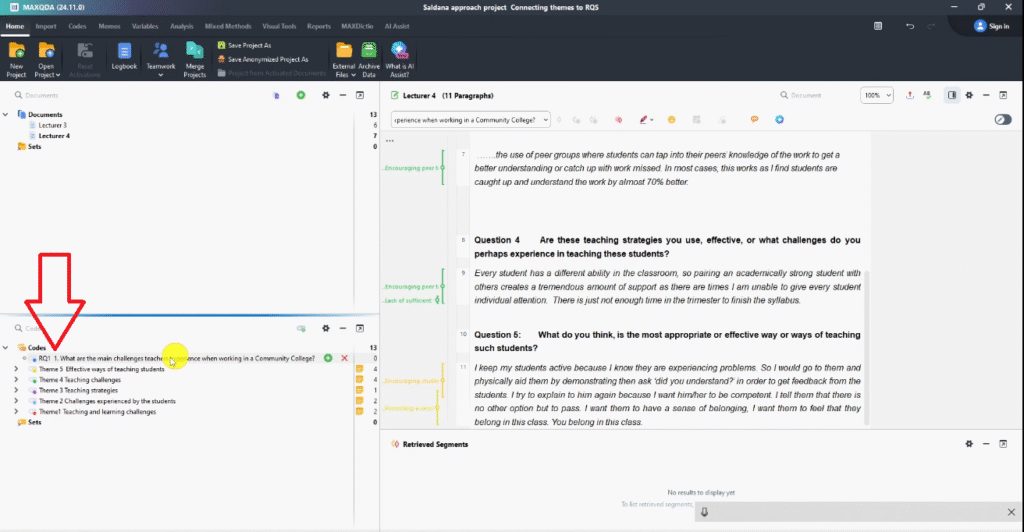
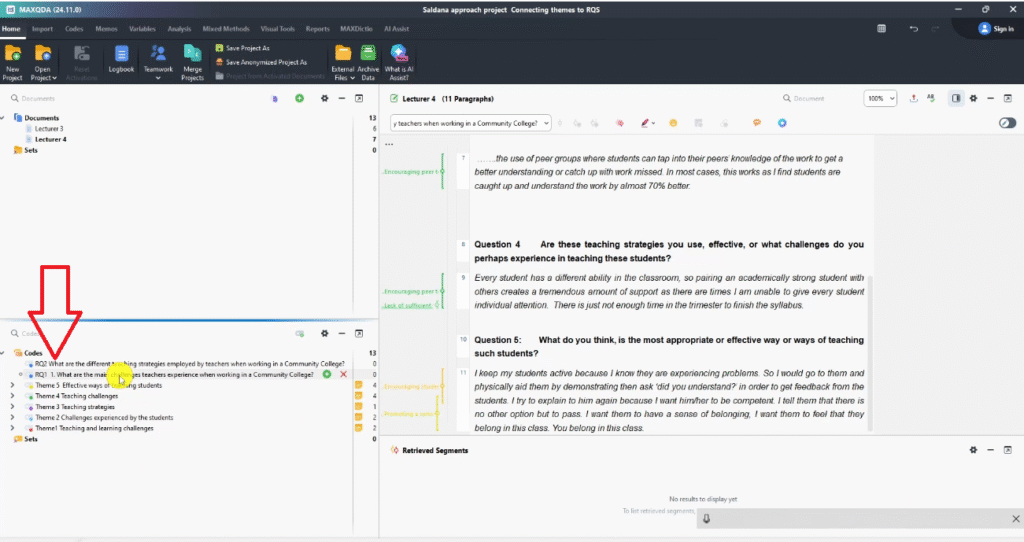
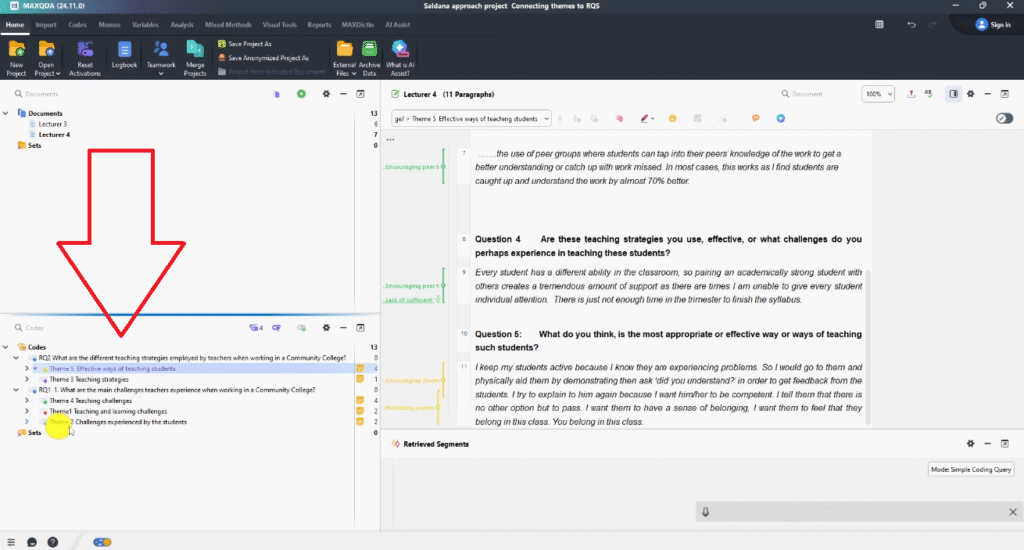
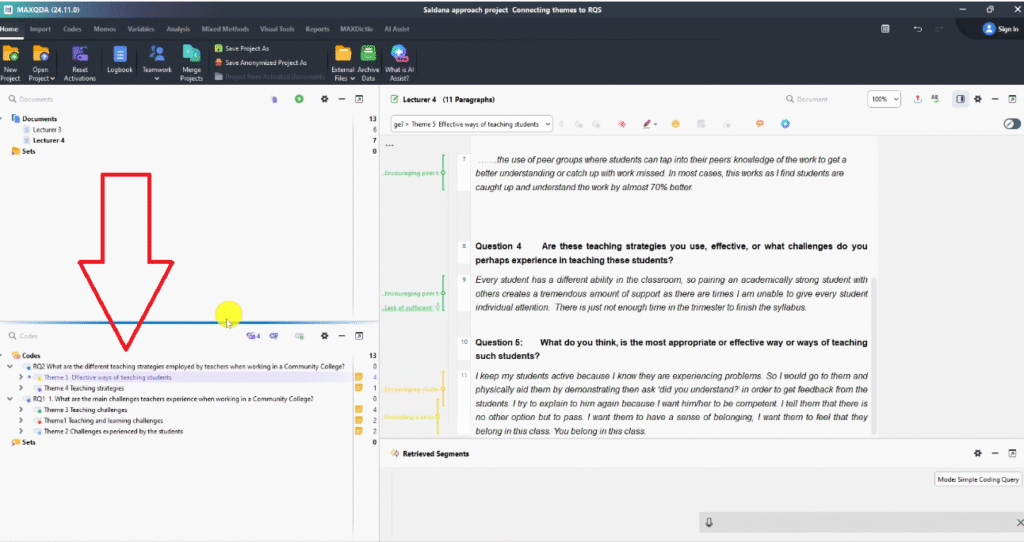
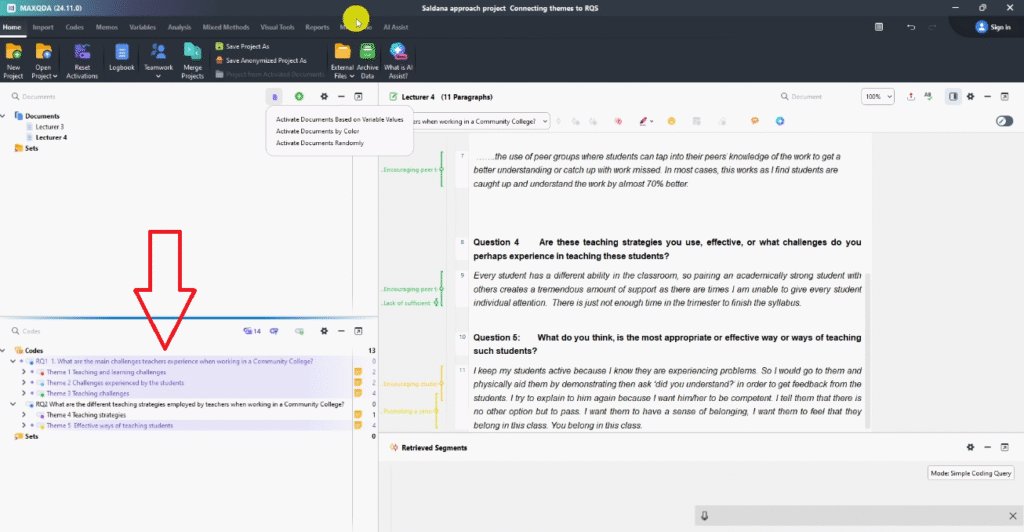
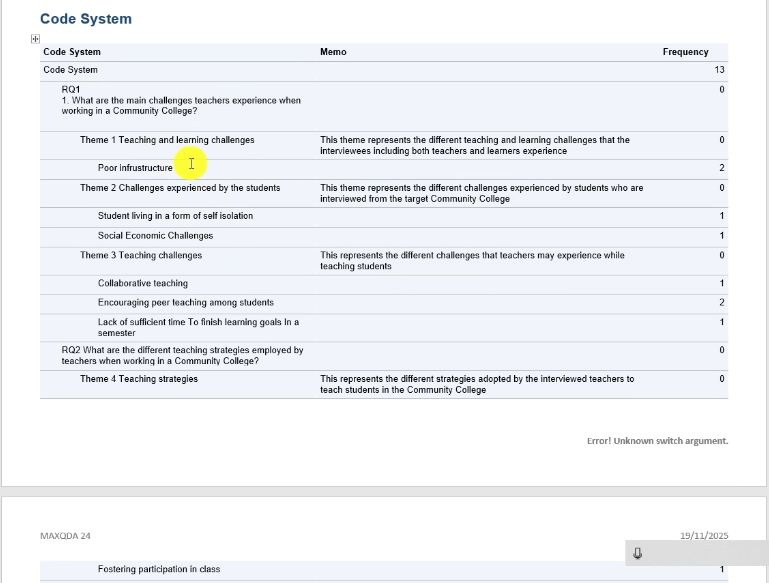
Duplicate your project file again and rename it ProjectName_ConnectingThemesToRQs.mx24. In this file, create two containers in the Code System — one for each research question. Paste the research question text into each container as a reference.
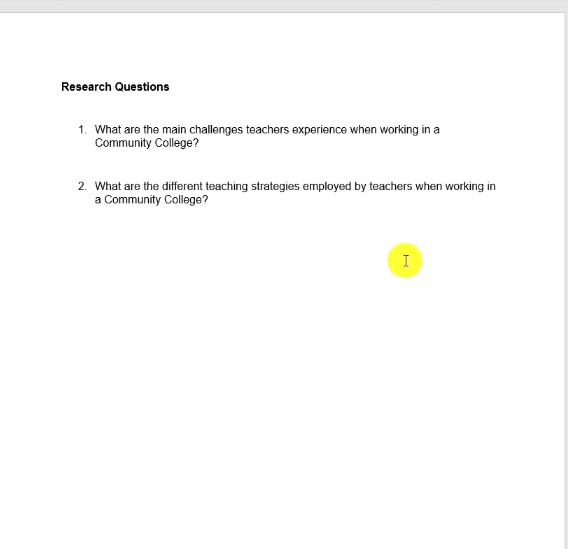
For the community college study, the two research questions were:
- RQ1: What are the main challenges teachers experience when working in a community college?
- RQ2: What are the different teaching strategies employed by teachers when working in a community college?
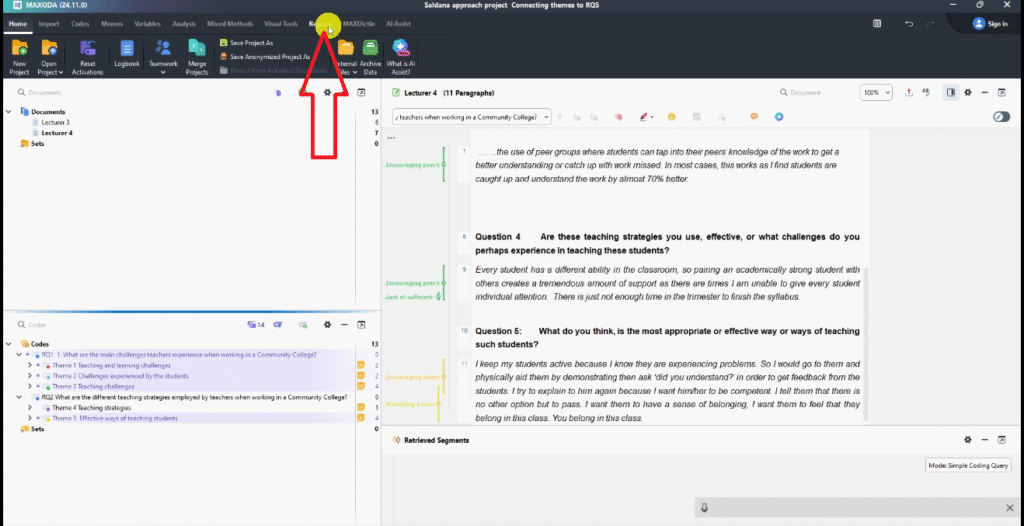
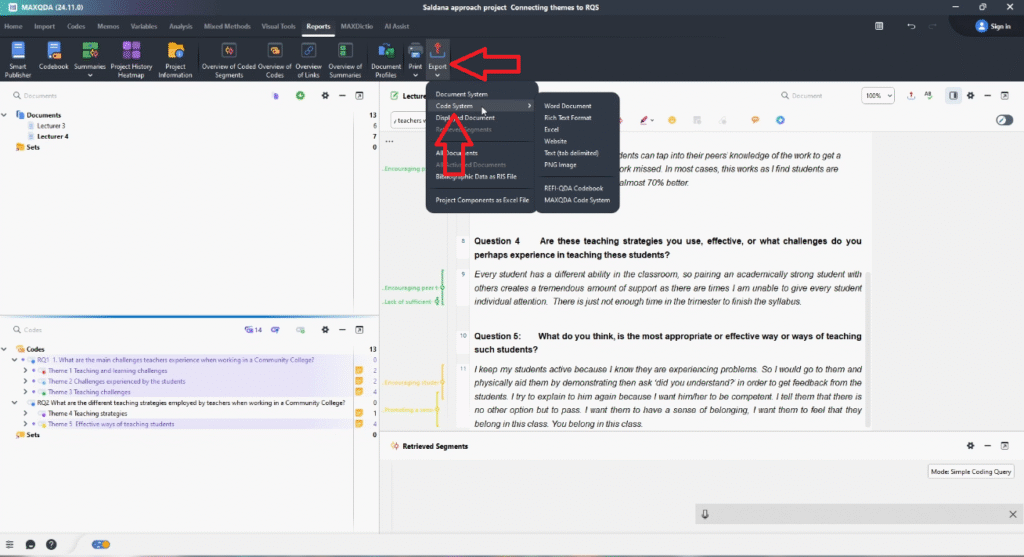
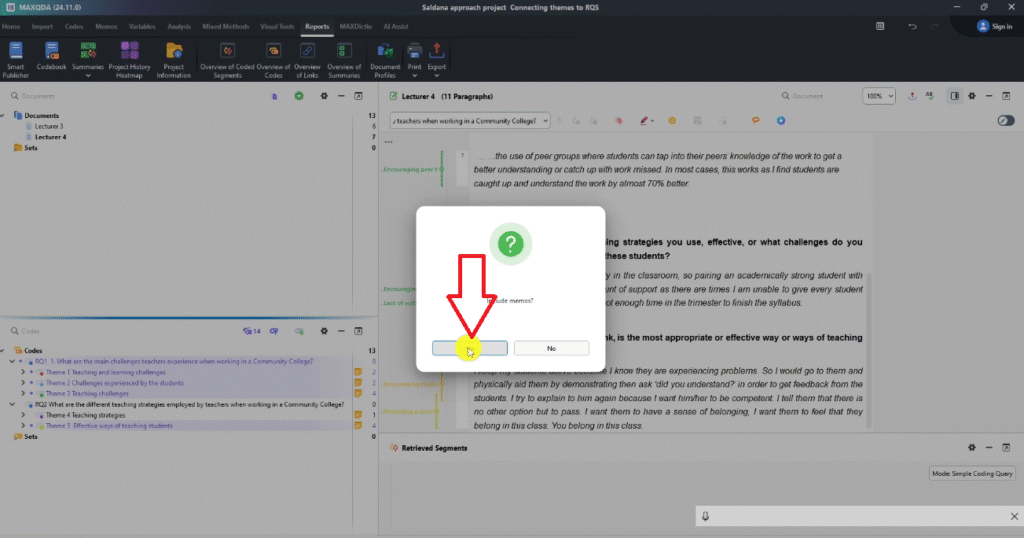
Drag and drop the relevant themes into each research question container — challenge-related themes to RQ1, strategy-related themes to RQ2. Rename themes sequentially (Theme 1, Theme 2…), use Sort A–Z to tidy the code system, then go to Reports → Export → Code System, including memos in the export.
Common Mistakes to Avoid
After helping hundreds of researchers through this process, here are the mistakes I see most often:
- Skipping the colour-code system. Without colour tags, Step 2 becomes guesswork. Assign colours before your first code.
- Keeping duplicate codes. If two codes capture the same idea, merge them early — duplicates create noise in your category structure.
- Writing thin analytic memos. A memo that just restates the category name adds no value. Push yourself to explain the ‘why’ behind each theme.
- Renaming without redefining. Renaming a category ‘Theme 1’ doesn’t make it a theme. Themes need a memo, a name, and a clear relationship to a research question.
- Not saving version copies. MAXQDA doesn’t retain undo history across sessions — always duplicate your project before making structural changes.
Frequently Asked Questions
Is Saldaña’s method the same as Braun and Clarke’s thematic analysis?
No. Both are inductive thematic analysis approaches, but they differ in structure. Braun and Clarke use a six-step framework applicable across most qualitative designs. Saldaña’s method places particular emphasis on the role of codes and analytic memos in generating themes. Many researchers draw on both — Saldaña for the coding logic, Braun and Clarke for the broader framing.
How many themes should I end up with?
There is no fixed number. A typical PhD study with two to three research questions and 10–15 participants tends to produce three to six themes per research question. What matters is that each theme is well-supported by your coded data and clearly addresses a research question.
Can I use Saldaña’s method in NVivo or ATLAS.ti instead of MAXQDA?
Yes — Saldaña’s four-step framework is software-agnostic. I have a step-by-step guide on applying it in NVivo (thematic analysis step-by-step guide) and a full qualitative analysis tutorial in MAXQDA (complete course) that cover the same logic across different tools.
What is analytic memoing and why does it matter?
Analytic memoing is the practice of writing reflective notes about your data during analysis. In Saldaña’s method, memos are written at the category level to document your interpretive reasoning. These memos become the foundation of your themes and are often the clearest evidence of analytical rigour when your dissertation is being examined.
Is this approach appropriate for focus group data?
Yes. The four-step framework applies to any text-based qualitative data — interviews, focus groups, open-ended survey responses, or field notes. The coding and memoing process is the same regardless of data type.
Key Takeaways
- Saldaña’s inductive thematic analysis moves through four clear stages: coding, categories, analytic memos, and connecting themes to research questions.
- MAXQDA’s colour-coding and memo features align directly with Saldaña’s workflow.
- Analytic memoing separates a category from a theme — write meaningful memos that explain your interpretive reasoning, not just category names.
- Always save separate MAXQDA project copies before making structural changes — before categories, before themes, and before connecting to RQs.
- Your final code system export from MAXQDA can serve directly as a methods appendix in your thesis.
- If your analysis is in NVivo instead, the process is the same — see my guide on thematic analysis in NVivo 15.
If your transcripts are sitting untouched and your deadline is approaching, my team can step in. The done-for-you thematic analysis service covers full MAXQDA coding, theme development, and write-up support — delivered to you. More than 600 PhD students have used this service to finish their dissertations. Book a consultation today.
![How to Code Qualitative Data in MAXQDA [Step-by-Step Guide]](https://survivingresearch.com/wp-content/uploads/2024/08/Maxqda-Tutorial.webp)
![Is AI Ethical for Qualitative Data Analysis? [Tested]](https://survivingresearch.com/wp-content/uploads/2025/04/Can-I-use-AI-to-do-qualitative-coding-ethically.jpg)
Pingback: Inductive Thematic Analysis in ATLAS.ti: Saldana's Method -
Pingback: NVivo 15 AI Coding: Does It Actually Produce Quality Results? -
Pingback: MAXQDA Free Training for Beginners: Start Coding Your Data -
Pingback: Deductive Thematic Analysis in MAXQDA: Step-by-Step Guide -